Most people assume the cable that ships with a flagship phone is built to match the phone's actual capabilities.That's a reasonable assumption since it comes straight from the manufacturer, and most companies don't want to look bad if they want repeat customers.Samsung spent years developing fast charging technology that cuts charge times significantly, and you probably wouldn't guess that the cable in the box is what's holding it back.
The cable in the box is holding your phone back Your inbox cable can't keep up with your phone Samsung stopped including a wall charger in the box with its flagship phones for environmental reasons, to cut down on electronic waste.What they did keep in there was a USB-C to USB-C cable.It doesn't take much thought to see that it's cheaper to remove the pricey base and leave a cheap cable.
It's hard to believe this is really about the environment, and either way, it doesn't work out in your favor.That cable is usually about 1 meter long, has a thin TPE plastic jacket, and is only rated for 3 amps.For basic charging, 3A is fine, but it won't deliver Samsung's fastest speeds, which is why you'll want to buy a better cable and charger separately.
Samsung has two tiers of fast charging.Super Fast Charging 1.0 caps out at 25 watts, and Super Fast Charging 2.0 goes up to 45 watts.Regular Galaxy phones and foldables use the 25W standard, and for those, the included cable is totally fine.
But the Ultra models, the Plus models, and the high-end Galaxy Tab lineup all support 45W charging.And 45W needs 4.5 amps.The USB spec requires a 5A-rated cable with a tiny embedded chip called an E-marker to do that safely.
So when you plug a 45W Ultra phone into a 45W charger with the cable that came in the box, the phone sees no E-marker and throttles down to 3 amps.You end up stuck around 25 to 30 watts instead of the 45 the phone was built for, unless you go buy a separate cable.Samsung's packaging says nothing about any of this.
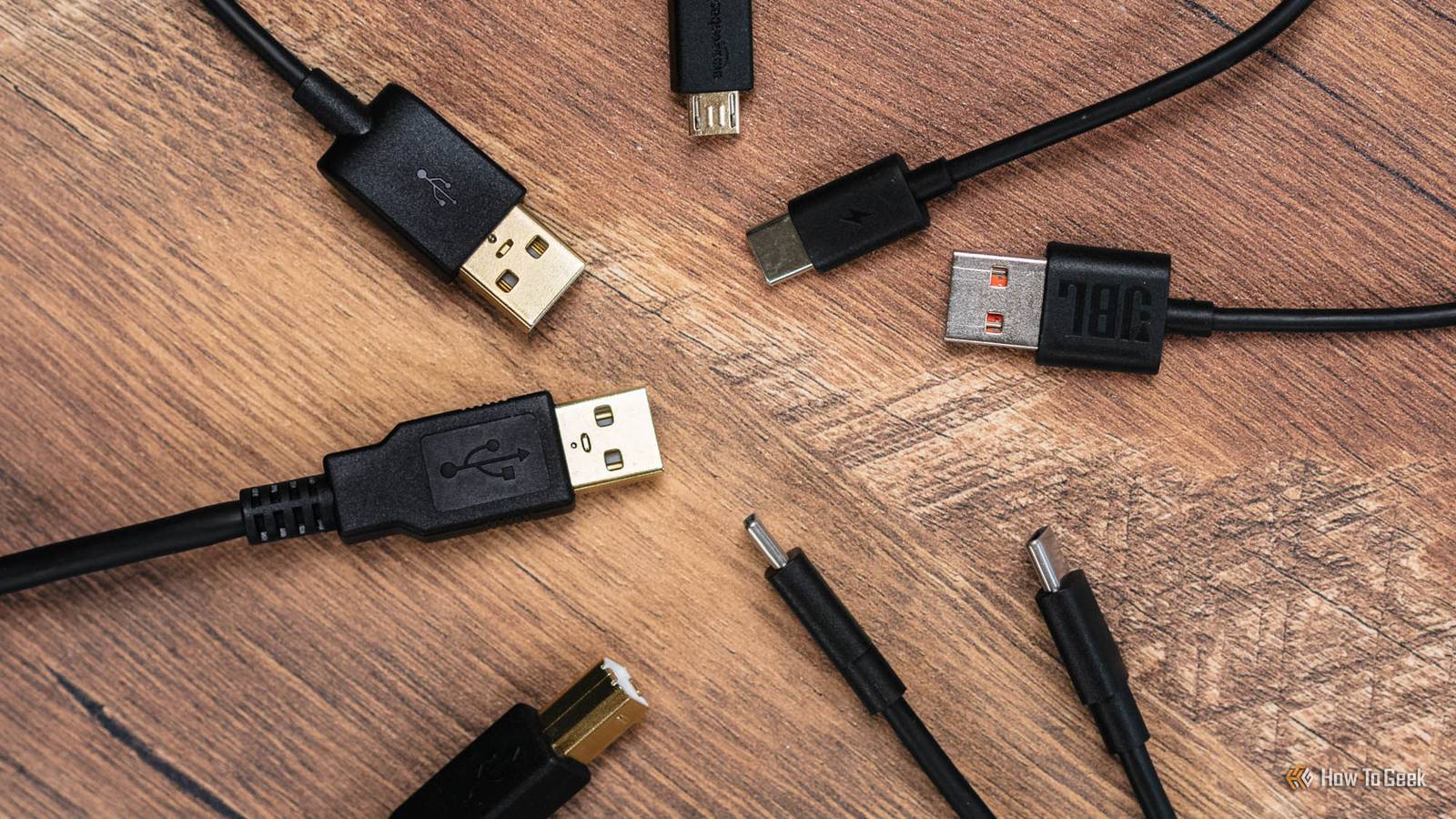
The box just says "USB-C to USB-C Cable." It mentions no 3A limit or hint that you need a different cable to reach 45W.Most people never realize the cable in the box is why their phone isn't charging as fast as it should.Samsung gives you a cheap cable that caps your speeds That free cable won't hit top charging speeds When you're shopping for a replacement cable, don't just pick the first USB-C cable you see.
If you have a Galaxy Ultra, Plus, or a high-end Tab that supports 45W Super Fast Charging 2.0, you need a cable rated for 5 amps with an E-marker chip built into the connector.That chip is basically a little ID card that tells your phone what current, voltage, and data speed the cable can handle.One of the clearest signs a cable is worth buying is USB-IF certification.
That means it was actually tested at an independent lab, not just slapped with a "compliant" sticker.The testing covers signal quality, heat handling under load, and whether the E-marker chip is accurate.Cheap cables may skip the real chip or have wiring problems that cause charging to fail or slow down, or even damage your port over time.
If you want to double-check a cable before buying it, look for the official Certified USB logo on the packaging, or search for the cable's Test ID number on the USB-IF website.Build quality matters too, because a cable that falls apart in a few months isn't worth anything.Braided nylon or Kevlar-reinforced jackets hold up way better than the plain rubber ones that come in the box.
They cost more, but for good reason, and I've never had a braided cable rip open.Think about length, too.A 6-foot cable gives you enough slack to use your phone comfortably while it charges without yanking on the port.
If you're using this in a car, a shorter cable is smarter, or you'll end up tying it so it doesn't loop around your gear shift.Swapping the cable alone won't get you to 45W if your wall charger isn't set up for it.Your phone needs a charger that supports USB Power Delivery 3.0 or 3.1 with Programmable Power Supply (PPS) and can output around 10V at 4.5A.
Plug a great 5A cable into a laptop charger that doesn't support PPS, and you'll probably end up charging at around 15W.I use a budget charger from Amazon that's never let me down.Whenever my kids break it, I just buy another one.
I'd definitely recommend it.You need the right cable and brick to get full speed Pick a cable that actually charges at full speed Close People love to say you should just use the cable that came with your Samsung phone, since it's guaranteed to meet factory specs.Cheap third-party cables are known for overheating, messing up charging, or frying your USB-C port.
Those risks are real, and they usually come from basic electrical problems.If a cable uses wire that's too thin or has poor internal soldering, high current can generate enough heat to melt the plastic or fry your port.If the connector's internal manufacturing is sloppy, you can get a short between the power and data pins.
However, that kind of thing really only happens with no-name, uncertified, counterfeit cables.It's not really an issue with reputable third-party brands.If you think it through a little before you plug anything in, it's pretty easy to spot the cables you should skip.
A price that's too good to be true, like a multipack for two or three bucks, is a red flag.Good copper wiring and certified chips actually cost money to make.Other warning signs include unbranded listings, no USB-IF certification or Test ID, and cables that claim 5A or 100W but look suspiciously thin and flimsy.
A cable from a well-known brand with official USB-IF certification is basically just as safe and reliable as Samsung's own cable.So you're safe if you can see that certificate and it checks out.A new cable is worth the cost The frustrating part is that Samsung's included cable is just not as good as it could be.
It's not dangerous or broken; it works fine for basic charging, and if you have a regular Galaxy or a foldable, it's adequate.But if you want more than adequate, you'll need something better.A proper replacement doesn't have to be expensive and may last longer than the cable that came in the box.
UGREEN 240W USB C Cable Gen2 10Gbps USB 3.2 Brand UGREEN Cable Type USB-C Length 3.3FT Data Transfer Rate 10Gbps Charging Rate 240W USB Version USB 3.2 This UGREEN USB 3.2 Gen2 cable provides a massive 10Gbps bandwidth that handles high-resolution maps and music streaming simultaneously.Its 3.3ft length and 56KΩ resistor ensure a stable connection that works flawlessly with Android Auto.See at Amazon Expand Collapse
Read More