If you've been looking for an Intel-powered NAS with multiple NVMe drive slots, then TerraMaster's brand-new F4-425 Pro NAS is definitely worth considering.With dual 5GbE networking ports, an easy-to-disassemble design, user-upgradable RAM, and more, this NAS could be the perfect choice for your next media server build.TerraMaster F4-425 Pro NAS 4-bay 8 Brand TerraMaster CPU Intel N305 or N350 Memory 8GB or 16GB DDR5 (user-upgradable) Drive Bays 4 3.5-inch, 3 M.2 NVMe The TerraMaster F4-425 Pro NAS offers four 3.5-inch hard drive bays and three M.2 NVMe drive slots to deliver plenty of storage potential to your home network.
With dual 5GbE networking ports on the back, and user-upgradable RAM, this Intel-powered NAS is the perfect media center system for your homelab.Pros & Cons Easy disassembly Supports Intel QuickSync User-upgradable RAM 3 NVMe slots Native OpenClaw support A bit on the pricier side Only 5GbE networking (others in this price range are 10GbE) No ECC RAM support $800 at Amazon $700 at bhphotovideo $700 at TerraMaster Expand Collapse See Our Process How We Test and Review Products at How-To Geek We go hands-on with every product to ensure it's worth your time and money.Posts By Justin Duino Price and availability The TerraMaster F4-425 Pro comes with two spec choices: Intel N305 and 8GB of RAM, or the Intel N350 with 16GB of RAM.
Pricing starts at $700 for the N305/8GB model and goes up to $800 for the N350/16GB model.The TerraMaster F4-425 Pro is available for purchase at Terra-Master, Amazon, or B&H.Specifications Brand TerraMaster CPU Intel N305 or N350 Memory 8GB or 16GB DDR5 (user-upgradable) Drive Bays 4 3.5-inch, 3 M.2 NVMe OS TOS 7 Price $700+ LAN Ports Dual 5GbE Expand Collapse Every NAS should come with tool-less drive bays I don't want to need a screwdriver to install drives While it's becoming more popular, not every NAS offers tool-less drive bays.
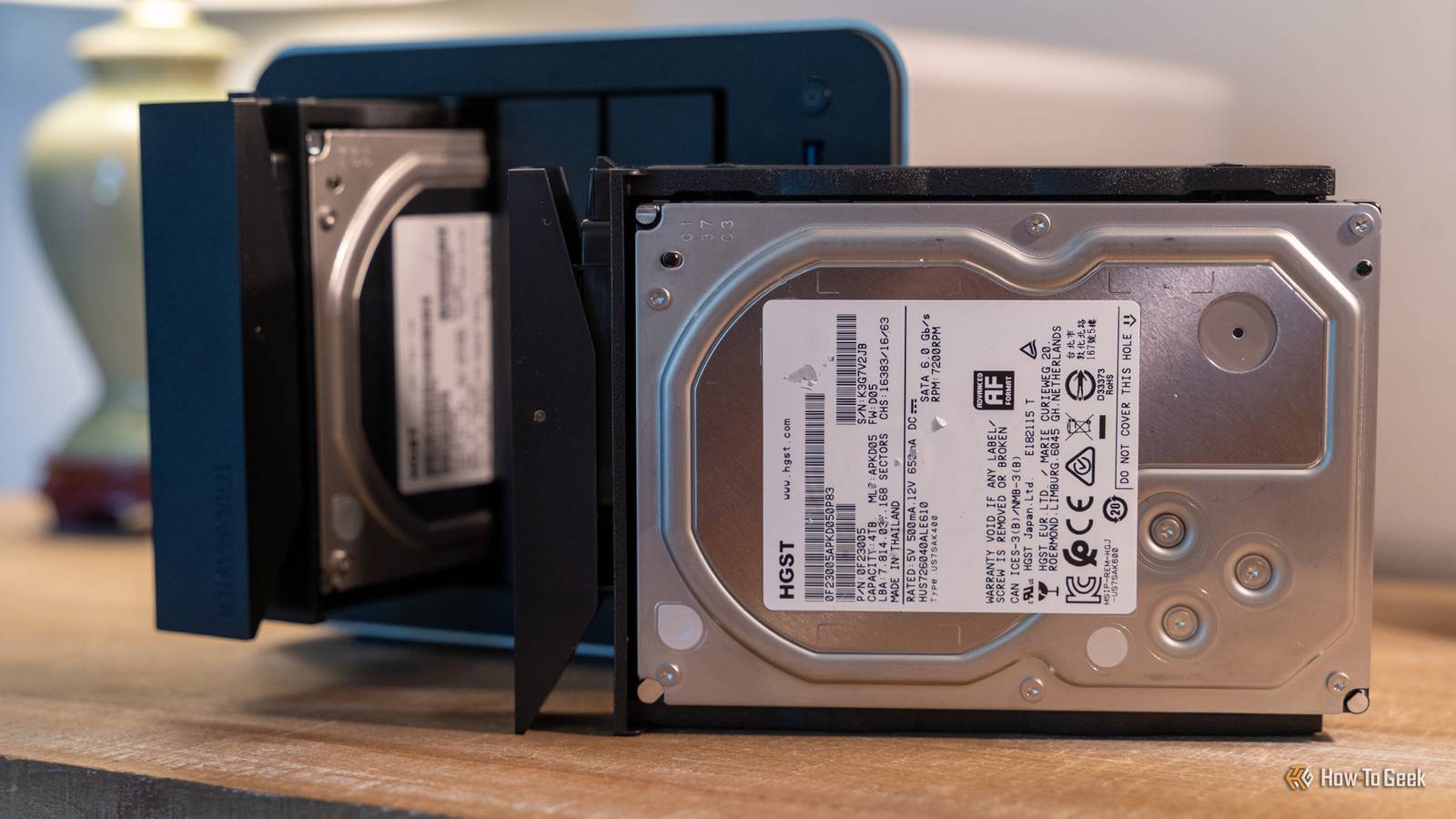
I'm so happy that the F4-425 Pro from TerraMaster doesn't require tools to install the 3.5-inch hard drives though.It's not that I dislike having to use a screwdriver for it, I just hate having to deal with four screws for each drive.It's so much nicer to just simply slide the drives into the tray, click in the retainer, and go about your day.
That's just one nice feature of the F4-425 Pro, though.Really, the entire build quality of this NAS is fantastic.Not only are there four 3.5-inch drive bays, but there are also three M.2 NVMe slots available at PCIe 3.0 x1 speed.
This offers plenty of speed for what this NAS is made for.With dual 5GbE ports on the back, and USB 3.1 10Gb/s ports, you'll never push more than 1GB/s through this NAS—and those NVMe drives will easily handle that.Add to that RAID (or, my favorite, TRAID), and the TerraMaster F4-425 Pro NAS really starts to shine.
TerraMaster doesn't mind if you customize this NAS Why aren't all NAS servers this easy to maintain? I've taken my fair share of NAS servers apart before, but the TerraMaster F4-425 Pro has to be the easiest to disassemble by far.It takes just four screws on the bottom of the chassis to pull the entire thing apart.Most of the time, there's just a small door to access the NVMe or RAM tray, but TerraMaster lets you get into the entire system with just four screws.
This provides extremely simple access to the RAM for upgrading if you need more than the included 8GB or 16GB, depending on which model you get.Do note that the F4-425 Pro uses DDR5 SO-DIMM RAM, and it's non-ECC as the Intel N305 or N350 it ships with doesn't support ECC RAM.I will say, at first I was very excited to see a USB-A port inside the chassis, thinking I could use that as a boot drive slot for an alternative operating system.
However, it seems that slot is purely for re-flashing the bootloader of the system.However, the rest of the specs I'm very pleased with.The already-mentioned dual 5GbE ports are definitely welcomed when more and more devices are going multi-gig.
Plus, with multiple 10Gb/s USB ports (including USB-C), there's plenty of I/O to go around here.One thing I love about how this NAS opens up is that it's super easy to clean.Since it runs an Intel processor, it has Intel's Quick Sync technology available for transcoding movies, TV shows, and more.
Should the NAS ever need to be cleaned out to help keep heat down, all it'll take is four simple screws and you have all the access you could need.TOS 7 brings a completely refreshed experience A well-needed polish The last time I used a TerraMaster NAS, it was running TOS 6.Now, TOS 6 was a decent operating system, but I felt it wasn't quite up to par with the likes of Ugreen or Synology.
The F4-425 Pro launched as the "world's first AI-native TOS 7 NAS system." All that to say, TerraMaster has made TOS 7 much more AI-focused.The nice thing is, the AI focus doesn't get in the way of actually using the NAS operating system.I've used NAS operating systems before that really pushed AI features on you, and TOS 7 doesn't do that.
It surfaces the AI capabilities when needed, and hides them when they're not.Overall, TOS 7 isn't just an AI-focused OS update, either.It actually polished quite a few areas of the operating system that definitely needed a facelift.
The UI is neater and tidier, and the file manager feels like a real file manager now.TOS 7 supports Docker, and even has both Plex and Nextcloud as one-click install apps in the app store—though you absolutely could use them through Docker if you wanted.Virtual machines are much more front-and-center with way better support than they had in TOS 6.
Really, TOS 7 is an upgrade in every way, including moving to the newer Linux 6.12 kernel, which TOS 6 was not on.While TOS 7 still feels a little clunky in some areas, I definitely think that TOS 7 is much closer to both UGOS and DiskStation Manager than it ever has been.I think that it's finally simple enough that anyone can use it, even if they don't have a lot of hands-on experience with NAS systems.
Should you buy the TerraMaster F4-425 Pro NAS? Really, the TerraMaster F4-425 Pro NAS is a fantastic machine all around in every way—except for the price.With an MSRP of $700 to $800, this is a NAS, especially when you compare it to others on the market.I'd say the closest competitor to the F4-425 Pro is the Ugreen DXP4800 GT, which just launched recently.
The Ugreen beats the F4-425 Pro in several areas, as it has 10GbE networking, a more powerful processor, and supports ECC RAM.However, the F4-425 Pro does have some advancements over the DXP4800 GT, like its Intel processor which supports QuickSync for video transcoding and the fact that it's DDR5 RAM, though it's not ECC.The DXP4800 GT, however, does come in with a retail price of over $100 less than the F4-425 Pro, making it a better value overall.
Depending on what your needs are, the DXP4800 GT might be the better choice for you.But, if you need transcoding capabilities, a third NVMe drive, or want faster DDR5 RAM, then the TerraMaster F4-425 Pro is definitely the best NAS for the job.You really can't go wrong with the F4-425 Pro, and I think anyone who gets it will enjoy using the NAS.
I know I have.TerraMaster F4-425 Pro NAS 4-bay 8 Brand TerraMaster CPU Intel N305 or N350 Memory 8GB or 16GB DDR5 (user-upgradable) Drive Bays 4 3.5-inch, 3 M.2 NVMe The TerraMaster F4-425 Pro NAS offers four 3.5-inch hard drive bays and three M.2 NVMe drive slots to deliver plenty of storage potential to your home network.With dual 5GbE networking ports on the back, and user-upgradable RAM, this Intel-powered NAS is the perfect media center system for your homelab.
$800 at Amazon $700 at bhphotovideo $700 at TerraMaster Expand Collapse
Read More