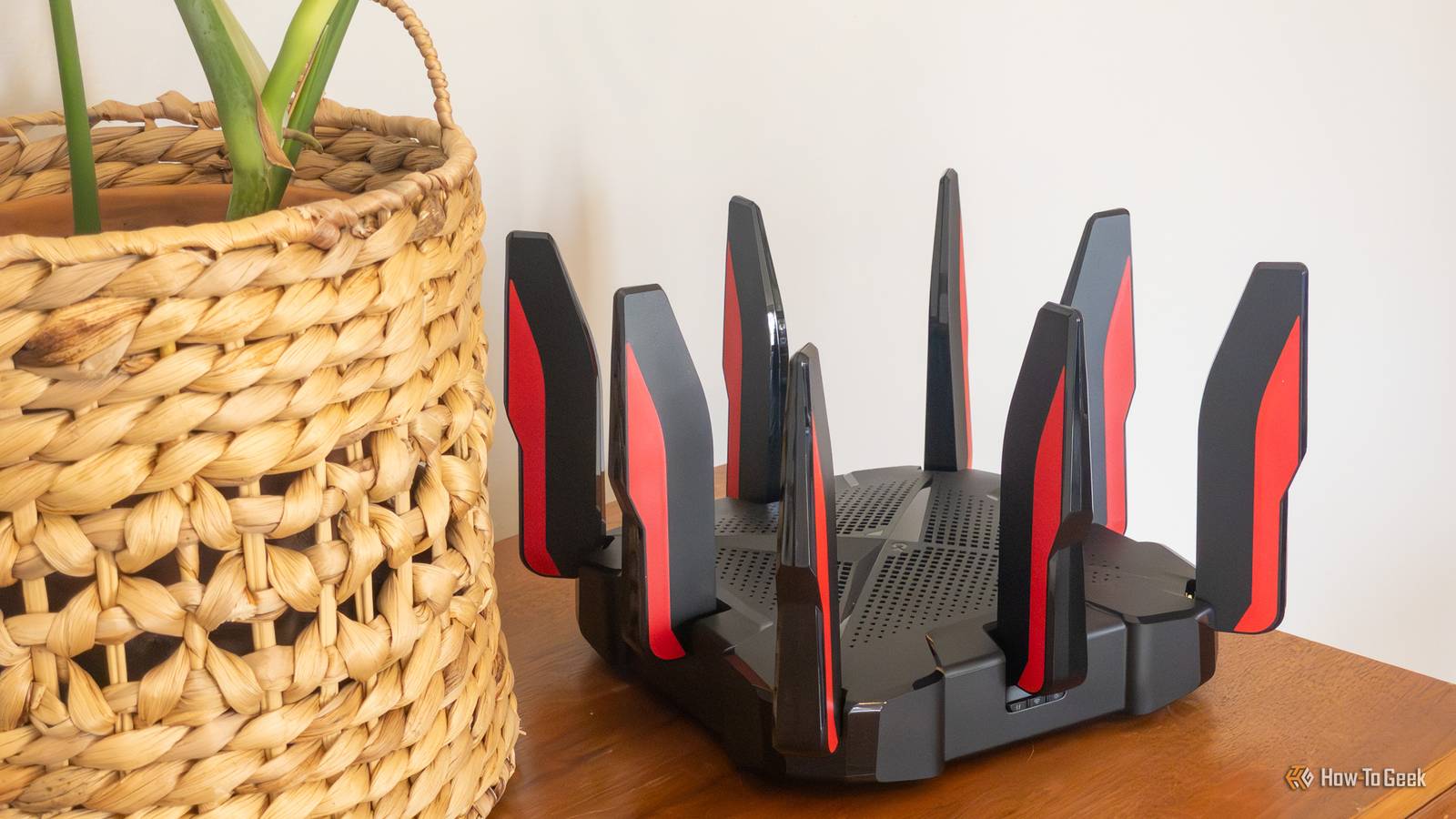
I wanted a new mesh Wi-Fi system badly a few years ago, but simply couldn't afford one.Instead of spending money I didn't have on Wi-Fi networking gear that I didn't really need, I repurposed my old router and it gave me almost everything I was looking for without costing me a dime.My Wi-Fi coverage was spotty And buying a new mesh system wasn't in my future Many years ago, I had an eero Pro mesh Wi-Fi system and enjoyed it.
I had three nodes and it provided whole-home coverage no problem.The issues started to come up when I upgraded to a gigabit internet plan on AT&T Fiber.My old eero system couldn't do more than 250Mb/s wirelessly, and AT&T provided a free Wi-Fi 6 router that beat eero handily.
So, I went with that single node setup for a while.Eventually, I did some bartering and traded for an AmpliFi Alien router, which provided faster networking and more capabilities than my AT&T router, but still didn't give me the same whole-home coverage that I wanted.Related I stopped recommending Amazon eero routers—here's what I suggest instead Why the UniFi Dream Router 7 is the only Wi-Fi setup I recommend anymore Posts 2 By Patrick Campanale The problem was, it wasn't my whole house that had spotty coverage.
Really, it was the primary bedroom and the garage that things were a bit slow in.In the bedroom, I could just turn Wi-Fi off for the little that I needed to use a phone in there, but the garage was a bigger deal.I have multiple Wi-Fi-connected tools in the shop, like lasers and 3D printers, so that's a big deal for me.
I wanted to get a nicer mesh system, but it just wasn't something that my wife and I could afford at the time.So, I started trying to figure out what other options existed, and that's when I remembered that I had an old Wi-Fi 6 router sitting in a closet from an old networking install I had.An old router actually works well as a pseudo-mesh system Though it works best if it has a different Wi-Fi SSID Close After grabbing that Wi-Fi router out of the closet, I got it set up in my kitchen on top of the cabinets.
I already had Ethernet over in that area of my house for my TV in the living room, so it was easy to redirect one of the cables to the router.I started out with having the new router with the same SSID (Wi-Fi name) as my other Wi-Fi router so that way my devices could simply roam between the two nodes like a normal mesh system.That didn't work as well as I hoped it would have.
The problem with a non-mesh setup trying to act like mesh nodes is there's no real handoff between the two systems.I didn't know this at the time (though I do now), but there are actually specific technologies that allow your devices to roam between mesh Wi-Fi nodes.So, while the centralized node did help fix some of my Wi-Fi issues, it also created new ones, as my phone wouldn't release from it when it should have.
So, I eventually configured the second node in the middle of the house with a separate SSID that I would use specifically for the garage.This actually helped free up some capacity on my main Wi-Fi router that the primary bedroom saw improved speed.This setup actually helped keep me from purchasing a new mesh Wi-Fi system for a few years.
I would just connect my phone to the kitchen Wi-Fi node whenever I was in the garage, and the main Wi-Fi network when I was in the house.The kitchen node was purely a wireless access point, too, which gave me full access to the rest of my local network from it.Mesh networks are still the best option But they're not always worth the extra money At the end of the day, I did eventually move to a proper mesh Wi-Fi system with UniFi, but not because my wireless network was suffering.
Really, I was using the two unmatched Wi-Fi node setup up until I got my Dream Router 7.The reason I got the Dream Router 7 is because I wanted to try out managed networking, VLANs, and more advanced networking features that I simply didn't have on my old setup—it had nothing to do with poor Wi-Fi performance.Related Stop wasting money on mesh routers—this enterprise Wi-Fi gear is actually cheaper I ditched my mesh network for UniFi—the setup was brutal, but my Wi-Fi improved dramatically Posts By Patrick Campanale In fact, I now have Wi-Fi nodes in my home to give me the same coverage I used to have with two.
But, UniFi's networking setup (and most proper mesh networks) actually utilize the 802.11k, 802.11v, and 802.11r technologies that let devices roam between nodes depending on where they are in the house.So, I now have one Wi-Fi network name for the whole house again, and it's really nice.I do actually still have a separate SSID for the garage, but only because I have that SSID set up to broadcast on the node that is closest to the garage, so my lasers don't try to roam to other nodes in the house.
Eero 6+ Mesh Wi-Fi 3-Pack Coverage 4,500 square feet Number of Devices Supported 75+ Brand eero With Wi-Fi 6 support, automatic updates, and an integrated smart home hub, it's tough to beat the value of this mesh Wi-Fi pack.$300 at Amazon Expand Collapse UniFi Dream Router 7 Brand Unifi Range 1,750 square feet Wi-Fi Bands 2.4/5/6GHz Ethernet Ports 4 2.5G USB Ports None MU-MIMO 2x2 MU-MIMO The Unifi Dream Router 7 is a full-fledged network appliance offering NVR capabilities, fully managed switching,a built-in firewall, VLANs, and more.With four 2.5G Ethernet ports (one with PoE+) and a 10G SFP+ port, the Unifi Dream Router 7 also features dual WAN capabilities should you have two ISP connections.
It includes a 64GB microSD card for IP camera storage, but can be upgraded for more storage if needed.With Wi-Fi 7, you'll be able to reach up to a theoretical 5.7 Gbps network speed when using the 10G SFP+ port, or 2.5 Gbps when using Ethernet. $295 at B&H Photo Video $279 at Unifi Expand Collapse A new Wi-Fi network isn't always the right choice I'm very glad that I didn't spend money on a mesh network back when I thought I needed one, and I just made do with what I had at home already.The pseudo-mesh network I built worked quite well and allowed me to save up for the networking setup that I really wanted—UniFi.
If you have poor Wi-Fi coverage in an area of your home, I definitely recommend trying out just putting a standard Wi-Fi router in that area in access point mode so that way it can broadcast your local network.It won't work quite as well as a proper mesh system, but it's far cheaper than upgrading your entire setup.
Read More