Android may have begun as a mobile operating system, but it has blossomed into much more.Unfortunately, system administrator tools are still playing catch-up, and certain information about apps is harder to access than it is on desktop PCs.Fortunately, there’s an app you can install that will tell you everything you want to know, and it happens to be open source.
App Manager answers all of your questions about your Android apps Get easy access to all the information Google tries to tuck away Close Android appears on billions of phones, and it’s absolutely true that the vast majority of people have no interest in minute system details about their apps.That doesn’t mean that this information should be difficult to access.You don’t need to be a developer to want to know where on your phone’s internal storage an app is located, but unless you want to connect your device to a PC and become familiar with ADB, you’ll need to turn to third-party software to find out.
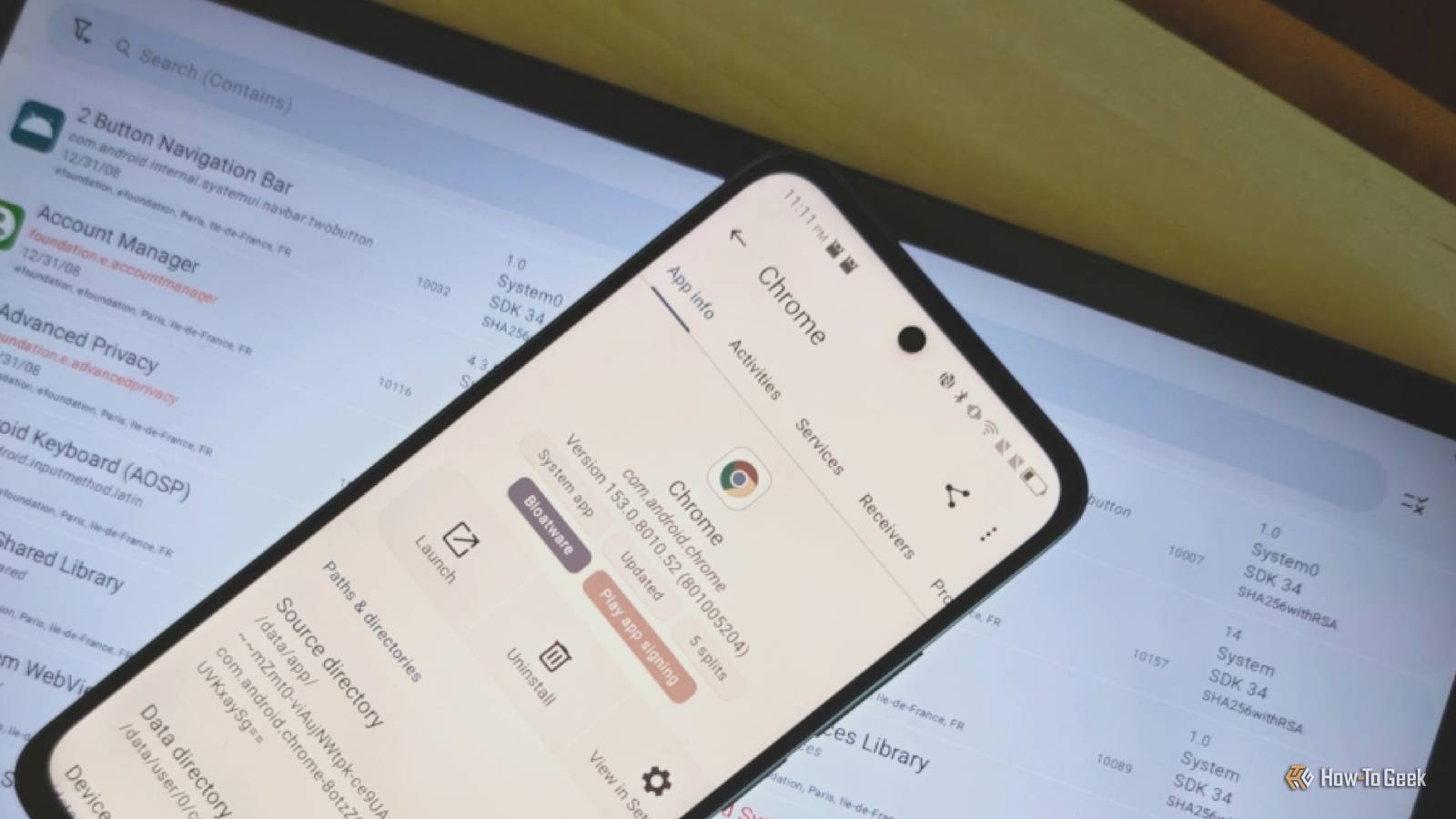
App Manager is the most straightforward tool for the job I’ve seen yet.You open the app, select from a giant list the app or background process you want to learn more about, and then view heaps of detailed information.Some of this data is even inaccessible otherwise, though most of it can be found if you already know precisely where to look.
The beauty of App Manager is how it puts everything in one place.App Manager can display where an app is located and where it stores data.You can check which date it was installed.
You can view how much data an app has uploaded and downloaded over the course of its time on your device.If you have multiple app stores installed, you can confirm which one you installed an app from.Since App Manager is not available in the Play Store, you have at least two installed, and one of them is F-Droid.
App Manager helps you protect your privacy Knowledge is power Close App Manager does not do anything to help protect your data or block bad actors.That said, it can help you make informed decisions.When you tap on an app, one of the first things you’ll see is whether an app contains trackers.
You will see an orange "Trackers" tag underneath the app title, and if you tap it, you can see precisely which trackers an app relies on.More often than not, these trackers will be Google services, the kind of background process you can be sure Google will not explicitly tell you is a tracker.App Manager is far from the only app that can inform you of trackers.
This functionality is baked into the Aurora app store, and it’s a feature that ships out of the box in the /e/OS custom ROM.Yet of these options, App Manager is the most accessible.Plus, that’s not all it will tell you.
While Android will let you view if an app requests access to the internet, App Manager can tell you precisely which links an app can open.App Manager will also inform you if the signing keys to confirm whether your app has been modified are likely stored on Google servers.It will also say in no uncertain terms whether an app is bloatware.
In the process, it labels whether an app is a system app or a user app, which helps distinguish between which apps can be uninstalled and which can only be disabled (unless you dig out ADB or Shizuku).App Manager doesn’t require root, but some features do It can point you toward system folders, but that’s where the journey ends While it’s useful to know where an app and its data may be stored or whether an app is phoning home over the internet, that information is admittedly of limited use on most devices.You need root access if you want to actually dig around those folders or block specific apps from having network access.
Fortunately, there are alternative methods that don’t compromise your phone’s security and also don’t involve a PC.Shizuku and its various forks provide a way to effectively obtain root by simulating wireless ADB access.You can also download a firewall app like NetGuard to block individual apps from having network access.
App Manager can also help you determine which apps are best run inside a secure folder, a privacy feature that a growing number of Android phones now have.App Manager is a power user’s delight Those who know Android inside and out already know how to figure out most of what App Manager surfaces, but it's still no less handy to have all of that information presented in one place.This is a useful tool, both for long-time power users and Android newbies who find themselves looking for complex information for the first time.
Read More