There are plenty of things you can do with an old Kindle, from loading it with children's books and giving it to your kids to trading it in for a newer model.You may be surprised by how much more you can do with an old Kindle.Here are five real projects that I've done with my jailbroken fourth-generation Kindle.
Create an offline Wikipedia A Kindle can become your offline reference book We tend to take Wikipedia for granted.You can find information on an incredible number of topics, all on a single website.The trouble is, you usually can't check Wikipedia without an internet connection.
How are you supposed to settle that debate when you're camping off the grid? A simple solution is to turn your old Kindle into a small Wikipedia library that will work completely offline.Kiwix is free, open-source software that makes websites and other references available offline.The content is available as compressed ZIM archives, and you can create your own bespoke Wikipedia library to upload to your Kindle and check whenever you want, even without a network connection.
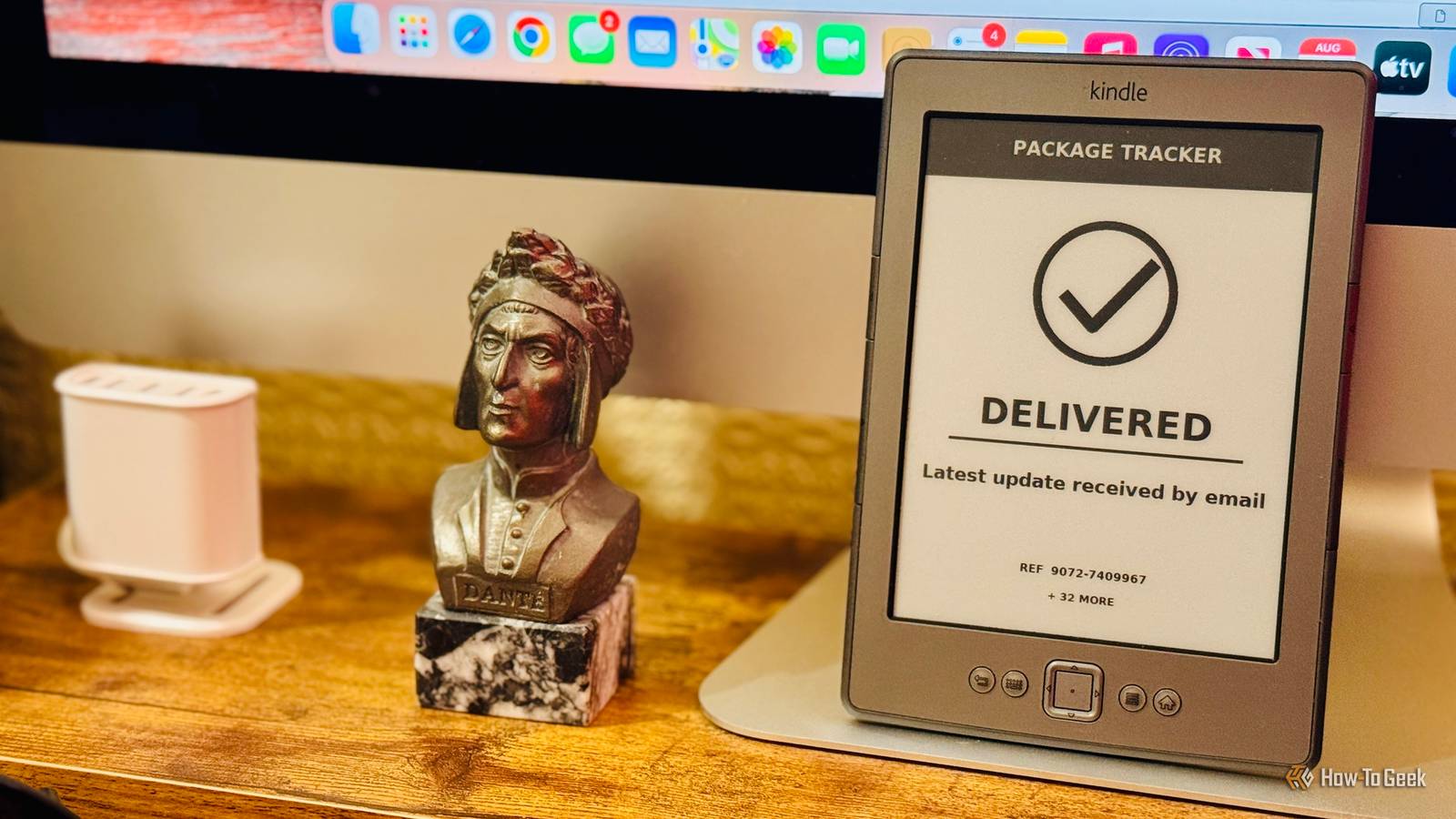
Related 4 ways to repurpose an old Kindle eReader Breathe new life into your old Kindle.Posts By Joe Fedewa Turn it into a dedicated package tracker E-Ink is perfect for information that only changes occasionally Close When I order something online that I'm looking forward to receiving (such as a new tiny eReader), I will regularly check my phone to see when it's due to arrive.Often, I'll check multiple times before there are any updates.
I decided to turn my old Kindle into a package tracker so that I could see updates without having to check them.The project pulls information from the emails Amazon sends me when an order status changes.This information triggers an automation running on a Raspberry Pi that updates the image displayed on the Kindle's screen.
I can see my package's current status with a glance at the Kindle.Use it as a slow-refresh security camera You don't need 30fps to see who is at the door A Kindle was never designed to show video, and while the slow refresh rate of the E-Ink screen means that it will never be practical for watching your latest Netflix obsession, it is possible to get a Kindle to show a very slow-refresh video feed.I set up an automation in Home Assistant that repeatedly takes snapshot images from my video doorbell.
It then serves these to the Kindle, and my Kindle 4 can update the images about once a second, creating a very basic video stream.When my doorbell rings, the Kindle can display the feed.Even with the slow refresh rate, it's more than good enough to see who is at the door so I don't go answer unnecessarily.
Use it as an E-ink photo frame Black-and-white photos look surprisingly good on an old Kindle Most projects on this list require a jailbroken Kindle, but this one works even on a standard Kindle.A stock Kindle can display photos that you upload, meaning you can use it as an E-Ink photo frame.While a Kindle's E-Ink display isn't ideal for high-resolution, full-color images, black-and-white images can look surprisingly good on the screen, even on older models.
The best part is that a Kindle uses hardly any power when displaying a static image, so the Kindle can potentially leave the image on the screen for weeks without needing to be plugged into power.Jailbreaking does give you additional options.With a jailbroken Kindle, you can set up a folder of photos and have the Kindle automatically cycle through the images, just like a typical digital photo frame.
Build a distraction-free writing machine A Raspberry Pi does the work while the Kindle becomes your monitor A Kindle isn't designed for writing.Even the Kindle Keyboard, with its built-in physical keyboard, is a nightmare to write on for any length of time.That doesn't mean that your Kindle can't be used as part of a distraction-free writing setup.
You can use something such as a Raspberry Pi to provide the computing power while the Kindle acts as an E-Ink terminal.By connecting a keyboard to the Pi, you can type away and see everything you write on the Kindle's E-Ink screen.One benefit is that the display is far less susceptible to glare than a standard laptop screen, so it's a good option for working outdoors in bright sunlight.
Old Kindles are surprisingly useful If you've bought a new eReader to replace your aging Kindle, that doesn't mean you need to toss it away.The hardware can still be genuinely useful.Even if you don't want to try one of the projects above, just jailbreaking it and installing KOReader can give it a whole new lease of life.
Read More