That spare Kindle you retired after upgrading doesn’t have to sit in a drawer.Jailbreak it, and the same e-ink screen can power five different projects, ranging from helping with appliance repair to telling you whether the weather is good enough for painting outside or not.Appliance and other repairs Manuals loaded into KOReader give you access wherever you need it Close Have you ever been working on an appliance only to realize you need the manual and have no idea where it's stored? I sometimes keep manuals on Google Drive, but more often than not, I'm looking for physical paper manuals or Googling for them.
With a Kindle that has been jailbroken, you can load a platform called KOReader on it.This software allows you to read basically any format, and it handles PDFs very well.KOReader is built to crop PDF margins, zoom by column, and rotate pages, keeping diagrams and such readable.
The PDF experience on a stock Kindle doesn't support any of these, sadly.So, a jailbroken Kindle with KOReader really is the best.But you can then load up all of the manuals for the different appliances and tools in your home and keep them stored on your Kindle so they're ready to go at a moment's notice! Workshop builds What project are you actively working on and what do you need to know about it? Though I don't get as much time out there as I'd like, I always have different projects going on in my workshop.
I would love to have a status board that I could glance at to see what projects are on the docket and what the information is about them.For instance, right now I have two main woodworking projects I'm working on: a cutting board for a friend of mine, and a Tennessee-shaped board for someone local.I'd love to be able to walk out to the shop, tap my Kindle's screen with the cutting board, and see everything I need to know about it.
This is actually a project that I plan to build out over the holidays because I think it could be a big benefit for me.A project like this could be wall-mounted or just free-floating wherever you need it — or docked in a wall mount and removable.I plan to use Claude Code or Codex to help me build out the software for it that automatically updates based on a number of factors, and it'll probably be a fairly in-depth build, but something that will be really fun to build.
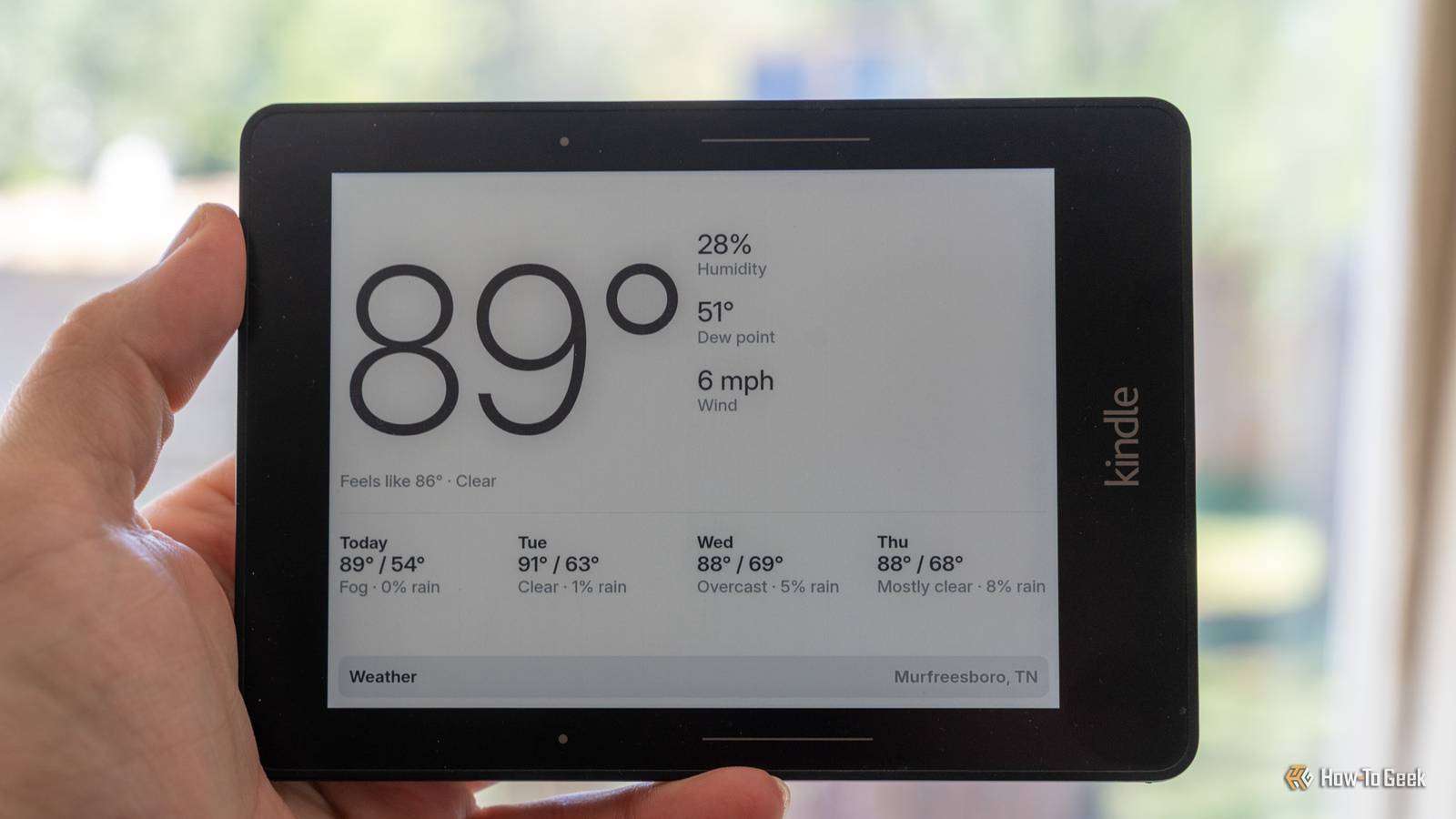
Exterior painting, deck staining, and concrete A weather dashboard that knows when it's a good day to work outside Some outdoor projects can happen rain or shine, hot or cold.Others require very specific conditions to be able to complete properly.With a jailbroken Kindle, you can see what the weather is today and into the future at a quick glance.
For instance, you might need it to be between 50°F and 90°F for the next 48 hours with no rain for 24 hours to stain the deck in your backyard.Sure, a normal weather app can give you some of this information if you look at the hour-by-hour forecasts, but a custom-built Kindle dashboard gives it to you at a glance.You can accomplish this by either building a custom Home Assistant dashboard or using something like TRMNL.
Either way, you can build a custom setup that shows sensors (maybe from a backyard weather station) and a forecast alongside custom graphics that tell you at a glance whether it's a good time to go outside and do certain projects or not.Seasonal home maintenance See what home maintenance is due monthly, quarterly, or annually Every house has projects that need to happen on a routine, from changing the HVAC filter every month to cleaning out gutters, or even changing smoke detector batteries and flushing the water heater once a year.If you don't already have a system in place for keeping up with what projects need to be done (and what projects are already done), then you can use something like Todoist or a calendar that feeds Home Assistant and renders on the Kindle.
TRMNL also works for this if you want to avoid Home Assistant.This could be a great use for an old Kindle lying in a drawer.You could just set it up and mount the Kindle on the laundry room wall or in the garage so that way you can see what tasks are due and what ones are done at a quick glance.
Building shelves, a workbench, or anything from your own plans Send the cut list to your shop-mounted Kindle As part of my woodworking projects, I typically have a cut list of what I need to do when I go out to the shop.In addition to the cut list, I also have what the project is supposed to look like.There are all sorts of design elements at play when making something custom.
With a jailbroken Kindle, I can simply load the cut list and other documents I need to make the project onto the Kindle through KOReader's cloud storage integrations like Dropbox or FTP, so the files sync to the Kindle automatically.This is a bit different from the second project on the list with the shop display because it essentially just holds the files, and I have to find them instead of automatically telling me what projects I have to work on.But, the thought of having a Kindle with me in the shop that I keep in my shop apron and it has my cut list on it is very intriguing, and it could definitely make things easier.
Old Kindles are simple to repurpose The great part about a jailbroken Kindle is it's so easy to repurpose for a wide range of tasks in your house.From a homelab dashboard to a shop display and so many other projects, the e-ink panel on a Kindle is its biggest asset — and Amazon's native software only holds it back.
Read More