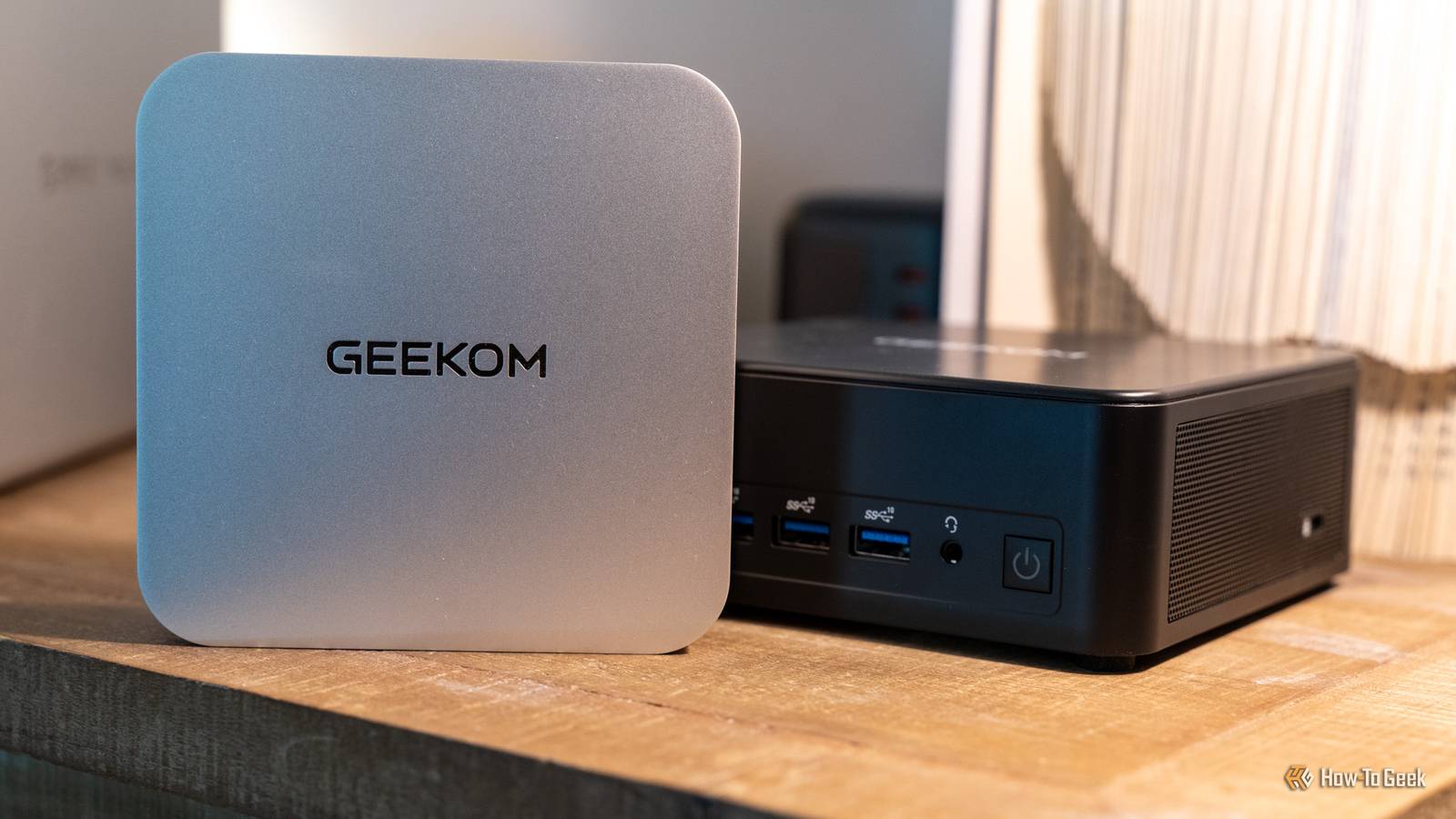
Mini PCs are becoming the go-to solution for desktop computing in 2026.Unless you have a very specific need, a mini PC likely will serve you well.I recently found out that my mini PC could be powered over USB—something my full-size desktop never could dream of.
Plus, five other overlooked things that I didn't realize a mini PC could do until recently.My mini PC doesn't need a wall adapter to turn on Powering it over USB-C just makes sense Close Mini PCs run on DC power, which is actually the exact same technology that USB-C Power Delivery uses.In fact, USB-C Power Delivery is now capable of delivering up to 240W of power over a single cable—more than almost any mini PC on the market right now needs to run.
So, my mini PC just gets plugged in over USB-C to power.It's so much more convenient than using a DC power brick.Why? I already have USB-C power all over my homelab to charge different items, so it just makes sense.
Plus, mini PC power bricks always have different sized barrel connectors on them and are almost always slightly different in either voltage or amperage.With USB-C, everything can be run off basically the same power adapter.So, I love being able to just plug my mini PC into a USB-C power station to turn it on.
But, that's not the only unique trick that mini PCs have up their sleeve.It automatically turns back on after a power failure A simple BIOS change means even a power outage won't keep this mini PC down If you use mini PCs in your homelab at all, then you're probably all too familiar with the hassle of having to turn them back on after a power failure.Whether it was you unplugging the system for maintenance, or the power going out, having to turn the mini PCs back on means your homelab isn't functional until that task is done.
Well, most mini PC BIOS actually have an option to have the system turn on when power is restored.This is a very good feature to utilize for homelab infrastructure as it allows the system to turn back on the moment power is restored.This is crucial for my mini PCs I use in my homelab.
So, if you've not turned this feature on, then I definitely would consider doing it.Quiz 8 Questions · Test Your KnowledgeMini PCs: History, hardware, hidden usesTrivia challengeFrom tiny boxes to powerhouse desktops — how much do you really know about mini PCs?HistoryHardwareBrandsUse CasesDesignBegin 01 / 8HistoryWhich company is widely credited with popularizing the modern mini PC form factor with its NUC (Next Unit of Computing) line, launched in 2013?AASUSBAppleCIntelDZotacCorrect! Intel introduced the NUC in 2013, defining what many consider the modern mini PC category.The NUC was roughly the size of a paperback book and used laptop-grade components to pack real computing power into a tiny chassis.Not quite — it was Intel that launched the NUC (Next Unit of Computing) platform in 2013.
While ASUS, Zotac, and others followed with their own mini PCs, Intel's NUC set the template that much of the industry would imitate for years.Continue 02 / 8BrandsThe Apple Mac mini, first released in 2005, was marketed with which memorable slogan emphasizing what buyers needed to supply themselves?A"Just add a screen"B"BYODKM" (Bring Your Own Display, Keyboard, and Mouse)C"Think small, compute big"D"The desktop, reimagined"Correct! Apple marketed the original Mac mini with "BYODKM" — Bring Your Own Display, Keyboard, and Mouse.It was a clever pitch aimed at Windows switchers who already owned peripherals, letting Apple offer a Mac at the then-low price of $499.The actual slogan was "BYODKM" — Bring Your Own Display, Keyboard, and Mouse.Apple used this catchy acronym to target Windows users who wanted to try a Mac without buying an entirely new setup, positioning the $499 Mac mini as an affordable entry point.Continue 03 / 8HardwareMost modern mini PCs use which type of processor, originally designed for laptops, to balance performance and thermal output in a compact chassis?ADesktop TDP processorsBMobile (U-series or H-series) processorsCServer-grade Xeon processorsDEmbedded ARM microcontrollersCorrect! Mini PCs almost universally rely on mobile-class processors — like Intel's U-series or H-series, or AMD's equivalents — because their lower thermal design power (TDP) means less heat and no need for large cooling systems.
This is the key engineering trade-off that makes the tiny form factor possible.The right answer is mobile (U-series or H-series) processors.Full desktop CPUs generate far too much heat for a small enclosure, while ARM microcontrollers are too underpowered for general-purpose computing.Laptop chips hit the sweet spot of performance and efficiency that mini PCs depend on.Continue 04 / 8Use CasesMini PCs are extremely popular for running home media centers.
Which open-source media software is most commonly installed on mini PCs for this purpose?AVLC Media PlayerBPlex Media ServerCKodiDJellyfinCorrect! Kodi (formerly known as XBMC) has long been the go-to open-source software for turning a mini PC into a full home theater PC (HTPC).It supports plugins, streaming services, and local media libraries, making it incredibly flexible for living room setups.While Plex and Jellyfin are also popular for home media, Kodi is historically the most iconic choice for mini PC home theater builds.Originally called XBMC (Xbox Media Center), Kodi has a massive plugin ecosystem and was practically synonymous with the HTPC mini PC use case for many years.Continue 05 / 8DesignWhat storage interface, originally designed for SSDs in laptops, became the standard internal storage connection in most mini PCs, replacing older 2.5-inch SATA drives?AmSATABM.2 NVMeCPCIe x16DCFexpressCorrect! M.2 NVMe slots became the dominant storage interface in mini PCs because the small card form factor fits easily inside compact chassis, and NVMe speeds far exceed what older SATA connections could offer.
Many modern mini PCs include one or two M.2 slots alongside an optional 2.5-inch bay.The answer is M.2 NVMe.While mSATA was an earlier compact storage standard, it has largely been phased out in favor of M.2, which supports the much faster NVMe protocol.M.2 drives are credit-card-sized and slot directly into the motherboard, making them ideal for space-constrained mini PC designs.Continue 06 / 8BrandsWhich Chinese brand, often compared to a "mini PC powerhouse," rose to global prominence around 2022–2023 with highly affordable mini PCs like the MinisForum Venus series?ABeelinkBMinisForumCGeekomDAcemagicCorrect! MinisForum became a standout name in the mini PC space around 2022–2023, gaining attention for packing AMD Ryzen and even discrete GPU options into compact chassis at competitive prices.
Their Venus series, featuring dedicated graphics, challenged the idea that mini PCs had to sacrifice gaming performance.The answer is MinisForum.While Beelink, Geekom, and Acemagic are all legitimate Chinese mini PC brands that gained popularity in the same era, MinisForum made the biggest splash with performance-focused models like the Venus series, which included discrete Radeon graphics in a palm-sized box.Continue 07 / 8Use CasesBeyond home use, mini PCs are widely deployed in commercial settings for one particular application.Which of the following is the most common enterprise use case for mini PCs?AHigh-performance 3D rendering farmsBDigital signage and kiosk terminalsCPrimary data center serversDProfessional video editing workstationsCorrect! Digital signage and kiosk terminals are one of the most widespread commercial applications for mini PCs.
Their small size lets them mount invisibly behind displays, their low power consumption keeps operating costs down, and their standard x86 architecture means they run ordinary Windows or Linux software without special configurations.The most common enterprise use case is digital signage and kiosk terminals.You'll find mini PCs hidden behind restaurant menu boards, airport information screens, and retail displays worldwide.They're ideal because they're discreet, energy-efficient, and capable of running standard software without the bulk of a traditional PC.Continue 08 / 8HistoryIntel discontinued its own NUC product line in 2023, handing the brand to a partner.
Which company took over the NUC brand and product line?AASUSBLenovoCMSIDHPCorrect! ASUS acquired Intel's NUC business in 2023, continuing the lineup under the ASUS NUC branding.Intel decided to exit the finished product business to focus on its core chip manufacturing and design operations, and ASUS — already a major NUC manufacturing partner — was a natural fit to carry the torch.It was ASUS that took over the NUC brand from Intel in 2023.Intel had long partnered with ASUS for NUC manufacturing, so the transition made sense.
Intel's decision to divest the NUC line was part of a broader strategy to concentrate on semiconductors rather than finished consumer hardware products.See My Score Challenge CompleteYour Score/ 8Thanks for playing!Try Again Dual Ethernet ports make it a great router or firewall It's the perfect candidate for OPNsense or pfSense More and more mini PCs are starting to ship with two Ethernet jacks built-in, which might seem unnecessary at first glance, but it's actually super useful.I happen to have a router and firewall I love, but if you're stuck using your ISP-provided system and want to build your own, then a mini PC with dual Ethernet jacks means you can run your own router with ease.Software like OPNsense or pfSense allows you to run a full network firewall and router easily.
The software itself can be a bit complicated to set up, but there are lots of guides out there to utilize to get it up and running.Having your own DIY router or firewall on your network puts you in the driver's seat as far as how secure your network is.So, if you've been wanting to lock your network down and take full control of what goes in and out of it, building your own firewall is one of the best ways to do that.
ACEMAGIC K1 mini PC $299 $399 Save $100 Brand ACEMAGIC CPU AMD Ryzen 4300U Graphics AMD Radeon Memory 16GB DDR4 SO-DIMM pre-instlaled Storage 1TB NVMe pre-installed The ACEMAGIC K1 mini PC packs a punch for its price point.With a Ryzen 4300U quad-core processor, 16GB of user-upgradable RAM, a pre-installed 1TB NVMe SSD and an extra M.2 SATA slot for more storage, this micro desktop offers a lot of performance.Plus, it handles up to three monitors at a time and has Windows 11 Pro pre-installed. $299 at Amazon Expand Collapse GEEKOM IT13 Max Mini PC Brand GEEKOM CPU Intel Core Ultra 9 185H Graphics Intel Arc Memory 24GB LPDDR5 Storage 500GB PCIe 4.0 NVMe Operating System Windows 11 GEEKOM's latest IT13 Max mini PC features an Intel Core Ultra 9 185H processor, which is designed for heavier workloads and even AI tasks.
It ships with 24GB of LPDDR5 RAM clocked at 5600MT/s, and also has a pre-installed 500GB PCIe 4.0 NVMe SSD.There is a secondary NVMe slot for adding additional storage if needed.With two 2.5Gb/s Ethernet ports, USB-C Power Delivery, and USB4 in tow, this mini PC also packs quite a lot of I/O into its tiny form-factor.
See at Amazon Expand Collapse It can mount behind a monitor for a nearly-invisible aesthetic Most mini PCs come with VESA mounts for this purpose With basically every mini PC I've ever picked up, there's a piece of metal and some screws in the box.If you've thrown those away not knowing what they were for, it's actually to mount the mini PC on the back of a VESA-compatible monitor.It simply screws to the mini PC and then to the monitor to allow for a nearly-invisible look.
This actually can piggyback on USB-C power for an even sleeker experience.Some monitors can actually output up to 60W of USB-C PD power, meaning you could mount a compatible mini PC to the VESA plate on the monitor and then just plug it into the monitor for power.It can connect to a 2.5G NAS without a switch With dual Ethernet ports, one goes to your network switch, and the other to the NAS If you have a mini PC with two Ethernet jacks, but don't want to build your own router or firewall, there's actually a good use for that second port—connecting directly to your NAS.
You see, your mini PC can communicate directly with a NAS over Ethernet.So, you can have one Ethernet jack on your mini PC going to a network, which will get your mini PC on the actual internet and allow you to browse the web and such.Then, you can take a second Ethernet cable and connect it directly between the mini PC and NAS, and use that to establish a link-local connection which will be at the fastest supported speed on both systems.
So long as both systems support 2.5G, 5G, or 10G, then you'll be able to connect at that speed, even if your main network is still gigabit.Just make sure your NAS has two Ethernet jacks, and one can be connected to your normal network just like the mini PC has a cable for the normal network.Otherwise the NAS won't have an external connection to utilize.
Related Google's Gemma AI runs locally on my $300 mini PC, and it replaced ChatGPT for more than I expected I ran Google's Gemma AI locally on a cheap mini PC, and it handled more of my everyday ChatGPT tasks than I expected.Posts 7 By Rich Hein A mini PC with USB4 can actually be a pretty good NAS You'd be surprised at the read/write speed a DAS can provide Close When you think of a NAS, you probably think of the all-in-one unit that is both the computer and hard drive docking station.The thing is, modern USB standards are actually fairly fast.
Even USB 10Gb/s is 10 times faster than normal gigabit Ethernet, so you could safely use a DAS connected over USB to your mini PC as a NAS.The setup really is that simple.Just make sure whatever DAS (direct attached storage) system you get supports RAID internally, unless you're using software like TrueNAS or Unraid, where you want the operating system to control the drives.
From there, just slot the drives in, plug the DAS in, and you're off to the races.Your drives will be much faster than what a normal network can handle, so you likely won't see any slowdown there.Just make sure you're using a NAS-focused operating system to get the most out of the setup.
Mini PCs have so many uses I named a few neat tips and tricks here for mini PCs, but really, the uses are endless.Building a NAS, using it as a virtual machine server, just using it for your daily workflow—there are so many ways to utilize a mini PC.
Read More