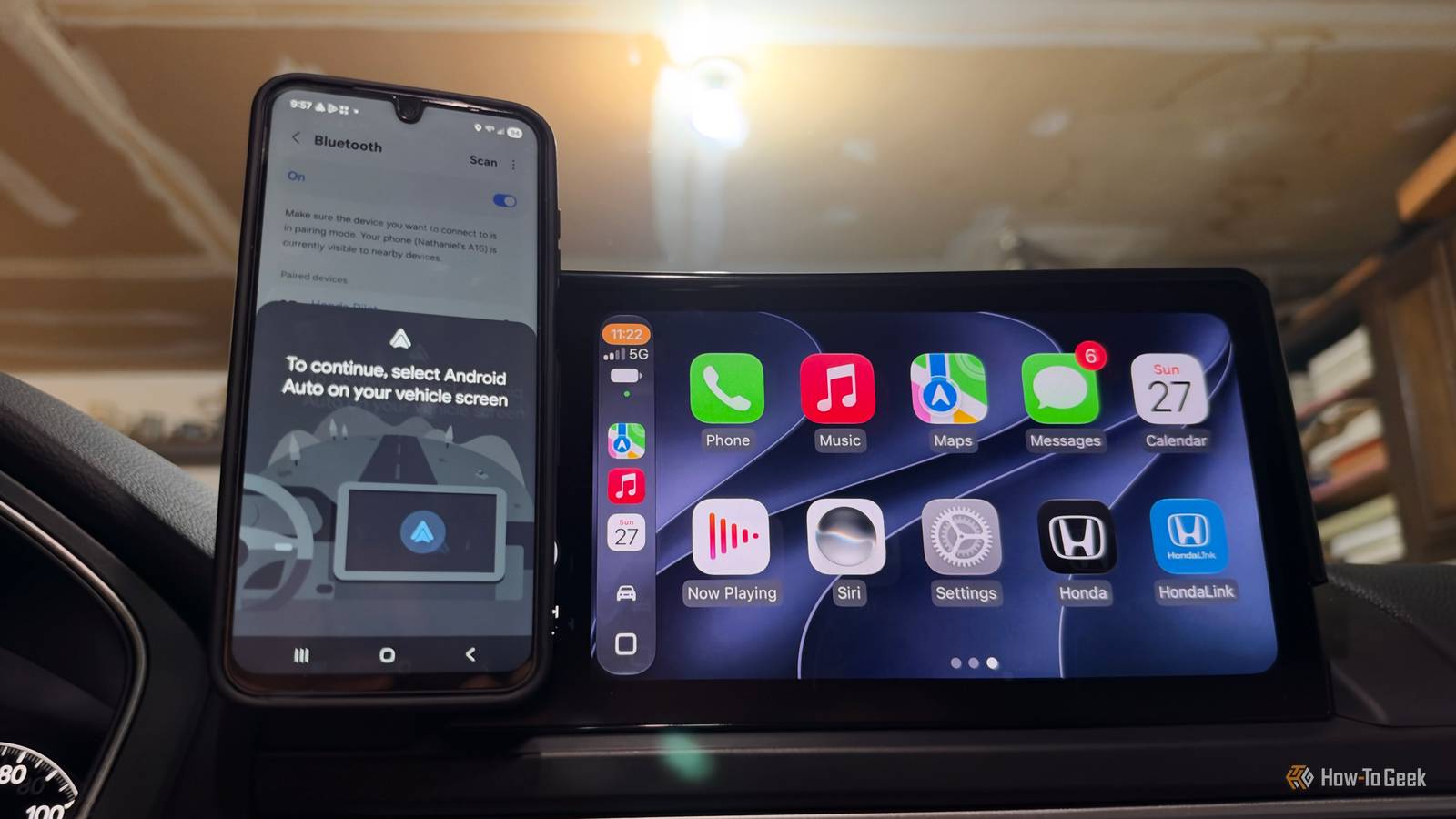
While driving, I have always turned to Android Auto as my infotainment ecosystem to get directions, control music, and contact people.It’s a staple in my driving experience, and I personally can’t drive without it.Yet I decided to do the unthinkable: I reached across the aisle and used CarPlay as my main infotainment driver for a week.
But since using CarPlay, I’ve started to realize Android Auto’s flaws, and now I can’t look away.App size matters App icons in CarPlay are significantly bigger The first thing I noticed when firing up Apple CarPlay was how much bigger the app icons were than on Android Auto.However, depending on your car’s screen, CarPlay will show a different number of apps per page.
For example, when I was driving a 2020 Honda Civic, only eight apps showed on the screen.Yet, when I drove a 2025 Honda Pilot, that number increased to 10.Close No matter how many apps were on the screen, you’ll notice just how big and accessible they were.
On CarPlay, they are about twice the size — if not more — than the ones on Android Auto.While both ecosystems do the same thing when you tap an app — which is to open it — the size difference matters.This is especially true when you’re not looking directly at the screen because your eyes are on the road.
Aluratek - Apple CarPlay and Android Auto Combo Wireless Car Adapter Brand Android, Apple Warranty 1 year The Aluratek AWCGD02F wireless CarPlar and Android Auto combo adapter allows you to upgrade a wired Carplay or Android Auto system to a fully wireless one.Just plug in the USB adapter to the usual USB port used by your phone to connect to your infotainment system and pair your device. The Aluratek AWCGD02F supports 5GHz Wi-Fi, Bluetooth, and allows you to pair up to two devices simulataneously. $60 at Best Buy Expand Collapse When driving with Android Auto, I’ve had instances where I go to open an app — like music or navigation — and either miss it or select the wrong one because they're so small.I then have to exit the app and try again.
This takes my attention away from the road more than it should and could easily have been avoided with bigger apps.On the other hand, CarPlay supplies larger icons, which reduces my chances of selecting the wrong app or missing it altogether.This eliminates the need to close the app that opened and try again, since I selected the right one on the first try.
Now, you can increase the size of the apps in Android Auto; however, it requires going into the developer settings, so it’s not the easiest to change.Also, the adjustment zooms in on all the content in Android Auto, not just the apps, making the change system-wide instead of just on the one thing you need enlarged.More natural system navigation Swiping through apps was more familiar Another aspect I noticed while using CarPlay was that the navigation felt similar to how I use my phone.
More specifically, I swipe through CarPlay the same way I do on my iPhone.In CarPlay, you swipe left to right (or vice versa) to move between menus.This is similar to how you navigate different pages on an iPhone, where you swipe in those directions to move between app pages.
iPhone 18 Pro Max Brand Apple SoC A20 Pro The iPhone 18 Pro Max has all the tech of the iPhone 18 Pro, just with a bigger screen.$1299 at Apple Expand Collapse On the other hand, Android Auto uses a different way to see all apps from the dashboard: swipe down.So if the app you want to use isn’t on the dashboard, you must swipe up to see all the apps you have chosen to show in Android Auto.
Now, this isn’t too far from how you would navigate an Android device.For instance, on my Galaxy A16, I swipe up on the home screen to see all my apps.Samsung Galaxy A16 5G Brand Samsung Display 6.7-inch AMOLED The Galaxy A16 5G is a no-frills budget phone with a vibrant OLED display, refined software, and a respectable 5,000mAh battery.
It will also get six major Android OS updates.See at Amazon $200 at Samsung Expand Collapse However, if I want to see more apps that aren’t on the first page, I swipe left to right to go to the next page.This isn’t the same in Android Auto, where the list of apps continues as you scroll vertically.
On paper, this might not seem like a big inconvenience, but in real-life use, it can trip you up.What I like about CarPlay is that it is very similar to how you navigate your iPhone, with some changes to accommodate the vehicle’s display.Android Auto does this too, but not as precisely, which can trip up people used to the routine of seeing more apps on their Android phone.
Space is used better Not as much empty space in apps This may be a little too centered on detail, but it was something I noticed: CarPlay utilizes screen space better.Android Auto, on the other hand, had some noticeable gaps.For instance, I use Apple Music, which I know clashes a bit between the ecosystems, but my boyfriend uses it, and we have a shared plan.
Apple Music Subscription with ads No, all are ad-free Price Starting at $11/month ($6/month for students) Listen to your favorite songs, artists, and playlists on Apple Music.Stream music in lossless audio, download songs, and play them offline.See at Apple Expand Collapse When I use it on Android Auto, I’ve noticed the text and album artwork leave a lot of blank space, which looks odd.
Everything looks more pushed to the borders than when it fills the space and uses what’s there.Yet in CarPlay, I liked how the text and album artwork were placed strategically to fill as much empty space as possible.This was true on both smaller and bigger displays.
I initially thought Apple Music might work better on CarPlay because it is technically a native app, and not as good on Android Auto since it's a third-party app there, so I tried Spotify, and it was the same ordeal.It showed empty space, which made everything look awkwardly placed.Furthermore, the controls are smaller.
Like with apps, the controls are bigger on CarPlay, but on Android they can be easy to miss because of their size.Spotify Subscription with ads No ads on any paid plan Price Starting at $12.99/month, or $6.99/month for students Spotify is a pioneer in music streaming.It features a vast library, impressive bitrate, curated and custom playlists, as well as offline streaming.
Spotify is available for free and for a monthly or annual fee.See Available Plans Expand Collapse Again, this is a small detail, but since noticing it, I’ve missed the CarPlay layout, especially when I have music playing.Android Auto should take note With all of this, it doesn't mean Android Auto is a terrible or poorly designed infotainment experience.
It remains a worthy operating system, far superior to most built-in vehicle systems.Experiencing the alternative was a good experiment and highlighted areas where Android Auto could improve.While I may occasionally switch to CarPlay to enjoy its style again, I hope Android Auto adopts some of these design choices to enhance its own platform.
Read More