I've been a GNOME user for more than a decade, and I have a complicated relationship with it.I love its clean interface and workflow, but I wish it did a few things differently.I've tried several other desktop environments over the years, enjoyed some of them, and somehow always found my way back to GNOME.
So when KDE celebrated its 30th birthday, I decided to revisit Plasma and see what it offers today.Add How-To Geek on Google Add as Preferred Source Follow on Google Discover On October 14, 1996, Matthias Ettrich proposed a consistent, easy-to-use desktop environment for Unix-like systems.Thirty years later, on October 14, 2026, the KDE project celebrated its 30th birthday with the release of Plasma 6.8, the premiere of a documentary about its history, and a birthday fundraising campaign.
The documentary, The Story of Free Software Underdogs, was particularly interesting.It features Miguel de Icaza, one of GNOME's co-founders, whose appearance came as a pleasant surprise.At one point, he recalls discovering KDE and says: At some point, news of KDE gained enough momentum that I took a look at it, and I was blown away.
Hearing that from one of GNOME's founders made me appreciate the history behind these projects.GNOME emerged partly in response to concerns about KDE's Qt licensing, but Plasma deserves recognition for what it brings to the Linux desktop in its own right.Its 30th birthday is a good excuse to appreciate that.
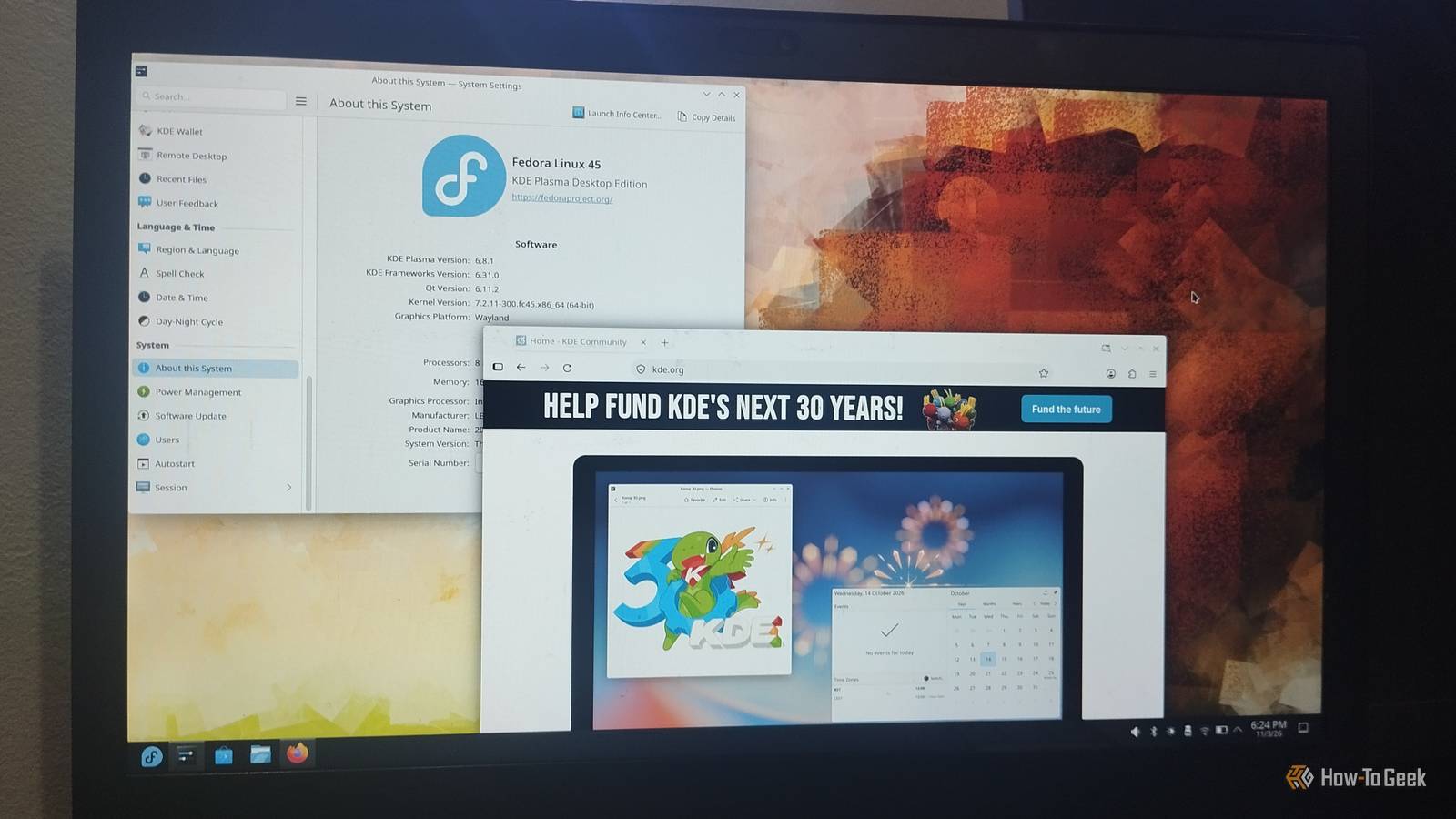
I explored the Fedora 45 KDE Spin running Plasma 6.8.1 on Wayland to see how the desktop has evolved and try some of its latest features.KDE has come a long way From a "Kool" desktop project to a thriving open-source community Close KDE originally stood for Kool Desktop Environment, a playful nod to the Common Desktop Environment (CDE) used by commercial Unix systems.The “Kool” eventually disappeared, but the K stayed.
Matthias Ettrich wanted to make Unix desktops more consistent and accessible, and KDE's first stable release arrived in 1998.However, KDE's choice of Qt, the C++ framework behind its desktop, sparked controversy over its licensing.This led Miguel de Icaza and Federico Mena to start GNOME in 1997, using GTK as a free-software alternative.
The two projects became central to one of Linux's longest-running debates.Meanwhile, KDE kept evolving.KDE 2 and 3 brought successive improvements, while KDE 4 introduced the Plasma desktop shell in 2008.
Plasma 5 followed in 2014.Today, KDE is much more than a desktop environment, with applications such as Dolphin, Krita, and Kate, alongside reusable frameworks for other developers.What began as an effort to make Unix easier to use has become a large community producing software for different platforms.
Related GNOME vs.KDE Plasma: Top Linux Desktops Compared Which desktop environment would you pick? Posts 17 By Dibakar Ghosh Plasma 6.8 is KDE's 30th-birthday release Why Plasma 6 mattered Plasma 6 arrived in 2024 as more than a version bump.It moved the desktop to Qt 6 and brought Wayland to the forefront, setting the direction that Plasma 6.8 now builds on.
These transitions aren't glamorous, but they're important for keeping a desktop modern.KDE's goal is to make Plasma simple by default and powerful when needed, and the Plasma 6 era brought that philosophy into sharper focus.Plasma 6.8 says goodbye to X11 as KDE moves to Wayland Plasma 6.8 also marks KDE's move away from native X11 sessions, making Wayland the only session you can log into directly.
Wayland offers better support for modern displays and graphics cards, and it's where active development is happening.Older X11 apps can still run through XWayland, while KDE apps continue supporting X11 on other desktops.However, screen recording, window shading, and session restore may behave differently, so check whether these changes affect your workflow before switching.
The anniversary release adds useful everyday features Close One of the features I particularly appreciate is the built-in dwell clicker.It registers a mouse click when you leave the pointer stationary for a configurable period, making it easier for people with mobility difficulties to use a computer without additional software.Plasma 6.8 also adds the Bikram Sambat calendar to its Digital Clock widget and Amharic to its on-screen keyboard.
System Monitor gets more practical controls, too.You can assign demanding processes to specific CPU cores and view VRAM usage as a percentage.You also get new window rules that let you customize app appearances with shadows, outlines, and rounded corners.
Steam gets a built-in rule, while new Task Manager shortcuts make switching between tasks easier.KDE's backup tool, Kup, is now included with Plasma, too.Remote desktop users get better performance, lower latency, and bidirectional clipboard synchronization.
Spectacle can also record system audio and microphone input together, while screen sharing lets you choose a custom virtual display resolution.These aren't features everyone will use, but they show how KDE continues improving accessibility, productivity, and the tools built into its desktop.Is Plasma for people frustrated with GNOME? The frustrations Plasma can help address I should say this isn’t a “Plasma beats GNOME” section.
It's about looking at the frustrations that keep coming up in Linux communities and seeing whether KDE offers a different experience.One common complaint is that GNOME customization often depends on extensions, which can stop working after desktop updates.Its built-in settings are also deliberately limited, leaving users to install additional tools for certain adjustments.
Then there's the workflow itself.GNOME's Activities overview and workspace-based approach work well for many people, but they don't leave much room for those who prefer a traditional desktop layout.Even familiar features such as tray icons aren't supported out of the box.
Plasma addresses many of these preferences without requiring extra software.Panels, widgets, themes, window rules, and keyboard shortcuts are built in.Dolphin also offers tabs and split view, while the familiar taskbar, application menu, and system tray make the desktop feel immediately comfortable if you're coming from Windows.
You can keep that layout or change almost every part of it.Plasma's idea is simple: the desktop should adapt to you, not the other way around.GNOME still has its own strengths That doesn't mean Plasma is a cure-all.
Its extensive settings can take time to navigate, and the experience isn't always as consistent as GNOME's.GNOME's restraint is also one of its biggest strengths.Its focused interface and Activities workflow feel cohesive once you get used to them.
If you rarely customize your desktop, Plasma's extra flexibility might not mean much to you.That sums up this love-hate story in a nutshell.Plasma desktop gives you freedom, while GNOME offers focus.
Happy 30th, KDE So, is Plasma the desktop for people who hate GNOME? I don’t think so, and I don’t think that’s the right question.KDE didn’t last thirty years by being the “not GNOME” option.It lasted because people choose it for what it does, with their own workflow at the center.
The debate will keep going, and honestly that’s fine.De Icaza’s “blown away” line says a lot: two projects that started on opposite sides of a licensing dispute ended up respecting each other.If you’re a GNOME user who keeps wondering whether something else might suit you better, Plasma 6.8 is a solid candidate.
You don’t have to commit to anything.A live USB costs nothing, risks nothing, and takes about an hour.Happy birthday, KDE, and thanks for the last thirty years.
Read More