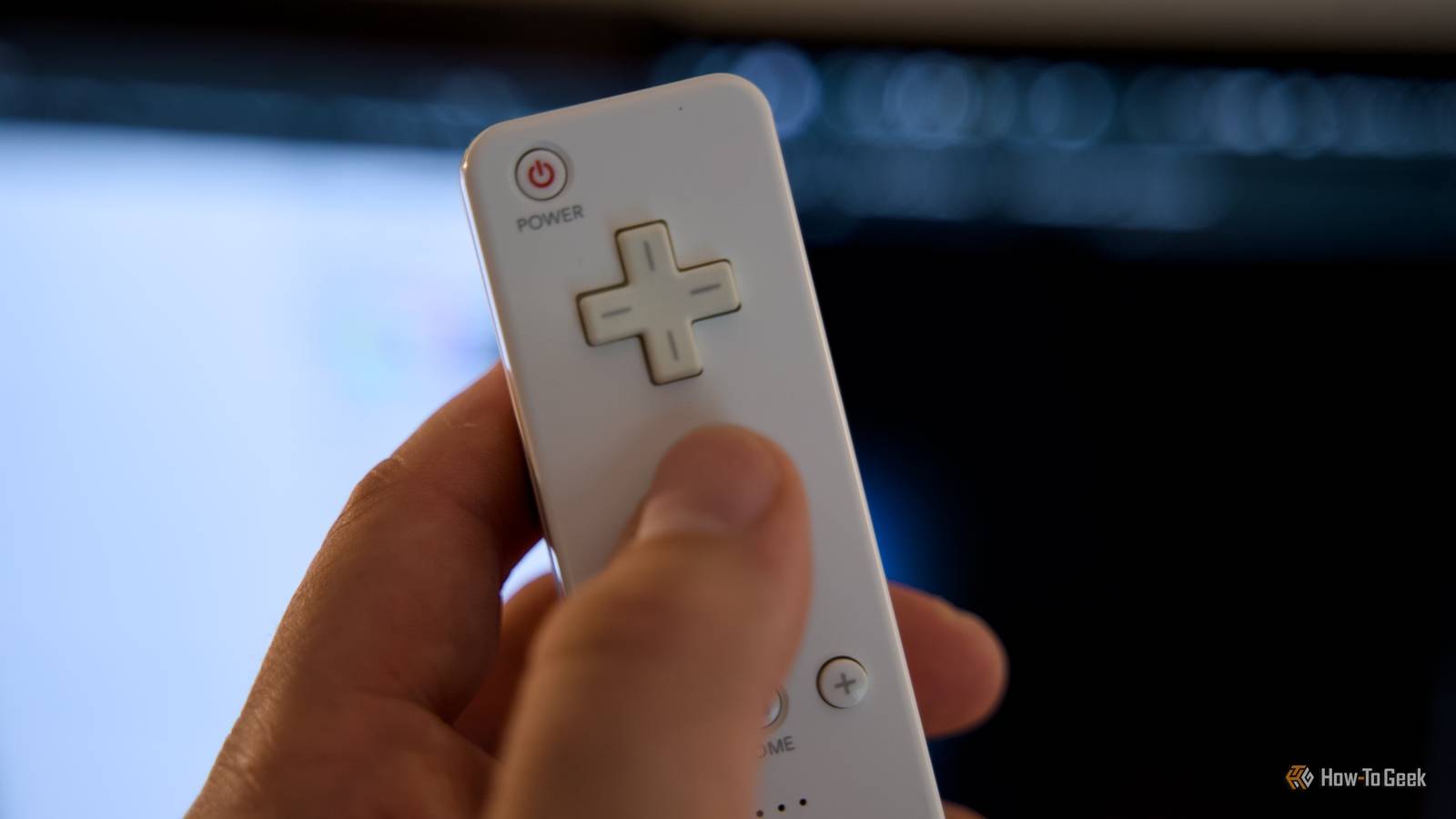
Despite its age, the Wii Remote can still be a useful device.It includes Bluetooth connectivity, motion sensors, an infrared camera, and multiple physical buttons.These features make it a great option for interacting with your smart home, and there are a few ways that you may be able to get your Wii Remote to control Home Assistant.
Replace the electronics with OpenMote An ESP32 turns a Wii Remote into a smart home controller Close ESP32 development boards are awesome for smart home projects.They're cheap and versatile and small enough to fit inside many devices.That's exactly what the custom OpenMote board does with your Wii Remote.
OpenMote replaces your Wii Remote's original circuit board with a custom board built around an ESP32-S3.It's designed to fit inside the original Wii Remote and work with its physical buttons.It effectively turns the game controller into a completely different device that you can use to control your smart home.
OpenMote runs ESPHome and connects to your home Wi-Fi network.When you press a button on the Wii Remote, the information is passed directly to Home Assistant, and you can use it to control devices or run automations.You get to choose what each button or motion action does.
The IR emitter can learn codes from your IR remotes, so you can use your Wii Remote to control your TV or turn on your old AC unit.You can even use the device for its original purpose and pair it as a standard Bluetooth LE gamepad with a PC, Android phone, or Steam Deck.There are currently two options available for pre-order on Crowd Supply until the end of October 2026: a fully assembled remote and a PCB to mod your own Wii Remote.
Orders are expected to ship in February 2027, and the Home Assistant firmware is already available on GitHub.Related How I Turned My Old Xbox Controller Into a Remote for My Home Theater PC Using a keyboard mouse combo for your HTPC feels clunky.An old game controller and a piece of shareware can change that.
Posts By Rich Hein Use CWiid to connect your Wii Remote to a Raspberry Pi Your Wii Remote can talk to a Pi over Bluetooth CWiid is a collection of open-source Linux tools that you can use to get a Wii Remote to communicate with a Linux computer such as a Raspberry Pi over Bluetooth.You don't need to take your remote apart or install any custom PCBs; it should work with a standard Wii Remote.There's a very useful YouTube video by The Raspberry Pi Guy demonstrating how to connect your Wii Remote to a Raspberry Pi, with a GitHub repository containing an installation script and some sample Python code.
The video only shows how to get your Wii Remote to communicate with the Raspberry Pi rather than Home Assistant, but there are several ways that you could use this setup to control your smart home.You could trigger Home Assistant actions using the REST API via Python scripts that run on the Pi or use a Python script to publish the received inputs from the Wii Remote using MQTT, and Home Assistant could then respond to those MQTT messages.There's also a tool called wminput which lets you use the Wii Remote like a mouse.
You could connect the Raspberry Pi to your TV via HDMI, open Home Assistant in a web browser, and use the Wii Remote to control your smart home dashboard.Control Home Assistant in Windows using Touchmote Make your Wii Remote into a mouse Touchmote is Windows software that lets you use a Wii Remote as a mouse or touchscreen input device.It was originally intended to let people control Windows using a Wii Remote, and unlike CWiid, it's a Windows app rather than Linux tools that require custom scripts.
You don't need a Wii console or a Raspberry Pi; the Wii Remote talks directly to your Windows computer.The original project is old, but there's a fork with a build that was updated as recently as October 2026.The Wii Remote detects infrared light from the Wii Sensor Bar, allowing Touchmote to calculate where you're pointing, and there's support for using two sensor bars positioned both above and below the screen.
You can use the Wii Remote to control the pointer in Windows by moving the remote around and using the buttons to interact with whatever you're pointing at.You could build a touch-friendly Home Assistant dashboard and use the Wii Remote to interact with the dashboard items and control your smart home.This means you don't need any custom code.
Once Touchmote is configured, you can open the Home Assistant dashboard in a browser and use the Wii Remote to control the pointer to interact with it.Your Wii Remote may still have life left in it It's insane that the Nintendo Wii is 20 years old; it only seems like yesterday that I handled my first Wii Remote.Two decades on, that remote can still be a useful device, whether you want to replace its PCB or just use it to control a Home Assistant dashboard.
Read More