My favorite app store for Android isn't the Play Store—it's F-Droid.I find this repository of open-source software to be a more reliable way to discover new apps that I actually want to use.But I have a problem with how F-Droid looks.
If the design also puts you off, this is thankfully an easily solvable problem.Download F-Droid—then download an F-Droid client Like using Microsoft Edge exclusively to download Chrome Close Unlike the Google Play Store, which ships pre-installed on most phones, you need to seek out F-Droid yourself.That means you need to know of its existence and to have a reason to download it in the first place.
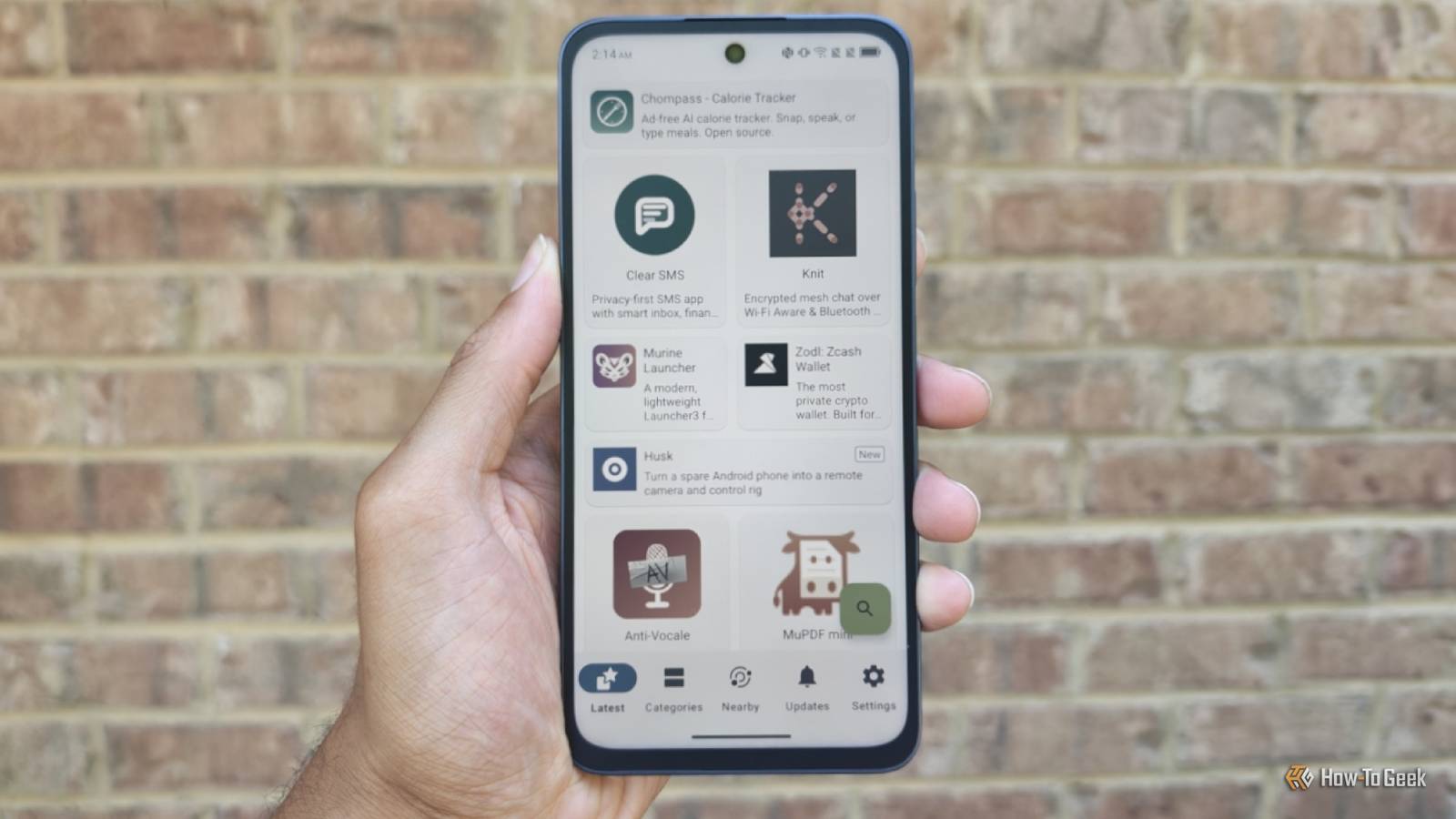
Fortunately, it only takes a few taps and a couple granted permissions to have a fully functional app store that offers thousands of apps for download along with ongoing updates.Unfortunately, F-Droid feels like a blast from the past, and an awkward one at that.Its current interface isn't quite Material 3 Expressive, nor does it feel like Material You or even Material Design.
It just feels Android-ish.I prefer it to the Holo-based design that came before, but only marginally so.Fortunately, F-Droid is not only a repository of open source apps, but a repository that other apps can access.
That means that there are actually several alternative F-Droid clients available for download within F-Droid itself.It's as if you could download Aurora and other Play Store alternatives directly from the Play Store itself.That clearly runs afoul of Google's terms of service, but F-Droid has no such terms—and thankfully so.
But which clients are worth your time? F-Droid Basic A simplified version of F-Droid that feels at home on a Pixel Close Despite what the name would suggest, F-Droid Basic does everything that most of us need F-Droid to do.It has access to the same apps, you can still browse by category, it will download any updates you need in the background, and you can add your own third-party repositories.F-Droid Basic's primary difference is in its presentation.
The three tabs at the bottom are more intuitive, and there are pop-up toast messages that explain F-Droid's quirks, such as "anti-features," when you use the app for the first time.I also give F-Droid Basic the top shout out due in part to how well it scales to larger screens.F-Droid looks at home on my Motorola Razr Fold regardless of whether I'm using the internal screen or the cover display.
Many clients are designed with only conventional smartphones, not tablets, in mind.Droid-ify Modern old-school Close Ironically, Droid-ify looks simpler than F-Droid Basic.It, too, is an effort to make F-Droid adhere closer to modern design guidelines, though it doesn't go quite as far in the conversion.
The design harkens back to the earlier days of F-Droid, when browsing the app store felt more like scrolling through a really long list.Droid-ify does have a big advantage over both F-Droid Basic and regular F-Droid, and that's its inclusion of third-party repos.You can add options like the IzzyOnDroid repo, which includes software such as my favorite open source camera app for Android.
You can also find repos for the Brave browser, KDE Android apps, and microG.The above repos are all compatible with F-Droid Basic, but you have to seek them out in a browser and add the URL manually.By saving me the search, Droid-ify has exposed me to far more repos than I knew existed.
Florid F-Droid with ambition Close Florid is an example of a more adventurous take on F-Droid's design, and you'll need the aforementioned IzzyOnDroid repo to install this one.While it does embrace modern Material 3 Expressive elements, it does so with more bold design choices of its own.It introduces multiple columns when browsing on a larger screen (though the implementation is still a work in progress), and there are more noticeable animations as you move throughout the interface.
While Florid is a bit less intuitive (what exactly is the difference between "Home" and "Device"?), its ambitions aren't limited to appearance.The app adds in features like parental controls, which can block apps with anti-features or require biometric authentication for all app installs.You can also favorite apps, which makes it easier to dive back in and follow their changelogs.
Free as in freedom, even from F-Droid itself The ability to replace the F-Droid client while still accessing the F-Droid repos is striking in the Android world, but it's familiar on Linux, where open source software licenses rather than terms of service and EULA more commonly determine how things are done.I may still need to turn to the Play Store (or open Aurora) to download specific banking apps and smart home companions, but I now prefer to use an F-Droid client when I'm just in need of an awesome new app.
Read More