How careful are you when it comes to your PC's Ethernet ports? Because I gotta say, I've abused my fair share of both ports and connectors.I've yanked cables sideways, left them plugged in for years (even though they would've benefited from an upgrade), moved hardware around without disconnecting them first, and generally just taken them for granted.Most of the time, I got away with it.
But the funny thing is, I'd never give USB or USB-C that same level of disrespect.USB-C ports, other than being confusing, simply don't have the mechanical advantages that Ethernet ports do—which is why you should be more careful if you want yours to stay healthy.An Ethernet plug basically disappears inside the port All that plastic is doing useful work Close Comparing USB-A or USB-C to Ethernet is like apples and oranges, I admit.
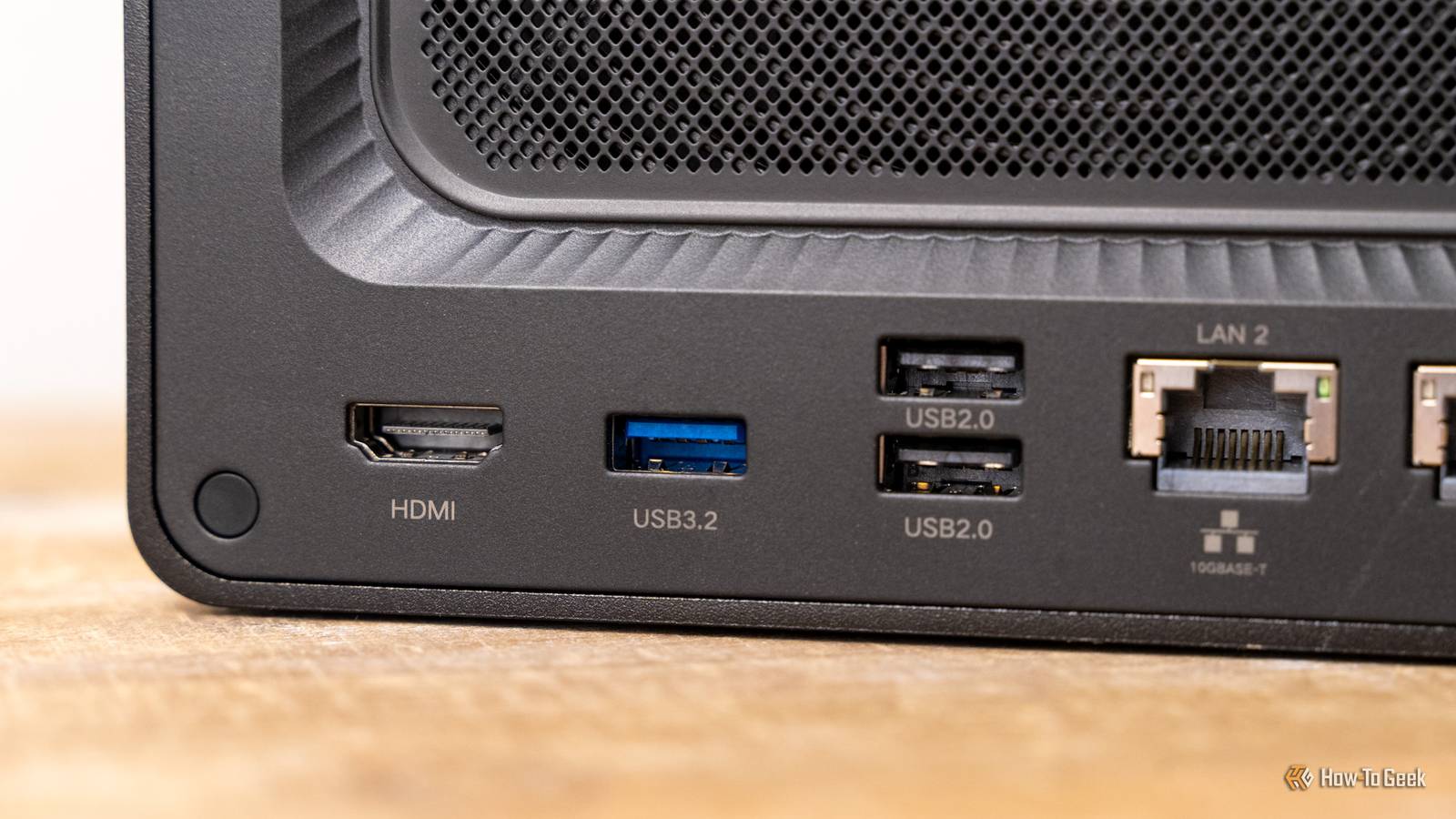
But it's an interesting comparison to make, because both ports and cables are used super frequently across PCs and laptops everywhere, and yet, they couldn't be more different.The aforementioned mechanical advantage becomes obvious the moment you look at the connector.An Ethernet plug slides deep into the jack, with most of the plug body surrounded by rigid plastic once it's inserted.
The electrical contacts sit recessed farther inside, too, so they're not right by the port where they'd be more prone to damage, bending, or scraping.Meanwhile, USB, and especially USB-C, has to fit everything into a tiny opening, and not at the same depth.And that depth is helpful, because it helps support the connector when the cable gets moved around.
It prevents all the force of yanking the cable from being concentrated at the very edge of the port, all because the plug is braced by the walls of the jack on multiple sides.On desktop mobos, switches, and routers, the Ethernet jack itself is usually a fairly substantial component as well.It has rigid housing and strong mounting to the PCB.
If you accidentally (or carelessly, as I tend to do) tug the cable sideways, some of that force gets absorbed by the housing instead of going straight into the contacts or tiny solder joints.Ethernet cables simply let you get away with more.Another reason why they're so good is that little bit of plastic that USB doesn't have.
Related 5 networking upgrades under $30 to try before replacing your router Routers are expensive, but these upgrades are not Posts By Monica J.White That little plastic clip is doing more than you think Ethernet actually locks the plug in place USB ports can be black, blue, red, or green, but the cable itself isn't anything much to write home about.Meanwhile, Ethernet cables have a tiny little advantage in the form of that little plastic latch.
Once the plug locks into place, it's not relying on friction alone to stay put; it's just staying put, period.The tab physically locks the connector into the jack, and that prevents it from slowly working loose if you move the cable, or even yank it.(Although, despite my own shortcomings in this department, I really don't recommend randomly yanking any cables for any reason whatsoever.) USB handles retention very differently, and not exactly in a good way.
It doesn't have that many internal retention features, and it's designed to be pulled free without using a whole lot of force.This makes sense, though.In all likelihood, you don't go around unplugging your Ethernet cables all the time.
So, that latch on an Ethernet cable contributes to these cables feeling so mechanically secure, but on the frequently used USB-C, it'd be a major nuisance.Imagine needing a latch for each time you charge your phone? What a nightmare.USB had to squeeze much more into much less space USB-C's biggest strengths make the connector complicated I'm not sure that I would call USB-C fragile, but compared to Ethernet, it sure feels that way.
But I get it, because Ethernet cables and USB cables weren't designed for all of the same stuff.This is especially true for USB-C.While many devices do better when connected via Ethernet, these ports are mostly utilized in huge, largely static devices.
Meanwhile, USB-C needs to be tiny enough for phones, tablets, ultrabooks, power banks, and a million other things.USB also needs to do some extra jobs.It's expected to carry high-speed data, deliver power, and maybe even carry video through alternate modes.
All of those use cases end up packed inside a connector with 24 contacts arranged around a small internal tongue, plus the shielding and retention hardware that make it so that the plug actually stays in place once you connect it.Compared to USB-C, Ethernet is humongous, and in this case, that's actually good news.It doesn't need to fit inside smart devices, so that whole thin-and-light segment is gone from Ethernet's to-do list.
USB's compactness is its biggest strength.Its flexibility is another.But mechanically, it does mean there's less hardware around to absorb potential abuse.
But USB-C actually survives more plug-ins on paper Mechanical abuse and connector lifespan aren't the same thing The funny part that sort of flips this whole argument on its head is that USB-C actually wins in terms of sheer durability—assuming we measure by how many times a cable can be plugged in and out.The USB-C spec calls for a minimum of 10,000 insertion and removal cycles.Meanwhile, many RJ45 Ethernet jacks are rated for somewhere around 750.
That might sound like it defeats my whole argument, but if anything, it sorts of backs it up.USB-C cables were made to be plugged in and out frequently.I can't imagine a scenario in which I'd ever have to unplug and re-plug any Ethernet cable 750 times, and I've owned some of mine for a decade.
Ultimately, two different kinds of durability can coexist.USB is built to survive repeated mating cycles, while Ethernet is exceptionally good at tolerating the various ways in which PC users abuse their PCs.Ethernet's bulk is part of the charm I honestly love how bulky Ethernet cables still are, and there's something immensely satisfying about hearing that little click when the cable goes in as intended.
You don't get that with USB, and if you're using USB-A, chances are that you're flipping it over a couple of times to get it to fit before you actually plug it in.That can't just be me, right?
Read More