For many people, Claude is AI model of choice.It pioneered a lot of cool features with Claude Code, Cowork, MCPs, Skills, and more.The models also just sound more thoughtful when answering your questions.
So naturally, one of the biggest frustrations folks have with Claude is that it doesn’t last as long as they want it to and burns through their token usage very quickly.Fortunately, there’s an easy fix — one that was sitting right under your nose.By changing this one setting, I was able to make my Claude usage last 8x longer.
I simply changed "Effort" to "Low" The default setting is burning through your token usage If you were expecting a hidden setting buried behind some nested menus or a secret cheat code, then I’m sorry to disappoint you.The setting I’m talking about is sitting right in front of your face and shows up every time you start a new chat and pick the model.In fact, it’s so readily available that, ironically, it’s become a hidden feature — “hidden” in plain sight.
Jokes aside, you probably already know that Claude lets you decide how much effort you want the model to put into answering your questions.Higher effort means Claude about the problem for longer, which, at least in theory, should give you better results.At the time of writing, Anthropic recommends medium effort as the default for Sonnet models and high effort for Opus models.
However, I tested all the Claude models across the different effort configurations and found that the results were only marginally better, if at all.Token consumption, on the other hand, was dramatically higher — up to 8x higher when moving from low effort to high effort.Given the relatively small difference in output quality, that made very little economic sense to me.
Related Claude isn't just for programmers: Here's 7 ways I use it in my everyday life Vibe coding isn't all you can do.Posts By Adam Davidson Does thinking even matter? Probably not as much as you think (pun intended) Close I’ve personally been on the Claude Pro plan since the day it launched, and I use it extensively in my day-to-day workflows.So, based on my own experience, I can tell you that the effort levels don’t matter as much as you might think.
However, I didn’t want to leave you with a subjective claim, so I set up a small test to see whether bumping up the effort level actually made a difference.I also had to keep the scope reasonable.The answers needed to be something I could verify myself.
So I didn’t ask it to solve some million-dollar math problem, since I’d have no way to judge the output.Instead, I went with a more practical test and gave it three prompts based on things I run into regularly: debugging a Linux script, checking time-zone conflicts for meetings, and splitting expenses for a trip.I first ran all three prompts on low effort in one chat, then opened a fresh chat and ran the same prompts again in high-effort mode using the same model.
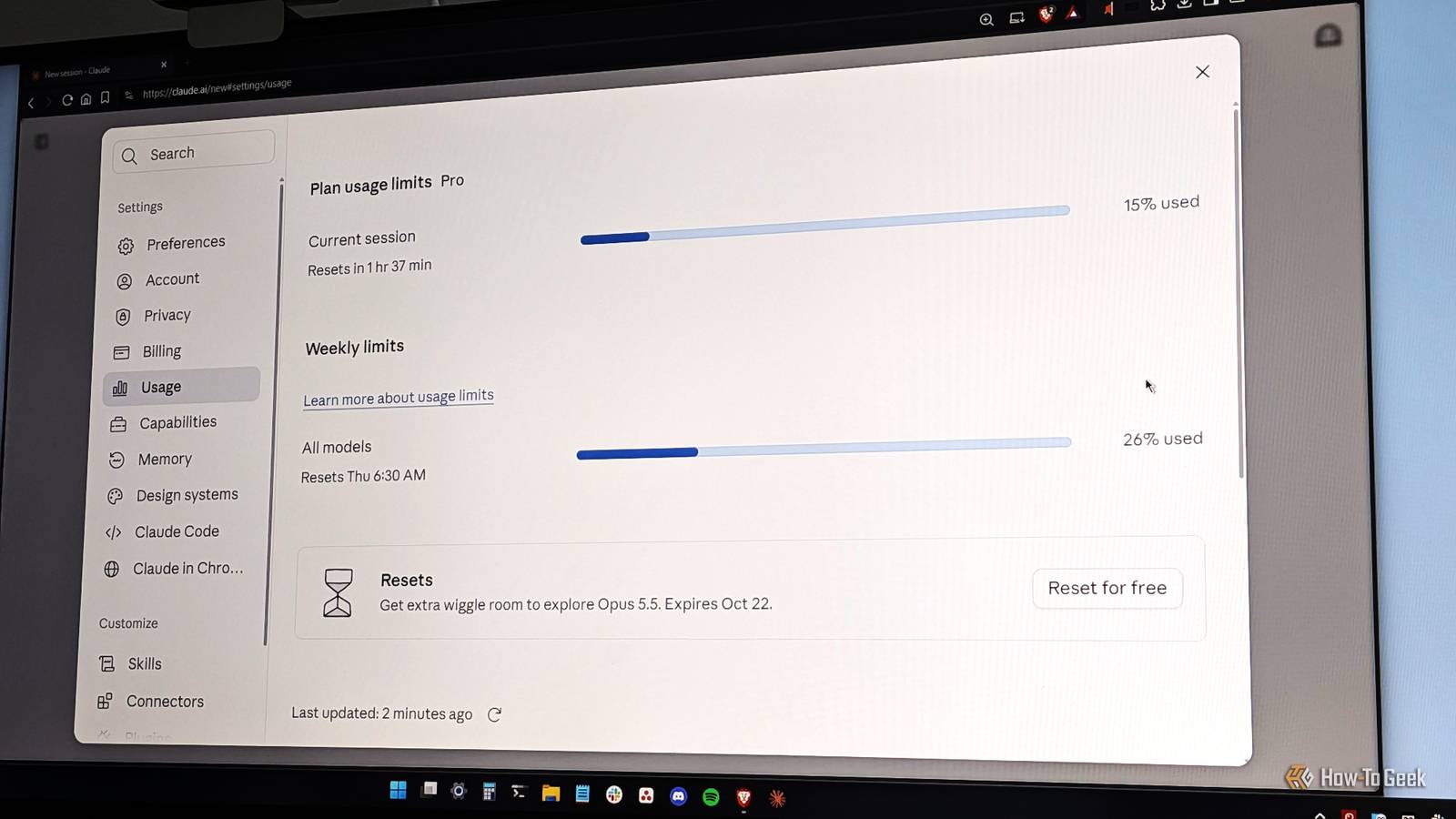
Both gave me the correct results, and the presentation was nearly identical.However, the difference in cost was just absurd.As you can see in the screenshots above, the low-effort test moved my usage meter by a mere 1%, whereas the high-effort test moved it by a whopping 8%.
If my math is right, you’re basically saving 8x in token usage by simply using the model on low-effort mode.Now, to be fair, this doesn’t technically prove that models perform better with more effort — which, by the way, is also not my point.My point is that if you let Claude spend more tokens on a given task, it will happily do so, even when it can arrive at the correct answer using far fewer.
So stop giving it that extra thinking budget, especially if you — like me — are using it for basic day-to-day knowledge work.I built a Claude artifact showing you theprompts I used and the responses the model gavein both low- and high-effort modes.You can check it out and decide whether the extra token usage was worth it.
So, what do you do when Claude isn't getting it? Use a smarter model I can see the case for switching to a higher effort level when you find Claude struggling with a task.However, in my experience, switching to a more intelligent model is often the better move.It’s more likely to solve the problem, and it’s probably more economical.
As such, if you’re on Sonnet and it’s stuck, switch to Opus.Likewise, if you’re using Opus and it’s stuck, switch to Fable.And if you’re using Fable and you’re stuck — well, in that case, you’re indeed stuck — wait until the next big SOTA (State Of The Art) model comes out.
Also, I’m really curious as to what kind of work you’re doing.Sure, you could try cranking up the effort level, but I don’t think it’ll help much.A better alternative is to look at where the model went wrong and write a follow-up prompt that points out its mistake and, if necessary, tells it how to do it correctly.
Basically, I’m telling you to do the thinking instead of handing it off to the AI.That’s generally going to be cheaper and have a much more tangible impact on the model arriving at the right answer.That said, the one area where I do believe higher effort makes sense is in workflows, where you simply point the model at a task without much prompting or careful orchestration and let it brute-force the problem.
You’re essentially saving your own time and effort and paying for it in token usage.A classic time vs.money trade-off.
Related These 4 Claude automations save me hours every week—no coding required The only "coding skill" you need for automation now is knowing how to type a sentence.Posts By Dibakar Ghosh Are model efforts completely redundant? I'm not an AI scientist, so I can't write off AI models “thinking” at high effort as a blatant cash grab.But I am an AI user, and a heavy one at that.
I use Claude extensively for content planning, research, automating admin work, and even for vibe coding.In all of those scenarios, I've found high effort levels to be pretty much redundant.Maybe it makes sense for advanced math or science problems.
But if you're a regular user — like me — trying to use AI to streamline your work and life, just default to low effort mode.More often than not, it'll do the job for a fraction of the tokens.Related I get more from Claude's $20 Pro plan than most $200 Max subscribers—here's how Before upgrading your plan and spending more money, try upgrading your habits first.
Posts 1 By Dibakar Ghosh
Read More