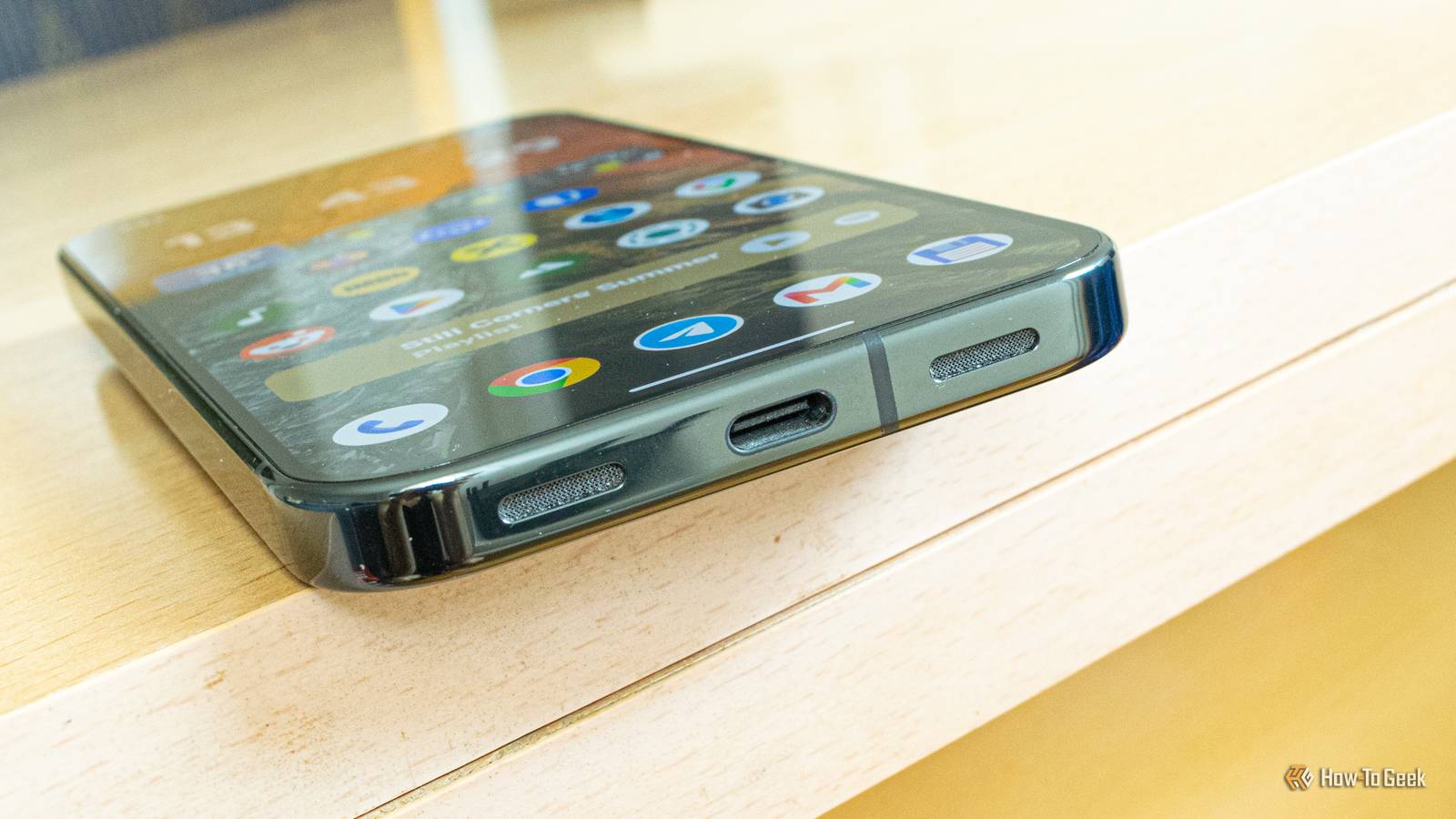
A few years ago, Google introduced a cool new feature for its Pixel phone lineup and then pretty much stopped talking about it almost immediately afterward.I'm talking about the ability to output video to an external display via USB-C, allowing you to mirror your Pixel's screen to an external display with a USB-C, DisplayPort, or HDMI input.But there's more.
Connect your Pixel to an external display with an appropriate cable and mirror its screen Play videos on your TV, or just mirror your phone's screen on a large display Close If you own a Pixel 8 or a newer Pixel, including Pixel A series phones, you can connect it to an external display via its USB-C port and mirror its screen.I've done it with a USB4 cable I use to connect my Mac mini to my monitor, but you can also use any USB-C dock or hub with a video output, or a USB-C dongle with a DisplayPort or HDMI port and an appropriate cable.The procedure wasn't exactly smooth because I got a black screen the first time I tried it, but a quick restart did the trick.
Once you plug in the cable, you'll get a choice between mirroring the phone's screen and using Pixel Desktop mode (more on this later).Just tap the Mirror button, and you're ready to go.During my testing, the video stream had quite low input latency, and I didn't encounter any slowdowns or stutters.
On the flip side, the stream was capped at 60Hz, which is unfortunate.Perhaps Google will increase the refresh rate cap in the future, which would be highly welcome.But other than the 60Hz cap, everything ran very smoothly.
I was able to play videos, use apps in both portrait and landscape orientations, and, due to my monitor having a 21:9 aspect ratio, I only had thin black bars on the right and left sides of the monitor when using the phone in landscape orientation.The phone automatically played audio through my monitor's speakers, and because it has a built-in KVM switch, I was able to use both the mouse and keyboard connected to my monitor's USB hub.The 16:9 videos I played looked fine on my monitor's native 21:9 aspect ratio, but when I switched the monitor to a 16:9 mode, they looked squashed.
The only way to fix the aspect ratio issues was to use the Fill video option in VLC Player.Unfortunately, when watching YouTube videos, the only way to make 16:9 videos fill the screen without being squashed was to zoom in, which cut off parts of the video.All in all, the wired screen mirroring feature on Pixels works rather well, and while some video apps will result in videos being squashed on 16:9 screens, you can watch videos in their native 16:9 aspect ratio with VLC Player, and possibly other players that have an option to stretch or fill videos.
Your Pixel phone also supports Desktop mode You can turn your Pixel into a mini PC with a single USB-C cable Close Owners of Pixel 8 and newer phones can also use Desktop mode, which I find serviceable but a far cry from what Samsung offers with DeX.Desktop mode on Google Pixels comes with a number of limitations you won't find on DeX, but it's still good enough to use in a pinch.For instance, I was able to use Google Docs and Chrome side-by-side to write the second part of this piece on my Pixel 10 Pro, and it all worked rather smoothly.
I was able to use the mouse and keyboard connected to my monitor's KVM switch, so all it took was a single USB-C cable to turn my phone into a mini PC.Chrome works rather well in Desktop mode, and I had tabs listed at the top.I was able to zoom the view with the mouse's scroll wheel while holding Ctrl (this also worked in Google Docs).
Multitasking was much more responsive than on my Galaxy S21 FE, likely due to the Pixel 10 Pro packing 16GB of memory, and the overall experience was quite satisfactory but restricted in terms of features.I also encountered a few bugs.Firstly, the Settings app would open only on my phone the first few times I tried accessing it for some reason, but then, all of a sudden, it started opening fine on the monitor.
After switching from Google Docs to Chrome with two windows placed side by side, the keyboard would sometimes continue to type in Google Docs, and only minimizing the Google Docs window would allow me to type in Chrome's address bar.Aside from these bugs, everything else worked correctly.As for 16:9 videos, they played normally both when the monitor was running in 21:9 and 16:9 modes because Desktop mode automatically adjusts to your monitor's aspect ratio and resolution, unlike the screen mirroring feature.
On my monitor, this included Desktop mode running at 3440x1440 in a 21:9 aspect ratio and at 2560x1440 in a 16:9 aspect ratio.Again, the only major limitation was the 60Hz cap.While it does impose a number of constraints and lags behind Samsung DeX feature-wise, Desktop mode on Pixel phones is stable, responsive, and available on any external display featuring USB-C, DisplayPort, and HDMI input, as long as you've got the right cable.
It's also a better option than wired screen mirroring as long as you've got a pair of Bluetooth peripherals, a USB-C hub with multiple USB ports to connect a mouse or keyboard, or, like in my case, a monitor with a KVM switch.Google Pixel 10 Pro $749 $999 Save $250 Brand Google The Pixel 10 Pro offers an upgrade over the base model with the powerful Google Tensor G5 chip, more RAM, and more storage (if you need it).$749 at Amazon $999 at Best Buy $999 at Google Store $999 at AT&T Expand Collapse Many other Android phones support USB-C video output as well Other Android phones support wired screen mirroring as well.
Galaxy phones have featured USB-C video output starting with the Galaxy S8, but the budget models—the Galaxy A5x series and lower—unfortunately don't support USB-C video output as their USB-C ports are limited to USB 2.0 bandwidth.Many Motorola phones also come with USB-C video output, as do a number of phones from other brands.To find out whether your phone supports USB-C video, just Google it.
As for desktop mode availability, you can use it on the Pixel 8 and newer Pixel phones, as well as the Samsung Galaxy S8 and newer Galaxy S phones, Galaxy Note phones, and Galaxy Fold phones.The Galaxy A90 5G is the only A-series phone with DeX support, while a number of Galaxy S and Tab S tablets also support DeX.Regarding Motorola phones, you've got a handy Smart Connect compatibility chart provided by Motorola that you can peruse to see whether your phone supports Motorola's Smart Connect desktop mode.
Read More