I’m not one to enjoy gaming in front of a monitor at my desk, and I don't want to be anchored to my TV or couch either.As a married man and a parent, I prefer a gaming setup that can travel with me to the places and times when gaming is actually an option — so I was excited by the prospect of PC gaming handhelds, back before they shot up in price.Add How-To Geek on Google Add as Preferred Source Follow on Google Discover PC gaming handhelds are no longer even remotely affordable, and video game console prices are rising to boot.
Mobile gaming is starting to seem a better bargain than ever.For a while, my phone was my primary gaming device, and I learned how to make it approximate a PC as best I could.Since then, the accessories and software have only gotten better.
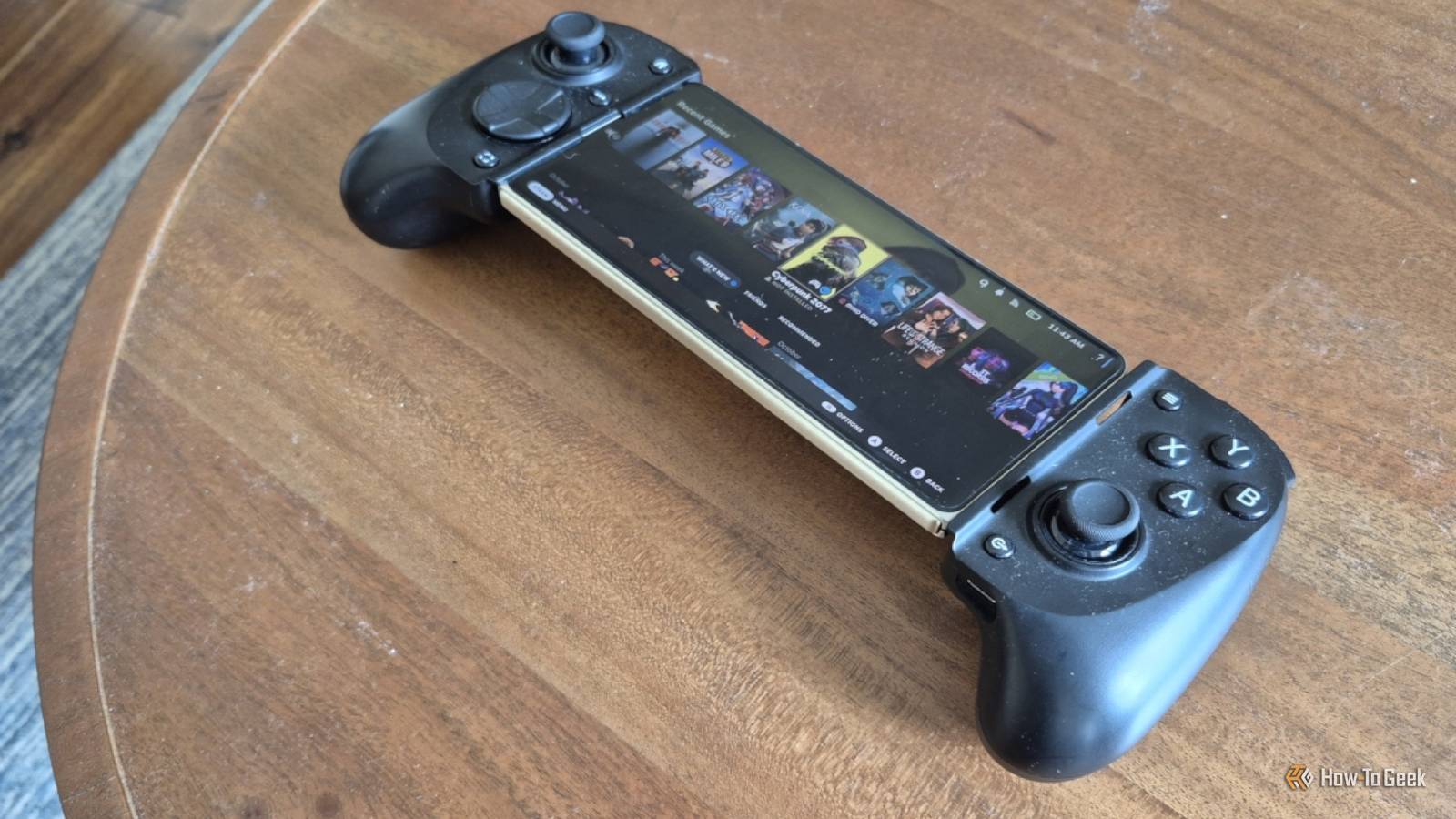
Equip your phone with a good telescopic controller These make your phone look and feel like a gaming handheld You can pair an Xbox or PlayStation controller you may already have with your phone, but that experience isn’t ideal.You'll have to prop your phone up on a stand, and the small screen looks tiny when seated from that far away.For the best experience, you want a telescopic controller that expands so you can slot your phone in the middle and hold it the same way you would a Nintendo Switch or Steam Deck.
I used to be a big fan of the Razer Kishi V2, and several models have come out since.The Razer Kishi Ultra offers larger joysticks and buttons that feel more comparable to a gaming controller, and you can now snag those second-hand.That's what I did with my current Razer Kishi V3 Pro.
It retails for around $150, but I managed to grab one second-hand on eBay for a third of that.Just be warned: if you're doing the same thing, you may encounter stick drift, which isn’t always disclosed up front.My controller plugs into my phone's USB port.
This approach offers the lowest latency, but it doesn’t work with every phone or case.I think it looks fine with my Motorola Razr Fold when it's closed, but I don't like the positioning when I unfold my phone.For a controller that will work with any phone, I recommend the GameSir G8 Plus.
It is Bluetooth and expands to work with any phone and most tablets.It also costs a more reasonable $80 when new.Cloud gaming is about to become your friend Assuming you have an internet connection that can handle it Close I don't like the idea of cloud gaming.
It's bad enough that we only own a license to play digital games, but with cloud gaming, we don't even download the game to our own machines.We instead rely on distant data centers and all that comes with that.We also can't play games when the power’s out, or the internet is down.
Then there's having to pay for yet another subscription.Yet, despite all that, I must admit I've played quite a few great games via NVIDIA GeForce Now and had a good time doing it.Cloud gaming worked better for me than I expected.
It didn't matter whether I was playing on Nvidia GeForce Now, or via Xbox — I couldn’t tell I wasn’t playing a local game.This may be different for those playing competitive online multiplayer games, but cloud gaming has worked astonishingly well for the single-player titles I tend to enjoy.It's the single easiest way to start playing PC games on your phone, assuming you have a Wi-Fi connection or phone data plan that meets the requirements.
You can even dock your phone, much like a PC gaming handheld.I played games on my phone using AR glasses and enjoyed them on a large virtual screen.I’ve also occasionally played a game with my phone connected to a desktop monitor just to see what it would be like.
Spoiler: it works just fine.You can now install PC games directly to your phone It's still a bit hacky, but it's getting better by the month Close First, macOS and Linux became good at running Windows software.Now, Android can too — at least when it comes to games.
GameSir has put its professional engineering dollars toward this goal by creating GameHub.GameNative, an open-source alternative, is available directly from the Play Store.The screenshots above show another open-source option called DroidDeck, which puts SteamOS on your phone.
These apps all work similarly.They rely on compatibility layers such as Proton, much like the Steam Deck and Linux PCs do, to run Windows games.How well this works for you will depend quite a bit on which of the apps you choose, your phone's capabilities, and the games you’re trying to play.
Some of you may be able to start playing PC games within minutes of reading these words, which is the experience my colleague had when he installed Steam games directly onto his Android phone.That hasn't been my luck.Either way, if you have the patience for some trial and error, you may just be able to get your favorite PC game running directly on your phone.
Your phone may not be a PC gaming handheld — but it’s close I'm not going to argue that your phone offers a superior experience to a dedicated PC gaming handheld.The portability has its advantages, but the screen won't be as large, and the processor inside isn't as powerful.But in today's economy, when I can buy myself and both kids Nintendo Switch 2s for the price of one PC gaming handheld, the latter is increasingly a pipe dream.
Fortunately, depending on what PC game you want to play, a phone paired with the right controller and a cloud gaming subscription (or some tinkering and patience) can make it happen.
Read More