For a long time, the way to access your notifications and quick settings on a Galaxy device was the same.You swipe down once for notifications and a second time for settings.It was intuitive and simple, and that was the way that just about everybody liked things to be.
Then Samsung decided to change things.Add How-To Geek on Google Add as Preferred Source Follow on Google Discover I gave the unified panels a fair shot, but it didn't take long for me to feel like it was a worse system overall.Sometimes, I opened the wrong panel, especially when I was using my phone one-handed, and it challenged my muscle memory as someone who has used a Galaxy device for quite a while.
Thankfully, there is a quick, easy way to fix it: a swipe and a tap of a toggle.Samsung tried to fix something that wasn't broken It made the notification center more complicated Back in January 2025, Samsung introduced One UI 7, and with it, they made a pretty big change to how your Quick panel and notifications worked.Before, you would simply swipe down to see a couple of simple settings along with your notifications, and then you would swipe down a second time to access your Quick Settings panel.
It was intuitive, and it made sense, and just about every Galaxy user was used to it.Then, they decided that the two panels should be completely separate, for some totally logical reason, I'm sure.If you're running One UI 7 or newer, which just about all Galaxy users are right now, then you've probably noticed that their default setup is that swiping down from the top left or center part of your screen is how you open up your notification center.
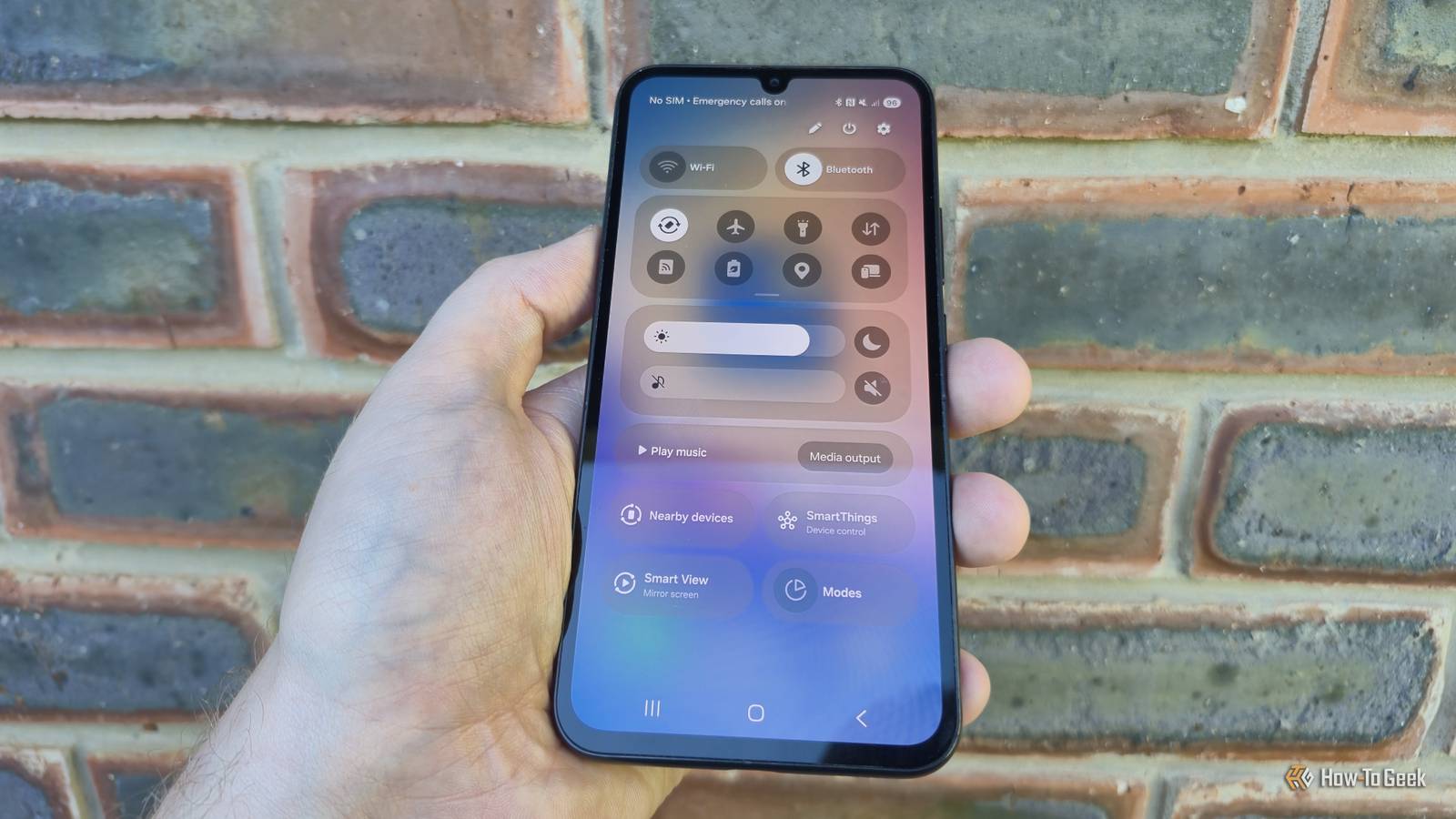
To get to the Quick Settings panel, swipe down from the top right-hand side of your screen.You can swipe left or right to toggle between the two once one is open, and you can invert the side of the screen that the Quick panel comes down from.This might not seem like a big deal, and it isn't, but it's an over-complication of a system that already worked really well.
It messed with the muscle memory of a ton of users and added extra steps to a simple process.My biggest problem with it, though, has to do with how precise you have to be.As someone with large fingers, it can be a hack to open the right menu, especially when I'm using my phone with one hand.
The good news is you can unify the panels again pretty easily Most users prefer the old way Close If you liked the old system, where the panels were unified, then you're not alone.The separate panels have sparked a fair amount of controversy since Samsung changed things up.The good news, however, is that it isn't hard at all to go back to the way that things were.
All it takes is tapping on a toggle in your Quick Settings panel.If you open up your Quick Settings panel, you should see a small pencil in the top left of your screen.Tap on this to customize your Quick Panel layout.
You should see an option for 'Panel settings' appear in the top left.Tap on this.You should be met with the option to toggle between having your Panels separate or together.
Select together, and you should go back to the way that things were.Going back to a unified panel layout has definitely made things feel more streamlined for me.I no longer accidentally open the Quick Settings panel instead of my notification panel.
Everything being in one place feels a lot more intuitive, and it means that the flow of information is less fragmented.I also really appreciate that with One UI 9 you have a lot more customization over your Quick Settings Panel, but my colleague, Joe Fedewa, goes over that in another article.Another in a long string of updates that have iOS-ified Galaxy devices Samsung needs to have more faith in their brand Over the last couple of years there have been a number of updates to One UI, and I feel that each update closes the gap between Samsung and Apple, and not in a good way.
The update that separated the Quick Panels on Galaxy devices felt like a pretty obvious move to make the system feel a little bit more like iOS.For as long as they have been around, iPhones have handled their notification center and Control Center as two separate things.In 2017, the brand moved the Control Center to the top right.
This layout is exactly how Samsung's separate panels work by default since the One UI 7 update in 2025.While there is no harm in seeing a competitor have a good idea and implementing it on your own devices, there were very few complaints regarding how Samsung handled its notification and Quick Settings panels.Samsung needs to have more faith in its own designs, rather than continuing down the road of iOS-ification that it is currently on.
At the end of the day, I like that Samsung gives you choices Truth be told, the separate panels aren't all that bad.I personally feel like it is less intuitive than a combined panel, but I can at the very least understand why people would prefer them to be separate.I do think that having to precisely swipe down from the top right to get your Quick Settings adds more margin for mistakes, but I reckon it wouldn't be too hard to get used to.
What I will say is that I really like that Samsung gives you the option between the new way and the old way.
Read More