Amazon's Kindle ecosystem offers a lot of convenience.You can browse, purchase, borrow, and download books directly from your Kindle eReader, and sync progress across your devices.This convenience relies on Amazon's cloud services, and when Amazon stopped providing them to my Kindle, I decided to replace them with self-hosted services running on my own hardware.
I made Calibre the core of my eBook library My books live on my hardware, not Amazon's Calibre is a free, open-source application for managing eBook collections.If you have a collection of eBooks, Calibre allows you to organize your books by title, author, series, and more, add tags and metadata, and download or replace book cover artwork.You can also use the software to convert compatible DRM-free eBooks into other formats and to transfer books to eReaders.
Instead of a library of Kindle eBooks living in Amazon's cloud, I now have my own DRM-free collection living on my own hardware.I can also use those books with any of my compatible eReader devices rather than relying on a Kindle library that I can only access on Amazon's own eReaders or apps.Calibre isn't a direct replacement for the Kindle Store.
You can't use it to purchase or borrow books.It's simply a place for your eBook collection to live.Calibre-Web gave me my own eBook service I can browse my collection and send books to Kindles Calibre is great for storing and organizing your eBook collection, but it's not the ideal way to access those books.
It does have a built-in content server that allows you to access your library through a web browser, but it's not the slickest interface you'll ever use.Calibre-Web solves that problem.Calibre-Web is self-hosted software with the specific purpose of providing a slick browser-based interface for you to access your Calibre library.
It also adds features beyond what Calibre's own content server offers, including a library-focused user interface, better support for multiple users, and direct synchronization with Kobo devices.You can also use Calibre-Web to send books to your Kindle using the Send to Kindle feature.When you've found a book you want to read in your library, you can send it to Amazon's servers with a single click, with the book being added to your Amazon library and delivered to registered Kindle devices.
You don't strictly need to use Calibre-Web to access the eBooks in your Calibre library or to send them to your Kindle.For me, however, the superior interface and additional features make it worth the effort of setting it up.Above all, it just looks a lot nicer.
Related I’ve Been Using Calibre All Wrong I hated Calibre until I made this one change.Posts 9 By Patrick Campanale KOReader let me ditch Amazon's reading software My old Kindle is so much better now I've broken free Close Calibre and Calibre-Web can be used with standard, still-supported Kindles; you don't need to jailbreak your Kindle to take advantage of them.Jailbreaking comes with risks, as you may brick your device or void your warranty.
However, Amazon effectively forced me to jailbreak my ancient Kindle 4 because it dropped support for this and other older models.Many of the features will no longer work, including the Send to Kindle feature that would allow me to send eBooks from Calibre-Web to my Kindle.I had nothing to lose in jailbreaking my Kindle, and now I wish I'd done it sooner.
The first thing I did was install the popular KOReader software, and it's so much better than the stock Kindle reader software, with far more control over how your eBooks are displayed, as well as a wide range of plugins that can make KOReader even more useful.One of the most useful things is that KOReader has allowed me to cut Amazon out of the eBook delivery process.Send to Kindle may no longer work, but I have a far better alternative.
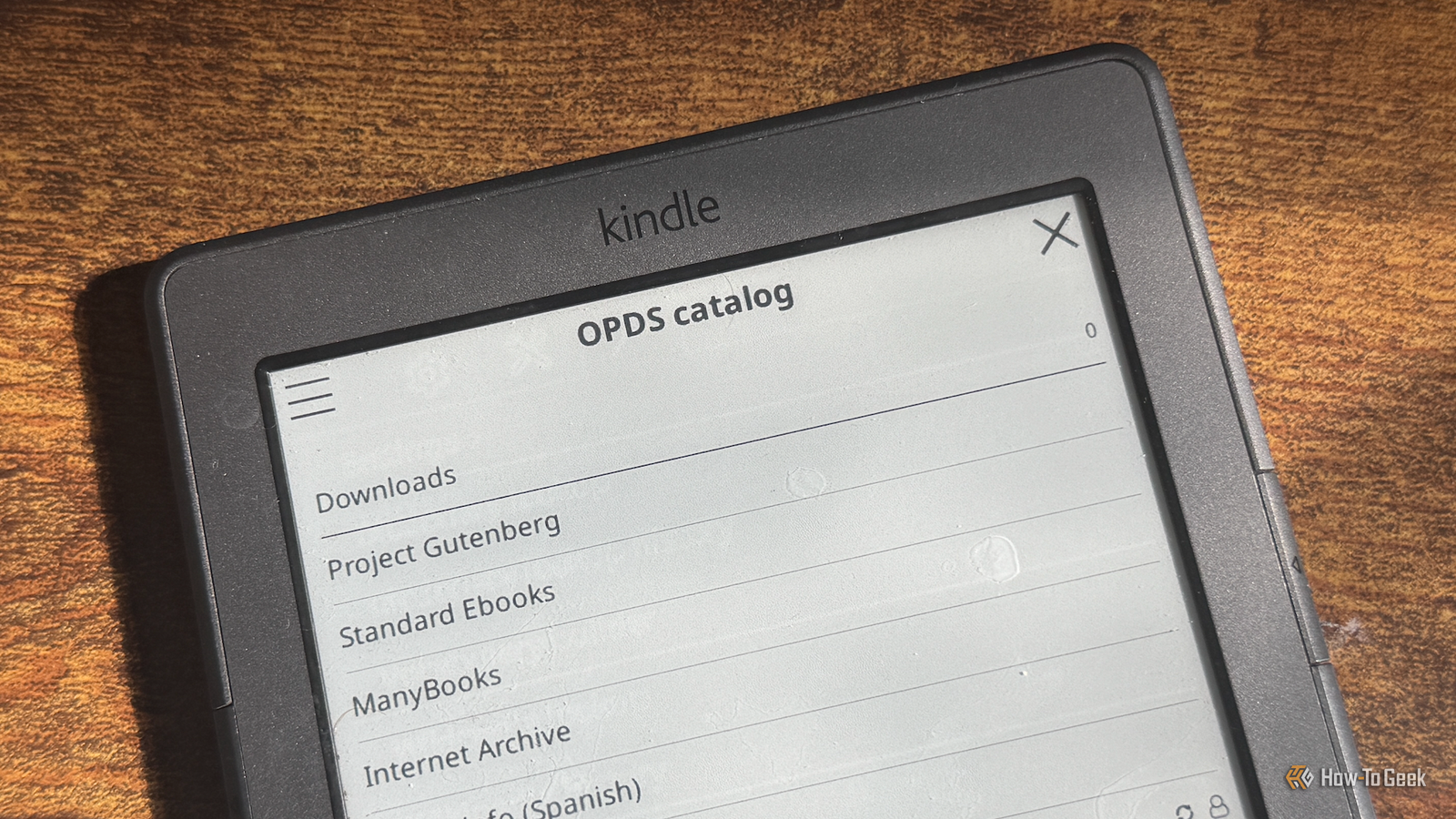
The Open Publication Distribution System (OPDS) is an open standard that lets compatible reading apps connect to online book catalogs, browse the libraries, and download books.Calibre-Web can expose my Calibre library as an OPDS catalog that I can access through KOReader.It means I can browse my personal book collection directly from my Kindle, choose the book that I want to read, and download it to the Kindle from my Calibre library.
Amazon is now completely out of the loop.KOReader Sync lets me keep reading on all my eReaders I can stop reading on one device and continue on another The final self-hosted service that I use is KOReader Sync Server.Amazon offers its own Whispersync cloud service that can synchronize your reading position across multiple Kindle devices, so that you can carry on reading from the same spot that you left off, even on a different Kindle or on a phone with the Kindle app.
KOReader Sync Server offers similar features, but the entire thing can run locally so that the synchronization information stays on your home network rather than in Amazon's cloud.What's more, it works with other types of eReaders, too.I can start reading a book on my Xteink X3 eReader and pick up exactly where I left off in KOReader on my Kindle.
You need to have the same book on each device for this to work, but it makes it so easy to keep reading on whichever eReader you happen to have closest to hand.My Kindle is still useful, despite Amazon's best efforts My Kindle 4 is still going strong, but Amazon no longer deems it worthy of support.If I were to rely on Amazon's services, I wouldn't be able to download books, use Send to Kindle, or even register my account if I needed to reset the device.
By self-hosting, not only can I replicate many of the features I've lost, but a lot of them are even better than what Amazon was offering.
Read More