Do you remember your younger years, talking to your friends over AOL Instant Messenger? Wouldn't you like to try it out again? Well, you can, and I did.I fired up this blast from the past to see if it's as fun as it once was.AOL abandoned its famous AIM service years ago, but there are projects working to keep it alive.
Open OSCAR Server is one, and it's not too difficult to get working.What is Open OSCAR Server? Unofficial support for most historical AOL chat protocols Open OSCAR Server is an unofficial implementation of AOL's OSCAR protocol.Starting in the ‘90s, AOL built OSCAR, then released a simpler, text-based alternative called TOC (and later TOC2, which was unpublished) so third-party clients could connect.
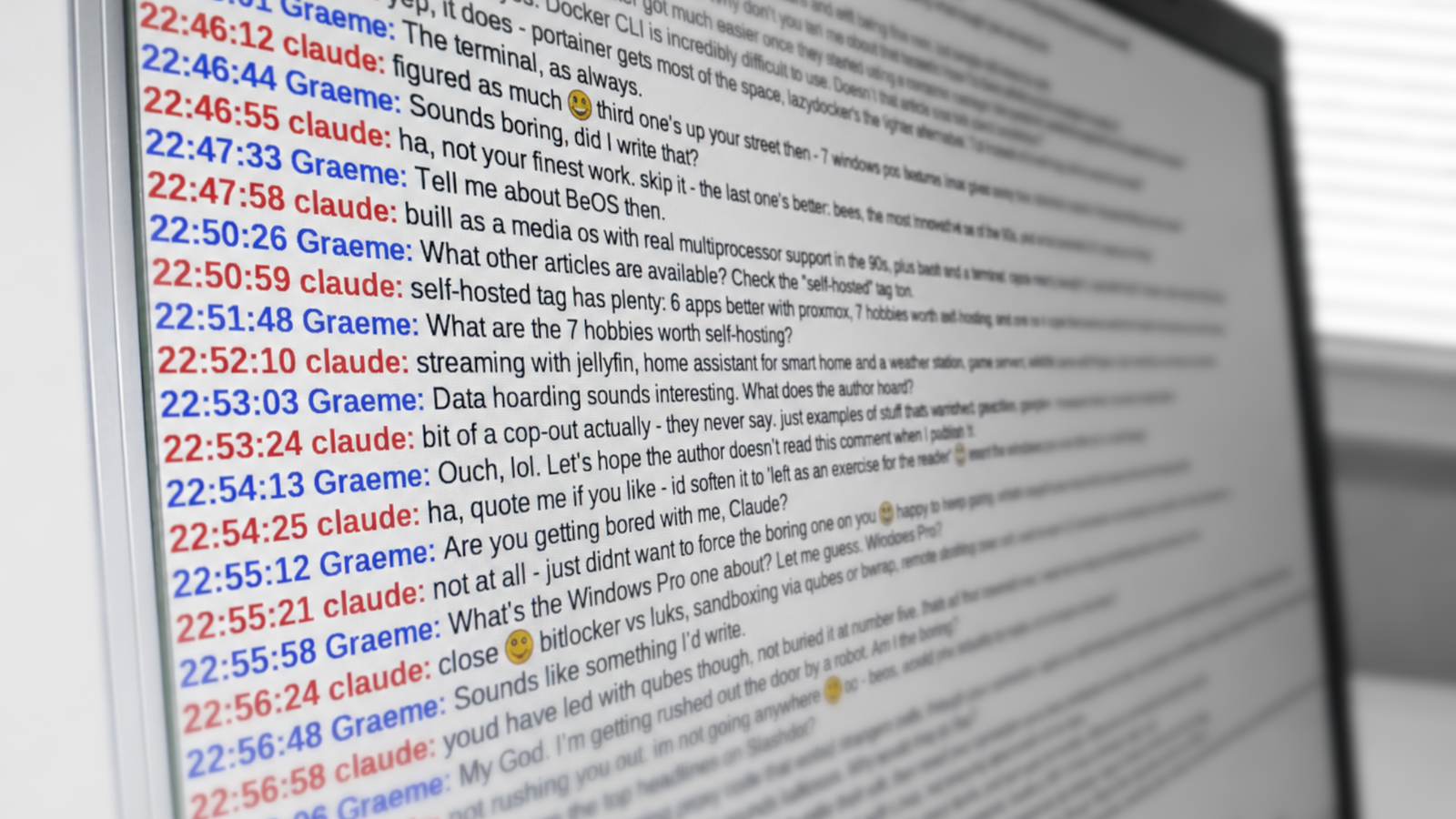
OSCAR powered AOL's AIM and ICQ ("I Seek You") services.Over a dozen clients supported OSCAR at one point or another, and Open OSCAR Server is the common backend that connects them, covering most historical AIM protocols.Going back in time with my robot friend Claude connected via an HTTP-based API Close For this experiment, I hooked Claude into a client of its own using the WebAPI protocol—a partial reimplementation of AOL's Web AIM API, which enables communication via an embedded web application or simple HTTP calls.
It was actually bizarre to travel back in time with an AI buddy from 2026.Then it hit me: it's extremely easy to wire up Claude Code and issue prompts over any protocol like this.How I installed Open OSCAR Server and a client It was straightforward, but finding a client was hard Close There is no official image on Docker Hub, so you'll need to clone the Git repository and build it.
In a nutshell, I used the following commands on Linux: make docker-images # ~20 min make docker-cert OSCAR_HOST=localhost # -> certs/server.pem make docker-nss # -> certs/nss/ (install on AIM 6.2+ clients) make docker-run-bg OSCAR_HOST=localhost # start; use docker-run-stop to stop The server works on Windows and macOS too.Getting the server up and running wasn't too difficult and took 20 minutes using the clear steps in the documentation.The hard part was finding a suitable client for Linux.
These protocols are long defunct, and modern clients dropped them years ago.My intention was to use TLS, but because I couldn't find one, I settled for a plain-text client called TiK—a modernized fork of AOL's original TiK, maintained by the same author as the server.It uses the older TOC1 protocol, but it's still technically AIM.
TiK requires Tcl v8, and my distro ships only v9, so I used Debian, which is old enough, err, enough.I got it working via Distrobox and connected to localhost:9898 (TOC).Windows likely has a better selection of clients, so if you do find one that supports later versions of AIM (and thus TLS), know that the "OSCAR_HOST" value becomes the Common Name (CN) in the generated certificate.
The hostname you provide in your client (e.g., "localhost" or example.com) must match it exactly.The "docker-cert" and "docker-nss" steps create the TLS certificate, and the resulting files and databases live in "certs/" within the repository.Settings sit in config/ssl/settings.env if you're using the "docker-run-bg" command.
They're environment variables, which the task injects via Docker Compose.In some cases, you may need to tweak the listen addresses to match your domain.However, the one thing you'll to change is the "API_LISTENER" value.
Edit the following line, depending on your setup: -export API_LISTENER=127.0.0.1:8080 +export API_LISTENER=0.0.0.0:8080 It's the management interface, and inside Docker, "127.0.0.1" binds this particular service to the container's loopback device (localhost).Lastly, here's a handy table of ports: Port Service 5190 OSCAR (plain) 5193 OSCAR (TLS, stunnel) 8080 Management API 9898 TOC (I connected to it via TiK) Administering the server It's done via a REST endpoint You'll need to add or remove accounts, so once the server is running, send a JSON request to the management port (8080): curl -d'{"screen_name":"MyScreenName","password":"MyPassword"}' http://localhost:8080/user curl http://localhost:8080/user # View existing users curl -X DELETE -d'{"screen_name":"MyScreenName"}' http://localhost:8080/user The account information lives in an SQLite database at the repository root, bind-mounted into the container, so it survives a wipe.It was nostalgic, but there are better, more powerful options If I'm honest, this project is probably more interesting to create than to actually use.
That's not to say you shouldn't do it; I'd just prefer the technical side of it.If your goal is a nostalgia trip, and you can find the right client, go for it.However, there are far easier and more powerful options.
Matrix, for one, lets you host your own homeserver and comes with end-to-end encryption.It also has Discord-like rich-text features.AIM was great back in the day, but the world has moved on.
Still, if you insist, Open OSCAR Server works well and is under active maintenance.It's simple to deploy, so give it a try if you wish.Related Docker is no longer the best choice for homelabbers There are a few alternatives worth trying out.
Posts 7 By Nick Lewis
Read More