Most of us use Android phones for the same handful of things every day: scrolling social media, watching videos, playing games, and chatting.What many people don’t realize is that modern smartphones are packed with sensors that can do a lot more than just power GPS navigation.You see, with the right apps, you can use your phone’s sensors to unlock a new set of capable measuring tools.
Your Android phone is packed with more sensors than you probably realize The hardware is already there Smartphones are often compared to computers, and in many ways that comparison makes perfect sense—both use processors, memory, and other hardware to run apps.But the truth is that phones are, in some respects, even more advanced than a typical desktop or laptop, thanks to the wide range of sensors built into them.For example, the accelerometer detects movement and orientation within your device.
You're likely already familiar with many of the functions the accelerometer is responsible for.It measures acceleration in each direction, so it's responsible for automatically rotating your screen, tracking steps, and detecting motion in racing games.The accelerometer works in conjunction with the gyroscope (sensor for angular rotation) and magnetometer (sensor for magnetic fields) to create a smooth and responsive system that knows how you are moving through the physical world.
Without these sensors, your GPS receiver would have a really hard time deciphering exactly which direction your blue dot is facing in Google Maps.Aside from this impressive array of sensors, your phone is also equipped with a couple of powerful sensors that might not be as obvious at first—for instance, the microphone is a powerful acoustic sensor.If you use the right apps to extract the raw data from these sensors, you can measure all kinds of things in your environment.
Related This open-source app turned my Android phone into a portable physics laboratory Your phone is a scientific suite disguised as a doomscrolling device.Posts 10 By Nick Lewis Turn your microphone into a pocket-sized sound level meter Measure the noise around you If you've always wanted to measure how loud something is but had no way to do so, you'll be glad to learn that sound level meter apps like Sound Meter can transform your phone into a makeshift decibel meter.The app estimates the loudness of sounds (measured in decibels) picked up by your microphone in real time, even providing a useful point of reference as the dB levels rise and fall.
There's also a handy graph with minimum, maximum, and average values.You can use the app to measure the loudness of a variety of things.For instance, if you bought a new dishwasher that was advertised as whisper quiet but you feel like it's louder than your old unit, place the phone in one spot and run the dishwashers one at a time to measure the difference.
I've previously used it to compare the noise my computer makes at idle before and after installing new fans.And sometimes, you just need to check if the noise you're making is pushing past the point your neighbors might start to complain (which is usually around 80–90 dB).The next time you need to settle a debate in the office, you can bust out this app and show them just how quiet your keyboard actually is.
All things considered, apps like Sound Meter are an excellent alternative to those cheap decibel meters you can find on Amazon.If you were previously considering one of those tools to measure and calibrate things like your music equipment or home theater speakers, you might as well save a few bucks and use an app instead.Sure, your phone might not be as accurate, but if “good enough” is what you’re aiming for, they’re, well, good enough.
That said, the apps aren't calibrated for your specific microphone, which means they don't have a reliable point of reference and can only provide a rough estimate of loudness levels.If you want more accurate results, consider investing in a calibrated USB-C microphone like the Dayton Audio iMM-6C.Each unit comes with its own unique calibration files to ensure maximum precision.
Dayton Audio iMM-6C Calibrated Measurement USB-C Microphone Brand Dayton Audio Type USB-C The Dayton Audio iMM-6C is a calibrated USB-C measurement microphone designed to give much more accurate sound readings than a phone’s built-in mic.When used with sound level or audio analysis apps, it provides a reliable reference point for measuring noise levels and testing speakers or room acoustics.$45 at Amazon Expand Collapse It’s also worth noting that, even with a good microphone, your phone is not a replacement for calibrated, professional-grade sound level meters that cost hundreds or even thousands of dollars.
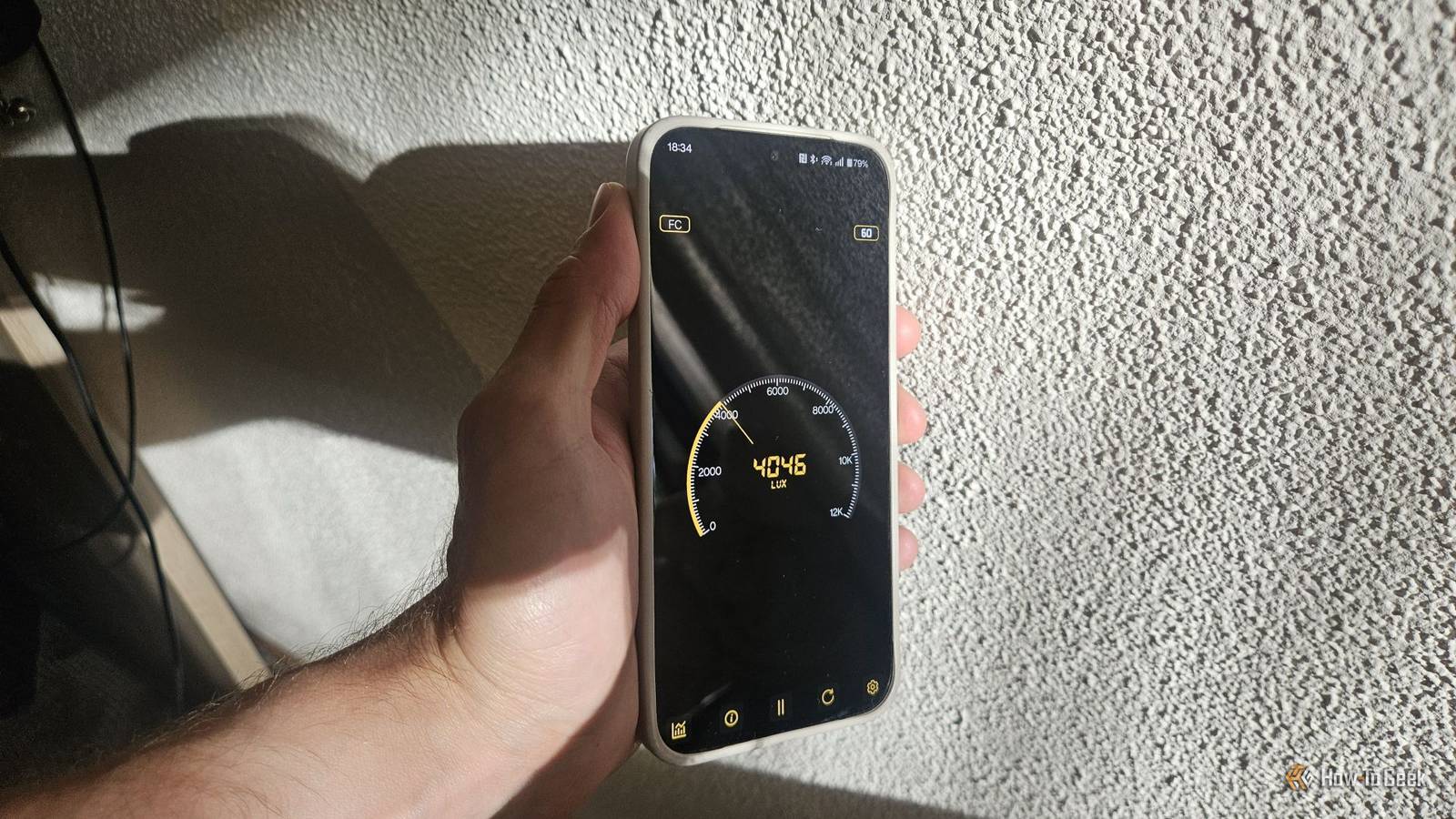
If you need accurate occupational noise measurements for compliance in industrial settings, factories, or construction sites, you should stick to proper equipment.Your light sensor can estimate light levels A surprisingly useful little tool A light meter is a specialized tool that captures light and measures it in lux, but why spend money on one when your phone already has a built-in light sensor? That’s right.Pretty much any modern Android smartphone uses a light sensor to measure the luminance of your environment so it can automatically adjust your display’s brightness, and you can unlock the data that the sensor captures using a dedicated Light Meter app.
One of the most useful use cases for the app is measuring how dim the lighting in your rooms is.For instance, the app recommends aiming for around 500 to 750 lux for spaces like a library, office, or workshop to ensure you can see clearly without causing eye strain.For corridors and stairwells, aim for at least around 100 lux to help you move safely at night.
You can also use the app to measure how much light your plants are getting and then make the necessary adjustments for optimal growth.Like the sound level meter, the Light Meter app gives you lux levels in real time, along with a few reference points to help you understand the values and what to aim for in your rooms.If you feel like the output isn’t accurate, there’s a built-in calibration tool you can use to adjust the app’s readings based on a real light meter, although it’s worth pointing out that the default values should already be in the ballpark because the sensors come calibrated from the factory.
Your phone can even estimate the indoor temperature Not quite accurate, but close enough Close It’s sometimes hard to gauge how hot or cool a room is without a thermometer.For instance, you might be traveling and have no idea if the thermostat is working correctly because you’ve set it far lower than you usually would, and the room still feels too hot or too cold.Subscribe to the newsletter for hidden phone sensor hacks Unlock more insights by subscribing to the newsletter for practical tips, app recommendations, and step‑by‑step guidance on using Android sensors as measuring tools — plus broader hands‑on tech coverage.
Get Updates By subscribing, you agree to receive newsletter and marketing emails, and accept our Terms of Use and Privacy Policy.You can unsubscribe anytime.That’s a problem that thermometer apps like Real Thermometer attempt to solve.
The app uses an AI-driven algorithm to estimate indoor temperature using the temperature sensors inside the phone.It promises an accuracy of ~1°C, but when comparing it against my two cheap indoor thermometers (which likely aren't 100% accurate themselves), the difference is more around 2°C–3°C (4°F–6°F)—a discrepancy that isn’t insignificant.Unfortunately, these apps don’t seem as accurate as sound level and brightness sensors because the sensors they rely on are intended for monitoring the phone’s internal temperature, not the environment around it.
The phone can be significantly warmer (like when it’s charging or after heavy use) or even cooler than its environment, which skews the results.So, unless you've got a Pixel phone with a temperature sensor, bear in mind that the app might not be the most accurate way to measure indoor temperature before tweaking the thermostat.Explore the hidden tools buried inside your phone's sensor array Your phone can measure all kinds of things you likely never thought to try measuring.
Aside from the ones mentioned above, it can also be used as a barometer, spirit level, protractor, tape measure, and even a stud finder! Related 6 surprising things you can measure with your Android phone Turns out your phone is a Swiss Army knife for measurements.Posts 4 By Ismar Hrnjicevic
Read More