For nearly 10 years, I dual-booted Linux and Windows.I had a Windows partition that I used to ensure general compatibility with popular applications and a Linux distro for my personal use, but I could never quite make myself fully commit to Linux.There was always a nagging "what if" hanging around over my head.
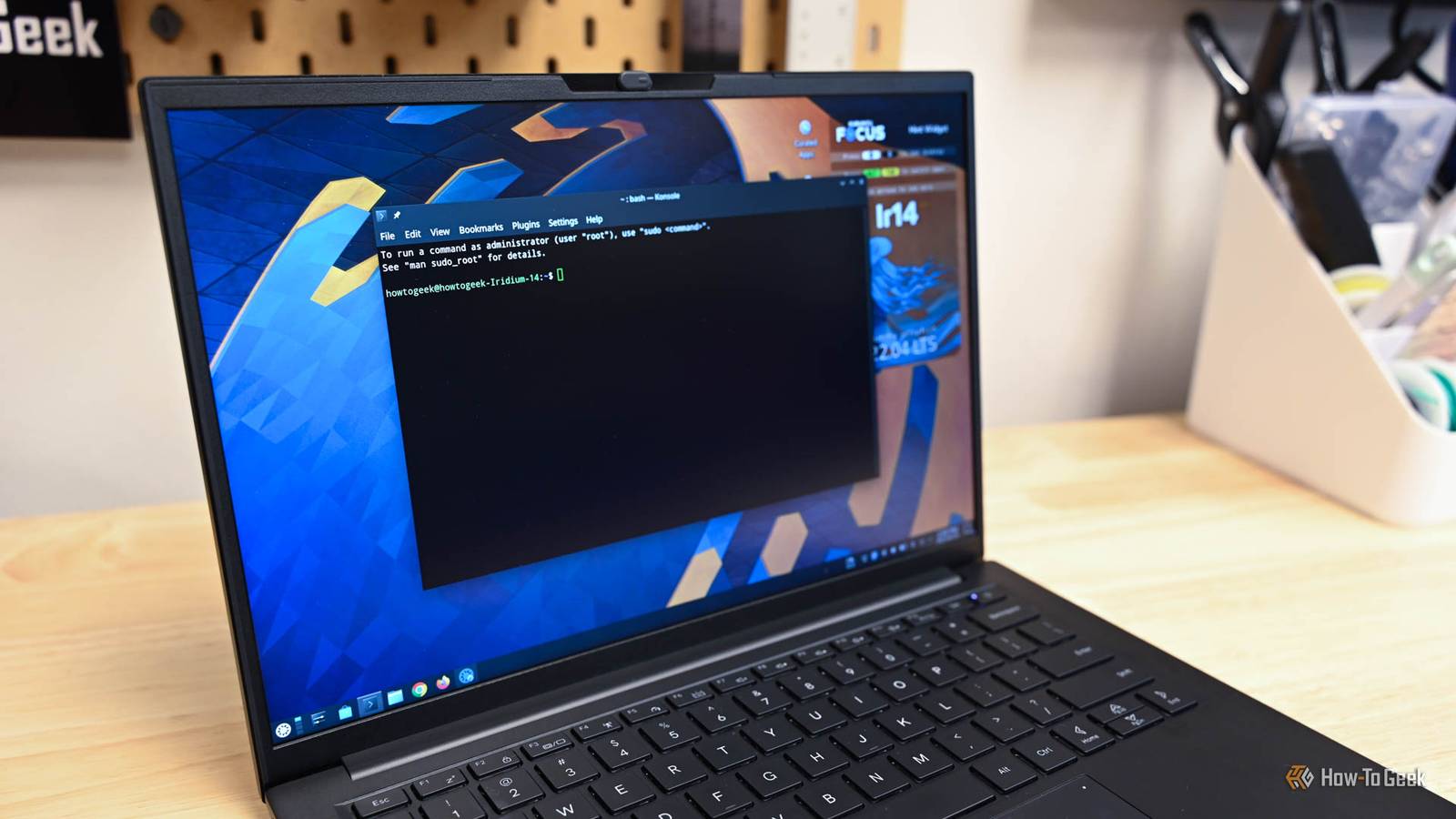
Simultaneously, Microsoft's development of Windows has felt almost a little —forced AI integration, buggy updates that break core features, unnecessary hardware requirements, and a bloated base OS all pushed me away from the operating system.Kubuntu, a spin on Ubuntu, finally convinced me to make the shift permanent.What is Kubuntu? Ubuntu with the best Linux desktop environment Fundamentally, Kubuntu is just Ubuntu with the KDE Plasma desktop environment installed instead of GNOME.
Because it is literally built on Ubuntu, Kubuntu has an incredible amount of support available.If you run into a problem and search for a fix, the vast majority of Ubuntu guides and forum answers will apply to Kubuntu.Software for Ubuntu—including DEB files and Snap packages—install and run without problems.
You also get the same release cadence and access to Long Term Support (LTS) versions, which provide multi-year support for anyone who value stability over bleeding-edge features.Since I use my PC for work (as you may), that stability is essential.And like most Linux distros, it is free, open source, and requires no licensing fees or account logins to function.
PNY Duo Link V3 9 Capacity 256GB, 512GB, 1TB, 2TB Speed 1000MB/s read, 800MB/s write Connection USB-C/A Portable Yes The PNY Duo Link V3 flash drive offers both USB-C and USB-A plugs.With USB 3.2 Gen 2 speeds, you can expect up to 1,000MB/s read and 800MB/s write speeds from this flash drive.Coming in 256GB, 512GB, 1TB, and 2TB storage sizes, this all-metal flash drive makes it easy to bring large amounts of fast storage with you anywhere.
$80 at Amazon $42 at PNY $40 at bhphotovideo Expand Collapse The desktop will feel familiar to Windows refugees If it ain't broke, don't fix it One of the biggest hurdles when you switch from one OS to another is literally muscle memory.Years of clicking in a particular way or looking for buttons in a specific location builds habits that are difficult to unlearn.That is part of what makes KDE Plasma so great for people that use Windows.
Plasma’s layout fits the habits you already have: there is a taskbar along the bottom, an app launcher in the corner, and a system tray on the right.The window controls—minimizing, maximizing, and snapping—behave exactly how your intuition suggests that they should.Even the file manager, Dolphin, functions much like an older version of File Explorer.
On the other hand, GNOME often feels disorienting because the workflow is just (not necessarily inferior) in most ways.Related GNOME vs.KDE Plasma: Top Linux Desktops Compared Which desktop environment would you pick? Posts 17 By Dibakar Ghosh With Kubuntu, I could spend my time actually using my computer instead of undoing 25 years of habit.
If you find the default look isn't quite right, you can customize almost everything.Unlike some Linux environments where you have to edit confusing config files to change a theme, Plasma usually allows customization through settings menus.You can tune it to look like Windows or push it toward something entirely different, and because these changes are easily reversible, the risk of breaking your desktop is very low.
KDE Apps are some of the best available They're great by any standard One of the most frustrating parts of installing a new OS is the period where you have to search for apps just to make the PC usable in a normal way.Kubuntu heads off that problem by including the KDE suite by default.You get Dolphin for files, Konsole for the terminal, Okular for PDFs, and Gwenview for images right out of the box.
Other KDE apps, like Kate, KDE Connect, Yakuake, and Krita are also .They share a consistent design theme with the operating system, which adds to the polish.Don't make the mistake of assuming it is also flash and no substance, however.
The KDE apps are every bit as functional as they are cohesive.Try Kubuntu before you switch completely All you need is a 32GB USB drive If you're curious about switching, you don't have to fully commit without trying it first.First, download the Kubuntu ISO from the official site.
Then, use a tool like Rufus to create a bootable USB drive.Deals Score Deals on Computers & Work Setup Gear Today Discover discounts on computers and work-setup essentials—save on laptops, SSDs, monitors, keyboards, docks, and USB drives to build a faster, more reliable desktop.Browse deals and offers to kit out your PC and accessories without overspending.
Deals Explore Computers & Work Setup Deals Once that's done, boot from the USB into the live Linux environment.The live environment will let you test the operating system so you can determine if you ike how it *feels*.You may also be able to get an idea how well your hardware works with it, but if you're booting off a USB drive or microSD card, you're going to get worse performance than you would booting off a proper solid-state drive (SSD).
If you like the experience, dual-boot Kubuntu with Windows first.That gives you a safety net while you migrate your workflow.I ran a dual-boot setup for about a month before I accepted that I really had no use for a full-time Windows partition eating up space on my SSD and deleted it completely.
Kubuntu should be the go-to distro for Windows users By combining a Windows-like desktop with the massive Ubuntu ecosystem, Kubuntu makes an otherwise-daunting process almost entirely painless.To further make the transition easier, I'd recommend starting with the KDE apps when you need something, and then only branching out if there isn't one available.
Read More