I never realized that 3D printing could be used in so many ways.Recently, I wanted to mount an LED strip in a way that I would normally have to either buy a special light kit for or a custom LED channel.However, with some translucent filament and a few clicks, I printed my own LED channel for a fraction of the cost.
Smart LED strip lighting can be a pain to mount That double-sided tape never sticks as well as it should Close One thing that I hate about LED strip lighting is mounting the LED strips.I have never found a strip that had good double-sided adhesive that would last for more than a few months at most.On my old desk, I 3D printed some clips that I screwed to the back of the desk to mount a strip, and that worked quite well.
The problem with a solution like 3D printed clips is the strip remains visible, and it doesn't actually look good.For what I needed the clips for, it was fine, because they were never seen.But, if the LED strip is going to be visible at all, that solution won't work.
There are commercially sold LED strip enclosures that can solve this problem, but they can get expensive.Those solutions work by pairing a solid-colored (often metal or plastic) back piece that gets screwed to the wall and provides a way to secure the LED strip somehow, either a clean metal surface or clips of some sort.Or, there are LED wall lights that solve the entire problem with a simple, mountable design that requires no DIY enclosure, but they cost even more.
Then, on the front, there is a frosted cover that goes over the LED strip to both diffuse the light and hold it in.This is honestly one of the cleanest ways to set up an LED strip, but it can be quite expensive to buy a ton of it for longer runs.That's where 3D printing comes in.
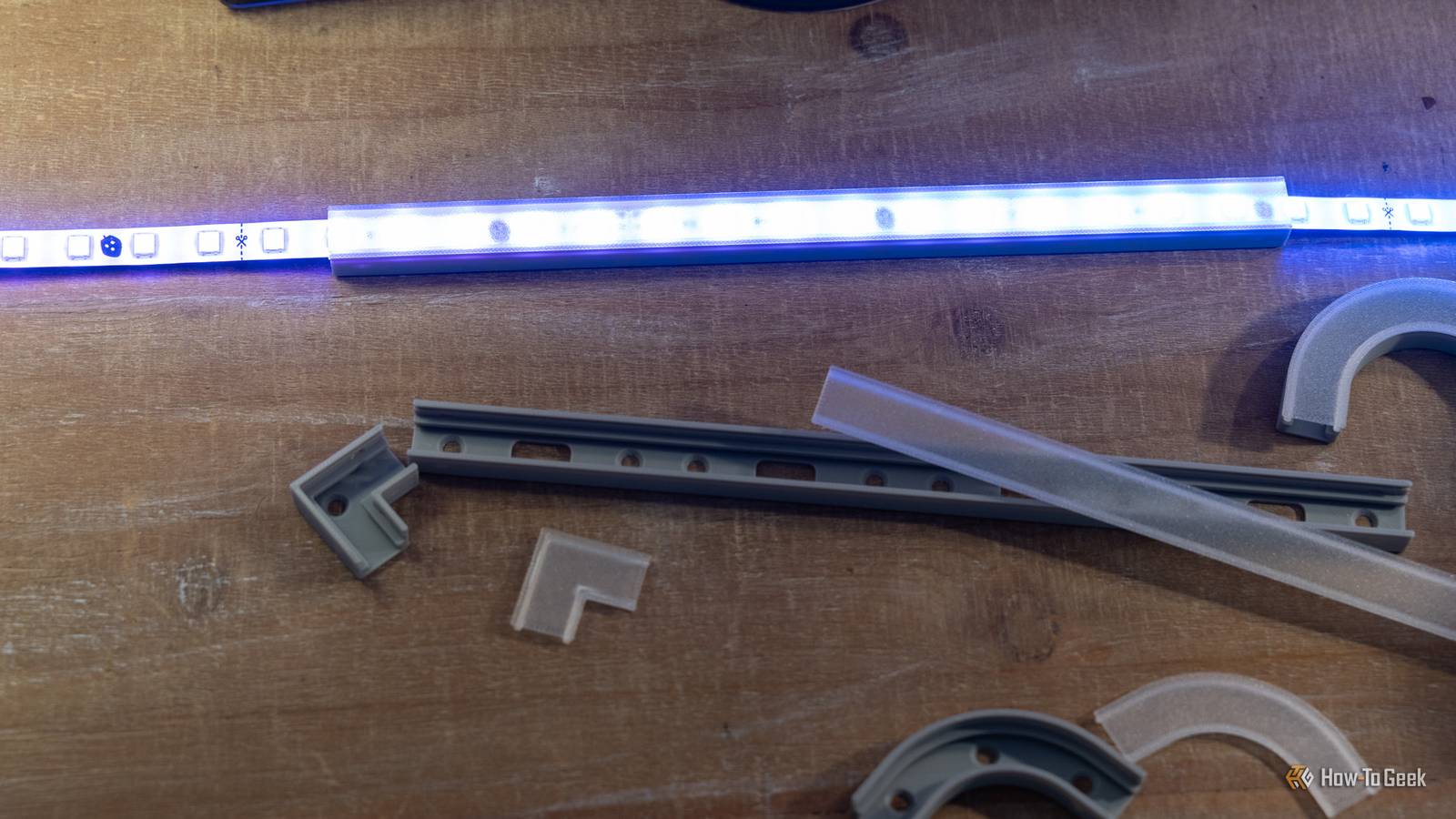
You can actually 3D print your own LED lighting channels to run strip lights in.The best part comes when you use clear filament as the diffusion layer, as it acts just like the purpose-made diffusers but for pennies instead of tens of dollars.Clear filament turns a bare LED strip into an accent piece for pennies The clear filament hardly blocks any light and provides diffusion at the same time Close When mounting my LED light strip to the wall, I found that someone had already gone through the trouble of making a 3D-printable LED channel and posting it to MakerWorld.
I immediately downloaded it and started slicing.For pricing here, I'll use the 250mm channel as a standard.With Bambu PLA Basic, which costs $23 per kilogram, it cost $0.35 to print on my X2D using the creator's print profile settings.
For the cover for the 250mm channel, I chose to use my Elegoo Centauri 2 to print it with clear Elegoo filament, which costs $19 per kilogram.At that pricing, it only costs $0.07 to print the cover.So, for $0.45, I could print a 250mm LED channel for my LED strip.
The great thing about 3D printing my own LED channel is I can make as many pieces for each section as I need.If I want to make a ton of turns, I just print more turns.If I need more straight pieces, I just print more.
Plus, since I'm using translucent filament, it blocks almost no light coming from the LED strip.Going with a thin solid color layer could technically work, but it would block more light.Translucent filament provides some diffusion (more than just a bare LED strip) and still lets almost the full brightness of the strip come through.
ELEGOO Clear PLA Filament This translucent PLA is perfect for all kinds of applications.From light covers to lamp shades, vases, and more, if you want to be able to see through whatever you're printing, this clear filament is perfect for it.See at Amazon Expand Collapse The uses for clear filament go far beyond simple LED light strip covers Lamp shades, diffusion covers for LED pucks, and so much more! While I used translucent filament to make a LED strip channel, the uses for clear filament are way more far-reaching than you might think.
There are quite a few models on MakerWorld that make use of translucent filament.Hanging lamp shades, vases, or even the ability to print windows are all possible with various types of translucent filament.Really, anywhere that you want something transparent, transparent filament is the perfect solution.
Do keep in mind it's not completely clear—layer lines and such play a big role in how translucent it actually is.But, for something where the goal is to have something fairly see-through, transparent filament is a great choice.Elegoo Centauri 2 Brand Elegoo Build Volume 256x256x256mm Elegoo's latest Centauri 2 brings all the features that we love about the Centauri 2 Combo to a more affordable package.
With the same build volume, print speed, and even nozzle and bed temperatures, the Centauri 2 delivers an affordable yet capable 3D printer for the masses.$299 at Elegoo Expand Collapse Bambu Lab X2D Combo The Bambu Lab X2D Combo is a mid-range 3D printer with dual-nozzle 3D printing for faster print speeds and better support printing.The nozzle reaches 300°C while the actively-heated chamber hits 65°C which is perfect for engineering-grade filaments.
The printer comes with Bambu Lab's signature ease of use, AI fail detection, and has a maximum print volume of 256 × 256 × 260 mm.The combo package comes with the AMS2 multi-material system and filament dryer.$899 at Bambu Lab Expand Collapse 3D printing doesn't always have to be functional parts, it can be decorative, too I think I often get caught up in thinking all 3D prints have to be functional.
A tool battery mount for the shop, a stand for my label printer on my desk, jigs for my UV printer or laser, things like that.But, it's times like this when I remember that 3D printing can also create functional parts.Having my LED strip housed in custom-printed channels with translucent diffusion is something I never thought about before, but I'm so happy now that I've found it.
Read More