An aggravating amount of software today requires a sign-in to use, even if it doesn't require a subscription or license to use.Software that just used to install and work now has an extra step.Above and beyond being a little annoying, I'm not overly fond of setting up an account for every single app I use, since it increases my attack surface, and signing in with Google has privacy drawbacks.
Microsoft 365 was replaced with ONLYOFFICE Free, open-source, and not a sign-in in sight Microsoft 365 includes Word, PowerPoint, and Excel, and is office suite.However, I don't use it enough to justify a subscription, nor do I want to sign in to everything with a Microsoft account just to write up a document or create a basic spreadsheet.That led me to swap Office 365 out for ONLYOFFICE.
ONLYOFFICE is free, open-source, and can handle documents, spreadsheets, presentations, and PDFs.Critically, it is compatible with the formats used by Microsoft Office, so documents aren't likely to pick up weird bugs or completely break when you try to open an Office file.The user interface also takes inspiration from the Office Suite, which means that switching is actually pretty painless.
Most major features are where your Microsoft Office intuition would lead you to believe, so you won't be left fumbling through menus.Adobe Photoshop was replaced with GIMP and Krita There is no one-stop replacement for Photoshop Close Photoshop is an incredible program, but you require both a to use it and an internet connection to revalidate every few months.Unfortunately, there isn't a single program that replicates all of its functions.
If you want something free that is a great Photoshop substitute, try Affinity.It does require a login, though.If you want something that is completely free, open-source, and doesn't require a login, I'd recommend using both Krita and GIMP.
GIMP is an editor much like Photoshop, and features non-destructive editing, all sorts of layer filters, and most other basic manipulation tools.Krita is stronger if you want to actually draw something manually.Its brushes are great, and the interface is very easy to use, and I didn't find myself sifting through menus to try and find the setting that I want.
KiCAD is on-par with professional software If you like to tinker, KiCAD is great Autodesk is a huge name in computer-aided design, and their PCB software, EAGLE, was popular for a very long time.However, EAGLE moved to a subscription in 2017 and eventually discontinued entirely in June 2026.Because the latest versions of EAGLE checked licenses against an online database, shutting down those servers completely broke the application.
If you want a free, login-free alternative, I'd suggest KiCAD.There are no limits on board size or signal layers, you can import components and their footprints from the usual online libraries, and the user interface is now competitive with the paid professional options available in this space.It isn't just a hobbyist tool, either.
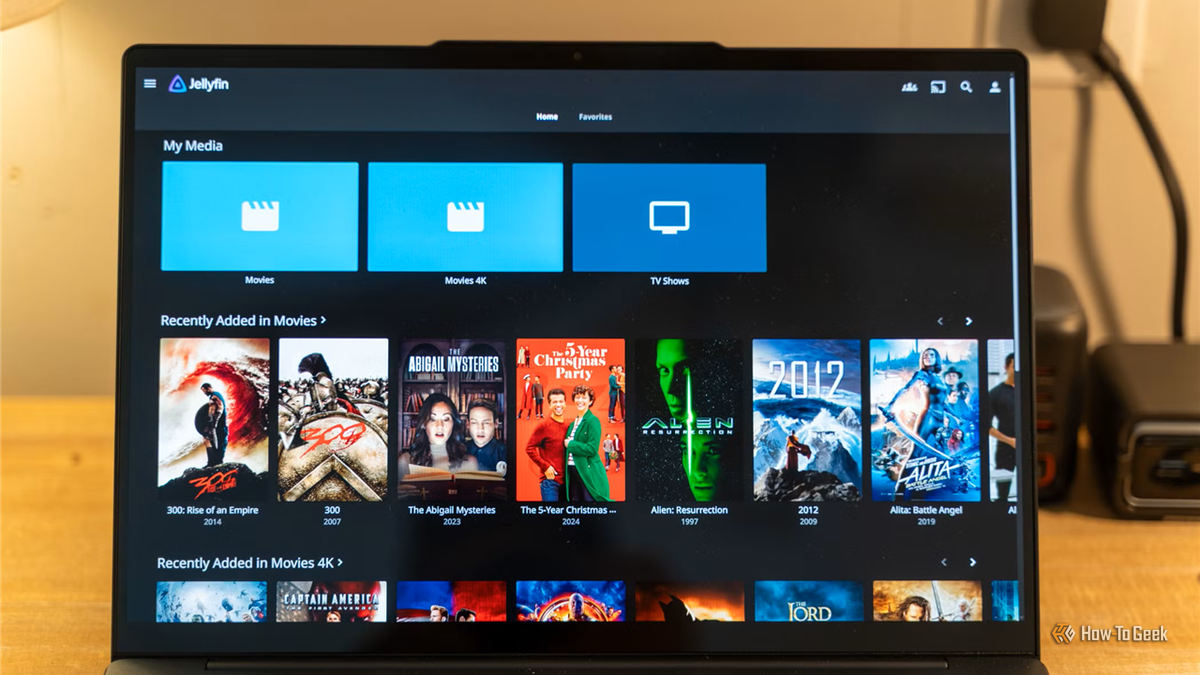
I know an increasing number of electrical engineers that have started using KiCAD in their day-to-day work.Hello Jellyfin, Goodbye Plex Paying for and logging in to Plex defeats the point Plex requires a Plex login just to activate a server, even when the media and the server are wholly controlled by you.Jellyfin solves that issue by keeping accounts fully local on your media server.
If you want, you can even completely disable passwords for local users so that you don't ever need to log in to anything—just select an account and go.It is primarily designed for video content, but you can use it for music or audiobooks too.Plex paywalled remote streaming for personal media in 2025 and hiked the price of the lifetime pass to $749.99 by 2026.
Joplin replaced Evernote No more logins or subscriptions for notes Joplin is an offline-first note-taking app.You organize your notes into separate notebooks, each of which can have notebooks within them, effectively allowing you to subdivide your notes.It supports most of the important features you'd want from a note-taking app, including: Markdown A preview pane Images, drawings, links, and other attachments OCR A simple, non-invasive interface Plugins, to add capabilities.
I use Joplin to take notes write first drafts.If you want, you enable sync, which can use your own server or a cloud storage service of your choosing.However, there are no compulsory logins.
You can just install it and get writing.Free and open-source apps are better than ever These are only a handful of examples of the free and open-source applications that exist today.The odds are quite good that you can find something that does whatever you need, whether that is a word processor or a program to help you design your next project.
Before you tolerate an annoying login screen that seems compulsory, double-check what free options are available.You may be able to escape completely.
Read More