Every day, parts of the web are disappearing.Content that isn't taken down is being edited and paywalled.What can you do about it? You can install this open source server and browser extension, which is what I did.
Archiving media is one of the most time-honored methods of preservation.You might have heard of the Wayback Machine, which is a service run by the non-profit called the Internet Archive.It lets you retrieve old versions of websites, plus websites that don't exist at all anymore, thanks to people who archived it when it was still live.
Knowledge is power, and the Wayback Machine isn't the only way to collect and review historical knowledge of online content.ArchiveBox is my own little Wayback Machine There's no place like local storage You can use the Wayback Machine browser extension to request a web page be archived.But what if you could host a private version of that service on your own hardware? The open source project ArchiveBox works similar to the Wayback Machine, but you host it on your own machine, and the content you archive get saved directly to your storage so you have complete control of it.
Any website you come across, you can send a request to your ArchiveBox server, and it will attempt to save copies of it in multiple formats, including in HTML, as a PDF, a screenshot, and more.It can even pull save certain types of embedded videos.Related How to Copy a Whole Website to Your Computer Using wget Want to save an entire webpage to your PC? No problem.
Posts By Brad Morton I was excited to find ArchiveBox because I often come across useful information published online that I get concerned won't be publicly available for long.The common saying "the internet is forever" isn't as true as it feels.I could send content I want saved to the Wayback Machine, but it's also not clear that the Internet Archive will be around forever.
Internet access, even in the United States, is not a guarantee, either.If I want to be sure something gets saved and that I don't lose possession of it, my own personal ArchiveBox can guarantee that.How I installed ArchiveBox An automated bash script saved me a lot of time There are several ways you can install ArchiveBox.
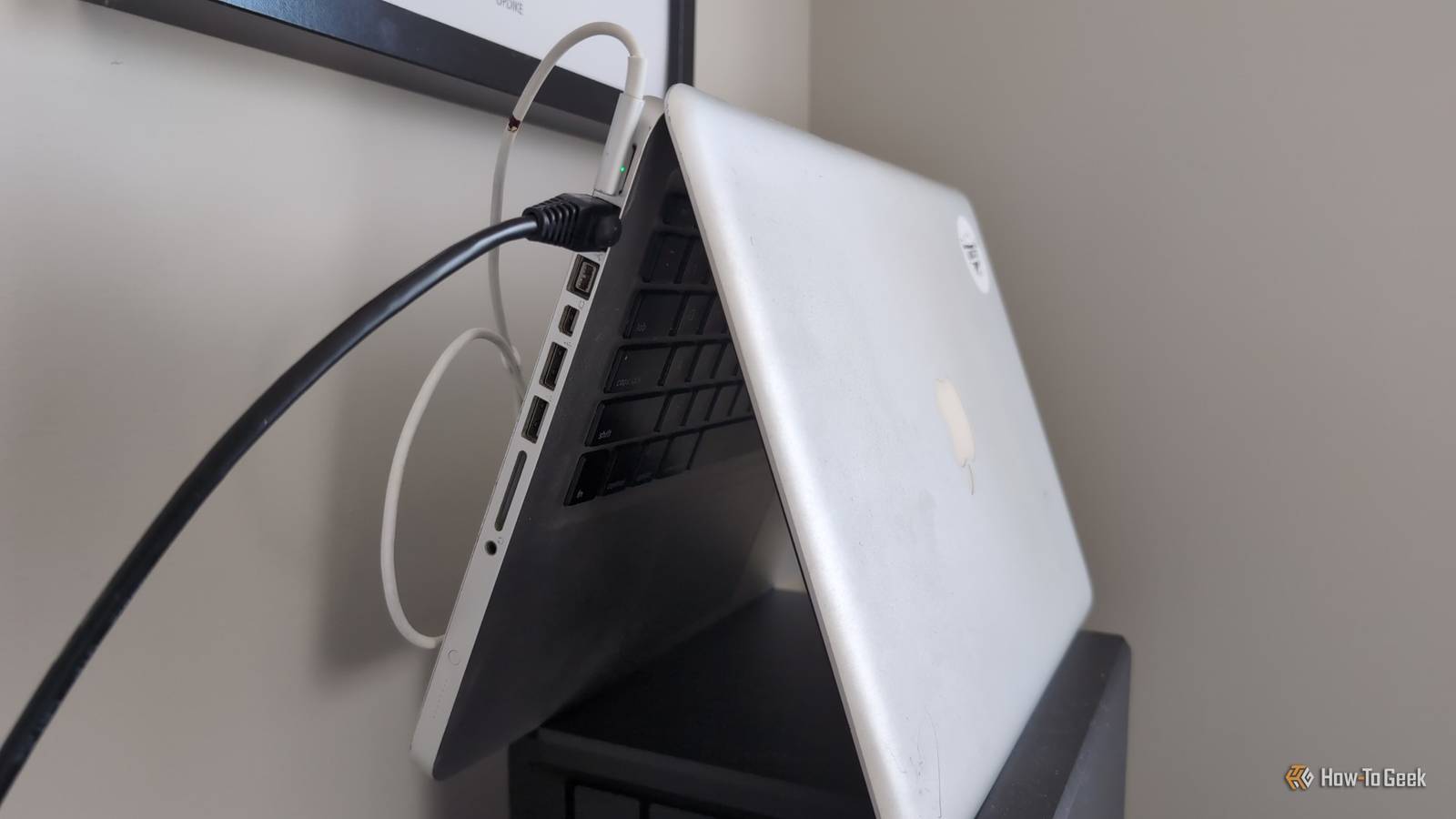
You can run the service directly on your desktop computer, or you can host it on a dedicated device and connect to it over your network.Personally, I had an old laptop I'd installed a lightweight Linux distribution on but wasn't using.I decided I'd repurpose it as my archive center since it had plenty of unused storage.
It was a very outdated MacBook, so the hardware wasn't impressive, but for web crawling work like ArchiveBox does, that's not much of a problem.Once you've chosen a host, it's time to actually install ArchiveBox.One of the easiest methods, and the one I used, was to just run this Bash script in Mac, Linux, or WSL, which installs and configures a basic Docker container with all of ArchiveBox's required tools and services running in it.
curl -fsSL 'https://get.archivebox.io' | bash Once the script completes, all you need to do is open a web browser and type localhost:8000 into your address bar.Or, if it's hosted on a remote machine, replace localhost with the device's IP address.You should get a web interface for ArchiveBox.
You'll want to bookmark the page because here is where you'll find a web interface for managing your archive and reviewing content you've saved there.The first time you visit it, you'll need to set up an admin account.You can also make other accounts if you want to share access to your archive with others.
ArchiveBox OS Windows, Mac, Linux Key highlights Open Source ArchiveBox is an open source server solution that lets you archive the web as you explore it.Host it on a local device, get the browser extension, and you'll never lose media and webpages from the internet you love.Platforms Docker, Docker Compose, Bash, APT, pip Supported Desktop Browsers Chrome, Edge, Firefox Price Free ArchiveBox Quickstart Expand Collapse The web extension is what makes it great Archiving web pages becomes a one-click job So once you have an ArchiveBox set up, how do you use it? Well, you could open a terminal and send commands like archivebox add --depth=1 'https://howtogeek.com'.
Personally, I didn't want to mess with the command line while I was browsing the web.Fortunately, ArchiveBox has a dedicated extension for web browsers called ArchiveBox Exporter you can get for Chrome (and Edge) and Firefox.(For Safari users, there's a shortcut you can set up that does the same job).
After installing the extension, all I needed to do was give it the address of my ArchiveBox server, and from then on I was able to archive at light speed.The extension has two modes: Allowlist and BlockList.In Allowlist mode, it won't archive anything unless you specify a web domain (like howtogeek.com) as ones you "allow" to be automatically archived by ArchiveBox when you visit them.
You can also right-click any page, and in the context menu there's an ArchiveBox menu of options that includes "Archive Current Page." Click over to your ArchiveBox web interface, and you'll see the snapshot of the page being saved there.In the much more aggressive Blocklist mode, the extension will send requests to ArchiveBox to capture every single web page you visit except for the domains you specify in the blocklist.I don't recommend turning this on unless you're sure what you're doing, and if you're not concerned with risks like running out of storage space.
It's just one tool in my internet-saving arsenal Internet-preserving apps like Kiwix are also at your disposal ArchiveBox is not the only way to download the internet to your personal storage.In fact, for saving entire websites themselves, like Wikipedia or iFixIt's library of instructions, I recommend another app called Kiwix.With Kiwix, you can download prepared versions of popular websites and view them in one place.
Export it to an external hard drive, and you have a compendium of information that can't be taken from you by internet outages.Related How to download and browse whole websites offline with ZIM files Imagine downloading the entire Wikipedia and browsing it offline, just like the regular version.Posts By Faisal Rasool
Read More