We typically think of a smartwatch as an extension to a phone, but there’s no reason it can’t be a useful companion for a computer, too.I was able to set up a simple automation to launch apps on my desktop from my Galaxy Watch—and I did it with two apps I already had installed.You may have heard of people remotely turning on or powering off a PC from their phone.
I took a somewhat similar approach to launching apps from my Galaxy Watch.The two apps I used to do this were KDE Connect and MacroDroid, both of which are apps I recommend for other purposes as well.Part 1: Create executable commands on your PC The actions to trigger from your watch The first part of the process starts with an app called KDE Connect.
If you’re not familiar, it’s essentially an open-source alternative to Microsoft Phone Link that’s available on Windows, Linux, Mac, Android, and iPhone.The app can sync notifications, share clipboards, remotely control the mouse, and so much more.It’s become an essential app for me.
Related I run terminal commands on my Linux PC from my Android home screen—here's how What if shutting down your Linux PC, launching apps, or locking your screen were as easy as tapping your phone? I did exactly that using a free, open-source app that turns any terminal command into a one-tap Android shortcut.Posts By Dibakar Ghosh The first thing I did was take advantage of a plugin in KDE Connect called “Execute remote commands.” After setting up KDE Connect on your PC and Android phone, you need to make sure to enable this plugin from the “Plugin Settings” menu on both devices.On your computer, click the settings icon next to the “Execute remote commands" plugin.
Now, click “Add Command” and give it a name like “Open Plex.” There are a bunch of cool commands to use here, but for launching a specific app, you’ll use one of the following: Windows: start [app name] Mac: open – a “[app name]” Linux: [app name] Use the format for your operating system and replace [app name] with the exact name of the app as it appears on your computer.So, for example, I wanted to open the Plex app on my Mac—the command I used was open -a “Plex”.Create commands for any apps you’d like to launch.
Close Part 2: Run the commands from your Galaxy Watch Where the magic happens With the commands in place, we simply need to find a way to run them from your Galaxy Watch.This is where MacroDroid makes things extremely easy.All we have to do is create a very basic macro that opens a URL—it will make sense in a bit.
First, open the KDE Connect app on your Android phone and tap the “Run Command” plugin—you should see the commands you made on the desktop.Long-press a command, then tap “Copy URL to clipboard.” Close Next, open MacroDroid and tap “Add Macro.” For the trigger, we want Android Wear > Android Wear App.Choose a color and icon for the shortcut that will appear on your Galaxy Watch.
For the action, choose “Open Website” and paste the URL you copied earlier.Tap “OK.” Give the macro a name and save it.Repeat this process for every command you’d like to run from your watch.
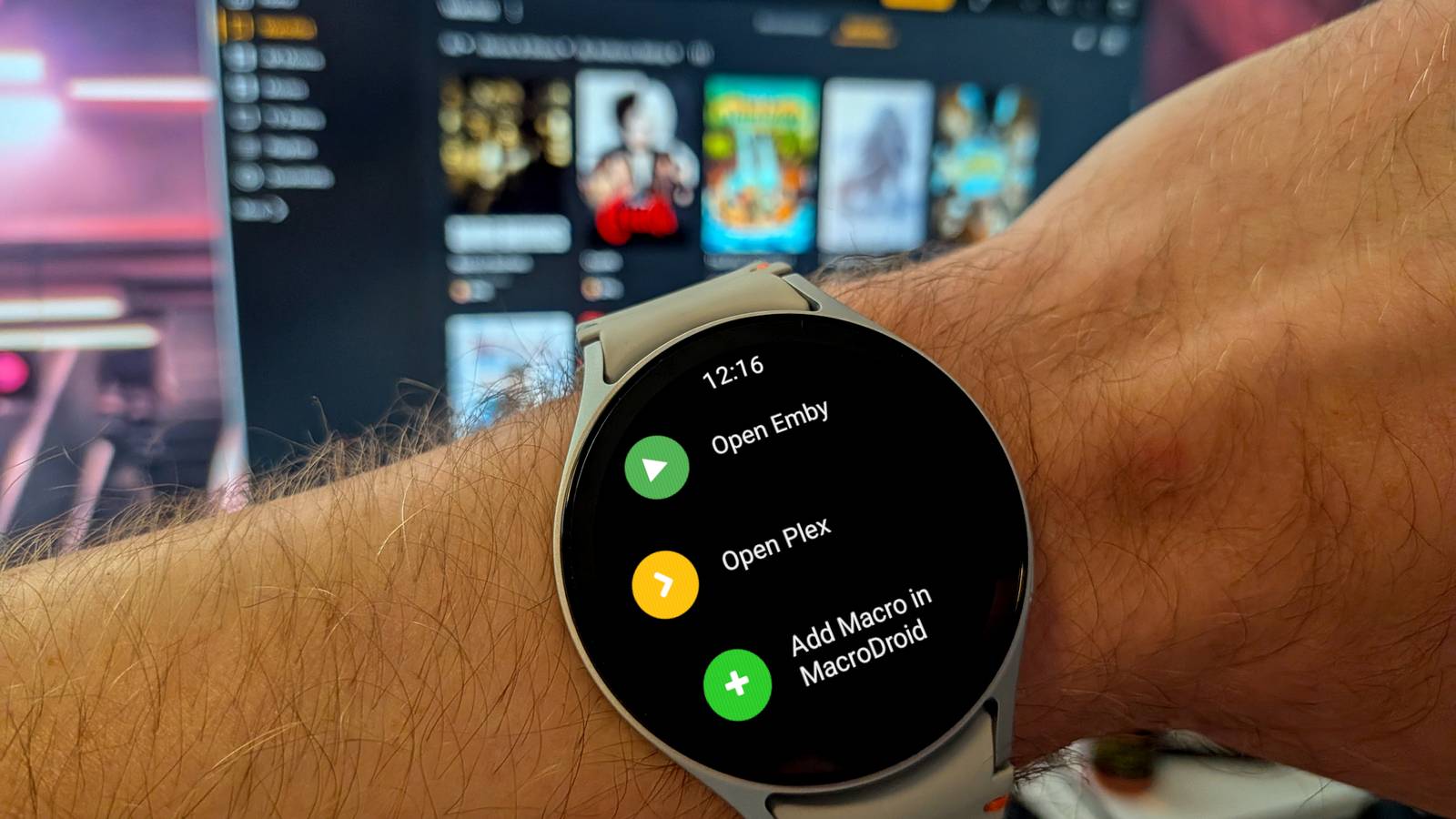
Close Now, when you installed MacroDroid on your phone, it should have automatically installed on your watch, too.If not, you can manually install it from the Play Store.Open the app, and you’ll see the macros with the names and icons you chose.
Tap the macro, and the command will be executed on your PC.That’s it! Close A surprisingly simple automation Even if I hadn’t already been a KDE Connect and MacroDroid user, this is a shockingly simple setup process when you consider the end result.All you need is a URL to execute commands remotely on your computer.
How cool is that? Launching apps is just one small thing you can do.Go forth and get more creative with it! Samsung Galaxy Watch 8 $290 $350 Save $60 Brand Samsung Now thinner and more comfortable, the Galaxy Watch 8 adds new health-tracking features like sleep apnea detection and antioxidant readings.$289 at Samsung $290 at Amazon Expand Collapse Samsung Galaxy Watch 7 Heart Rate Monitor Yes Operating System One UI 6 Watch, Wear OS 5 The Samsung Galaxy Watch 7 is Samsung's entry-level smartwatch for 2024.
It resembles the Galaxy Watch 6 but features an enhanced Exynos W1000 chipset, promising significantly improved battery life and performance.$300 at Samsung Buy at Amazon Expand Collapse
Read More