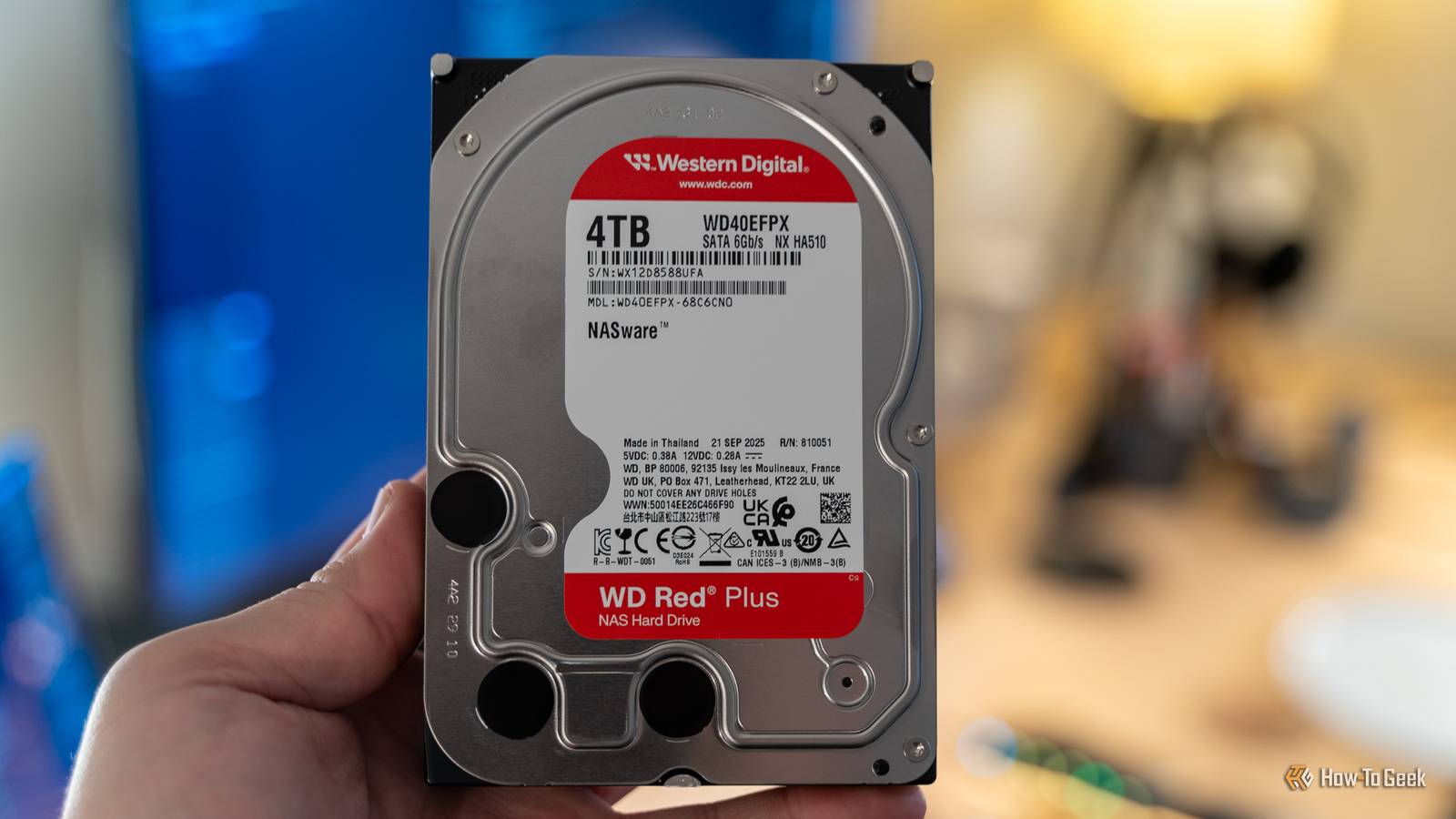
It’s easy to dismiss different hard drive models as nothing more than mild variations of the same thing.Brand names like WD Red or Seagate IronWolf might not look like much more than a fancy sticker to the average person, but to a homelabber, they’re a green flag that the drive is built specifically for NAS use.Desktop hard drives weren't built for life in a NAS 24/7 is a different kind of workload Close Before we can talk about NAS HDDs and what makes them special, we first need to talk about regular desktop hard drives.
More specifically, why desktop hard drives are not a great fit for NAS use.Desktop hard drives like WD Blue, Seagate BarraCuda, and Toshiba P300 are designed with, well, desktop use in mind.This means running for several hours a day, followed by a prolonged period of rest.
Even when the PC is on, the desktop drive will only spin up when you want to access a file if the operating system runs from an SSD, which it does for the overwhelming majority of modern PCs.Consumer-grade drives also expect some amount of airflow and minimal vibrations from surrounding hard drives, because few people fit more than one or two drives into a typical PC.Now, imagine putting this run-of-the-mill hard drive into a NAS or home server and forcing it to run 24/7/365.
Cheap 2-bay and 4-bay NAS enclosures without SSD slots may install and operate the OS directly from the hard drives.Even if you aren't actively reading or writing data on the NAS, it could be handling a range of automatic background tasks.Things get particularly bad for consumer drives if you're also a homelabber who wants to use the NAS to run self-hosted services that need to be always accessible, like Home Assistant, AdGuard Home, and Syncthing.
Put simply, when you use a consumer drive designed for lighter duty cycles in a NAS, you're asking it to handle heavier annual workloads that it simply wasn't intended for.NAS hard drives are built for the abuse homelabbers throw at them They're made for the grind While consumer hard drives are designed for lighter workloads, NAS HDDs are designed from the ground up for 24/7/365 operation.They're built for heavier workloads, which is reflected in their longer warranty periods.
In other words, a NAS hard drive can stand up to the abuse that it might see in a typical homelab.Think about running a media server that your family and friends use, sharing files, constant backups, storing surveillance footage, running downloads in the background, and multiple people accessing files throughout the day, sometimes simultaneously.Since the drive is designed with this type of sustained activity in mind, you can sit a little more worry-free knowing that it's better suited to this kind of workload, all while enjoying the slightly better performance it offers.
RV sensors, CMR, and TLER show that NAS hard drives are built different There's a lot going on inside Although it's impossible to distinguish a NAS hard drive from the outside from a regular hard drive, there are some major differences under the hood.For starters, NAS hard drives are equipped with RV (Rotational Vibration) sensors that can sense minor mechanical vibrations and resonances caused by other hard drives in the NAS.When vibrations are detected, the hard drive adjusts the actuation arm to compensate for them, helping minimize latency, keep read/write speeds consistent, and reduce the chance of errors.
If you've got three, four, or more hard drives in your enclosure, these sensors offer some pretty nice benefits.Another major difference is that many NAS hard drives use CMR (Conventional Magnetic Recording) as opposed to SMR (Shingled Magnetic Recording).CMR writes tracks side by side, which helps keep performance more consistent even during random writes, making it ideal for a NAS.
SMR, in contrast, overlaps the tracks, which allows manufacturers to fit more terabytes on a platter and reduce costs.However, changing one track can sometimes require the drive to rewrite adjacent tracks, which makes performance significantly less consistent, especially during random write workloads.This can become a problem with demanding RAID workloads and rebuilds, which is why CMR is generally preferred for NAS drives.
Speaking of RAID, another big advantage NAS HDDs have going for them is TLER (Time-Limited Error Recovery).Normally, when a hard drive fails to read data, it'll keep retrying to recover it for a long time, which can cause RAID systems to see the drive as unresponsive.NAS hard drives with TLER quit trying to recover the data after a limited period, letting the RAID system deal with it instead using data parity.
Desktop hard drives can still work in a NAS, but there's a catch Not every NAS needs enterprise hardware Although NAS hard drives are objectively the best choice for a NAS, there are some scenarios where desktop hard drives can be an okay alternative.For instance, if you have a DIY NAS that you build using a mini PC, an old desktop, or a laptop, and you have an SSD that you can run the OS on, you're already in a fairly good place to drop in a consumer drive instead of a NAS one.A lot of your self-hosted apps and their data can live on the SSD, allowing the hard drive to remain in standby mode for most of the day.
You can use the hard drive to store your backups, photos, and media that you only access a few times throughout the day.I use a 6TB consumer external hard drive paired with a mini PC with a 500GB internal SSD as my home server/NAS, and it works great.All of my apps live on the SSD, allowing the hard drive to spend 95% of its day in standby.
It only spins up when my wife or I want to watch a show or, on the rare occasion, when I actually need to grab a file from the hard drive.Even if you've got a NAS enclosure that runs the OS from the drives, if you genuinely only use it to store data and allow the drives to spin down, that can mean much lighter wear on the drives.The benefit of going with consumer drives is, of course, cost.
Whether it's new or used, a NAS hard drive typically costs quite a bit more, forcing you to opt for a lower-capacity drive or spend more money to get effectively the same amount of space.If your NAS is always busy, NAS HDDs are worth paying extra for Ultimately, when you buy a NAS hard drive, you're not wasting money on a fancy label — you're genuinely paying more for a better product that's equipped to handle the demands of a NAS.Many homelabbers choose to go down this route, and honestly, if I could go back in time, I think I'd pick a NAS hard drive for my own homelab, just for the peace of mind.
Related Your NAS is full—here's how to add more drives without buying a new one 4 ways to add more HDDs to your NAS after you've run out of drive bays Posts 1 By Goran Damnjanovic
Read More