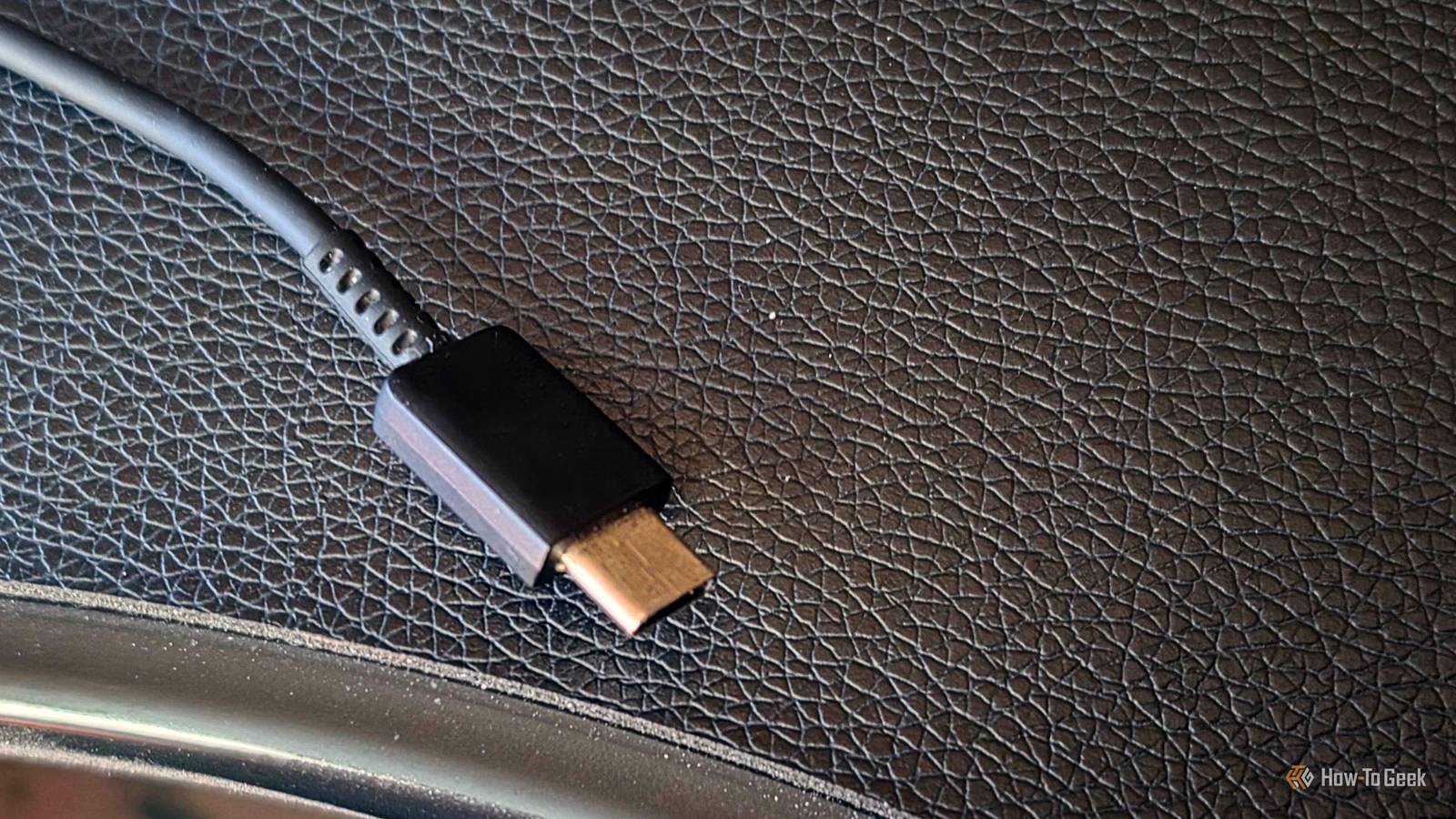
USB-C cables are pretty darn awesome (although confusing in many ways), but most run pretty short.The good thing is that longer options exist, yes, including 10-foot USB-C cables.But is the extra length a good thing? While all these cables look the same, the length is the one variable you can actually see -- and it can trip you up real fast.
(Figuratively, typically.) These cables may be hiding a lot of flaws that you wouldn't expect to see in USB-C.It's a USB 2.0 cable in disguise USB-C doesn't mean "fast" Close Ten feet = a bit over three meters.This bit of information is actually important, I didn't just randomly decide to remind you about the wonders of the metric system.
USB-C to USB-C carrying USB 2.0 data is specified at up to four meters, but 5Gbps drops to roughly two meters, 10Gbps to about one, and passive USB4 at 40Gbps to a mere 0.8 meters.So, a 10-foot cable clears the bottom rung and nothing above it, so unless there's active circuitry inside, you're toast: you're only getting 480Mbps.The practical damage shows up if you try to use this super long cable with a portable SSD (although why you would, I have no idea).
A drive that should hit 1,000MB/s will plod along at around 40MB/s, wasting so much performance and testing your patience.Related USB-C cables look identical, but one simple spec separates the slow ones from the fast ones I thought all USB-C cables were equal until this one broke my workflow Posts 57 By Monica J.White Voltage drop is stealing watts on the way to your PC Long cables aren't universally great in this regard Copper has resistance.
Resistance scales with length.Every bit of it costs you voltage between the charger and your device.Yup, that means a 10-foot cable can be a problem here.
Wire gauge is at least as important as distance, since a 28AWG conductor loses far more than a 20AWG one, and long budget cables are precisely where manufacturers save money on copper, and no surprise.What you get is a device charging slower than it should, with a perfectly normal charging icon and no errors.Higher Power Delivery voltages help here, because a fixed drop is a much smaller percentage of 20V than of 5V, which is part of why the spec keeps raising voltage instead of current.
A cheap USB-C power meter can answer these questions for you.USB C Tester Power Meter Brand YEREADW Cable Type Type-C I bought this tiny thing on accident (I wanted a proper USB-C cable tester with all the bells and whistles).But it's good if you want to know how much voltage your cable can provide.
$12 at Amazon Expand Collapse The cable may have a hard 60W ceiling And it's invisible, of course Any USB-C cable that carries more than 3A needs an e-marker chip in the connector to declare it can handle 5A.Without it, the charger holds at 3A, which caps you at 60W at 20V regardless of what the brick in the wall is rated for.TL;DR: the cable may be bottlenecking your charging speeds.
Long inexpensive cables are the most likely to skip it, because the goal here is length and not superb performance.You can't tell at a glance, either.Plenty of 100W chargers also ship with a 60W cable in the same box, so bundled doesn't always mean matched.
Gotta love USB and its messy/confusing nature.It's either 240W or fast data transfer, not both Certified long cables exist, and they made a trade for that to happen I realize I've spent some 600 words telling you how bad these long cables are, but hey, you buy a genuinely certified 13-foot USB-C cable that charges a power-hungry laptop at full speed.Yes, they exist.
The catch is that they move data at the slowest speed USB-C supports, and that's on purpose rather than cutting corners.Getting that much power down a long, long cable safely means running it at high voltage, which is the trick that stops the wire from overheating.Doing that eats into what's left for data, so cable makers pick one single job and commit to it.
If you find a long cable that claims to be excellent at both data and charging, be a little suspicious.Check the listing and make sure it mentions 240W specifically rather than an older 100W rating.DisplayPort Alt Mode is a common issue on long cables Your monitor's not the problem DisplayPort Alt Mode borrows the same high-speed lanes that suffer most from length, and video is the least forgiving load you can put on a cable.
A typical cable may still refuse to stream video at 4k60, because holding a picture steady demands consistent bandwidth in a way that a file transfer does not.If you run into this problem, you may worry about your monitor before figuring out the USB-C cable is to blame.A black screen, flickering, dropping down to a lower refresh rate ...
try a new, shorter cable before you trash your monitor, please.Quiz 8 Questions · Test Your KnowledgeUSB standards & connectorsTrivia ChallengeFrom clunky Type-A plugs to lightning-fast USB4 — test your knowledge of the universal serial bus revolution.HistoryConnectorsSpeedsStandardsHardwareBegin 01 / 8HistoryIn what year was the original USB 1.0 specification officially released?A1993B1998C1996D2000Correct! USB 1.0 was released in January 1996 by a consortium led by Intel, Compaq, Microsoft, and others.It aimed to replace the chaotic mix of serial ports, parallel ports, and PS/2 connectors that plagued early PCs.Not quite — USB 1.0 launched in January 1996.
It was developed by a consortium including Intel and Microsoft to simplify the frustrating tangle of legacy ports on personal computers at the time.Continue 02 / 8SpeedsWhat is the maximum data transfer rate of USB 2.0, also known as 'Hi-Speed' USB?A12 MbpsB480 MbpsC960 MbpsD5 GbpsCorrect! USB 2.0 tops out at 480 Mbps, which is why it earned the 'Hi-Speed' label when it launched in 2000.That was a massive leap over USB 1.1's 12 Mbps Full Speed ceiling, making it practical for external hard drives and cameras.Not quite — the correct answer is 480 Mbps.USB 2.0 is branded 'Hi-Speed' and launched in 2000, offering a 40x improvement over USB 1.1's Full Speed 12 Mbps mode, which made external storage far more viable.Continue 03 / 8ConnectorsWhich USB connector type was specifically designed for use with mobile phones and cameras, featuring a distinctive 5-pin trapezoidal shape?AUSB Type-BBUSB Micro-BCUSB Mini-BDUSB Type-CCorrect! USB Mini-B was the go-to connector for early digital cameras and mobile phones before being largely replaced.
It features a recognizable five-pin trapezoidal design and was formally specified in USB 2.0, though it has since been superseded by Micro-B and USB-C.The correct answer is USB Mini-B.It was the standard connector for early digital cameras and many mobile phones, featuring a 5-pin trapezoidal shape.It was eventually displaced by the slimmer Micro-B connector, which allowed for thinner device designs.Continue 04 / 8StandardsUSB 3.0 was later rebranded by the USB Implementers Forum.
What is its current official name?AUSB 3.1 Gen 2BUSB 3.2 Gen 2x2CUSB 3.2 Gen 1DUSB 3.1 Gen 1Correct! The USB-IF rebranded USB 3.0 as USB 3.2 Gen 1 to fit into a unified naming scheme.It still delivers the same 5 Gbps 'SuperSpeed' transfer rate — the confusing renaming was meant to streamline the standard's versioning but arguably made it more complicated.Not quite — USB 3.0 is now officially called USB 3.2 Gen 1.The USB Implementers Forum rebranded the entire USB 3.x family to create a unified naming structure, though the 5 Gbps SuperSpeed performance of the original USB 3.0 remains unchanged.Continue 05 / 8ConnectorsWhat key physical feature makes USB Type-C different from all previous USB connector types?AIt uses gold-plated contacts for better conductivityBIt is fully reversible and can be inserted either way upCIt is the smallest USB connector ever madeDIt supports only digital audio signalsCorrect! USB Type-C's most celebrated feature is its symmetrical, reversible design — you can plug it in either way without fumbling.
Introduced in 2014, it also supports far higher power delivery and data speeds than older connectors, making it a true universal solution.The standout feature is its fully reversible design — you can insert a USB-C plug either way up, ending the frustration of guessing the correct orientation.Introduced in 2014, USB-C also supports higher power delivery and data speeds than its predecessors.Continue 06 / 8HistoryWhich organization is responsible for developing and publishing the USB specification?AIEEE (Institute of Electrical and Electronics Engineers)BISO (International Organization for Standardization)CUSB-IF (USB Implementers Forum)DANSI (American National Standards Institute)Correct! The USB Implementers Forum (USB-IF) is the non-profit organization formed by the original USB developers to maintain and promote the USB specification.Founded in 1995, it certifies compliant products and grants the right to use the official USB logo.The correct answer is the USB-IF, or USB Implementers Forum.
This non-profit was founded in 1995 by the companies that originally developed USB, including Intel and Microsoft.It maintains the specification, runs compliance programs, and certifies products to carry the USB logo.Continue 07 / 8HardwareWhat maximum power output did USB Power Delivery 3.1 introduce, enabling charging of high-performance laptops?A60 wattsB100 wattsC140 wattsD240 wattsCorrect! USB Power Delivery 3.1, released in 2021, dramatically raised the ceiling to 240 watts using Extended Power Range (EPR) mode.This is enough to charge even power-hungry gaming laptops and workstations over a single USB-C cable, replacing bulky proprietary chargers.The answer is 240 watts.
USB Power Delivery 3.1, introduced in 2021, added an Extended Power Range (EPR) mode that maxes out at 240W over a USB-C cable.Earlier PD versions were capped at 100W, which was insufficient for many high-performance laptops.Continue 08 / 8StandardsUSB4, released in 2019, is based on which company's proprietary technology that was donated to the USB-IF?AApple's Lightning protocolBIntel's Thunderbolt 3 protocolCGoogle's USB-C Audio standardDAMD's SuperSpeed architectureCorrect! Intel donated the Thunderbolt 3 specification to the USB-IF, which became the foundation for USB4.This means USB4 at its fastest tier (40 Gbps) is technically compatible with Thunderbolt 3 devices, blurring the line between the two standards significantly.The correct answer is Intel's Thunderbolt 3.
Intel donated its Thunderbolt 3 spec to the USB Implementers Forum, and it became the basis for USB4.The top USB4 speed tier of 40 Gbps mirrors Thunderbolt 3, and the two standards share a high degree of compatibility.See My Score Challenge CompleteYour Score/ 8Thanks for playing!Try Again There's heat in there, and it's in the worst possible place Warm connectors are not great news Resistive heating rises with current, and in a long thin cable it concentrates right at the connector, where the conductors are narrowest and the mechanical strain is highest.A plug that's warm to the touch during charging means the cable is working close to its limits.
Heat also feeds straight back into the voltage drop problem, because a hotter conductor has higher resistance, so a long charging session tends to get worse rather than settle.It's not a fire warning, but you should still retire a cable that runs hot, anyway.Ten feet of slack has to go somewhere A 10-foot USB-C cable sounds great on paper.
But remember that aside from the aforementioned, a super long cable comes with universal downsides: You can trip over it, yank it out of a laptop while you stand up, roll a chair caster across, etc.USB-C ports are surface-mounted onto the board and were never meant to act as structural anchors, and repairing a port is much more annoying (and pricey!) than replacing a cable.Long story short, get that 10-foot USB-C cable if you have some real use for it, but remember that shorter cables are better some 99% of the time.
Read More