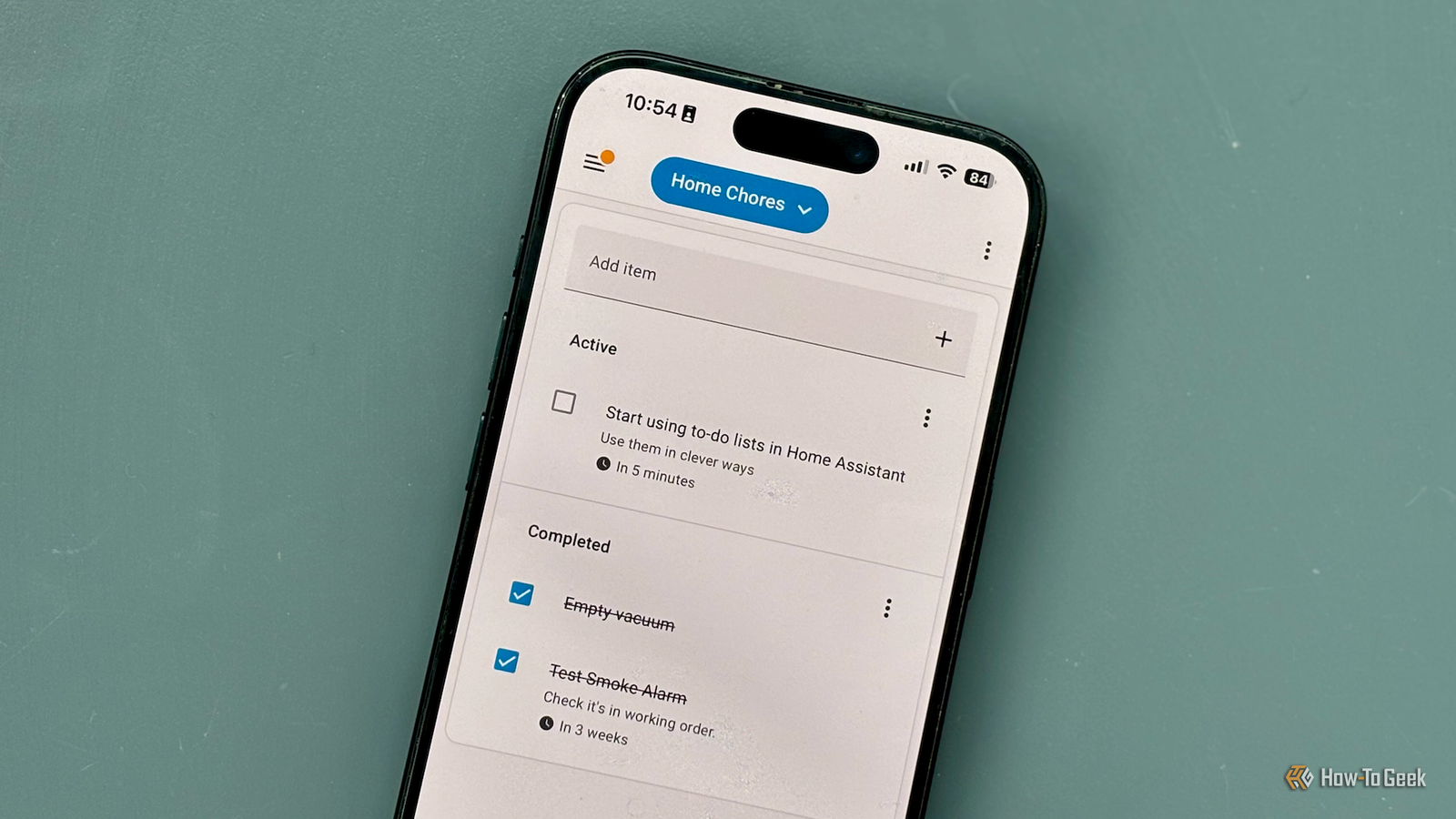
Home Assistant provides native to-do list integrations such as Local To-Do and Shopping List, as well as third-party integrations for Todoist, Google Tasks, and more.You can use them as traditional to-do lists, but there are some clever ways to get a lot more out of them.Related 4 Home Assistant blueprints that saved me hours of effort You don't need to reinvent the wheel.
Posts By Adam Davidson Let Home Assistant manage your lists Automate your lists to take the work off your hands Home Assistant is all about smart home automation, and your to-do lists are something you can automate, too.Instead of having to manually populate your lists yourself, you can get Home Assistant to populate them for you using automations.For example, you can use an automation that works with the local Home Assistant calendar to automatically add a task to your to-do list at the start of each month, telling you to test your smoke alarms.
Once you check it off, it will disappear from your to-do list until the start of the next month.You can do the same for other recurring tasks such as changing HVAC filters, putting out the trash, watering the plants, and more.You can also use external calendar entries from options such as the Google Calendar integration to generate tasks.
For example, you can use birthday entries to automatically create tasks such as buying presents or sending birthday cards at the appropriate times.Smarter tasks that react to your home Real life is never a fixed schedule The real power of to-do lists in Home Assistant is that they don't have to be rigid.Your to-do list can adapt to what's going on in your home.
For example, instead of having to remember to buy batteries all the time, you can set up an automation that adds the relevant type of batteries to your shopping list whenever a smart home device indicates that its batteries are below 10%.You can track how many times your robot vacuum has run, and automatically add a task to empty it after the tenth time, or monitor appliances such as washers, dryers, and dishwashers using suitable smart plugs or smart home sensors, and add a task to empty them once the cycle is finished.Chores that fit around you Create a more flexible schedule The trouble with many to-do lists is that they're inflexible.
You can add a task, such as dusting, to appear on your to-do list every two days.If you skip it one day and do it the next, your to-do list may end up telling you to do it again the very next day.With Home Assistant, you can use automation to add tasks dynamically based on when they're completed.
Instead of adding a new dusting task to your list every two days, your automation is only triggered when you mark the current task as complete.Once you've done so, the automation will create a new task for two days later.You can even create automations that reschedule tasks for you.
For example, if you have a task to hang the washing out in the morning, and the forecast is for rain, your automation can automatically move the task to later in the day when the forecast is better.A shared shopping list that can do more Never forget to buy milk again As well as the Local To-Do integration, there's also a native Shopping List integration in Home Assistant.This is a simple dedicated to-do list that doesn't include some of the features of the Local To-Do integration, such as due dates and descriptions.
While the shopping list is simple, it can still be incredibly useful.For a start, it's accessible to anyone in your household who also uses Home Assistant.That makes it a simple way to access a shared shopping list that anyone can update.
The real magic occurs when you use other features of Home Assistant.For example, you can set up zones for your local grocery stores and create an automation that triggers when you enter that zone.If your shopping list has any unchecked items, you can generate a notification telling you to buy the milk while you're there.
You can also use automation to help populate the list for you.For example, with a smart plug, you can track how many times your coffee machine has run.After a set number of times, you can automatically add coffee beans to the shopping list.
NFC tags or smart buttons are also useful ways to quickly add common items to the shopping list when you run low.Make creating and tracking tasks easier Use your voice to add to your lists There are two key things you need for any good to-do list.You need to be able to easily add new tasks, and you need a way to see what tasks you need to complete.
With Home Assistant, you can do both.Subscribe for smarter Home Assistant to-do automations Join the newsletter to discover practical Home Assistant to-do strategies: automations that add, reschedule, or share tasks; voice and dashboard shortcuts; and real-world recipes for shopping lists, chores, and device-triggered items—actionable ideas you Get Updates By subscribing, you agree to receive newsletter and marketing emails, and accept our Terms of Use and Privacy Policy.You can unsubscribe anytime.
By default, a To-Do list section is added to the sidebar in Home Assistant, where you can quickly add new tasks or check off ones that are completed.However, you might prefer to create a more stylish custom dashboard, using conditional cards that will only display incomplete tasks.You could then display this on a wall-mounted dashboard so that you have a visual reminder of tasks that need completing.
Adding tasks can also be done in other ways.By default, the Assist voice assistant will automatically add an item to your shopping list if you say something like "add peanut butter to the list." This makes it quick and easy to add items to the shopping list as and when you think of them.Home Assistant Voice Preview Edition Dimensions 84x84x21 mm Weight 96 g Home Assistant Voice Preview Edition is a privacy-first smart speaker built as an alternative to the likes of Amazon Alexa and Google Nest Mini.
It adds voice assistant capabilities, including local-only processing, to a Home Assistant-powered smart home. Integrations Home Assistant Connectivity 2.4 GHz Wi-Fi, Bluetooth 5.0 Colors White $59 at Ameridroid Expand Collapse Let Home Assistant do the work To-do lists aren't particularly exciting, but with Home Assistant, you can make them less of a chore.With automation and other tricks, you can spend less time managing your to-do list and more time getting stuff done.
Read More