My homelab runs a lot of my house.My smart home, media streaming, photo library, and dozens of smaller apps are spread across two computers running Proxmox.As far as I could tell, everything was healthy, but to make sure, I asked Claude to access both devices and look for problems without changing anything.
It found some serious issues that I'd missed for months because none of them had broken anything that I could see.My backups were missing some key services The backup job reported success while skipping important apps Close Backing up some homelab services is vital.If you're running Immich, for example, and have thousands of your personal photos and videos stored on a single server, one hardware problem could see you lose them all.
Proxmox makes backups simple.Every night at 3 AM, Proxmox backs up my services and logs the result.I'd take a look every now and then, see a column of backups marked as OK, and get on with my life.
I'd sometimes take a look at the contents of the backup locations to be sure that the latest backups were showing, and everything looked fine.Claude noticed that on one of my machines, some services weren't being backed up at all.At some point, I'd moved away from backing up every service and had selected services manually, as some services that didn't need backing up were eating up a lot of storage space.
I'd forgotten that I'd done this, so when I added new services to that machine, they weren't being backed up.There's a simple solution to this problem: you can choose to back up everything by default, and then manually exclude services from the backup.That way, any new services will automatically get backed up.
Related 5 Proxmox services that turn your PC into a self-hosted powerhouse Self-host all the things.Posts 1 By Adam Davidson An ISP change silently broke part of my network Three services were using an address that no longer existed That first issue was on me; I was the one who had stopped Proxmox from backing up everything and then forgotten about it.The next problem Claude found was a change that was out of my hands.
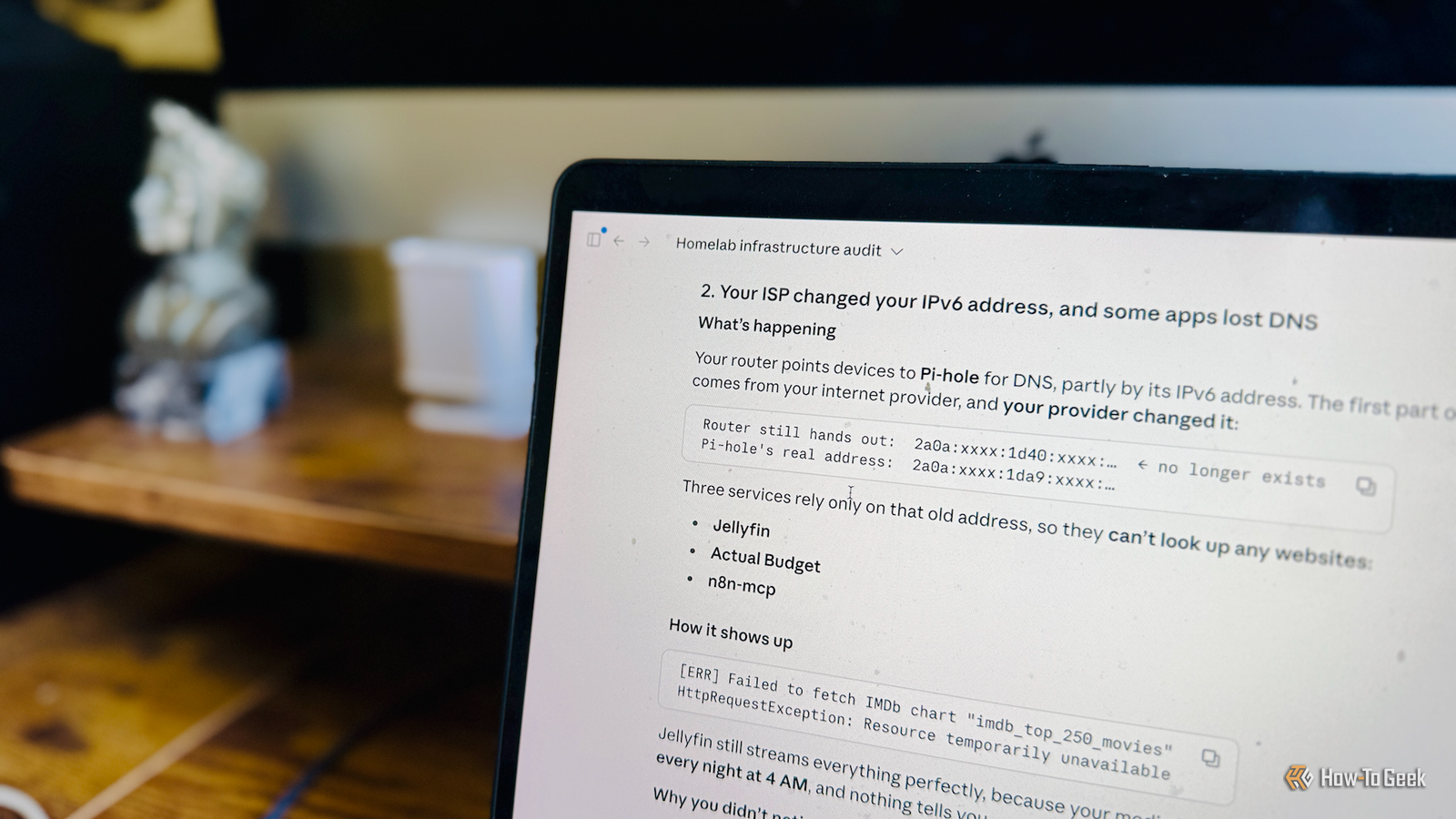
One of the services I run in Proxmox is Pi-hole.Pi-hole handles DNS requests for my network, and if a website or app requests a known ad or tracking site, Pi-hole can block the request, reducing ads and tracking across my home network.My router points every device to Pi-hole to handle DNS requests.
Devices use two types of IP addresses: IPv4 addresses and the newer IPv6.My router was pointing devices to Pi-hole using both the IPv4 and IPv6 addresses, ensuring devices would use it for DNS regardless of which protocol they were using.Public IPv6 addresses are much longer than IPv4 addresses and start with a section of the address that's assigned by my internet provider.
This part effectively identifies which home out of all the millions of connected homes the address refers to.The second part of the address then identifies the specific device within that home.My ISP had quietly changed this first part of all my IPv6 addresses, and I was completely unaware of the change.
Some of my apps were now trying to use Pi-hole via an address that no longer existed.Most of my services used Pi-hole's IPv4 address or used a different DNS server; only a few services relied on the IPv6 address.The problem was that this only affected tasks that required access to the outside internet; everything on my local network worked fine.
For example, I could still stream shows and movies using Jellyfin without any problems, but a plugin that downloads popular lists of media from the internet was failing in the background.Since the problem only affected a handful of services and most services were still able to access the internet without any issues, I was unaware of the problem that had been going on for a few weeks.My server looked up to date, but it wasn't Proxmox hadn't updated since I installed it I first set up Proxmox on my mini PC, and for a long time, all my services ran on that machine.
When my dad moved, he gave me his old Dell OptiPlex PC that he was no longer using, so I installed Proxmox on that too, to take advantage of the large internal drive and take some pressure off my mini PC.A Proxmox server gets updates from two places: updates for Debian, which Proxmox is built on, and updates for Proxmox itself.By default, Proxmox gets its updates from the paid enterprise service, and without a subscription, the server can't access that service.
The standard fix is to switch off the paid source and turn on Proxmox's free one, which is intended for non-production use such as personal homelabs.I'd done both steps on my mini PC, but when I was setting up Proxmox on the OptiPlex, for some reason I switched off the paid updates and never set up the free ones.This meant that Proxmox on my OptiPlex had nowhere to get updates from, so it remained stuck on the originally installed version.
Nothing looked obviously wrong; Debian updates kept appearing on the update screen in Proxmox, so it seemed like all the updates were happening as expected.I hadn't looked at the Repositories screen, which showed a clear warning that no Proxmox update source was enabled, and I confirmed that Proxmox was still stuck on version 9.1.1.Proxmox has had multiple updates to its core package since then, as well as the full version 9.2 release, but the problem is now fixed, and both machines are running up-to-date versions of Proxmox.
Nothing looked broken, and that was the problem Two of the problems that Claude found were down to user error; in the middle of setting up Proxmox or installing services, it's easy to miss a key step such as pointing to the correct update source or ensuring all new services are being backed up.In every case, things looked fine on the surface, so it's definitely worth taking a quick look at your own homelab to make sure everything is really running as smoothly as it seems.You don't need to use AI to do so, but Claude found problems that I'd completely missed.
Read More