When I found out my neighbor’s apartment had been broken into shortly after I moved into my new rental, I knew I wanted some way to keep an eye on my place and get notified if motion is detected.At the same time, I also wanted an easy way to check in on my cat while I’m not home.Since I’m renting and likely won’t be here long, drilling holes and installing a pricey surveillance system wasn’t really an option.
I decided to go the cheap route with a home security camera.As I was browsing my options, a realization hit me—I already owned a smart security camera.It was attached to my old smartphone.
Cheap security cameras aren't as cheap as they look When it comes to cheap home surveillance, there are plenty of options.The cameras themselves are often inexpensive, but therein lies the catch—many push you toward paid subscriptions for features that frankly should be standard (and often are on pricier models).I'm not talking about some special AI feature that automatically recognizes the scene and labels the video; I'm referring to basic features like 24/7 recording that you can access remotely from your phone, notifications when motion is detected, and local file storage.
I looked into some popular, affordable security camera options and found a solid one—the Wyze Cam v4.It records in 2.5K QHD resolution, works indoors and outdoors, has motion detection, and supports two-way audio.Wyze Cam v4 Brand Wyze Video Resolution 2.5K QHD The Wyze Cam v4 is a 2.5K QHD indoor/outdoor security camera with enhanced color night vision, motion-activated spotlight, and two-way audio.
It supports local microSD storage or optional cloud recording and offers easy Bluetooth setup for fast installation.$36 at Amazon Expand Collapse One of the most important features is local storage.Everything can be stored on a microSD card, which overwrites old clips automatically.
Despite having to pay an extra $15 to $20 for a 128GB card, not having to rely on the cloud adds real peace of mind.A cheaper alternative I checked out is the Blink Mini, but when I learned it requires a separate Sync Module 2 for local storage and doesn't support 24/7 monitoring, it was an immediate deal-breaker for my use case.The Wyze Cam v4 and a 128GB microSD card would set me back around $50—honestly, a small price for peace of mind.
Although I didn't need ultra-high resolution for checking in on my cat and seeing if someone had broken into my home, I was still moments away from placing an order when I realized I could just use my old smartphone instead—and pocket the difference.An old phone makes for an awesome free security camera An old phone solves a lot of the pain points that cheap security cameras may suffer from—it's Wi-Fi enabled, equipped with a decent camera, and has plenty of on-board storage for 24/7 recording, especially once you delete all the old photos and apps you no longer need.It even has a battery, so you can place it away from a charger if you need to monitor an area with no nearby outlets.
Plus, since Android is a flexible system, there are plenty of options, features, and alternatives to turn it into a proper security camera—without spending a single dime.I've looked into a few different security camera apps, and the one that most people recommend (and I found works fantastically well) is AlfredCamera.You might think that using an app to turn a smartphone into a security camera would demand an egregious subscription plan, but thankfully, that's not the case.
The AlfredCamera app has a long list of free features that work shockingly well: 24/7 monitoring (without recording), motion sensing, two-way audio, siren, flashlight, remote camera switching between front and back, a low-light mode, and even remote wake-up, which surprisingly works without issue if you use a different app to keep your screen from turning off and locking.A core feature of the app is that it allows you to check the camera whenever you want—unlike many cheap cameras, it's not tied to motion sensing.Close Recording camera activity is somewhat limited on the free version, but since this is Android, you can simply use your phone's built-in screen recorder instead and store the recordings locally on your phone.
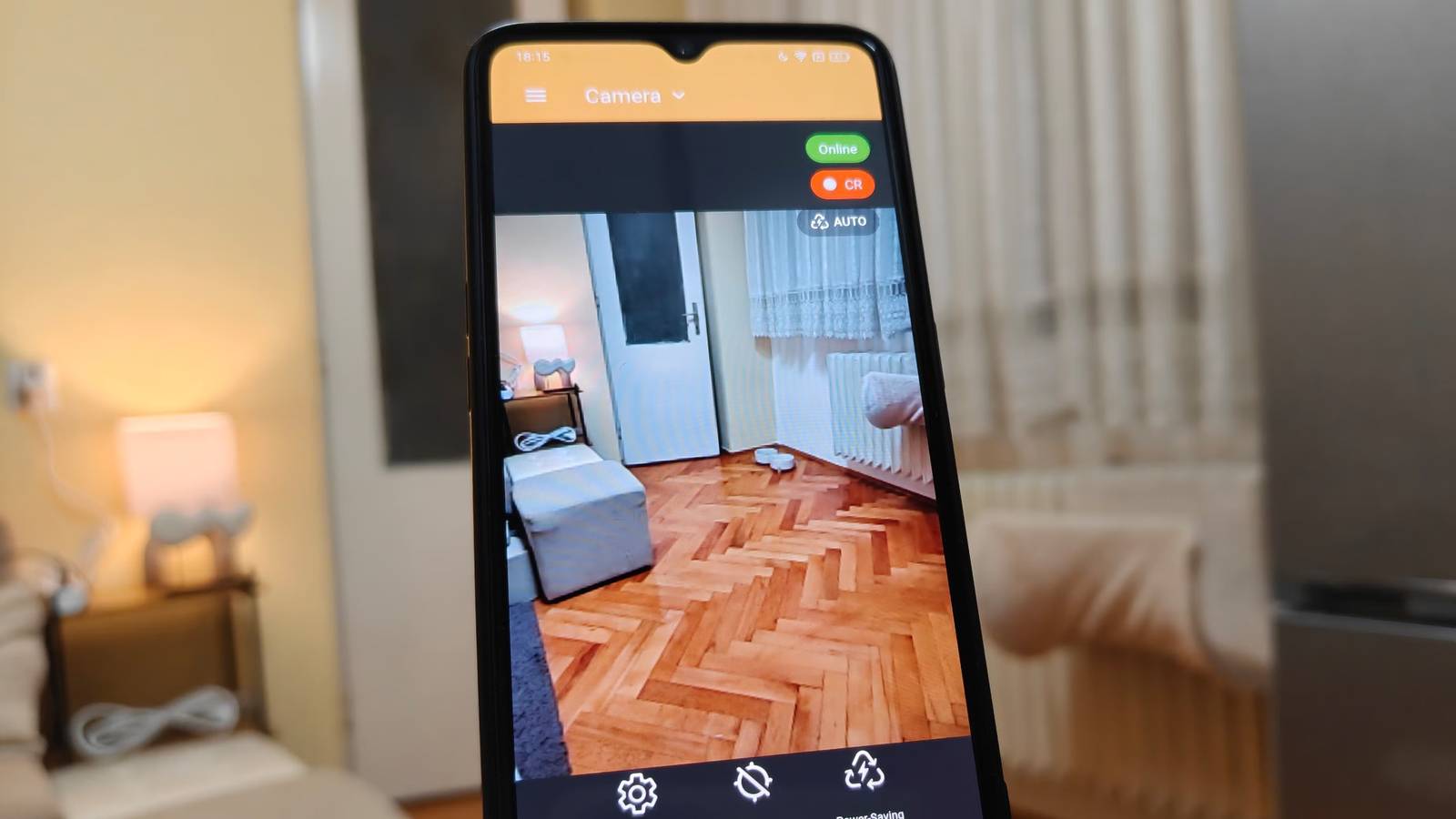
Related 7 Smart Home Devices That Can Double as Hidden Security Cameras Get a second set of eyes with your Bluetooth speakers and robot vacuums.Posts By Michael Bizzaco How I turned my old phone into a pet and home monitoring camera Turning an old phone into a security camera using AlfredCamera is surprisingly straightforward.After downloading and installing the app on both phones, signing in with your preferred method, and granting permissions, you can select which phone will be the camera and which the viewer by tapping the top-left part of the screen.
The camera will start working immediately.From there, you can enable activity detection to automatically store clips and notify you on your other phone when motion is detected, as well as power-saving mode, which disables live view.Close You can even lock the camera phone entirely, and it'll still work, though I recommend keeping the screen on with a third-party app to prevent deep sleep.
Once you place the camera in your desired location, you can access and control it from your main phone.Close While you can't expect an old phone to be a complete replacement for a proper security system, it's still a fantastic free alternative thanks to apps like AlfredCamera.With the two-way audio feature, I can call my cat to check on him when I'm away from home for more than a couple of hours, and knowing that I'll get a notification if motion is detected gives me plenty of peace of mind that I didn’t have before.
Related Don't let your old phones rot in a drawer, turn them into free security cameras Set up a spare phone for uninterrupted live streaming with this app.Posts 2 By T.M.Amrita
Read More