There are many open-source alternatives to Microsoft Excel, but popular Linux options like LibreOffice Calc and Gnumeric are strictly GUI apps.So what’s out there for the command-line fan who needs to crunch numbers? Let’s find out! Sheets A terminal-based spreadsheet tool that lets you edit CSV files This first tool is by far the simplest on my list and, to be honest, it’s a bit of a cheat.Sheets doesn’t work with files in Excel’s XLSX format, but rather its more basic cousins, the CSV.
A CSV file contains plain-text data, without any formulas, but Excel has strong support for this format, so it’s often used to exchange data.Sheets is a TUI that lets you work with a CSV file interactively, browsing its data in rows and columns.In this mode, you can edit data and use familiar Vim keybindings to navigate, insert data, delete rows, and so on.
You can also use a command-line mode to, for example, extract a range of data: sheets file.csv C2:C4 You can even use Sheets to modify the data in a cell: sheets file.csv B2=100 C2=330 Another nice feature is the command’s support for reading standard input.Using this, you can assemble CSV-formatted data in a command chain, then pipe it to sheets to explore the results.excelchop A command-line utility to extract data from Microsoft Excel files Like Sheets, excelchop also lets you extract data from the command line.
This time, however, that’s the entire focus of the program, but there’s an upside: excelchop works with full Excel spreadsheet files, not just CSVs.As the name suggests, it’s purely for extracting data, so if you’re working on a project that needs to accept Excel files as a data source, it’s ideal.By default, excelchop will convert a file into plain text data and output it with tabs between each column and newlines between each row.
You can use a simple syntax to extract a range of data instead: excelchop -r B7:D9 file.xlsx excelchop supports the modern open standard, XLSX, but not the older proprietary XLS format.xleak A fast terminal Excel viewer with an interactive TUI Close The xleak program combines support for Excel files, a default ASCII-art view of data on the command-line, and an interactive TUI.It’s purely for viewing data, but its dual-mode approach makes it versatile, and the app is very fast.
xleak follows the Unix tradition of simple tools with a narrow scope, executed well.It supports a basic set of functions like search, copying data, and cycling through a small set of themes.Everything is keyboard-driven, with a useful shortcut cheat sheet available via the ? key.
There’s limited support for filtering in xleak; you can restrict it to show a maximum number of rows, but that’s about it.Overall, this is a tool that’s best suited to exploring data in an attractive interface rather than carrying out more advanced tasks.Best of all, xleak supports the older XLS file format.
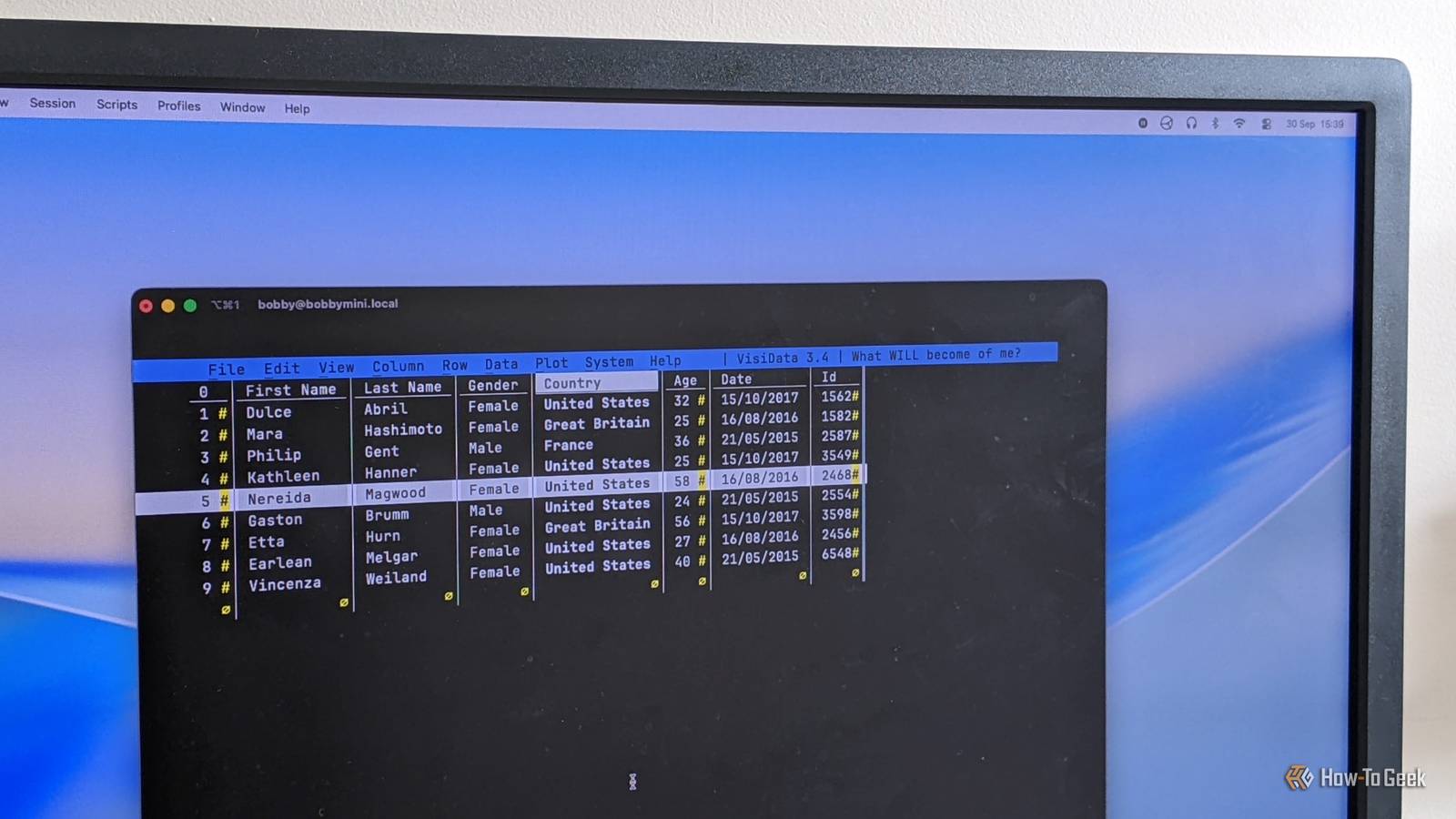
VisiData An interactive multipurpose tool for tabular data This app’s name also describes what it does quite accurately: it visualizes data.While VisiData excels at data exploration and analysis, you can also use it to view, edit, and summarize data with a vast array of features.As soon as you open VisiData, you’ll notice that it’s a TUI app in the most powerful sense: colors, menus, and full mouse support are all present.
There’s even a popup-style help window in the bottom right with tips and shortcuts.VisiData really delivers when it comes to data analysis and visualization.For example, select a column, press Shift + F, and you’ll instantly see a summary table, complete with a histogram.
The app is surprisingly full-featured, with good support for large files, handling of many other formats (like JSON or SQLite databases), and saving of your filtered/sorted data.Vex A terminal-based editor for Excel and CSV files If you’re looking for a friendly TUI with support for filtering and the ability to make edits, look no further than Vex.It may not have the advanced visualization features of VisiData, but when you actually want to change the contents of an Excel spreadsheet from your terminal, it’s the best bet.
This is another tool that makes good use of keybindings, mirroring common vim commands like dd to delete a row and i to insert data.You can also toggle the display of shortcuts on the bottom four rows of your terminal; these expand intelligently to take up the available width.Vex advertises support for the XLS format, but I found an error when I tried to open a sample file that xleak handles perfectly.
Research suggests this is a flaw in the underlying Go library, so it’s unlikely to be fixed in the near future.Plenty of choice for a range of needs There are plenty of open-source tools available for a variety of Excel-based tasks, from using data in a script to editing it directly in an interactive app.Like many other areas of work, TUIs can be a wonderful option, provided you’re aware of them.
Read More