It's a very common issue to try to unplug an Ethernet cable and it won’t move.You squeeze the tiny clip, yank back, and the plastic refuses to budge.I've broken one before, so my first instinct is to assume that I broke another one.
Don't let your anger get the best of you and try to pull more.Your method is likely the problem.How the clip locks your wire inside the port That plastic clip gets stuck so tightly Close That little connector on the end of every Ethernet cable is called an RJ45.
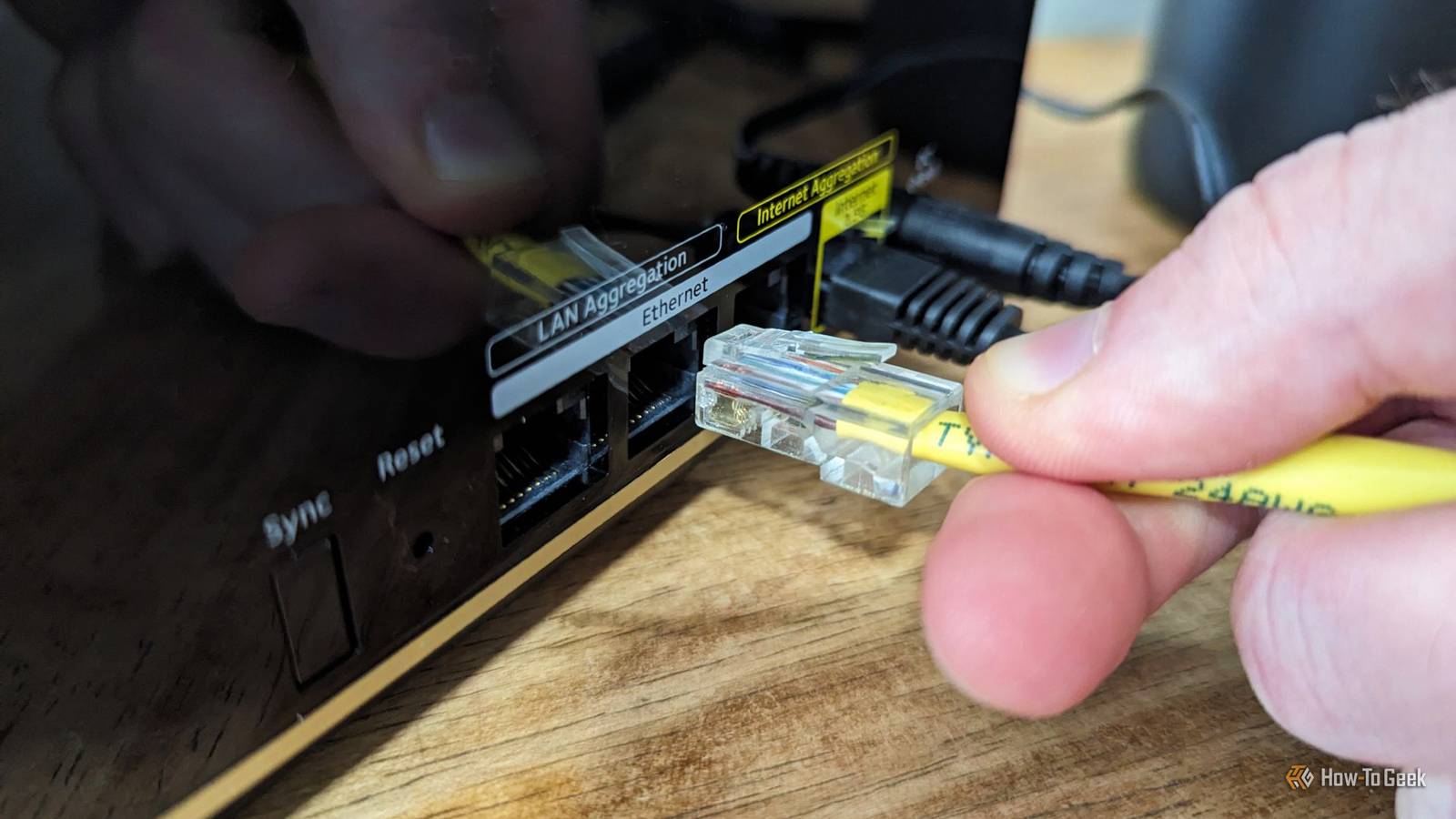
It's an 8-position, 8-contact plug that snaps into a matching port on your router, switch, or laptop.The body is hard plastic, and there's a thin, bendy tab on top that sticks out like a tiny diving board.Inside the port, there's a small ledge molded into the upper wall.
When you shove the plug in, the tab rides up over that ledge, bends down, then pops back up with a click you can feel.That click tells you the back edge of the tab is now parked right behind the ledge, so the plug can't come out.The whole thing is made to fight being pulled out.
The back of the tab sits flat against the flat face of the ledge, so tugging on the cable actually binds the latch, rather than releasing it.A good plug will take some effort to remove, and that's on purpose.No one wants the cable to fall out by accident, and this latch makes sure that doesn't happen.
A few things can make a latch way harder to pop than usual.In a packed patch panel or a tight laptop port, you sometimes can't fit a thumb in to push the tab down.As time goes by, plastic gets older and stiffer, so it loses the bounce it had when it was new.
A lot of patch cables also come with molded rubber boots over the tab so it won't snag on stuff while you're installing them.Those boots help, but a stiff or fat boot can make it almost impossible to press the tab down far enough to clear the ledge.If you try to force a cable out while pushing down crooked on a stiff or booted latch, you can snap the tab clean off and leave the plug jammed in the port.
The right way to pull out a jammed plug Getting the connector out after the tab snaps The trick to getting a stubborn cable out without wrecking anything is doing it in two moves instead of pushing and pulling at the same time.Push the plug a tiny bit further into the port, maybe a millimeter.Cable tension and spring pressure normally keep the tab pressed hard against the ledge, which binds it.
Pushing in for a second lets that tension go and opens a tiny gap between the tab and the ledge.This sounds dumb, but it's a habit you can get used to.While you keep that slight forward push, press the latch tab all the way down until it's flat on top of the plug.
You won't break it.It's meant to be pressed like that.Since that first push already took the pressure off, the tab can now drop past the ledge without snagging.
Once it's held down, slide the plug straight back, and it should come out with no fight.If the tab has already broken off, the leftover stub is still catching on the ledge and holding the plug in.This happened to me, and my method worked really well.
Turn off the device and completely unplug it to be safe.Then grab a stiff, non-conductive tool, like a plastic spudger or anything with a firm rubber tip.I used the tip of a back scratcher because it was rubber.
Don't use metal because a metal tool can bridge the contacts inside the port.With Power over Ethernet, those pins can carry up to 57 volts, which can blow fuses, fry chips, and trash the gold plating on the contacts.Even if the power is off, skip the metal just in case.
Slide the tip of your non-conductive tool into the small gap above the broken stub at the top of the port opening.Press down on the stub to flatten it below the ledge.While holding it down, push the plug a little forward to release the bind, then pull the cable straight back.
You will ruin the port if you yank on it A few things can break when you force it out Pulling hard on a stuck cable is a great way to wreck the port for good.Those eight little spring-metal contacts sit at exact angles to make clean electrical contact with the plug.Ripping out a locked plug can hook those contacts and bend them forward out of place.
A bent contact loses its spring and will give you dropped connections or random errors.Brute force can also crack the plastic housing of the port or shear off the ledge completely, leaving sharp plastic bits inside that stop future cables from seating right.So if you have ever forced an Ethernet cable out and notice poor or inconsistent networking performance afterward, the port itself may be damaged, and a new cable won't fix that.
Unfortunately, the port may need to be cleaned out, fixed, or replaced.If you yank an active PoE cable while the current is still flowing, a small spark can jump between the contacts as they pull apart.Before you disconnect a PoE cable, turn off the power at the switch or injector instead of just unplugging the device end.
Cutting the power first takes that risk away.Cutting the cable isn't a shortcut you should ever try.All that does is remove the part you can grab, while the plug body and broken tab stay stuck in the port.
You still have to get the plug out, but now you don't even have a cable to hold onto.And while a new patch cable costs a few bucks, fixing a damaged port on a switch, network card, or laptop motherboard can be expensive.Related My flat Ethernet cable was silently cutting my speeds in half A damaged Ethernet cable dropped my speeds to 100 Mbps, and here's how I found it Posts 30 By Ismar Hrnjicevic Don't pull so hard because it comes out easily if you do it right Taking these extra steps can feel slow when you just want to move your gear across the room.
You also might need a thin plastic tool ready if the tab snapped off earlier, so it is not always a quick one-second job.Still, a five-dollar patch cord is nothing compared to repairing the motherboard on your laptop or buying a new network switch.
Read More