When the opportunity came up to test the $299 CoreXY Elegoo Centauri 2, I jumped at it.How good could a sub-$300 CoreXY printer be? Way better than I ever imagined, as it turns out.Elegoo Centauri 2 9 Brand Elegoo Build Volume 256x256x256mm Printing Accuracy ±0.1 mm Connectivity USB, Wi-Fi Elegoo's latest Centauri 2 brings all the features that we love about the Centauri 2 Combo to a more affordable package.
With the same build volume, print speed, and even nozzle and bed temperatures, the Centauri 2 delivers an affordable yet capable 3D printer for the masses.Pros & Cons Fantastic print quality with no tuning required Extremely impressive CoreXY performance for the price Solid touchscreen experience Dual-sided build plate Noisy motors, belts, and power supply No built-in camera External filament runout sensor leaves more unused filament See at Amazon $299 at Elegoo Expand Collapse See our process How We Test and Review Products at How-To Geek We go hands-on with every product to ensure it's worth your time and money.Posts By Justin Duino Price and availability The Elegoo Centauri 2 comes in two models and a bunch of bundles.
Pricing starts at $299 for the base Centauri 2, and goes up to $379 for the Centauri 2 Combo, which has a 4-filament CANVAS system built-in.Specifications Brand Elegoo Build Volume 256x256x256mm Printing Accuracy ±0.1 mm Connectivity USB, Wi-Fi Heated Build Plate Yes, dual-sided flexible spring-steel plate Feed Type Dual-gear direct-drive extruder Dimensions 398 × 404 × 490 mm Weight 13.7 kg Dual-Color Printing None Top Print Speed 500mm/s Max Plate Temperature 110C Max Print Temperature 350C Expand Collapse This budget printer punches way above its weight class I never expected a CoreXY system this good to be this cheap Close I have used many 3D printers over the years, but the upgrade from my bed-slinger A1 mini to the P2S was indescribable.I never realized 3D printing could be so stable or quiet, but CoreXY is a completely different beast compared to bed-slinging.
So, when the opportunity came up to review Elegoo's $299 Centauri 2, I jumped at it.This is a printer in the same price range as the Bambu Lab A1, but with all the benefits of a CoreXY structure.The first print on the Elegoo Centauri 2 blew me away.
This printer works just like my higher-end CoreXY printers, just cheaper.Really, there are a few compromises (which I'll talk about in a minute), but overall, the Centauri 2 works just as well as all the other CoreXY machines I've tested, including the P2S, P1S, X2D, Creator 5 Pro, and others.Every print I've done on the Elegoo Centauri 2 has come off basically flawless.
From super thin and fragile prints to more intricate prints requiring tons of support, it handled them all super well.ElegooSlicer is also pretty great.While I prefer to just use OrcaSlicer whenever I can, ElegooSlicer actually delivers a solid experience.
Since it's tuned to run Elegoo printers out of the box for obvious reasons, it has all the right defaults.For example, on the Batman pen holder support-heavy model I printed, the supports snapped right off perfectly.I did zero support tuning.
I actually did zero tuning at all of the entire printer.I just loaded up my filament and hit print, and it came off the bed perfectly.This has been my experience with the Elegoo Centauri 2 with every print, actually.
I just tell it to print, and it happens without a hitch.As with all things, there are a few compromises But they're nothing I can't live with A $299 3D printer isn't going to be without its flaws.Thankfully, the flaws don't actually affect print quality in most areas, but there are a few things I want to point out.
For starters, the Elegoo Centauri 2 is nowhere near as quiet as the more expensive printers.The belts, motors, and even the power supply all are much noisier than my other CoreXY, or even bed-slinger printers I've owned.I started with the Centauri 2 on my desk, where I've had several other printers before.
However, I had to move it because of the idle power supply whine it makes.Being across the room, I don't really hear it as much anymore, but it definitely was annoying when it was on my desk.In fact, I ended up powering the printer down when not printing, which I haven't had to do with a printer in years.
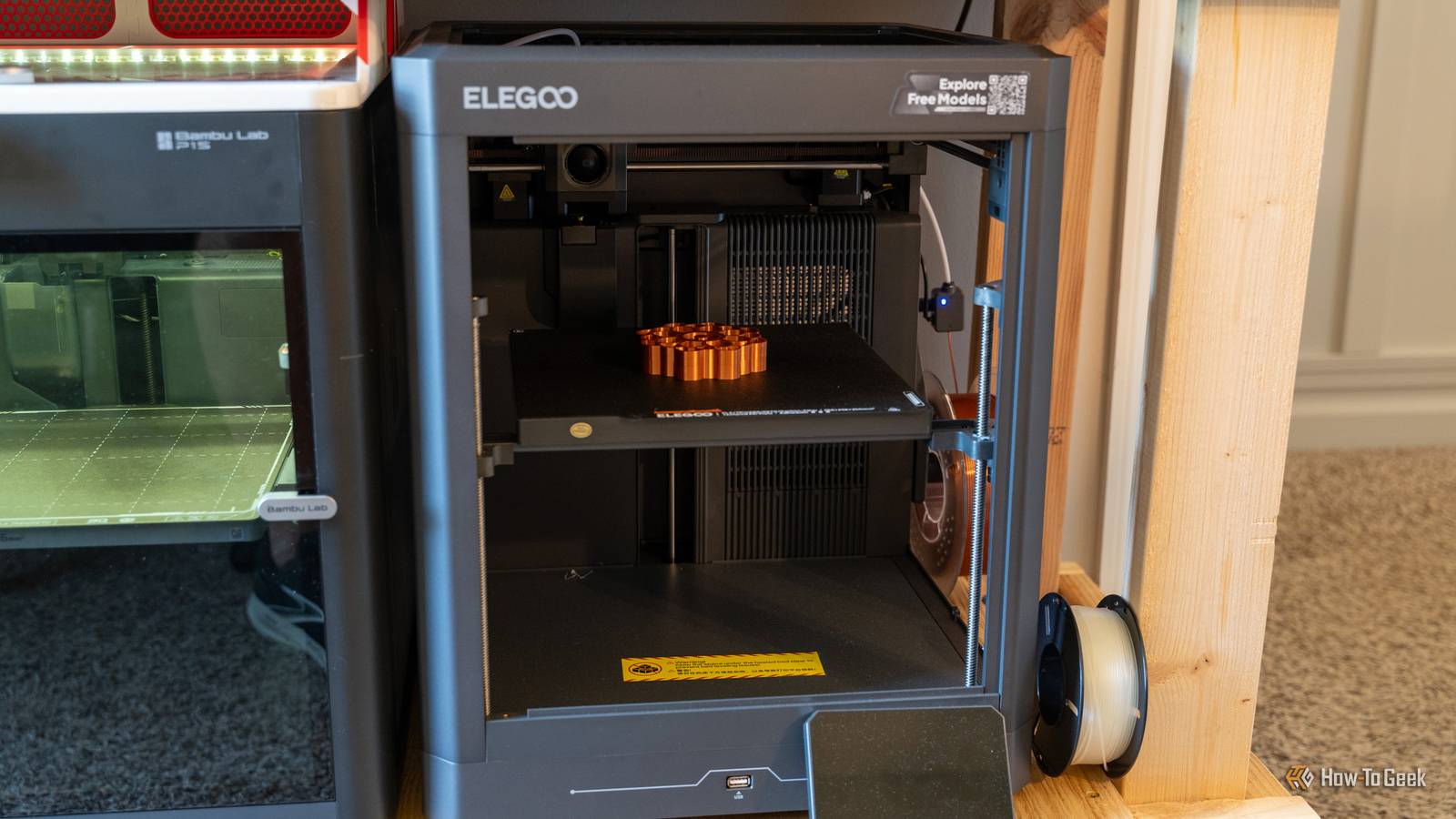
While some might do this still, I have enjoyed keeping my printers on 24/7 as that means a printer is always ready to receive a file.Another smaller, but still annoying thing, is the "Explore Free Models" sticker that's on the top of the printer.I understand what Elegoo is trying to accomplish here—they want to raise awareness of Nexprint, Elegoo's version of MakerWorld or Printables.
However, the sticker, at least on my unit, is basically impossible to remove cleanly.I've tried to remove it by peeling it off or lifting a corner with a flat blade, but I really don't want to scratch up the paint job.So, eventually I'll use something like a heat gun or Goo Gone to get it off.
But, I really wish I could just peel it off.Also, there's no camera on the Centauri 2—which makes sense.It's a budget printer, and Elegoo just didn't spring for the extra cost to install one, which I'm totally fine with.
Lastly, the filament run-out sensor is not in the print head—it's at the end of the Bowden tube where the filament starts to feed in.I really would have liked to see the run-out sensor in the print head, as that's the way to reduce waste as much as possible, but Elegoo had to cut costs somewhere, and mounting an external filament sensor just happens to be one of those areas.Elegoo went the extra mile in areas I didn't expect A solid touchscreen plus a dual-sided bed was a nice touch These days, most 3D printers are the same.
More expensive models have a nice touchscreen, cheaper models have a junky touchscreen.Plus, all 3D printers basically come with a smooth or textured bed.Elegoo flipped the script with the Centauri 2.
For starters, the touchscreen is actually really nice.Like, I find the touchscreen experience to be better than the Flashforge Creator 5 Pro I recently reviewed, which costs several hundred dollars more.However, the most intriguing upgrade that the Centauri 2 offers is the double-sided bed.
One side is the standard textured PEI plate, and the other is a smooth plate.Just flip it over from side A to side B and completely change the printing experience.While the Centauri 2 might not be the first printer to ever do this, it's something I wasn't necessarily expecting, especially on a $299 printer.
ElegooSlicer is also built for this natively.Whenever you go to start a print, the pop-up screen asks if you're using build plate side A or B.Elegoo also put vibration-dampening feet on the Centauri 2 from the factory.
You don't have to install anything, or buy an upgrade kit—they're just there already.I've found that they work well with my Centauri 2 and the prints come out with little-to-no VFAs (vertical fine artifacts).Should you buy the Elegoo Centauri 2? If you're in the market for a new 3D printer and only have $300 to spend, I would say the Elegoo Centauri 2 is the best printer on the market to get.
The Centauri 2 Combo is a bit more expensive, and starts to compete with other printers like the Flashforge AD5X, but the Centauri 2 is in a league of its own as one of the few sub-$300 CoreXY printers on the market.If you can live with a slightly louder printer with an annoying sticker on it, which I think most can, then the Centauri 2 is the 3D printer to buy right now.It produces stellar models, works perfectly straight out of the box, and offers features even more expensive printers don't have—like the double-sided bed.
Elegoo Centauri 2 9 Brand Elegoo Build Volume 256x256x256mm Printing Accuracy ±0.1 mm Connectivity USB, Wi-Fi Elegoo's latest Centauri 2 brings all the features that we love about the Centauri 2 Combo to a more affordable package.With the same build volume, print speed, and even nozzle and bed temperatures, the Centauri 2 delivers an affordable yet capable 3D printer for the masses.See at Amazon $299 at Elegoo Expand Collapse
Read More