A clogged nozzle can mean anything from inconsistent print quality to total 3D printer shutdown.While the latter usually involves a long needle and some elbow grease, the former is arguably best solved with a gentler approach known as a “cold pull.” It was time for my first cold pull There’s a first time for everything The cold pull is a technique that is designed to remove debris from inside a 3D printer’s nozzle by melting filament to the point where it extrudes, cooling that filament, and then pulling the filament out of the top of the hotend.This technique is favored for its ability to solve partial clogs, where filament isn’t extruding at the desired rate.
The logic here is that anything that’s trapped in the nozzle will bond to the filament and come out.Filament can contain impurities that leave a residue inside the nozzle, which burns and becomes blackened over time as it is exposed to more and more heat.I’ve had my Bambu Lab P2S for around six months, and I have had zero issues outside of a few bed adhesion problems that hot water and soap have solved.
That said, I’ve tried to familiarize myself with some of the techniques that I’ll undoubtedly need to use when things go pear-shaped.I had also read that some 3D printer owners perform cold pulls regularly to avoid buildup within the nozzle.This logical.
Though I’m not printing all day and night, seven days a week, I wanted to see whether I’d “catch” anything after putting a few kilos of PLA through the hotend.You probably don’t need to do this regularly At least it’s quick and relatively easy Close In my case, the P2S vastly simplifies the process of performing a cold pull—but this isn’t limited to Bambu Lab printers.Many modern machines now include colorful touch displays that show you all sorts of information and allow you to initiate prints, calibration, and maintenance procedures.
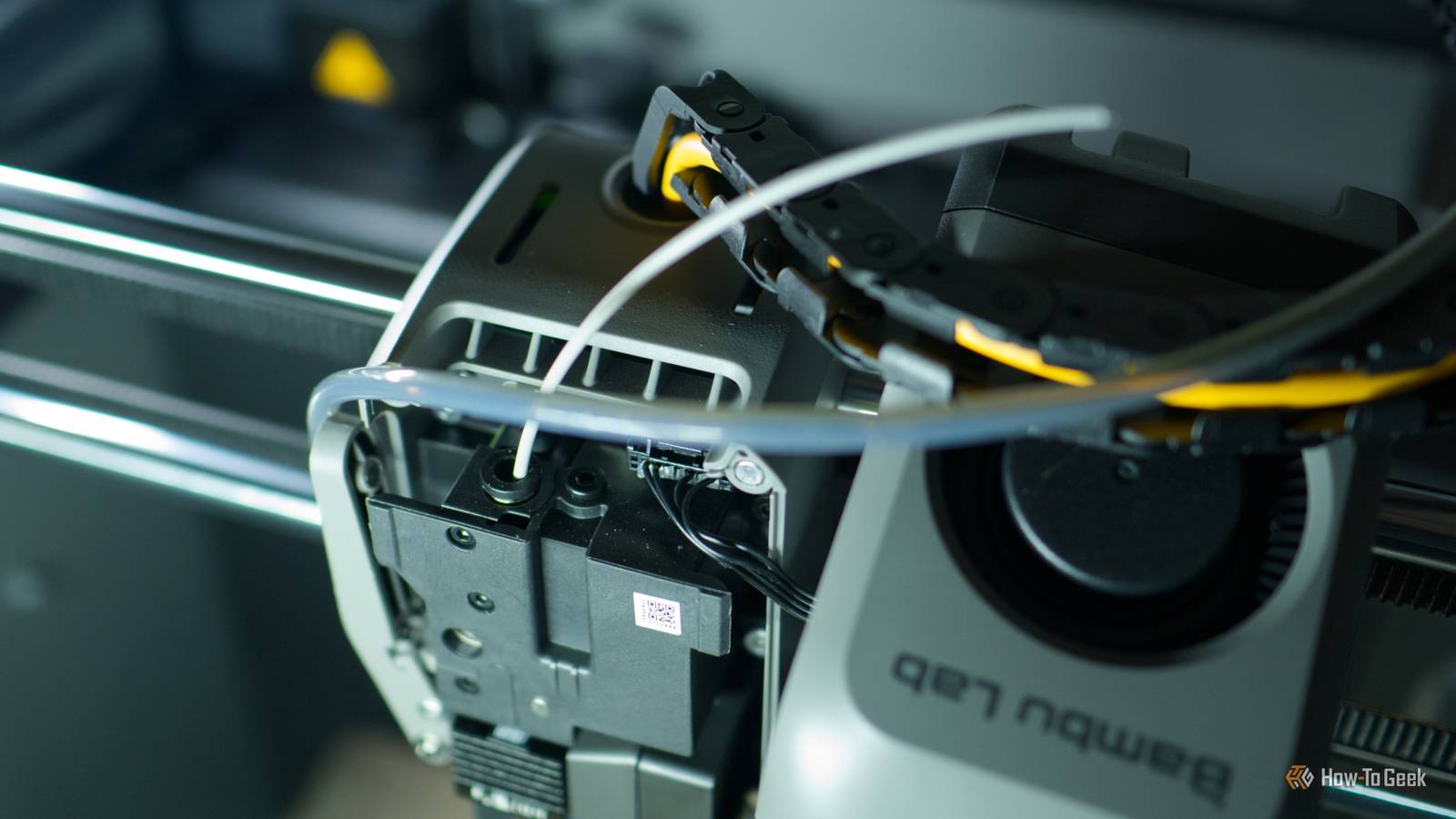
You can perform all of the necessary steps manually if you want, but in my case I selected Nozzle Cold Pull Maintenance from the Toolbox menu and followed the instructions.I used PLA for my cold pull, since that’s the only filament my P2S has seen thus far.The process was simple.
First, the printer aligned the toolhead in the center of the build plate and then told me to remove the front cover from the hotend and secure it in place.Next, I removed the PTFE tube by pressing down on the release mechanism.Then it was time to feed filament into the hotend, where the PTFE tube goes.
After extruding roughly 15cm of filament (from the 30cm piece I started with), the printer began cooling the nozzle.Once it had reached 85ºC, it was time for the grand reveal.I pulled the filament slowly out of the hotend, and took a look at what I’d won: The filament was almost completely clean aside from a small ring of black gunk that you can barely see unless you look closely.
Was this debris the start of a slow clog? Maybe.Am I in a hurry to repeat the cold pull procedure twice per year? Not really, no.I’m glad I did it anyway Now I know my 3D printer better Though 3D printing has never been more accessible, these machines can still feel intimidating.
Exposing yourself to these procedures is a great way to build confidence since there is a lot of 3D printing parlance that can seem like a foreign language when you’re new.It also helped to satisfy my curiosity.At the rate I print, and with the filament I’m using, doing this regularly doesn’t seem to be necessary.
There are debates online about how often you should be doing this, with commenters speculating that nozzle size, filament type, and filament brand can all make a difference.That’s even more reason to give it a go.Procedures like the cold pull or heating your nozzle to clear a blockage with a needle are the go-to methods for solving extrusion problems and clogs.
Alternatively, you can throw money at the problem and replace the nozzle entirely.Like print beds, it can help to think of nozzles as consumable items since they wear out over time—and some filaments are much worse than others for this.If you’re going to go poking around the business end of your 3D printer, make sure you take precautions like wearing heat-proof gloves when working near a hot nozzle.
Your 3D printer can seriously burn you if you’re not careful.
Read More