With the arrival of the next-generation, AI-focused Googlebooks, it's natural to wonder how the Chromebooks that have been around for over a decade compare, and if it's still worth considering one over a new Googlebook.Optimized for artificial intelligence, with native Android integration and new cross-device services, Googlebooks promise to be the future of Google laptops, but that doesn't mean they're the best choice right now.The premium future versus the affordable past Chromebooks still dominate the budget and education worlds Chromebooks have always been positioned as affordable computing solution, perfect for schools and enterprises to buy and manage in bulk.
Even the best Chromebooks rarely break the $800 threshold, and the most affordable Chromebooks easily undercut alternatives running macOS and even Windows.On the other hand, Googlebooks are strictly premium devices (at least for now), with even the most affordable Googlebook in the first wave, the Acer Googlebook 14, coming in at $900.High-end designs, features like high refresh rate OLED displays and haptic touchpads, and minimum hardware requirements for the AI-optimized operating system all contribute to the price gap.
If budget is your concern, Chromebooks are absolutely still the way to go.There are other considerations too, especially for education and enterprise customers.Because Googlebook OS is primarily built on the Android platform, it's limited to basic Google Workspace controls and lacks a variety of management features present in the ChromeOS Education and Enterprise versions, including multiple user profiles in Chrome, IT admin controls, fleet-wide update management and scheduling, and user-specific restrictions.
Google has committed to begin rolling out these features to Googlebooks starting in the second half of 2027, but there's no telling how long it will take before Googlebooks reach parity with Chromebooks for schools and businesses.Right now, Googlebooks are absolutely targeted toward individual consumers who don't rely on these features.On top of that, Google has also committed to continue supporting ChromeOS through 2034, and existing education and enterprise deployments will function like normal.
Many Chromebooks released recently, especially high-end models, will also be eligible for an upgrade to Googlebook OS at some point in the future, ensuring you're not left behind even when Chromebooks are phased out over the next few years.Even if your Chromebook doesn't make the cut, there are other ways to repurpose an old Chromebook.A modern platform built for artificial intelligence Googlebook promises the best of Chromebook with new features Close If Googlebooks are more expensive and less capable for enterprise and education customers, why exactly someone consider a Googlebook? Well, Google is mostly banking on two platform features: AI integration, and Android integration.
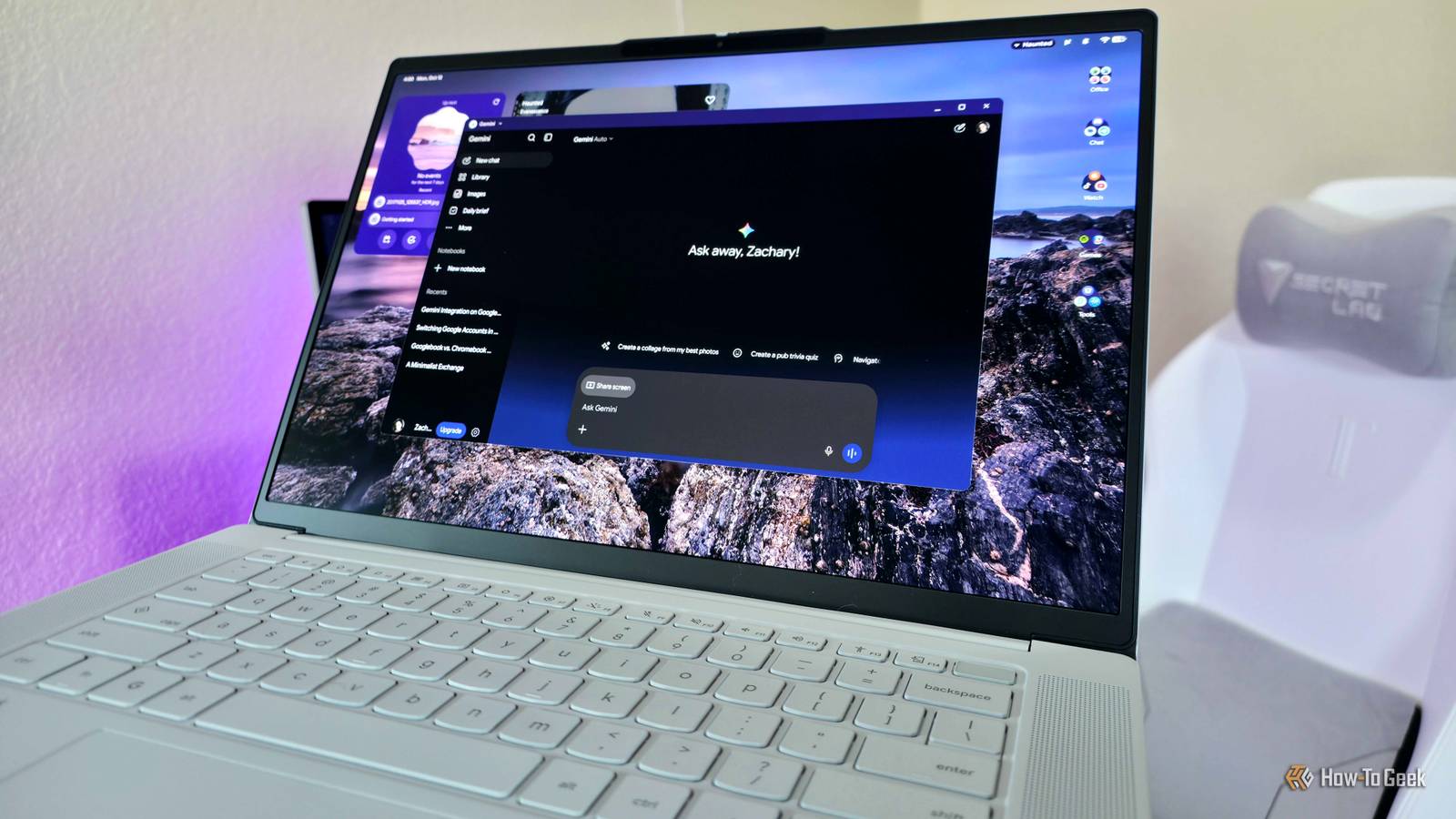
Basically, Googlebook OS aims to combine the desktop environment and Chrome browser experience of ChromeOS, the technology stack of Android, and the power of the Gemini AI companion into one, modern operating system.To start with that last point, Gemini is woven into the core of every Googlebook by default, compared to the handful of premium Chromebooks boasting limited Gemini support.Google is betting a lot on this Gemini integration, but how valuable it is to you will depend.
The actual Gemini AI companion doesn't boast much more functionality (it can't even interact directly with your hardware), but it can provide Googlebook-specific tech support, and you can send multiple files straight to Gemini from the Files app.Speaking of the Files app, you also get AI-powered search results and file descriptions.Magic Pointer allows you to select anything on your screen (or multiple things) and talk to Gemini about what you've selected, or even create new content using those objects.
Rambler is a powerful voice dictation tool that can automatically clean up your speech by fixing grammar and removing filler words, which I know more than a few people will actually appreciate.You can also create your own custom widgets by simply describing what you want the widget to do, but this feature has mixed results.That effectively sums up that half of the Googlebook sales pitch, and the other half isn't terribly convincing right now, either.
Googlebook OS borrows a lot from Android 17 (the Android version number is even listed in Settings), including the clean and colorful interface, which actually looks and feels great to navigate for the most part.Googlebook's native Android app support through the Google Play Store should also be better than the Chromebook implementation, at least on paper, but performance and compatibility can still change depending on your Googlebook's architecture, many apps aren't supported, some installable apps may not run or work properly, and it's still just as frustrating as ever to use many of these touch-first Android apps with mouse-and-keyboard input.The real magic happens with Cross-Device Services, which can integrate your other Android devices with your Googlebook (as long as they're all signed into the same Google Account).
Pass tasks from your phone to your Googlebook, seamlessly stream Android apps straight from your phone, sync notifications, and even mount your phone's storage in the Files app to make instant transfers (if Quick Share wasn't good enough for you).It sounds great in theory, but Cross-Device Services requires Android 17, and even then has failed to work for several How-To Geek writers (myself included).Like ChromeOS, Googlebook OS also boasts a built-in Linux Virtual Machine for developers, AI workloads, and any hardcore user who loves working with a command line or needs Linux-specific apps.
However, the new Googlebook OS Terminal falls behind ChromeOS and its Crostini Linux implementation, lacking proper windowed GUI app support, app drawer integration, and other features.Google has already committed to bringing all these features and more to Terminal in the future, but Chromebooks actually provide the better Linux experience at the moment.Related Your phone is already a better Googlebook No need to pay another grand.
Posts 3 By Bertel King Chromebooks still make the most sense, but Googlebooks are the future It seems inevitable that Googlebooks will fully replace Chromebooks someday, but that doesn't mean Googlebooks are already the better choice for many people.Googlebooks hold great promise if Google follows through with its plans, but at the moment Chromebooks are somehow more capable, stable, and affordable than Googlebooks.The edge in enterprise management and Linux support alone will be enough to convince a lot of people to stick with Chromebooks, and the fact that many Chromebooks will be upgraded to Googlebook OS one day is the icing on the cake.
If you're really choosing between a Chromebook and a Googlebook, then a recent, high-end Chromebook may be the smarter choice.
Read More