After setting up a NAS, it is easy to assume that your data is protected because the storage pool has redundancy, snapshots are enabled, or another NAS is receiving copies of your files.Those features can protect against particular failures, but they do not prove that your backup can be restored when you need it.The effectiveness of a NAS backup depends on whether you can restore the data you need, in a usable state, within a timeframe that works for you.
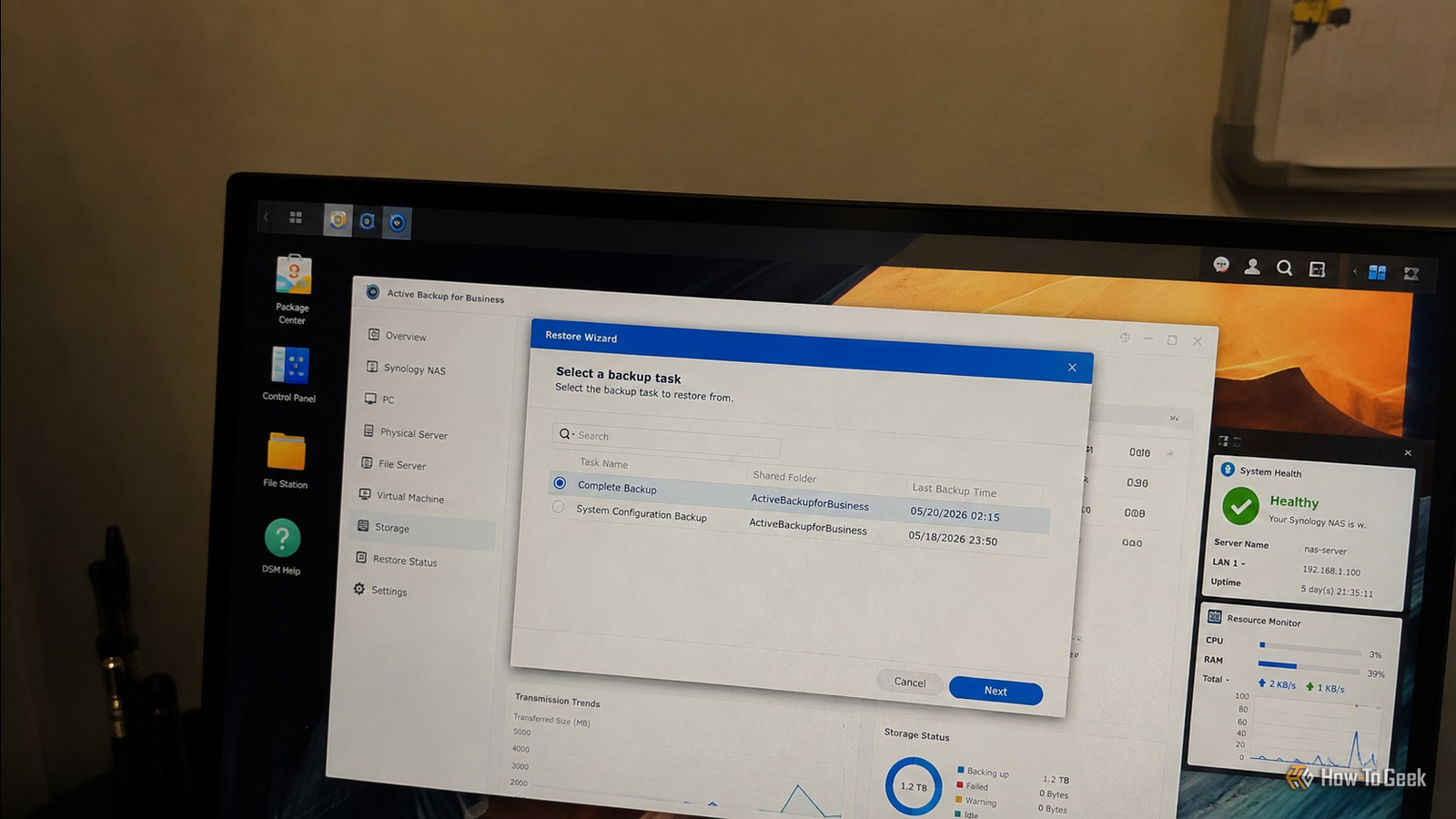
This article explains how to test that recovery process, verify what was restored, and make sure the procedure remains usable when you need it.Start by testing a real recovery Restore a small but representative set of files Close The easiest way to test a backup is to restore data from it.Pick a directory containing several types of files rather than restoring a single text document.
Include photographs, documents, a larger file, and something with a nested directory structure.If you run applications from the NAS, include a file or dataset that represents that workload too.Restore the selected data to a separate directory or another machine.
Do not restore the backup over the original files.The point of the test is to prove that the backup can produce a usable copy without putting the production data at risk.Once the restore finishes, open the restored files.
A JPEG should display correctly, a PDF should open, and a video should play through at least part of the file.For a database backup, use the database’s own recovery process rather than checking whether the backup file merely exists.Related The 3-2-1 backup rule everyone ignores (and the easier way that works instead) The smartest way to back up your PC requires exactly zero manual work Posts 5 By Monica J.
White This exposes a common problem with backup systems, which is that a job can complete successfully while producing data that is incomplete, inaccessible, or dependent on metadata stored somewhere else.The same principle applies to NAS snapshots and replication.A snapshot that appears in the management interface is useful only if you can actually access the required files from it.
If the backup system uses proprietary archives, perform a test restore through the same application you would use during an actual recovery.Verify that the backup matches the source Check files, permissions, and metadata A successful restore tells you that the recovery path works.The next question is whether the restored data is complete.
For a file-based backup, compare the restored directory against the original.You can use tools such as rsync in dry-run mode to identify differences without changing either side: rsync -aHn --delete /path/to/original/ /path/to/restored/ The exact options depend on the filesystem and the attributes you need to preserve.If your data includes symbolic links, hard links, extended attributes, ACLs, or sparse files, make sure your comparison accounts for them.
For a ZFS-based NAS, checksums provide another useful layer of verification.ZFS checksums protect data stored on the filesystem, but they do not automatically prove that an independent backup contains the same logical dataset.If you replicate ZFS datasets, use ZFS-aware replication and periodically verify that the destination dataset is present and can be accessed.
Here I would also mention metadata because it is easy to overlook.A backup may contain the correct documents while losing ownership, permissions, ACLs, timestamps, or application-specific metadata.Whether that matters depends on what the NAS stores.
A media library may care about filenames and timestamps, while a server configuration directory can depend on exact permissions and ownership.You should also test files that are actively used by applications.If the NAS stores virtual machine images, container volumes, databases, or configuration repositories, copying those files while they are changing may produce an unusable recovery point.
Test the application’s supported backup mechanism instead of assuming that copying its files is sufficient.Once the data itself has been verified, the test should move from individual files to the NAS as a recovery system.Test recovery without the original NAS Simulate the failure you are planning for A backup becomes much more convincing when you test it without depending on the NAS that normally hosts the original data.
You do not need to destroy anything to perform this test.Choose a separate computer, spare NAS, virtual machine, or temporary storage location and restore a meaningful portion of the backup there.If your backup is stored on another NAS, make sure you can access that backup without relying on the original NAS for authentication, DNS, encryption keys, or configuration.
This matters because a real NAS failure can remove several things at once.The storage pool may be unavailable, the NAS operating system may need to be reinstalled, and configuration files may be lost with the device.If the backup requires a configuration database from the failed machine, the backup process has not been tested against the failure you actually care about.
Encryption adds another dependency.If backups are encrypted, confirm that the recovery keys or passwords are available independently of the NAS.Keep the recovery information somewhere you can access during an outage.
A perfectly intact encrypted backup is of little practical value if nobody can decrypt it.Turn the recovery test into a routine Document what worked and test it again A recovery test is useful only if its result remains valid as your NAS changes.New backup software, encryption settings, storage targets, applications, and retention policies can introduce problems that were not present during the original test.
It's best to write down the recovery procedure while performing the test.I usually write about where the backup is stored, how it is accessed, which credentials or keys are required, which software is needed, and the commands or interface steps used to restore the data.You should also include details that seem obvious at the time because they may not be obvious during an incident 6 months later.
Related 5 reasons your NAS is actually a terrible option for long-term backups No, I'm not joking.There are reasons why you might want to think of a different solution Posts 10 By Monica J.White Use a small amount of data as a testbed Keep a small test dataset specifically for recovery checks.
It should represent the types of data you care about and should be easy to restore without consuming a large amount of storage or bandwidth.After restoring it, verify the contents and open several files.You should also test different recovery scenarios over time.
For example, a file level restore which checks one part of the system, a larger dataset restore test which checks capacity and performance, and a complete NAS recovery to test whether your documentation, encryption keys, backup storage, and replacement hardware are sufficient.
Read More