The more comfortable I get using AI to help me code, the more curious I become about how the major platforms compare when they're given the exact same job.It's easy to ask Claude, ChatGPT, or Gemini to create a simple app and come away impressed when something functional appears a few seconds later.But that doesn't necessarily tell you whether the code is secure, well structured, or capable of handling situations beyond the most obvious use case.
I wanted a test that was simple enough to complete in a single file but demanding enough to expose meaningful differences between the platforms.A password generator seemed like a good fit.It can run entirely in a browser, doesn't need a server or database, and doesn't have to store any personal information.
At the same time, it still requires careful handling of randomness, character selection, error states, and basic security.A generator can look polished and appear to work while still producing passwords I wouldn't actually trust.The assignment was straightforward: build a password generator that runs locally and includes the controls most people would expect.
Each platform received the same instructions, the same limitations, and the same opportunity to fix its work.I wasn't looking for the best-looking interface.I wanted to see which AI could produce code that worked correctly, handled mistakes, and generated passwords without needing repeated coaching.
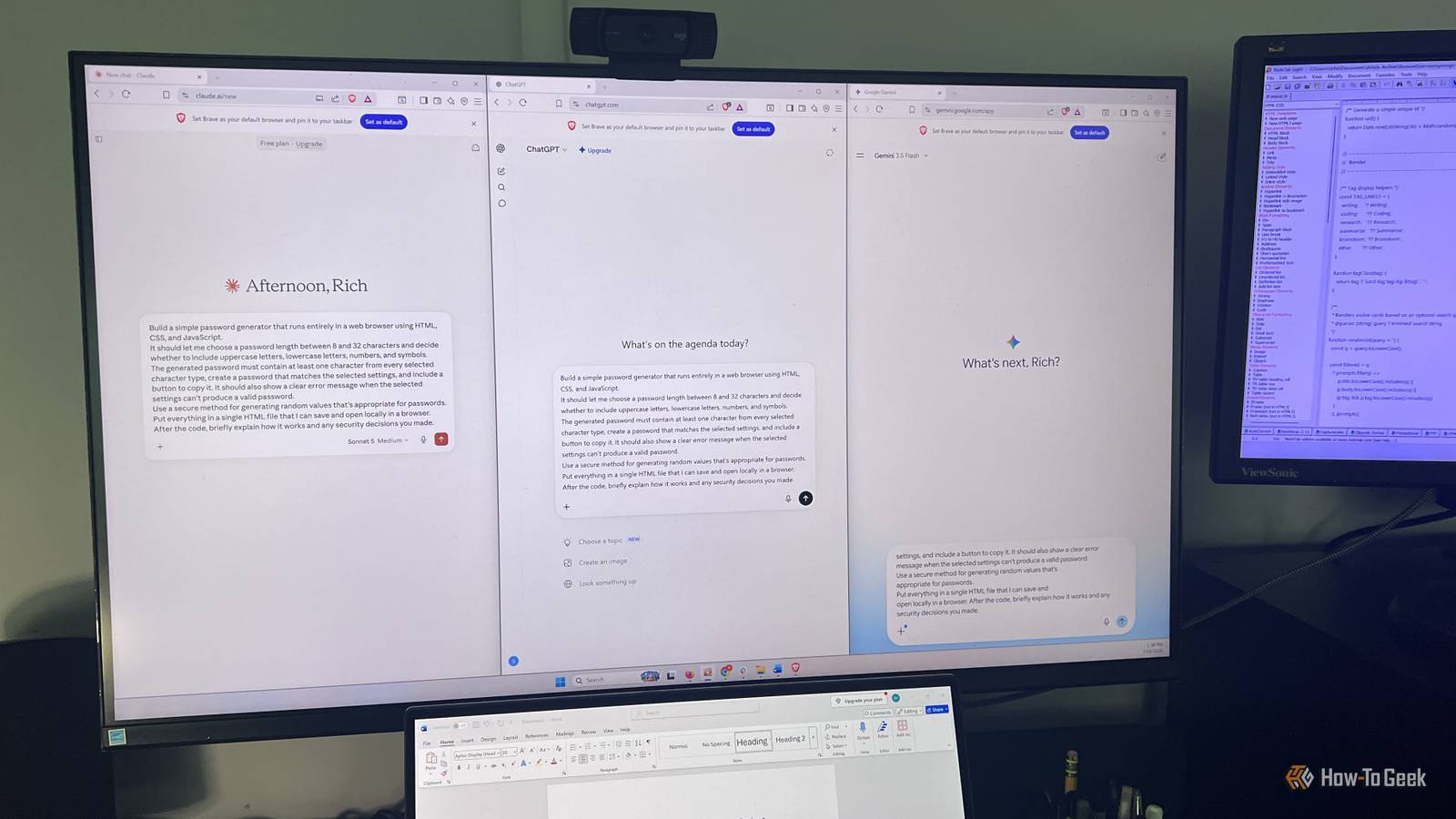
I conducted the test on July 16, 2026, using the free versions of Claude Sonnet 5, ChatGPT with GPT-5.5 Instant, and Gemini 3.5 Flash.The exact prompts used for this test appear after the conclusion.I gave each AI platform the same two chances Too much coaching would defeat the point I tested the free versions of Claude, ChatGPT, and Gemini in separate, fresh chats and gave each one the exact same initial prompt.
I didn't use custom instructions, add follow-up hints, or change the assignment based on how well or poorly another platform performed.After testing the first version, I gave all three platforms the same debugging prompt and one chance to review and improve their work.After that, I scored the final result based on whether it worked, whether the code used a secure method to generate passwords, the overall quality of the implementation, and how clearly the AI explained what it had built.
I set the test up this way because unlimited follow-up prompts would make the comparison less useful.With enough coaching, I could probably guide any of the three platforms toward a working result, but that wouldn't tell me much about how well it understood the original assignment.Most people asking AI to build a small tool aren't going to spend hours debugging it line by line.
I wanted to see which platform could follow a clear prompt, catch its mistakes after one round of feedback, and produce something I could actually trust.I also looked through the code instead of relying only on the explanations each platform provided.I checked that it used secure randomness for character selection and shuffling, avoided Math.random() and biased results, and kept everything local rather than storing or sending the password anywhere.
Gemini produced the best result on the first try Claude made testing easier, but Gemini followed the prompt more closely Close Claude and Gemini both produced strong password generators from the first prompt, but Gemini came closest to delivering exactly what I asked for.It gave me the complete, color-coded source code, offered a downloadable HTML file, used the Web Crypto API, and waited for me to choose my settings before generating a password.It also displayed the full 32-character result, although the longest passwords wrapped onto a second line.
Its explanation wasn't as detailed as Claude's, but the generator itself required the fewest compromises on the first attempt.Claude took longer to respond and didn't display the source code at all.Instead, it gave me a written rundown, a downloadable file, and something neither of the other platforms offered: a live preview of the finished app beside the conversation.
I could start testing the generator immediately without downloading or opening anything, which made Claude's workflow the most convenient.The generator worked consistently, displayed the full 32-character password on one line, and came with the strongest explanation of its security choices.Its only notable issue was that it generated a password as soon as the page loaded, before I interacted with the controls or clicked the Generate button.
Close ChatGPT also produced working code and used the right security method, but it required the most manual work.It showed the complete code with helpful syntax highlighting, but didn't provide a downloadable file or live preview, so I had to copy it into an editor and create the HTML file myself.Its 32-character passwords also extended beyond the visible text field, forcing me to scroll to see the entire result.
Close The debugging prompt separated the three platforms Only one fixed the issues I identified The second prompt gave each platform one chance to correct the problems I found without any additional coaching.Claude responded best to that challenge.It recognized that the generator was creating a password as soon as the page loaded and removed that behavior.
It also improved the error handling so invalid settings were caught earlier instead of waiting until I clicked the Generate button.Claude even added a privacy option that could hide the password in a crowded room, although its explanation of the revised code wasn't as strong as the one it gave after the first prompt.ChatGPT and Gemini both claimed to address the issues I pointed out, but neither fully delivered.
ChatGPT left the automatic password generation in place, although it did offer several useful ideas for improving the app later.Gemini said it had fixed the line wrapping on longer passwords, but the 32-character result still broke onto a second line when I tested it again.Its only notable suggestion for a future version was a password-strength meter, which was useful, but less practical than some of the recommendations from the other two platforms.
Claude produced the best password generator overall It improved the most with the least intervention After two uncomplicated prompts, Claude produced the strongest final result of the three.Gemini had the strongest first attempt, but Claude responded better when I gave it one chance to review and improve its work.It fixed the unwanted password generation on page load, strengthened the error handling, and added a useful privacy feature without needing any additional explanation from me.
The final generator used the appropriate Web Crypto API, was easy to test, and was polished enough that I could see the improvements immediately.All three platforms offered ideas for improving their password generators, and each one showed some ability to recognize problems in its own code.Claude stood out because its changes were the most complete and easiest to verify.
It also provided the strongest security explanation and the most useful guidance for taking the project further.The result wasn't perfect, but with only two prompts, Claude came closest to producing something I could confidently use without spending more time debugging it myself.Claude Price $20 Claude is an AI assistant made by Anthropic. It can assist with a wide range of tasks—writing, coding, analysis, research, and more. Unlike a search engine, Claude reasons through problems conversationally, making it useful as a thinking partner rather than just an information retrieval tool.
See at Claude Expand Collapse Working code isn't the same as finished code This test showed me that all three platforms could produce a functional password generator, but the differences became clearer once I looked beyond whether the page simply worked.Live previews, error states, explanations, and the ability to respond to debugging feedback all mattered.Claude delivered the strongest final result, but Gemini's first attempt was still impressive, and ChatGPT produced solid code despite requiring more manual setup.
The bigger takeaway is that AI can get you surprisingly close with very little effort, but you still need to test what it builds instead of assuming polished-looking code is ready to trust.Prompt 1: Build the password generator Build a simple password generator that runs entirely in a web browser using HTML, CSS, and JavaScript.It should let me choose a password length between 8 and 32 characters and decide whether to include uppercase letters, lowercase letters, numbers, and symbols.
The generated password must contain at least one character from every selected character type, create a password that matches the selected settings, and include a button to copy it.It should also show a clear error message when the selected settings can't produce a valid password.Use a secure method for generating random values that's appropriate for passwords.
Put everything in a single HTML file that I can save and open locally in a browser.After the code, briefly explain how it works and any security decisions you made.Prompt 2: Find and fix the problems Review the original requirements and check the code for functional, security, and usability problems.
Fix any issues you find and provide a complete replacement HTML file.Note anything that could be improved in the next version and why.Briefly explain what you changed, if anything, and why.
Read More