Picking up new skills can be tricky, and the Linux command line is so powerful, there’s always something more to learn.Fortunately, you can have a bit of fun while you do it.These games and challenges will test your knowledge using different approaches.
Some work directly from the command line, while others emulate a terminal interface on the web.Whichever catches your eye is sure to teach you many useful techniques, from the everyday to the niche.The Bandit wargame Hunt down SSH passwords to progress through this challenge A focus on networking means you’ll learn all about SSH here, alongside the more typical lessons on find, grep, and ls.
Each level requires you to SSH to the next host, using a password you can discover with various means at your disposal.Everything starts off straightforward, with the password contained in a file you can just print or a file you need to locate based on its properties as two early examples.Later on, however, you’ll need to diff files, understand cron, and work with git repositories.
Each step provides a list of commands that may be helpful, with links to online man pages.There’s also linked help from a host of useful sources, so there’s a lot to take in across the game’s 34 levels, and a lot to learn.The Command Line Murders A portfolio of evidence awaits your detective skills Hosted on GitHub, this repo is nothing more than a set of text files pertaining to an unsolved crime.
Your mission, should you choose to accept it, is to comb through the evidence and work out whodunnit.An active imagination will work wonders! It may sound easy, but there are hundreds of files in the repo, and you’ll be on your own at first, although several hint files are included, and a handy cheat sheet (in Markdown and PDF formats) covers the core file manipulation commands you’ll require.The main skills you’ll learn here involve navigating files, searching through them, and extracting relevant snippets of data.
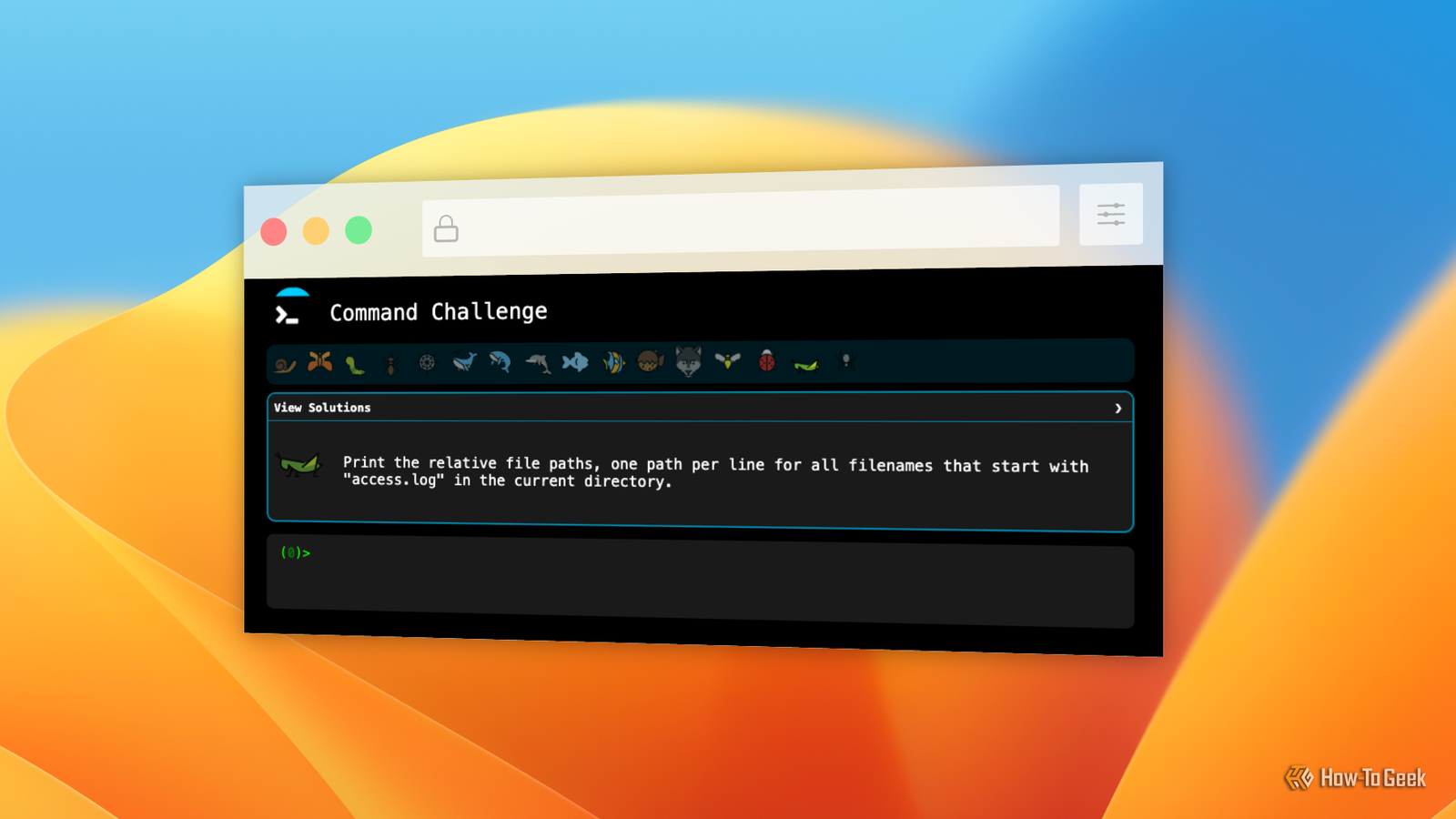
It may not sound fun, but the underlying mystery works well to keep you engaged, and the difficulty is set perfectly for beginners.Command Challenge You just need a browser and your wits for this simple test This game runs on a web page with an emulated terminal that lets you type commands interactively.Each round pits you against a fairly simple command challenge, like copying a file, removing all files in a directory, and so on.
Of course, these tasks get progressively harder, but each one has a single-line solution, so experts should proceed fairly quickly.As with many Linux tasks, there’s more than one way to get the right result, so you can learn a lot by checking alternative solutions once you’ve cracked each problem yourself.Some steps have gotchas, like a task to create a directory and a subdirectory in a single step.
These will teach you about useful options for commands you may already know, just not in as much depth.Linux Journey It may want to upsell you, but there’s valuable info here for free too A series of 19 interactive modules, Linux Journey is more of a textbook than a video game.However, its coverage of the most important commands is excellent, with plenty of examples to copy and try out.
Usefully, these include programs for further learning, like help and man.One step even covers the lesser-known whatis command.Each lesson answers common questions and includes a quiz question to check your understanding.
There are also exercises for each, linked to labs on the LabEx platform, which uses virtual machines to provide an interactive learning environment.Although the wider platform is a subscription service, you can use a handful of labs each day for free, and this free tutorial series is released under an open-source license.Close HackerRank Linux Shell Well-crafted challenges with a first-class editor in your browser This set of challenges is focused on shell scripting, but will also teach you key commands including cut, sort, grep, and awk.
Each problem requires you to write a script in the site’s text editor, then run it to test your code against the requirements.Core syntax features of Bash are all covered here, like loops, comparisons, conditionals, and functions.It’s a little tricky for absolute beginners, but anyone who’s written a shell script before should be able to hone their abilities by working through these problems.
The editor that HackerRank uses is Microsoft’s Monaco Editor component.This gives you syntax highlighting, code folding, and smart autocomplete, all in a themeable wrapper.It’s basic, but very fast, and includes all the modern features you need to craft your scripts in comfort.
The CLI can be tricky, but there’s plenty of help These distractions all offer excellent ways to learn more about the Linux command line.But there are also plenty of tools included (or easily available) to help you out, from man pages to tldr.And if you’ve learnt enough for one day, you can always relax with a terminal-based game or three.
Read More