Your car is not just a machine with an engine and four wheels anymore; it is an advanced, networked device.Many use the most basic functions, but car screens have gotten more advanced as years have gone by.We are treating a sophisticated computer like a basic appliance, and the true power we paid for is locked away in digital menus we are too intimidated to explore.
This is about unlocking the high-value potential in the car sitting in your driveway right now.The hidden system reboot Sometimes a restart is needed If your screen ever freezes, lags, or the Bluetooth won't connect, you probably get really frustrated and think you have to pull over and restart your engine to fix it.However, you don't actually have to perform a full power cycle to get your digital copilot working again.
Most modern cars have a really handy "hard reboot" shortcut hidden within their design specifically for these annoying times.Usually, holding down the volume knob or the power button for 10 to 15 seconds will make the infotainment unit restart while you're still driving.This clears out software glitches without affecting the car's mechanical operation or safety systems.
While the exact way to do it can sometimes differ based on the manufacturer, the volume or power button trick is incredibly common.Audi and Honda drivers can often just hold down the power or volume knob for about 10 seconds until the screens go dark and the system reboots.In other situations, car makers might need you to press it a bit longer or use a unique combination of buttons.
This is one of the best features in a car, but you should read your manual for the way you can restart your own car.Valet mode privacy Don’t let them know what you were doing You'll find Valet Mode tucked away in your car's security or vehicle settings.Once you activate it with a PIN, it locks out your personal data, like your home address in the GPS and your contact list.
In some performance vehicles, it even goes a step further by electronically limiting the engine's power and maximum speed so the valet can't take your car for a joyride.For instance, engaging Valet Mode in a Tesla Model 3 instantly restricts the car's maximum speed to 70 mph and significantly limits its maximum acceleration and power.It electronically locks the glovebox and front trunk, hides your saved Home and Work navigation locations, and disables voice commands.
In the Chevrolet Impala, entering a four-digit PIN into the Chevy MyLink system not only prohibits access to your navigation history and in-car phone book, but it also causes the infotainment display to slide up, revealing a small, electronically locked storage cubby perfect for hiding your wallet, smartphone, or jewelry.Luxury brands like Mercedes-Benz employ similar safeguards, letting you mute the infotainment system's personal data, lock the trunk, limit horsepower, and receive a digital log detailing exactly where the vehicle has been and how fast it traveled.Related 6 Useful Things You Didn't Know You Can Do With Your Car’s USB Port Your car’s USB port can do more than just sit there Posts 31 By Oluwademilade Afolabi Speed-sensitive volume control Don’t reach for the volume knob It's pretty annoying when wind and road noise drown out your music on the highway.
Tucked away in your "Sound" or "Audio" settings, there's a feature often called SVC or Speed Volume.It uses your car's speedometer to automatically bump up the volume when you speed up and lower it when you slow down, keeping the sound consistent so you don't have to fiddle with the dial.In most cars, an interface is built right into the radio system that talks to the car's controller area network.
As you drive, the network gets real-time data from the speedometer and sends this to the audio control unit.When you hit the highway, and the noise from wind, engine, and tire friction really picks up, the system smartly adjusts the output to balance things out.While SCV is an automated feature, you can still personalize it a bit.
If you dive into your car's audio settings, you'll usually find ways to adjust how sensitive the system is, offering levels like low, medium, and high, or more granular increments depending on the manufacturer.Reverse camera "hitch" or "wide" views See more when you need to When you shift into reverse, you usually see a standard rear view.However, if you tap the screen while the camera is active, many systems reveal hidden viewing modes.
Wide View helps you see approaching cross-traffic in a parking lot, but Hitch View is common in SUVs and trucks and points the camera straight down at the bumper to help you line up a trailer hitch perfectly.By using a wider lens angle, often stepping up to a 170-degree view, which acts like a panoramic window, capturing a much broader swath of the area behind your car and giving you a comprehensive awareness of your surroundings.This expanded field of vision significantly reduces blind spots, making it incredibly useful when you're trying to navigate out of a tricky parking space or merge into a busy lane of traffic.
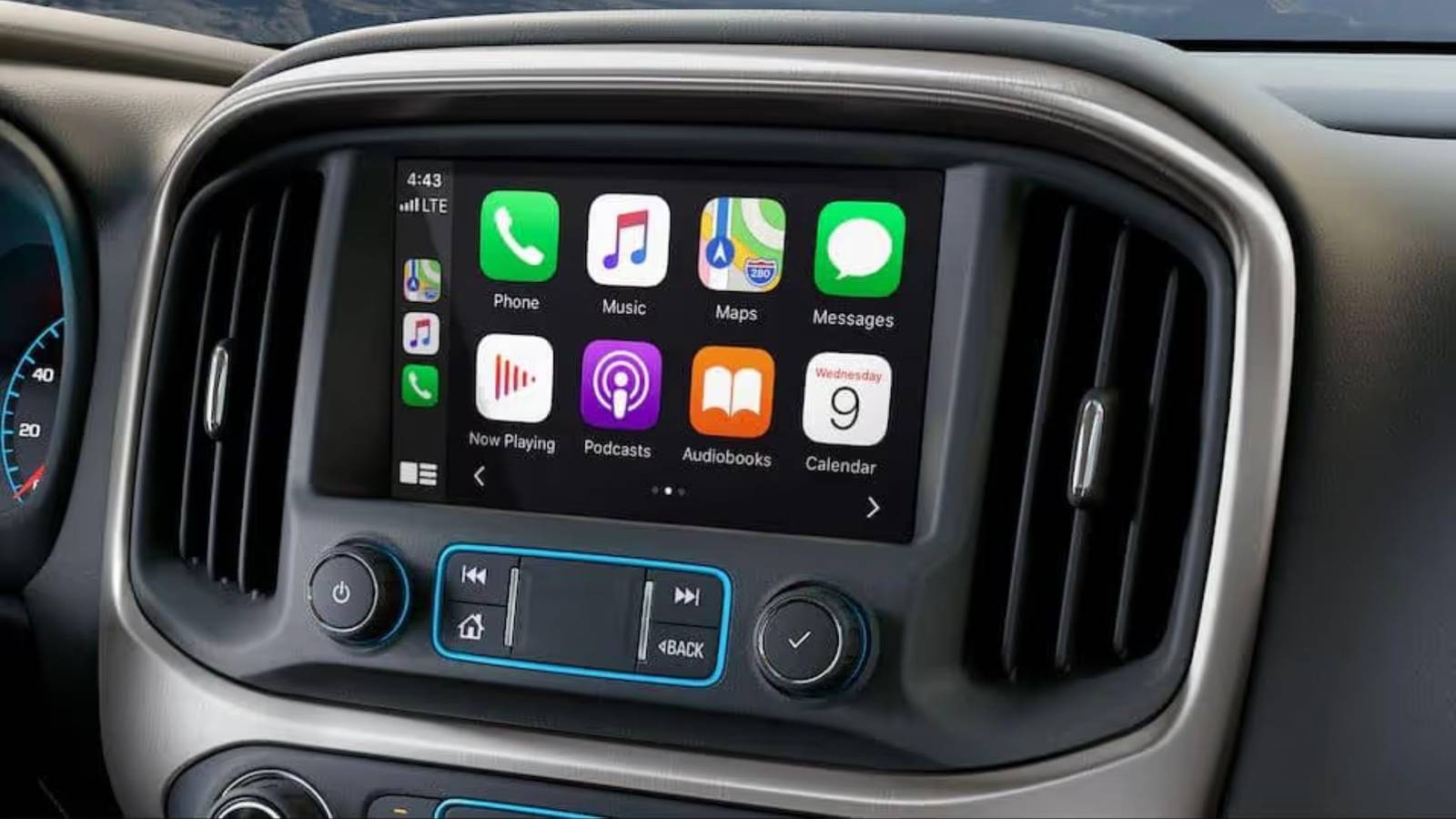
The Hitch View or Top-Down View is very helpful for towing and tight maneuvering.By tapping the infotainment screen, you can pull up a close-up, overhead view of the receiver hitch, often complete with a dynamic centerline or hitch guidance line that shifts onscreen as you make steering adjustments.Related Your car may already have a Wi-Fi hotspot—here’s how to find It While every car is different, the general process is the same Posts 2 By Carl Anthony Phone projection customization Set up your phone in your car If you're using Apple CarPlay or Android Auto, you don't have to put up with the standard app layout.
You can usually toggle Split Screen modes, choose if the map or media should be closer to you, and even hide apps you don't ever use (like Podcasts or News) to make your interface less cluttered.You just do this through phone projection app on your car's screen.Subscribe for More Car Tech Tricks in Our Newsletter Unlock more hidden car-tech features by subscribing to our newsletter - get clear, practical guides and tips on infotainment tricks, privacy modes, camera views, and phone-projection customization so you can use your car's tech fully.
Get Updates By subscribing, you agree to receive newsletter and marketing emails, and accept our Terms of Use and Privacy Policy.You can unsubscribe anytime.For Android Auto users, if you go to the Customize launcher option in the settings menu, either directly on your car's head unit or through your connected phone, you can pick exactly which applications show up on your dashboard.
Similar decluttering tricks are in native infotainment systems too, like in Tesla vehicles, where you can hide unused apps through the audio settings to make the main touchscreen feel much calmer to navigate.Apple CarPlay users have similar hidden features.You can rearrange or remove apps from your car's display completely by going to the CarPlay settings directly through your iPhone's general settings menu, making sure only the most relevant icons are shown while driving.
Drive smarter, not harder The biggest hurdle is usually getting past a simple fear of exploring the menu.It can seem like you'll mess up the radio, but it is the control center for sophisticated security and convenience features.Don't be the driver who settles for a slow, glitchy screen or a standard reverse view.
Take a few minutes to explore the digital landscape of your vehicle.The difference between an annoying daily commute and a truly optimized, frustration-free drive is often just a tap or a toggle switch away.iPhone 16e Brand Apple SoC A18 Display 6.1-inch Super Retina XDR OLED, HDR10, 1,200 nits of peak brightness, 60Hz RAM 8GB $600 at Best Buy $600 at Apple $600 at T-Mobile Expand Collapse
Read More