Microsoft offers a wide range of apps on various platforms, but most people only think about Office.While Word and Excel are pretty good on Android, it's Microsoft's other apps that are probably more useful to most people.Let's check them out.
Microsoft Launcher A sneaky good choice Close Way back in 2015, Microsoft released an app called "Arrow Launcher" in beta.People were pleasantly surprised by how restrained it was.Microsoft wasn't trying to push a bunch of its own services — it was just a very solid launcher with some neat ideas.
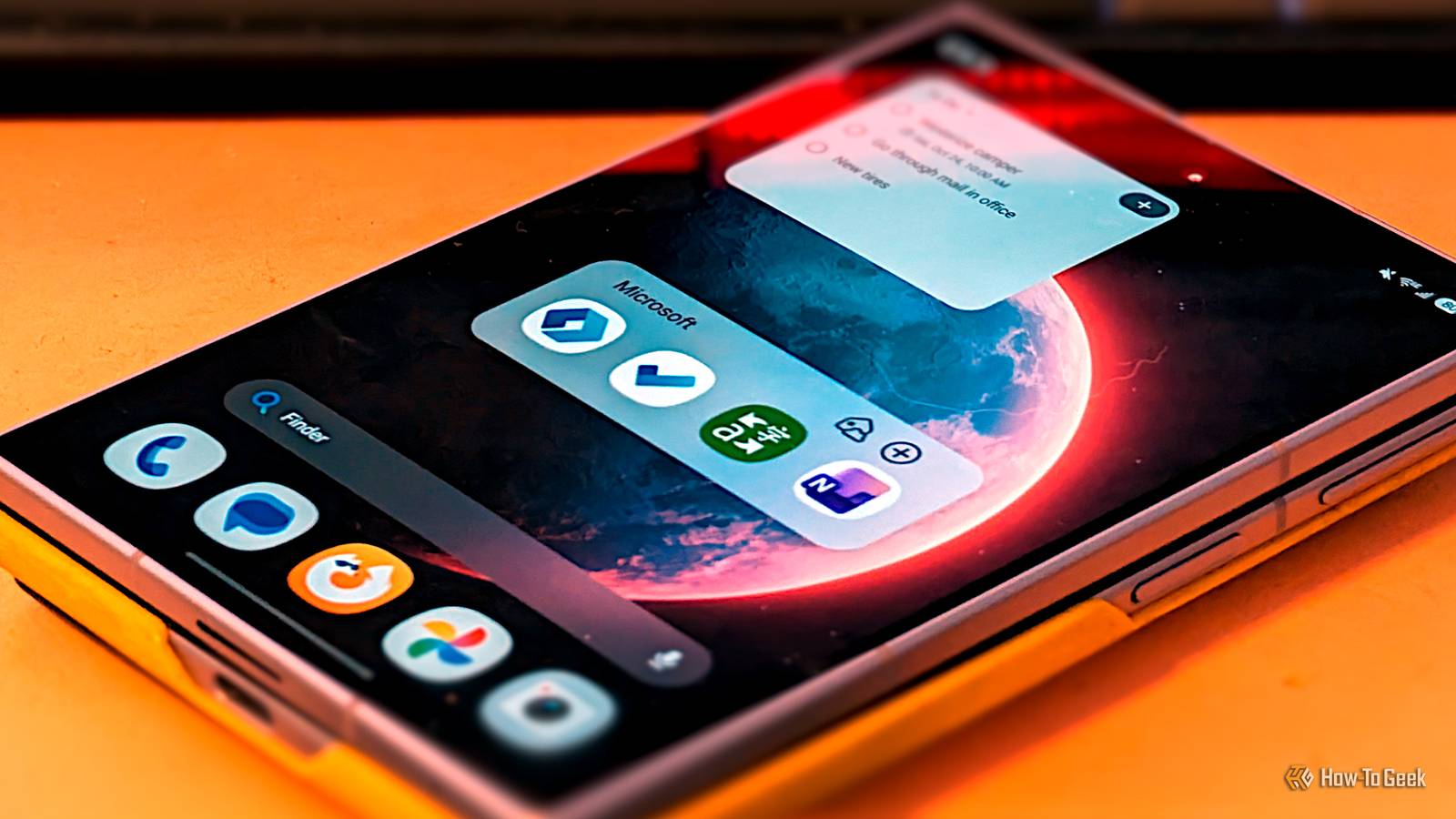
11 years later, the name has changed, but that original philosophy hasn't.On the surface, Microsoft Launcher is a pretty basic home screen launcher.You get a grid of icons, a dock, and an app drawer.
However, that app drawer can be multiple rows, and some rows can be hidden until you swipe up.The best feature, though, is "Your Feed": think Google Discover, but only your stuff.The feed can be used with the native calendar and to-do list, plus you can add any Android widget you'd like.
It's pretty cool.Microsoft To Do Just get things done Close A lot of list apps get bogged down when they try to do too much.There's something to be said for a simple, no frills to do list or checklist app.
That's where Microsoft To Do steps in.Like the launcher, it's just a solid app that isn't trying to reinvent the wheel.Lists can be color coded, labeled with an emoji, and organized into groups.
You can star items to pin them to the top, add collaborators, assign tasks to people, add due dates, set recurring reminders, and more.There's a "My Day" view that puts everything that's due today in one place, plus a "Planned" view to see what's coming up.Microsoft Translator Like Google Translate before AI Close Microsoft has been adding AI to a bunch of apps just like every other tech company.
Surprisingly, Copilot hasn't found it's way to Microsoft Translator yet.AI can be genuinely great for translating, but not everyone loves it.Microsoft Translator is essentially what Google Translate used to be.
You've got a basic two-way conversation mode that accepts text and voice input.The translation can be shown upside down, making it easy for someone sitting across from you to read it.You can also translate text in photos.
In addition, there's a "Phrasebook" with tons of common phrases you might want to say.It's a nice, simple translating app. Microsoft OneNote Office Lite Close I know, I know — OneNote is technically part of Microsoft Office.
But it's not one of the "Big Three": Word, Excel, and PowerPoint.Most of the Office suite has been around since the 80s and 90s, but OneNote didn't really hit the mainstream until the 2010s.Microsoft doesn't even highlight it on the Office 365 webpage.
All that aside, it's genuinely one of the company's best apps.It's designed to feel like a collection of digital notebooks.You can type or draw, add images and audio recording, create checklists, insert web clippings, and organize with tags.
There's also "Sticky Notes" for quick capture, and you can scan documents with the camera.Everything is searchable as well.OneNote is the most complex app on this list, but the extra functionality is worth it.
RIP: Microsoft Lens Remembering a fallen hero Lastly, I want to share my respect for an app that I really wanted to include in this list.Sadly, Microsoft Lens was retired earlier this year.The app was pulled from the Play Store in February, and even if you kept it on your phone, it can no longer perform new scans.
Microsoft Lens was an excellent app.It was my preferred method to scan documents, and now that Google Lens has been downgraded a bit, its absence is felt even more.You can still scan documents with OneNote and OneDrive, but the simplicity of Microsoft Lens was part of what made it so nice.
A solid alternative to Google Microsoft certainly isn't the flashiest tech brand, but it quietly makes some solid apps.If you're looking for an alternative to Google, but don't want to switch to a lesser-known, smaller indie app, Microsoft is probably the best choice for Android users.Related I ditched Google's ecosystem with these 5 self-hosted apps—and I'm never going back Android is often seen as a Google product, and in many ways it is.
Google and its services sit at the center of the experience, but underneath all of that, Android is still built on an open-source foundation, which means the core system doesn’t actually require Google to function the way most people assume it does.Posts 1 By Ismar Hrnjicevic
Read More