Do you have a NAS that you hate the operating system on? It actually might be easier then you think to replace the stock OS with whatever modern option you prefer.Why install a new OS on your NAS? Your warranty may be voided—but does that even matter? You might be considering replacing the operating system on your NAS—or you might be thinking “Why in the world would I even do that? It came with a NAS operating system on it, so why should I replace it?” Depending on who makes your NAS—or how old it is—there are many reasons to replace the operating system.For starters, standard NAS operating systems are far more flexible than most stock operating systems many NAS units ship with.
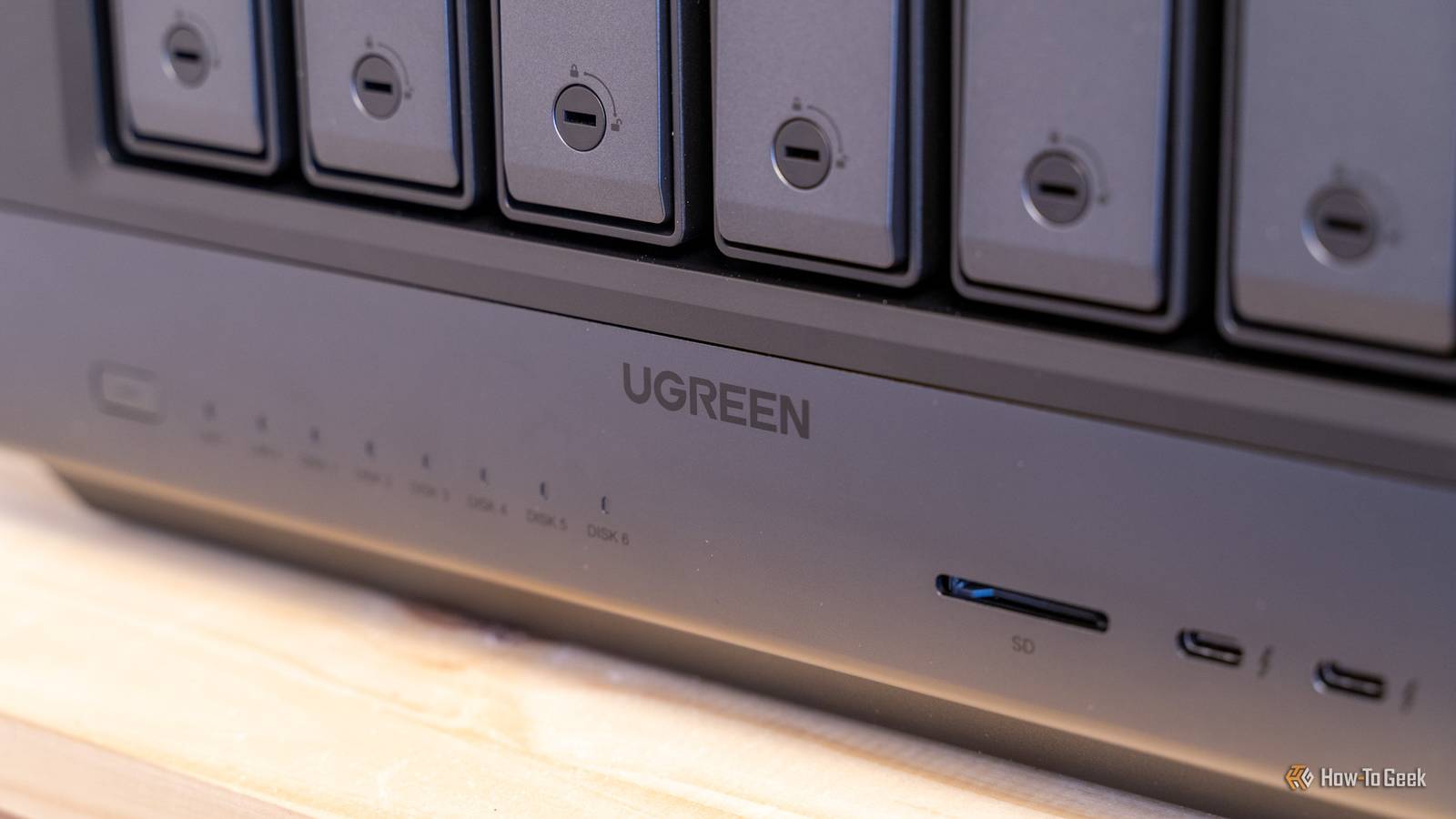
Let’s take my Ugreen iDX6011 Pro, for example.UGOS Pro is a pretty solid NAS OS, for the most part.It has Docker support natively, offers decent file management, and really has everything one could want in a NAS.
However, I tried to get Ollama running with my own models since it has a Core Ultra 7 255H processor and 64GB of LPDDR5/x RAM—and I ran into problem after problem.Because Ollama runs natively on the NAS, I can’t get a Docker service to latch onto the normal required ports for Ollama.It also has some weird thing where, even when I did get it running, it wasn’t using the neural processor cores for the models and just ran it on the CPU itself.
This alone almost pushed me to install my own operating system on it—and I might in the future.This type of issue is just one of many reasons why you might want to replace the OS on your NAS.Just keep in mind, many manufacturers don’t officially support replacing the operating system while keeping your warranty intact.
Ugreen, TerraMaster typically don’t mind if you replace their OS.But companies like Synology or QNAP typically forbid it and will refuse warranty service if they find out.Which OS should you choose for your NAS? In a sea of options, only three really stand out When replacing your NAS’ stock operating system, choosing the right replacement OS is crucial.
You could just do a base Linux install of Debian, Ubuntu, or even Arch.However, I’d recommend going with an OS that’s geared toward a NAS like TruNAS, Unraid, or OpenMediaVault.Personally, I’m an Unraid fan for most NAS systems.
TrueNAS is a more popular option for systems though as it’s completely free.No matter what operating system you choose, make sure it supports the RAID type you want and also the other features you need.Typically, Docker support is a must on any NAS, and most modern platforms do offer that.
Related 3 Reasons to Replace Your NAS' OS (and 3 Reasons Not To) It's not always the best idea to install your own OS.Posts By Patrick Campanale Every NAS has a different method But they’re all pretty similar Depending on the NAS you have, you’ll install a new operating system in one of three ways, typically.For almost all NAS units, you’ll need to plug a monitor into the onboard HDMI port and have at least a keyboard, if not also a mouse plugged into USB ports to navigate the installer and BIOS.
Older TerraMaster NAS units (and some other NAS platforms) have an internal USB flash drive that you install the operating system on.This is a pretty simple way to replace the operating system, and all you (normally) have to do is install the OS onto the flash drive, replace the flash drive, and boot the system.Some platforms do require you to boot to BIOS and disable a watchdog function to allow it to boot a third-party operating system.
This is by far the easiest and least risky way to replace the OS on your NAS, as you can easily go back to stick at any time by just putting the original flash drive back in.Related I ditched my NAS OS for Ubuntu Desktop, and I’m never going back Why settle for a restrictive storage dashboard? I replaced my specialized NAS software with Ubuntu and its better at almost everything.Posts 8 By Arol Wright Systems like my Ugreen iDX6011 Pro have the operating system installed on a built-in SSD.
My Ugreen NAS has a 128GB SSD for the OS.On a Ugreen NAS, you need to boot to BIOS and disable the Watchdog Control, as this function checks what operating system the NAS is booted to and reboots every 3 minutes if it’s not UGOS.When disabled, this check doesn’t run so your NAS will stay booted.
From there, set the bootable flash drive you made for the operating system of your choice as the boot target, reboot, and install the operating system as you normally would.The downside here is you’re overwriting UGOS on the NAS, and will have to reach out to support to get a new copy of UGOS that’s tired to your serial number to reinstall the stock operating system if you want to.You could, however, also choose to install the OS onto your own storage medium (like one of the NVMe drives), and keep the UGOS install safe and sound.
There’s no guarantee that support will give you a copy of UGOS to reinstall on your Ugreen NAS, so before you replace the operating system be very sure that you don’t want the stock OS anymore.The final way to install a new NAS OS is again with TerraMaster—but this time, using an internal NVMe drive instead of a replaceable flash drive.I’d recommend keeping the stock TOS install safe and not overwriting it, instead installing whatever OS you want onto one of the drives you install in the NAS.
Subscribe to the newsletter for NAS OS guides Want clear, practical NAS OS help? Subscribe to the newsletter for step-by-step guidance on picking Unraid, TrueNAS or OpenMediaVault, installing on flash, NVMe, or SSD, and safe rollback strategies—plus broader storage and DIY tech coverage.Subscribe By subscribing, you agree to receive newsletter and marketing emails, and accept our Terms of Use and Privacy Policy.You can unsubscribe anytime.
This keeps TOS as an option for you to use in the future if you want to go back to stock.The method is very much the same as the others on this list—boot to BIOS, disable UTOS Boot First, and install the OS that you want on the NAS.If you want to go back to stock, just boot back to BIOS and toggle UTOS Boot First back on.
Of course, if you haven’t purchased a NAS yet and would rather build your own, it’s actually not all that difficult.You don’t need a dedicated or special piece of hardware to run a NAS.In fact, you probably own everything you need for a NAS—you just need to install your own OS.
So, if you’ve been wanting to try out a NAS, use whatever old hardware you have lying around before pulling the trigger on a dedicated system.It’s cheaper and you’ll be surprised with just how capable old hardware is.UGREEN NASync iDX6011 Pro Memory 64GB DDR5 Drive Bays 6 Get your data off of cloud subscription services and put it back under your control.
The iDX6011 Pro makes it easier than ever to set up a NAS server with AI features, including universal search, the ability to search images by what they look like rather than the file name, and more.Pre-order now Expand Collapse
Read More