Ugreen is back with another NAS update, this time to the DXP2800 and DXP4800 line with the new GT series models.Featuring updated processors, 10GbE connectivity, and more, these are some of Ugreen's best NAS systems yet.UGREEN NASync DXP4800 GT $590 $660 Save $70 9 Brand Ugreen CPU AMD Ryzen Embedded R2514 Memory 8GB DDR4, expandable to 64GB The Ugreen DXP4800 GT is the latest NAS from Ugreen, featuring dual 10Gb Ethernet, two NVMe slots, and a whole lot more.
Shipping with 8GB of DDR4 RAM, you actually can replace it yourself and upgrade it to have up to 64GB of RAM should the need arise.Plus, UGOS continues to mature and is becoming a very solid NAS operating system.Pros & Cons Dual 10GbE Two NVMe drive slots in addition to the four 3.5/2.5-inch drive bays Ships with 8GB DDR4 RAM, easily upgradable to 64GB You have to spin up your own software to use this NAS as a Google Drive/Dropbox replacement $590 at Amazon $660 at Ugreen Expand Collapse See our process How we test We go hands-on with every product to ensure it's worth your time and money.
Posts By Justin Duino Price and availability The Ugreen DXP4800 GT NAS is available for $660 from both Ugreen and Amazon.There is also a little brother to the DXP4800 GT, the DXP2800 GT with similar specs and just two drive bays available for $510 at both Amazon and Ugreen.Specifications Brand Ugreen CPU AMD Ryzen Embedded R2514 Memory 8GB DDR4, expandable to 64GB Drive Bays 4 3.5/2.5-inch, 2 NVMe Ports USB-A/USB-C 10Gb/s, USB-A 480Mb/s, dual 10GbE, HDMI OS UGOS Price $660 Dimensions 10.1 × 7.0 × 7.0 inches LAN Ports Dual 10Gb Ethernet Expand Collapse Ugreen continues to improve on what it does best A simple NAS with fantastic specs It's kind of crazy that Ugreen has turned itself around as much as they have.
Once a phone charger and cable company, Ugreen is now a powerhouse in the NAS space.It's hard to watch a YouTube video without seeing a Ugreen NAS being promoted somewhere—and for good reason.Ugreen is putting out some pretty awesome NAS systems, and the DXP4800 GT continues the trend.
Sporting the AMD Ryzen Embedded R2514 processor, this NAS has plenty of power for all of your storage needs.It might not be a high-end Intel chip, but it still definitely has the power to handle things like storing large files, running Plex or other Docker containers, and much more.The DXP4800 GT ships with 8GB of DDR4 RAM pre-installed, but it's not soldered, and you're able to easily upgrade it yourself.
On the bottom of the NAS there's a little door you can unscrew to gain access to both SO-DIMM RAM slots as well as the two NVMe slots.This NAS can handle up to 64GB of RAM, which is pretty stellar if you ask me.This NAS also has way better I/O than I expected at this price.
For example, there are 10Gb Ethernet ports on the back of this NAS.Yes, two 10GbE ports.I would have for one 10GbE, and been happy for the other to be 2.5GbE, but Ugreen put two 10GbE ports here.
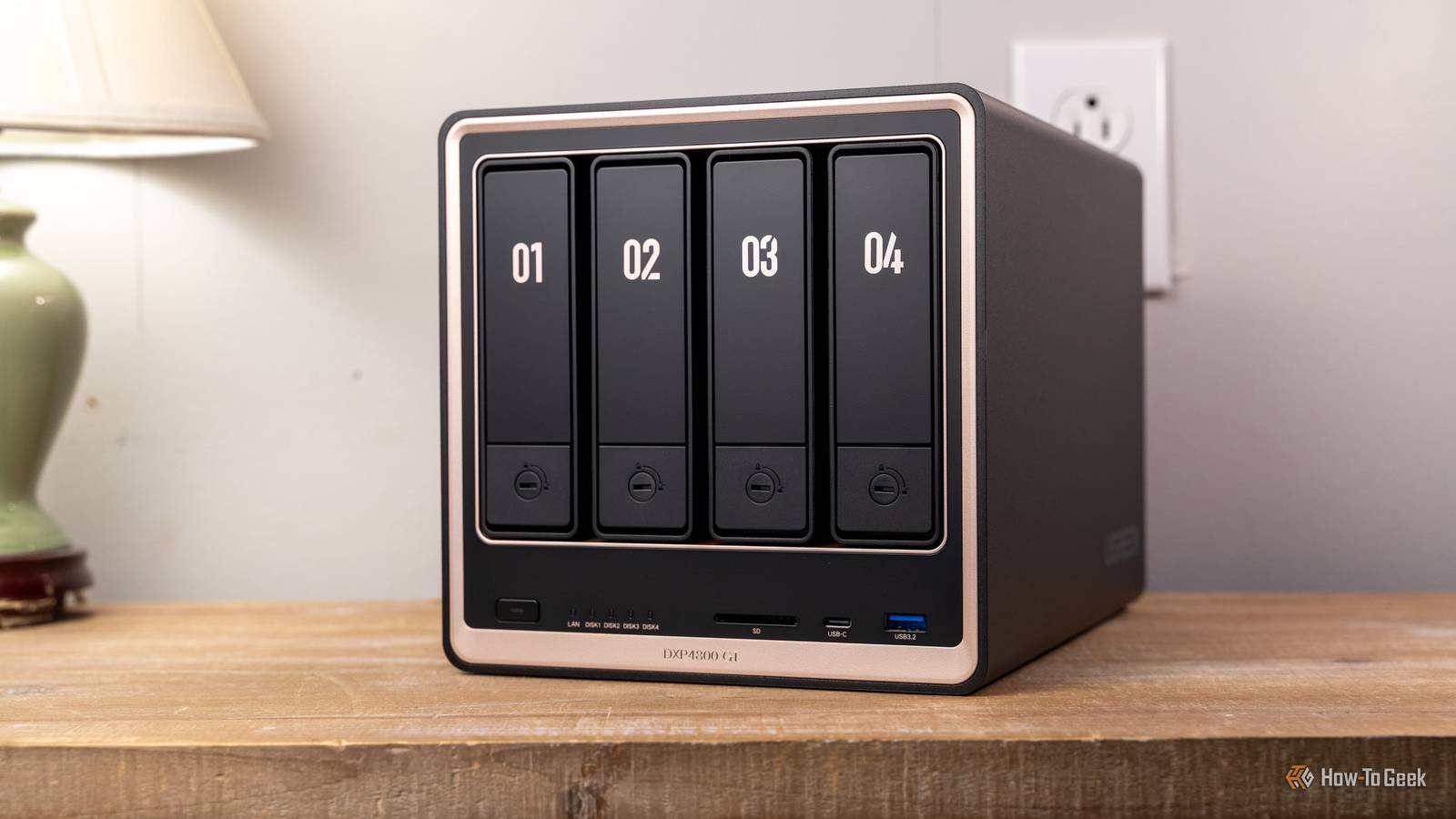
Not only that, but there's also a full-size SD 3.0 reader on the front, alongside both a USB-C and USB-A port which are both rated for 10Gb/s.On the back, there's a USB-A 10Gb/s port alongside two USB-A 2.0 ports.You'll also find a HDMI port capable of 4K output, should you want to hook this NAS up to a TV or monitor.
All-in-all, the Ugreen DXP4800 GT surprised me quite a bit with its specs, performance, and capabilities.Whenever I was doing file transfers to the NAS, I never felt like it slowed down.Plus, when running multiple Docker containers, it handled it like a champ.
The only "issue" is that it only ships with 8GB of RAM, which is plenty to get started, but, if you plan to run a lot of apps on it, you might want to upgrade that down the road.UGOS is becoming a proven NAS platform Docker, ext4 or btrfs, and so much more in an easy to use package When I first used UGOS a few years ago, the NAS operating system was pretty weak.It lacked in a lot of areas, wasn't very capable, and just didn't have the fit and finish that I like to see on consumer products.
However, in 2026, UGOS is actually an extremely solid NAS platform.I'd say it's almost on par with Synology's DiskStation Manager, with only a few things holding it back from completely overtaking the king of NAS systems.My experience with UGOS continues to get better with age though.
Setting up my first share was easy and straightforward.Even if I had never used a NAS before, it would have been a simple task.From there, installing my first Docker container was equally as easy, as was getting the rest of the settings configured.
Ugreen has done a fantastic job of streamlining the setup of a NAS with UGOS.The only place where I really wish UGOS would improve is with built-in apps.While I love that it has Docker support, I wish there was software similar to Synology Drive that would let me turn my NAS into a Dropbox or Google Drive replacement.
There's a bit of Synology Drive's functionality already within UGOS, but it's not quite as mature.Really, if Ugreen was able to make remote access of files, and remote sharing of files, a simple task like Synology has done, then I think it would be the perfect NAS for everyone.The new Ugreen GT lineup will become my go-to recommendation for a NAS Great specs, great price, and easy to use OS.
What more could you want? At this point in the NAS game, Ugreen is my go-to.For just a little more than Synology's latest 2-bay NAS, you can get the DXP2800 GT.The DXP4800 GT is similarly priced, only a little above the comparable Synology.
The difference is, Ugreen packs way more features into their NAS for the pricing.You get 10GbE on the DXP2800 GT, while the Synology DS225+ is stuck at 2.5GbE.You have two NVMe slots on the DXP2800 GT, while the DS225+ has zero NVMe slots.
The DXP2800 GT ships with 8GB RAM and is user-upgradable to 64GB, while the DS225+ ships with 2GB RAM and tops out at 6GB.The same story can be said for the DXP4800 GT.Really, Ugreen wins hands down when it comes to price to performance and specs.
It's hard to deny that Ugreen has become the king of the NAS game, and Synology got too comfortable with their place and simply hasn't kept up.For that reason, Ugreen is now the NAS that I recommend to anyone who plans to buy a NAS, whether they're just getting started or they are experienced with NAS hardware.Should you buy the Ugreen DXP4800 GT NAS? If you're in the market for a 2- or 4-bay NAS, I definitely think Ugreen should be your first choice.
The Ugreen DXP4800 GT is a fantastic NAS for the money.The dual 10GbE ports, plenty of USB ports, the built-in SD card slot, and dual NVMe slots in both models make it easy to recommend Ugreen's latest NAS lineup.So, if you've held off on buying your first NAS, pick Ugreen.
Unless you really need specific features that Synology offers like Synology Drive (which can be replicated on Ugreen using Nextcloud with a bit of work), there's really no reason to choose any other NAS at this point.UGREEN NASync DXP4800 GT $590 $660 Save $70 9 Brand Ugreen CPU AMD Ryzen Embedded R2514 Memory 8GB DDR4, expandable to 64GB The Ugreen DXP4800 GT is the latest NAS from Ugreen, featuring dual 10Gb Ethernet, two NVMe slots, and a whole lot more.Shipping with 8GB of DDR4 RAM, you actually can replace it yourself and upgrade it to have up to 64GB of RAM should the need arise.
Plus, UGOS continues to mature and is becoming a very solid NAS operating system.$590 at Amazon $660 at Ugreen Expand Collapse
Read More