I recently started using my phone without a case, and it's amazing, but I never realized how hot my Samsung Galaxy gets while charging.Every time I plug it in, things start to get toasty, so I rarely let it go to 100%.Surprisingly, switching to a better and newer USB-C cable completely fixed the problem, and I also turned off the fastest charging mode.
See, I've been using the cable that came with my Samsung Galaxy S21 Ultra for years because it's well-built and keeps working.I never thought that it could be one of the problems with a new model, but here we are.Why your Samsung Galaxy might overheat while charging The phone isn't the problem Close It's no secret that phones get hot while charging.
So much, in fact, that a warm phone feels pretty normal to most of us these days, instead of a sign that something might actually be wrong or that can be remedied.If you've ever tried to figure out why your phone is so hot, you've probably seen all the usual suggestions.Some of those include taking it out of the case, closing any background apps, turning off app auto-updates, using battery saver, or some combination of those.
None of these actually gets to the root of the problem, which is likely the setting you're using and the charging cable that isn't delivering clean, reliable power to your phone.There's a reason we're always telling you to avoid those cheap gas station USB-C cables and chargers: they're either low-quality, not up to spec, or not USB-IF certified for newer devices with superfast charging technology.Related 6 Hidden Dangers of Cheap Charging Cables Cheap is expensive, don't you know? Posts 4 By Sydney Butler If a cable isn't properly built to the right specifications for its power delivery needs, you won't get a stable, reliable power supply.
In most cases, this means your device will either get really hot during the recharge session or default to a slower charging speed that works correctly.We don't want either of those situations.USB-C cables vary wildly in build quality, even when they come from a trusted brand or look the same as all the rest from the outside.
Under those braided or rubber cables, you might find thin internal wiring, poor insulation, barely enough copper conductor to handle the load, poor shielding, not to mention just downright low-grade materials.Now I'm not saying the cable that came with my Galaxy S21 Ultra is poor quality, because it's not, but a lot can change in a few years, let alone five, since it was released.There's a reason any product or USB cable that wants to be certified as a quality option must be renewed every 2 years through the official USB-IF certification process.
The USB.org site even says, "Certification Dates older than 2 years may fail the current iteration of the USB-IF Compliance Program." When a cable can't reliably communicate between the charging brick and your phone about wattage, voltage, and other information, things get scrambled and unstable, and the power can fluctuate instead of delivering a clean, steady charge.And even if it's mostly steady, it might not meet the latest specs, which can cause things to get unnecessarily warm.The USB-C cable that fixed things Don't cheap out on your charging cable Close Newer Samsung phones can charge at up to 60W, and my Galaxy S25+ supports 45W (Super Fast Charging 2.0), as well as slower 25W charging.
However, you'll need the proper cable to get those speeds and keep things running at their best.I'm now using two different cables, and things are vastly better.For one, I started using the USB-C cable that came in the box with my Galaxy S25+, instead of an older cable, and that instantly made a difference.
Then I bought a premium 240W USB-C cable from Anker, though you can choose a similar one from Belkin, INIU, or other USB-IF-certified brands.Additionally, depending on your phone, the Galaxy S25 and S26 series no longer require specialized 5A-rated cables to reach full 45W speeds.They can now use a standard 3A USB-C cable thanks to PPS technology, including this Amazon Basics model.
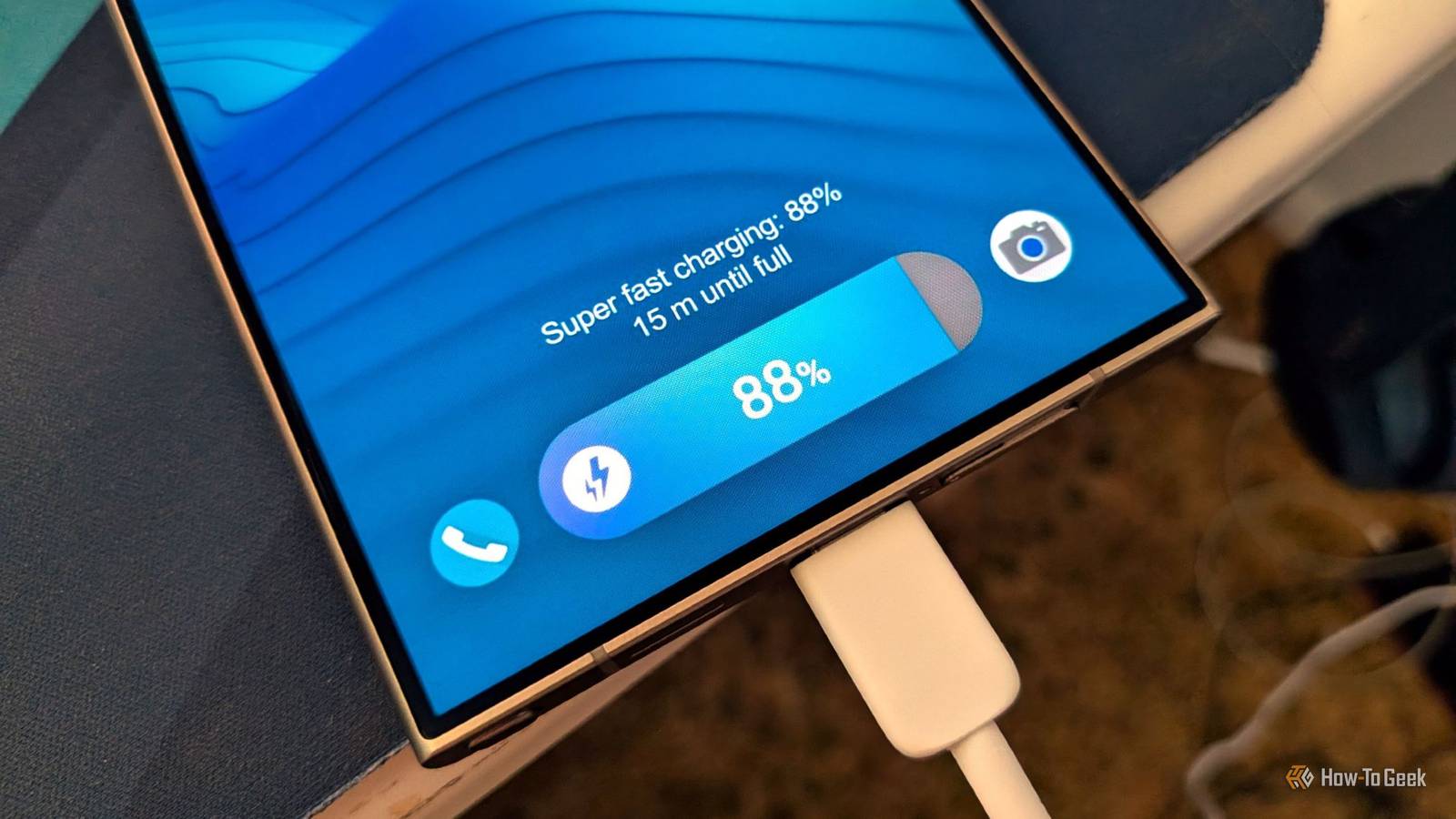
But then that gets into charging brick specs, which is another ballgame entirely.One option is to avoid the brick-and-cable problem by getting a quality combo of both, like the INUI brick and 100W cable below.INIU 100W Charger & Cable Input 20 Volts Output Power 100W Get this compact yet powerful GaN 100W fast charger and USB-C cable for all your needs. See at Amazon Expand Collapse Super Fast Charging doesn't help Get a quick charge without using the fastest setting It's also worth noting that while all of Samsung's "Super Fast Charging" technologies are safe and won't significantly impact your overall battery health, they are a major contributor to the heat problem.
Any phone that goes from 0–100% in under an hour will get warm.If you use the fastest charging speed available in settings, your phone will get a little warm.A better cable can and will make a difference, but you should also consider adjusting your charging settings to keep things cooler.
Open Settings, scroll down to Battery, then tap Charging settings.Here, you'll see all the charging options for your model, like Fast charging, Super fast charging, and Fast wireless charging.I use Fast charging, but I don't use Super fast charging, and that helps a bit too.
Avoid cheap or older cables Before you assume your phone or charging brick is faulty or needs to be replaced, it's always a good idea to start with the cable.Avoid old cables, cheap options from gas stations, or those that came with random gadgets.Samsung even says to always use a properly rated or certified USB-C cable for better results.
Read More