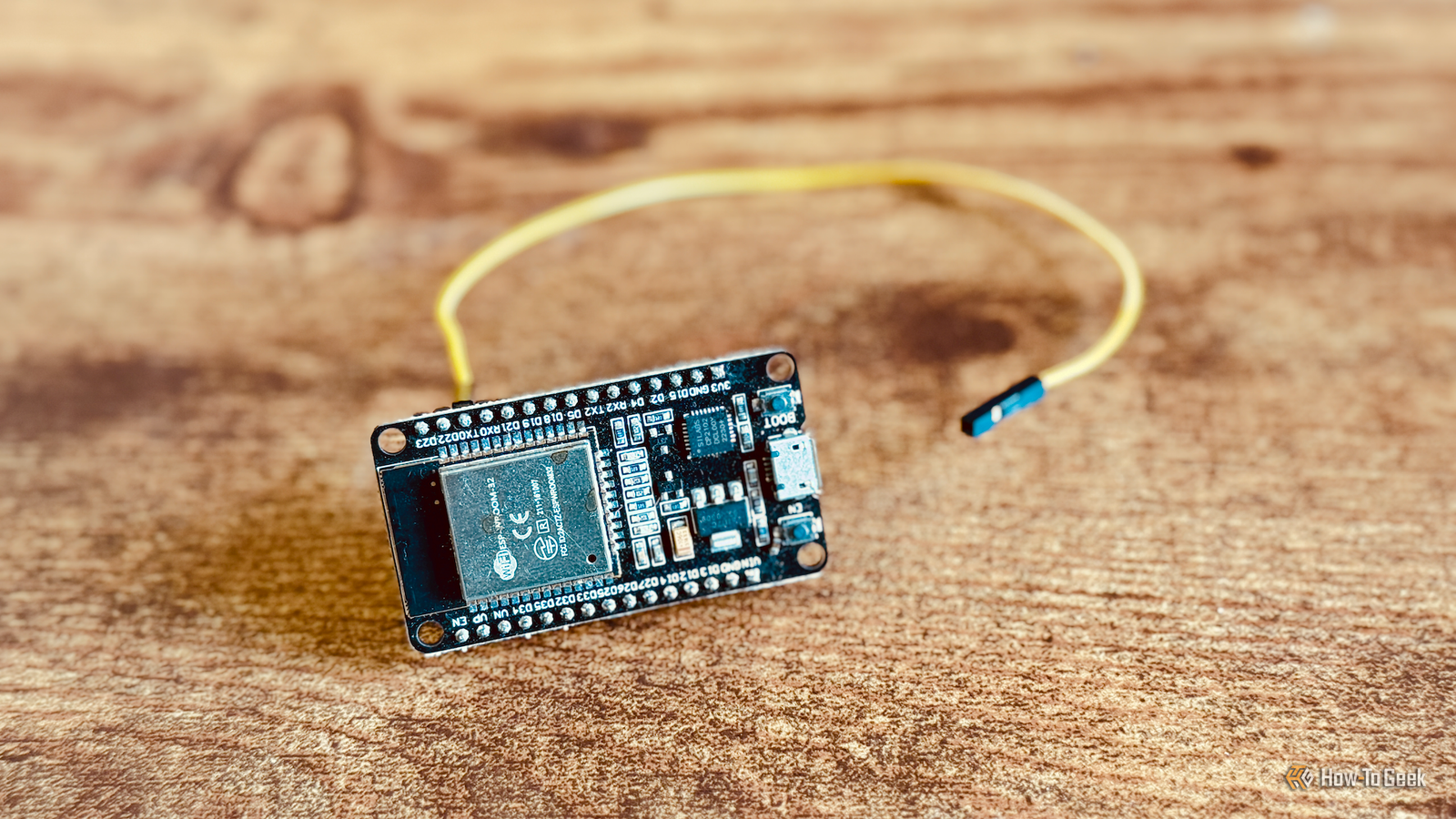
ESP32 boards can be incredibly cheap.They're so cheap that it's easy to fall into the habit of using a new board for each project that you build.Doing so may be wasting the capabilities of your ESP32s, which can handle more than one job at a time.
Your Bluetooth proxy is still a general-purpose ESP32 If it's just a proxy, you're leaving money on the table A Bluetooth proxy is one of the simplest ESP32 projects you can set up.You can use a Bluetooth proxy to allow your smart home server to communicate with Bluetooth devices, even when they're out of Bluetooth range of the server itself.The Bluetooth proxy communicates with the device over Bluetooth and passes the information back and forth to the smart home server over Wi-Fi.
Since many ESP32 boards have onboard Bluetooth and Wi-Fi, you usually don't need any additional hardware.ESPHome has a ready-made project that you can use to flash your ESP32 with the relevant code to work as a Bluetooth proxy, so it's as simple as hooking up your ESP32 to a computer and following the instructions.Just because your ESP32 is running firmware that allows it to work as a Bluetooth proxy doesn't mean that's all it can be.
It's still an ESP32, and there's potentially a lot more that you can do with it.Related The best smart home sensors are the ones you'll never see Your smart home doesn't need to look like one.Posts 1 By Tim Brookes ESPHome lets your Bluetooth proxy do more than one job You can add sensors to the same configuration Close Many ESP32 boards come with general-purpose input/output (GPIO) pins.
These are physical connections that allow the microcontroller to interact with external hardware, just like the pins of a Raspberry Pi.A GPIO pin can do simple things such as determining whether a switch is open or closed, or more complex things such as communicating with sophisticated sensor modules.Setting up an ESP32 as a Bluetooth proxy doesn't require using any of these pins.
If you're only using your ESP32 as a Bluetooth proxy, a lot of its potential is going to waste.That's because, using ESPHome, you can set up your ESP32 to do more than one job.If you add the bluetooth_proxy component to your ESPHome configuration, you can also include additional components that allow your ESP32 to do more than one job.
For example, you can add components to expose sensors that you connect to the GPIO pins.It means you don't need to use one ESP32 as a Bluetooth proxy and another to connect to a sensor.You can get the same ESP32 to do both jobs.
Spare pins can add surprisingly useful sensors One ESP32 can replace several dedicated devices This is exactly what I am doing in my home.I've been using ESP32 boards around my home as Bluetooth proxies for some time.I use one to communicate with a SwitchBot finger robot that's too far from my Home Assistant server to connect directly.
I also have several more placed around the home that I use with the Bermuda integration.This integration measures signal strength from my iPhone and Apple Watch at each Bluetooth proxy.The integration can then estimate which rooms these devices are in, effectively giving me room-based presence detection that I can use in my automations, as well as allowing me to ask Assist where my phone is whenever I misplace it.
Initially, these ESP32s were used purely as Bluetooth proxies, but I quickly realized that it was a waste of their potential.I added cheap soil moisture sensors to some of these ESP32s, which connect to the GPIO pins.My Bluetooth proxies now also have a second job as soil moisture monitors, feeding their data back to Home Assistant so that I can be alerted whenever a plant needs watering.
This is just one example of what you can add to an ESP32 that's already doing another job.You can add all sorts of useful sensors, including temperature and humidity sensors, contact sensors, mmWave presence sensors, and more.Depending on the sensors you're using and the pins available, you may be able to add more than one sensor to your ESP32, making it even more useful.
Not every spare-looking pin is actually spare Check your board before you connect anything While you can add a lot of sensors to your ESP32, that doesn't mean that you can hook something up to every single spare pin you have available.Different ESP32 boards can have different usable pins, which may be in very different arrangements.Some ESP32 pins serve specific purposes, such as determining how the device should boot.
Connecting a sensor to these pins may cause the ESP32 to boot incorrectly.You can't just plug any random sensor into any random pin.These pins also use 3.3V logic, so even if a board can accept a higher voltage, the GPIO pins may not safely accept 5V signals.
Carefully check the pinout diagrams for your ESP32 boards to determine which pins you can use for your sensors and what the sensor's voltage and wiring requirements are.In many cases, the answer is usually fairly straightforward and just involves connecting the right wires to the right pins, but it's better to be safe than sorry.Make the most of your ESP32s If you have ESP32 boards doing only a single job, you may be able to get more out of them.
There's a limit to how much multitasking they can handle, but simple sensors can often be added without preventing the ESP32 from continuing to perform its existing task.
Read More