Collecting trading cards is an incredibly fun hobby that has transcended time.Every generation has had its own version, from baseball cards to Pokémon.Getting into the hobby can be a little daunting, though, because there's a lot to learn.
One of the harder things to learn is which cards have value and how rare they are.Technology has made the card-collecting hobby a lot easier.Being able to look up every card that you pull from a booster pack means that you can pretty quickly find out just how rare it is.
There is a tool on every Android device that can make things even easier, allowing you to simply snap a picture of your cards and get tons of instant results, and it has made it really simple for me to get back into card collecting as an adult.Google Lens helped me start my card collecting journey A quick tool to tell what I'm looking at Close As a kid, I used to love collecting cards.I collected everything from Pokémon to Magic: The Gathering.
Unfortunately, because I moved around a lot, I lost most of the cards I had, and as I grew up, I slowly stopped collecting altogether.Recently, however, I decided I wanted to get back into the hobby.I know I'm very late to the party, but it's something fun that my wife and I can do together.
The problem with jumping back into the collectible scene is that I had been out of it for so long that some things were a little foreign to me.I had been out of it for so long that I couldn't even identify some of the Pokémon.I was essentially starting over.
The problem is that I didn't have much of a reference point for what cards were particularly rare and what ones were not.Obviously, you can pretty easily search for each Pokémon card by its name, the set it came from, and the collector card number at the bottom of the card.However, using Google Lens streamlined this process by quite a lot.
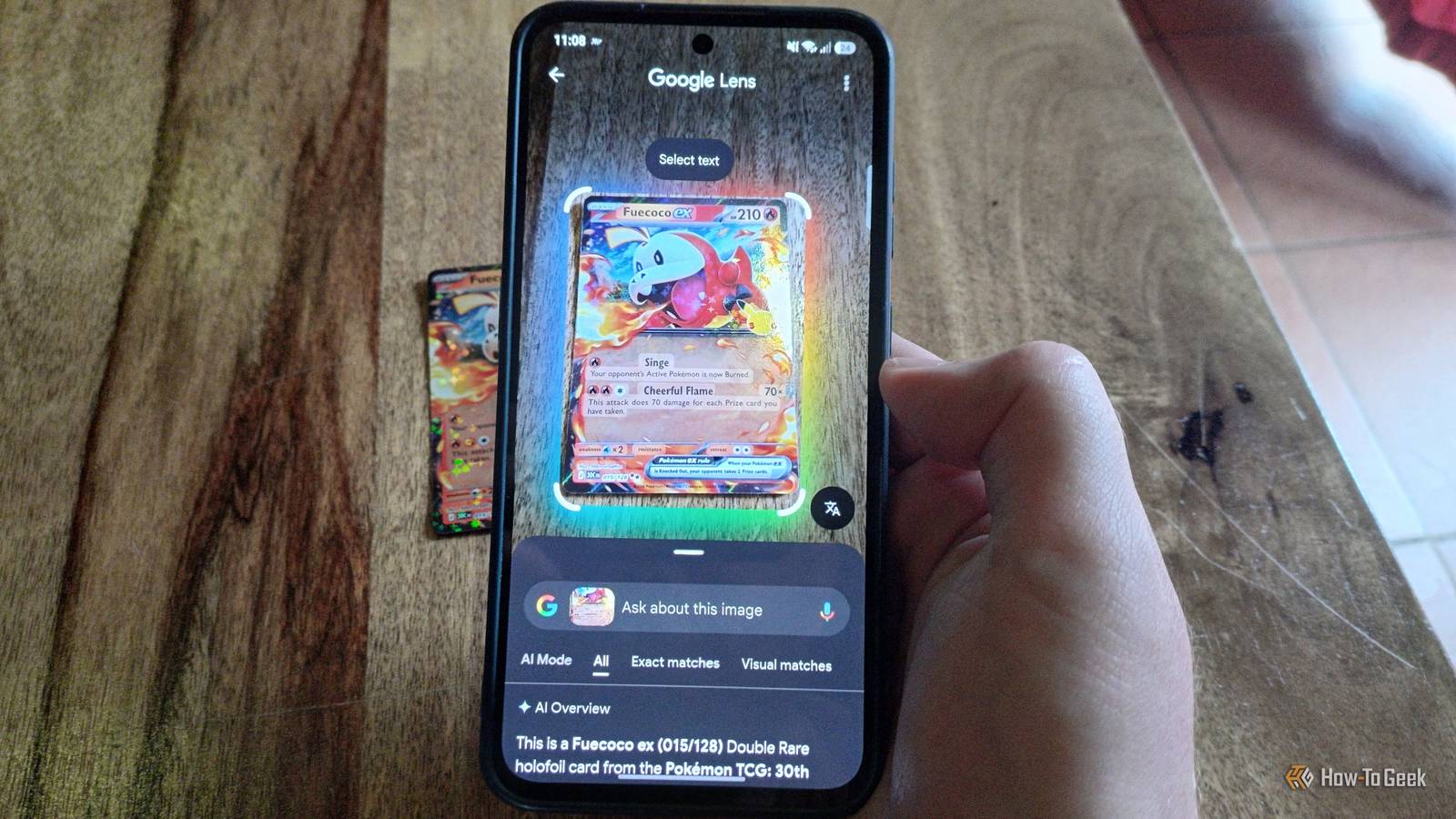
All you do is open the Lens app, snap a picture of the card, and it runs an image search and gives you a ton of information on the card you pulled.I now do this with essentially every card in every booster pack that I open.Don't trust the AI overview Rather, open the actual search results There is a big caveat to this method: you shouldn't trust the AI overview that pops up when you search for a card or collectible.
Unfortunately, Google has made searching for images with Lens increasingly frustrating as it integrates more AI into the mix.The AI overview can give you basic information, but don't trust it for specific details.Lens's value in pack openings is quickly searching for the card rather than relying on the AI-generated information Google provides.
A big part of card collecting is finding the value of a card you've pulled.I don't really care to sell any of my cards, but it is cool to know what they're worth.The AI overview is not a good place to find this information.
The main reason is that it sources current list prices rather than what cards have sold for in the past, so the data is skewed by a ton of outliers.Anyone can list any card for a ridiculous price if they want.Instead, scroll down and find results from a trusted site like TCGPlayer, and look at what your card has historically sold for.
Google's AI overview is also pretty inconsistent at identifying specific card patterns.In my Pokémon collecting venture, it often struggles to tell the difference between holographic patterns.Google Lens can also help to identify any fakes in your collection A quick scan of old cards can be helpful Again, I will start this section off by saying that you shouldn't take Google's word as gospel.
The AI response can very easily get things wrong.However, if you already doubt the authenticity of your cards, it can at least point you in the right direction.Before I started buying some new packs, I did find a couple of old Pokémon cards stashed away from my childhood days.
A quick search determined that if they were real, they could be worth some real money.I knew, however, that the stores where I got my cards back in the day were not exactly super trustworthy.I already suspected they were fake, but I didn't know what to look for to confirm it.
I took a snapshot and put it into Google Lens, and the search came back that they were likely fake (bummer).It also told me the reasons why it thought they might be fake, though, which was even more helpful.After a little more research, I confirmed they weren't legitimate.
If you're totally unsure, though, take your cards to a local game shop where someone might be able to help.Google Lens makes identifying the cards in my booster packs super easy I wish that Google would get rid of all the AI clutter, but the Lens app is still super useful.As someone basically starting their collecting journey from scratch, it made it really easy to find links to trusted sites that told me what my card was and how much it was worth.
As long as you're willing to scroll past the AI overview, Google Lens can give you a ton of information really quickly and make collecting cards that much easier.
Read More