Are you planning to record some professional audio but don't own a good microphone? Turns out, that old phone you've been keeping in your drawer for years is nearly as good, if not as good, as some of the cheap USB microphones out there.With some setup around your recording space, you can get good audio quality without compromising your wallet.Your phone's mic is better than you're giving it credit for Manufacturers have been working on this for a long time If you ever come across old phone-recorded audio clips or videos, you'll notice how disappointing the sound quality is.
Nowadays, though, audio quality has improved significantly.Whether on calls, recording voice memos, saying "Hey Siri" or "Hey Google", or shooting videos, that mic is playing an important role.Early cell phones used Electret Condenser Microphones (ECMs).
They had some flaws, such as a low Acoustic Overload Point (AOP), analog vulnerability, and a single-source capture problem.Then we got our hands on Micro-Electro-Mechanical Systems (MEMS), which modern smartphones make use of.Add to that, most midrange and flagship phones have two to four microphones built in.
Software is also playing its part.Real-time AI processing and technologies like audio zoom make your audio clearer while separating any background noise from it.Through a combination of micro-engineering and software optimization, our phone mics can now reach near-production-level sound if the rest of your setup is adequate.
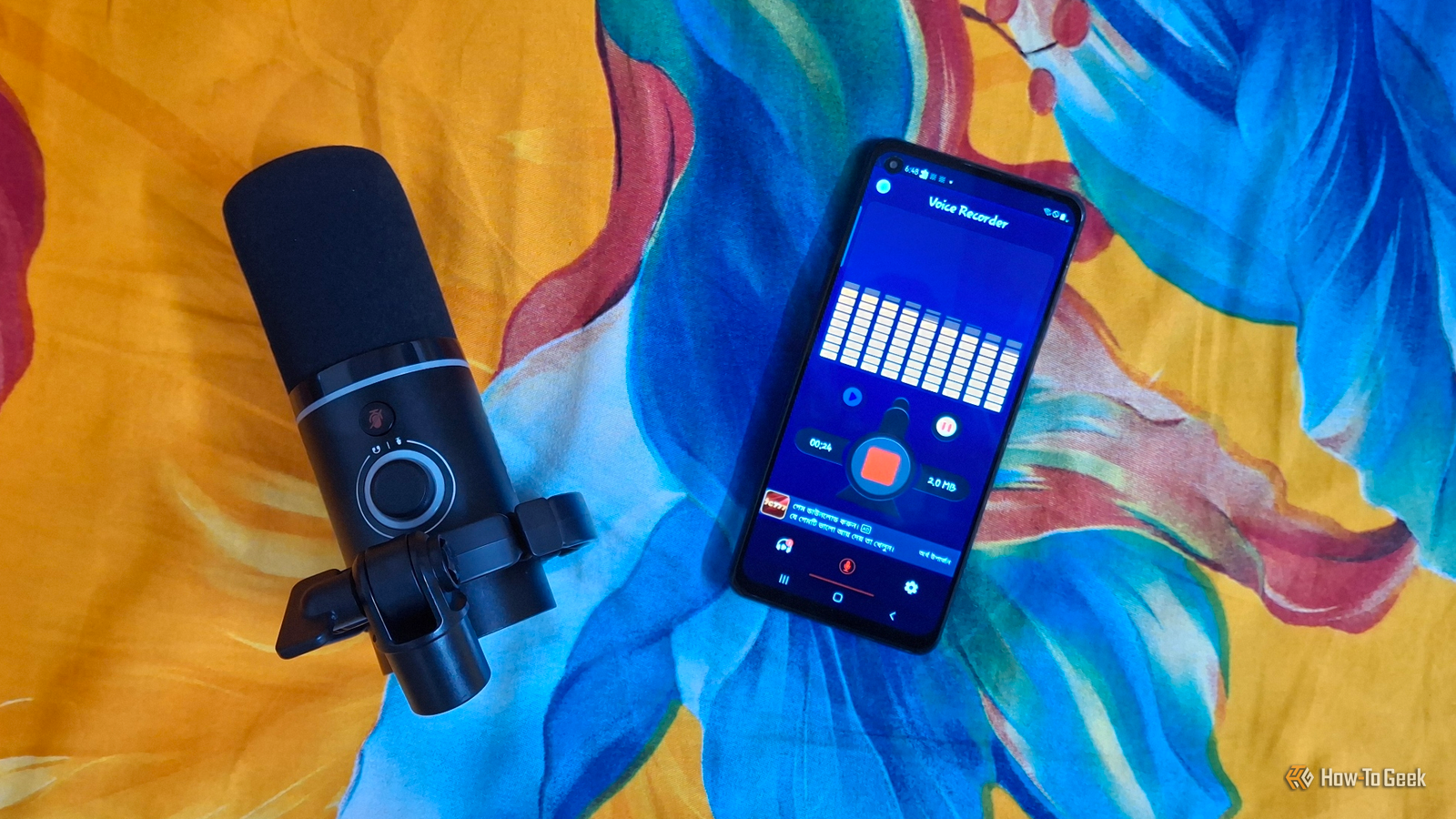
Turning your phone into a wireless mic takes minutes Wi-Fi, USB, or Bluetooth — all options available If you don't primarily record on your smartphone, you can still use it as a separate microphone.Setting up requires you to download a third-party app and connect your phone to your PC.There are many popular apps for this, such as WO Mic, Micstream, AndroidMic, and AudioRelay.
Pick one you like and follow a setup walkthrough to turn your phone into a wireless mic for your PC.If you have high latency in the wireless modes, plugging the phone in via USB is also an option if you're recording from a short distance and don't mind tangling with some wires.Related The 3 fastest ways to capture ideas on your Android phone (and actually find them later) Your Android is an idea-capture machine.
You just haven't unlocked it yet.Posts By Dibakar Ghosh The room you're recording in matters more than the mic ever will A bare wall will wreck an expensive microphone just as easily as a free one Here's the part that many creators miss.A good mic matters, but a good recording environment is non-negotiable.
Audio engineers can't stress this point enough.If your recording space has hard walls, bare floors, and big windows, the audio will bounce around, creating an echo effect.No microphone, however good, can bypass or fix this.
The simple solution is room treatment.Fortunately, treating your room is cheaper than you think.In fact, with some proven tricks, it can be free.
A closet full of clothes or a blanket fort can do wonders.Mobile content creators have been doing this for a long time and getting results.They use their phone alone for recording voiceovers, monologues, and video essays.
For comparison, I've recorded a sample using my USB microphone in an untreated room and using my midrange phone inside a closet.You can compare both to see how much they differ in sound quality.This is the audio I recorded using my USB mic in an untreated room.
And this is the audio I recorded using my smartphone inside a closet.You can probably tell already how much difference your recording setup makes.A dedicated mic still has real advantages Latency, battery drain, and "I need my phone for other things" are fair complaints Close A phone-as-mic setup isn't flawless, though.
As I mentioned earlier, if you're using it as a wireless mic, there's room for latency.For short sessions, you may ignore it.However, for long recording sessions, gaming voice chats, and livestreaming, this can add up quickly.
Speaking of livestreaming, your phone's battery will start draining rather quickly if you record for too long.Not to mention, you might need your phone for other activities during recording.In the worst case, if you receive a call, that can disrupt your whole session.
So, investing in a good USB microphone might be a good idea in the long run.Even sub-$100 mics offer good performance nowadays.But if you really have little money to spare, I'd recommend treating your room first before getting a good mic.
Even a few acoustic foam panels on the wall, plus carpet on the floor, will make a big difference.NZXT Capsule Elite Microphone 9 Brand NZXT Type Condenser Pattern Cardioid (unidirectional) Audio Sensitivity 20Hz to 20kHz The NZXT Capsule Elite is a USB-C gaming microphone with a 24-bit depth and 192kHz sample rate.Designed for both gaming and voiceovers, this microphone is sleek, pairs well with gaming decor, and offers a high-quality experience at an affordable price. Expand Collapse A little workflow and post-processing close most of that gap Professional audio still goes through editing and tweaking Here's the final stage of getting good audio from your phone.
Even after following everything to record a good voiceover, you still might find it a bit off here and there.And that's where recording and editing software come into play.All the great audio you hear goes through this same process.
So, there's no reason to shy away from it.Even before you hit "Record" on your recording app, you can play with the settings.Tweak the input gain, play with different presets, try different filters (but don't overdo them) to see what fits your voice best.
After recording, if you find some problems, you can always do some editing magic.Audacity's noise reduction tool is free, and it's surprisingly effective at scrubbing out background noise without needing a paid plugin.Related You can use your Android phone as a webcam for any computer Get better video quality without buying a webcam.
Posts 1 By Joe Fedewa The bar for good audio is lower than you think This doesn't mean you should throw away your USB mic.I'm definitely not ditching mine.But if you're holding back from recording content because you don't have one, as long as you have a decent smartphone, you don't need a separate mic.
Get your room right, learn the software, and your next best audio might be a tap away.
Read More