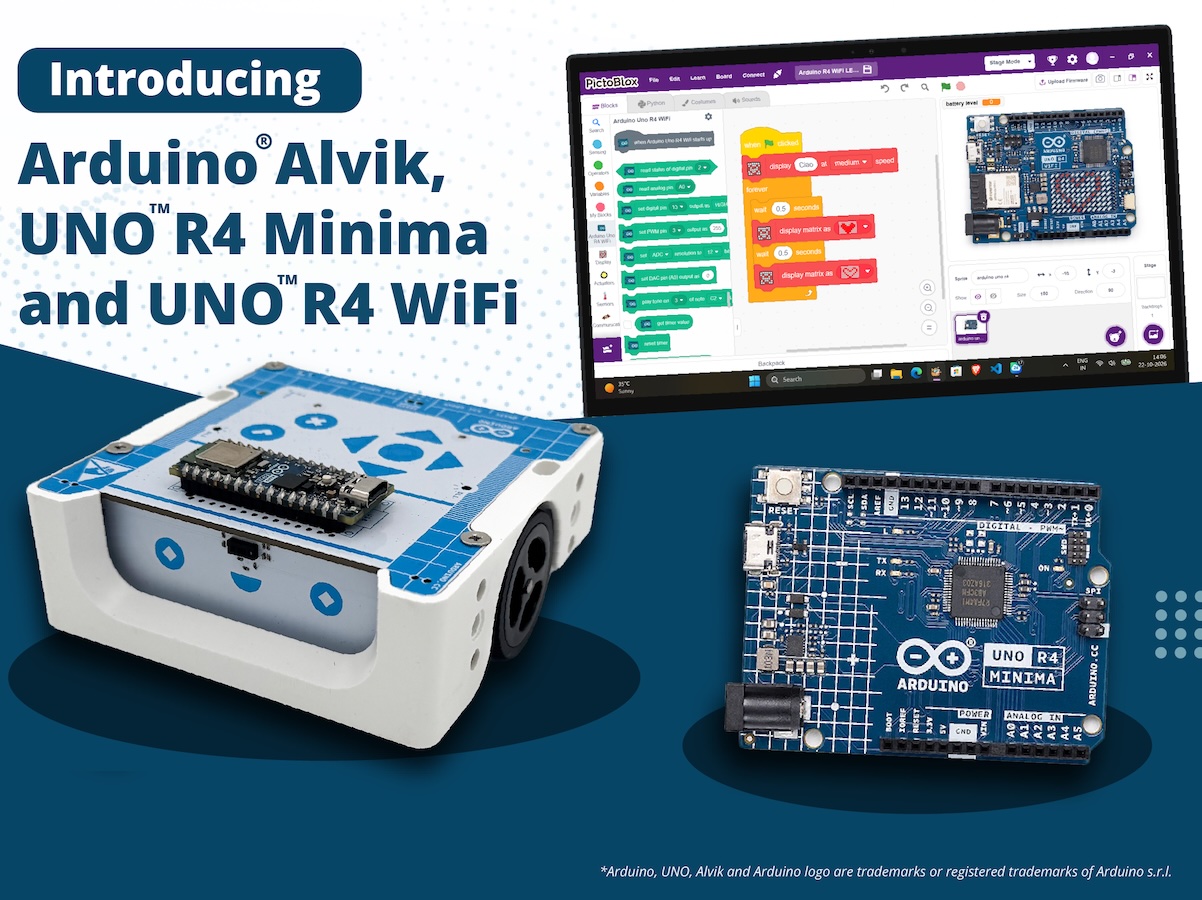
Every maker remembers the moment something they built first came to life: an LED blinking, a servo sweeping, a sensor reacting to a hand wave.Today, that moment gets a lot easier to reach thanks to a new collaboration between STEMpedia and Arduino! We’re excited to reveal that PictoBlox 10.0, STEMpedia’s coding and technology creation platform, has expanded its Arduino compatibility to include the UNO R4 WiFi, UNO R4 Minima boards and Alvik robot. And what better place to celebrate this news than at Maker Faire Rome 2026? Join us from October 23rd–25th to explore the new integration and try PictoBlox for yourself! From first-time coder to confident creator Arduino has long been a starting point in electronics for makers, students and educators.PictoBlox brings a visual, drag-and-drop programming experience that helps users to focus on programming concepts without having to start with coding syntax.Together, they can help beginners go from “I’ve never coded” to “I built a working project” in a single session.
But PictoBlox isn’t just for beginners – or just for programming.Beyond block-based coding and Python, the platform is designed to let users explore AI and machine learning, experiment with tinyML and intelligent systems, program compatible robotics and electronic hardware, and develop IoT projects.It also supports game and animation development, opening up even more opportunities for hands-on creativity and experimentation.
Announcing the collaboration, Dhrupal Shah, CEO and Co-Founder of STEMpedia, said: What you can do with PictoBlox and Arduino Combining visual programming with Arduino hardware opens up all sorts of creative possibilities: Program with blocks: snap together scripts instead of typing code, and see how your Arduino responds right away.Work with sensors: read inputs such as an IR sensor and use them to trigger actions.Control actuators: drive LEDs and servo motors from your scripts.
Go wireless: control your projects from a smartphone using Dabble, a project interaction and Bluetooth controller app.By bringing together Arduino’s hardware ecosystem and PictoBlox’s versatile coding environment, the collaboration aims to make technology creation more approachable and open up new possibilities for the global maker community to learn, build, share, and innovate. Built for classrooms, clubs and makerspaces Whether you’re teaching in a classroom, running a coding club or experimenting in a makerspace, this expanded integration is all about trying to lower the learning barrier and open up new possibilities for creative exploration.By helping reduce the need to manage syntax, block-based coding means learners can focus on developing essential skills like logical thinking, problem-solving and understanding how code works.
And as their confidence grows, they can build on these foundations, explore text-based programming and take on increasingly ambitious projects within the Arduino ecosystem.For educators, it’s a compelling combination: an approachable software environment and a familiar, well-supported hardware platform, with plenty of room for students to learn, experiment and grow – all in one workflow! Get hands-on at Maker Faire Rome! Heading to Maker Faire Rome this year? Be sure to stop by booth N.02, where you can see PictoBlox and Arduino in action, try out the new integration for yourself and chat with the team.We’d love to see you there! Download PictoBlox at: pictoblox.ai
Read More