The average person now has several monthly cloud subscriptions, and the situation only gets worse when you look at You have cloud storage, a handful of apps, a photo subscription of some sort, not to mention Microsoft Office.Each one individually won't break the budget, but cumulatively, subscription costs can easily run into the hundreds of dollars per month.I've been looking for any and every opportunity to cut my subscriptions, especially if I can do it by opting for an open-source, self-hosted alternative instead.
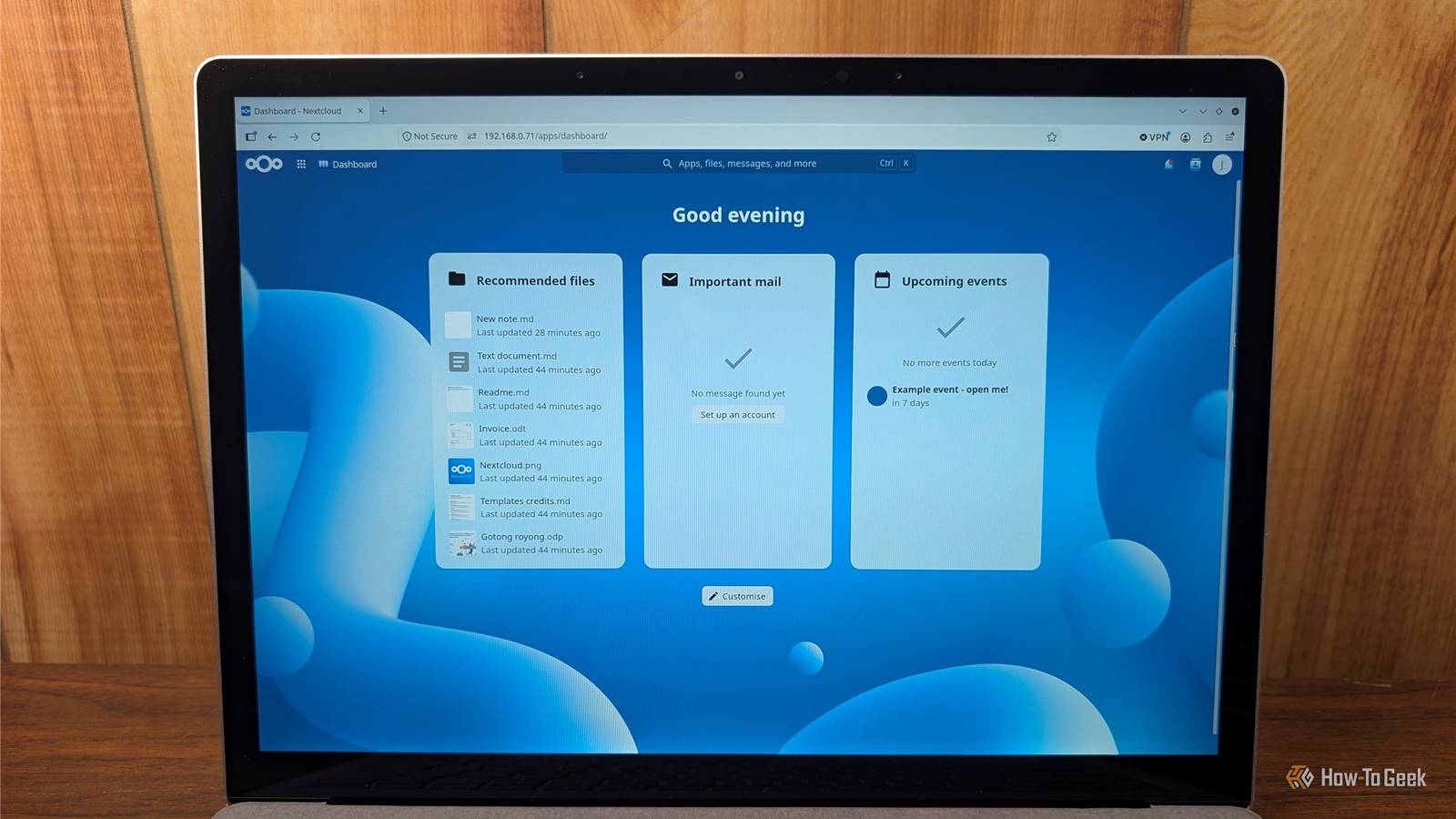
Some subscriptions need a dedicated replacement, but some, like OneDrive and Microsoft Office, can be replaced with one open-source app: Nextcloud.What is Nextcloud and what does it do? It can do almost everything OneDrive or Google One can Nextcloud is an open-source, self-hosted platform that combines storage, synchronization, and a full suite of productivity apps into one convenient package.It's fully open-source and features an app store full of first and third-party extensions (modules) that let you customize what it can do.
Better yet, it doesn't require much to get it running.I've run Nextcloud successfully on an 8GB Raspberry Pi 4, but you could easily run it on an old laptop or desktop instead.It has clients for Windows, macOS, Linux, iOS, and Android, which means once you have the server running on something, you can connect to it and use it on almost any consumer app without ever sacrificing your data to a gigantic tech company.
Nextcloud acts as Cloud storage Goodbye Google One and OneDrive Close Nextcloud Files is designed as a replacement for traditional cloud storage solutions, like OneDrive, Dropbox, or Google Drive.It includes a desktop client that lets you sync whichever files and folders you'd like.Once uploaded to your Nextcloud server, you can share those files using a link that can be protected with an expiration date or even a password.
The only drawback is that you provide the storage.If you have 2TB of storage available in your Nextcloud server, that's all you get.Fortunately, the cost-effectiveness of storage is still favorable.
As an example, 2TB of storage with Google Drive costs $100 per year, or around $50 per terabyte.If you buy your own hard drives and put them in your server, you can get storage for around $30 per terabyte.Related Please stop putting desktop hard drives in your NAS Don't start your NAS journey off on the wrong foot.
Posts 51 By Patrick Campanale Of course, the major concern is data loss.When you host your own cloud backups, you need to be sure you have fully redundant storage and at least one separate copy of everything essential.It has Photo backup It can replace Google Photos or iCloud Photos Nextcloud Photos and the Memories app can create an experience that is similar to what you get with Google Photos or iCloud Photos.
IT can handle timelines, map views, and automated camera roll backups or Wi-Fi or cellular data.If you install the optional Recognize app, you can enable face recognition too, which makes finding specific photos easier.The big advantage is privacy—there is no company scanning your photos using AI.
The only drawback is that local AI applications like Recognize aren't as fast as cloud-based models, and your performance is going to depend on your hardware.If you're running your Nextcloud server on a Raspberry Pi, I'd skip it.If you have a powerful server with a fast CPU, you probably won't notice the performance hit.
Nextcloud Notes can replace multiple note-taking apps Goodbye Evernote Nextcloud also has an application for note taking.You draft your notes using the Note web editor or mobile app, like most other note-taking apps, but the output files are stored as plain Markdown files in a folder.This means you can point Obsidian or any other editor at the synced directory and access your notes through those apps too.
You completely avoid any proprietary formats and lock-in issues that come with some other services.It does lack some of the complex features you'll find in apps like Notion or Obsidian, but for my purposes, that doesn't really matter.I use Markdown for research, note-taking, and drafting anyway.
Ditch the Office suite No use in paying for Microsoft 365 Close Nextcloud also includes Nextcloud Office, which is designed as a drop-in replacement for Microsoft Office.Critically, by integrating Nextcloud Office (Collabora), Euro-Office, or ONLYOFFICE, you can keep the ability to collaborate in real time with other people.You can edit Word documents, spreadsheets, and presentations with multiple users editing simultaneously, complete with tracked changes and comments.
As you would hope, it is compatible with DOCX, XLSX, and PPTX files out of the box.Nextcloud Office is fairly resource intensive; I'd suggest planning for a few extra gigabytes of RAM if you're going to use it.Nextcloud can replace even more apps I use Nextcloud as a catch-all app that fills in the gaps that exist with my other services.
However, it isn't limited to these apps.There are a ton of additional programs you can attach to Nextcloud to expand its functionality, and in the era of vibe coding, you could easily create your own that does whatever you need.
Read More