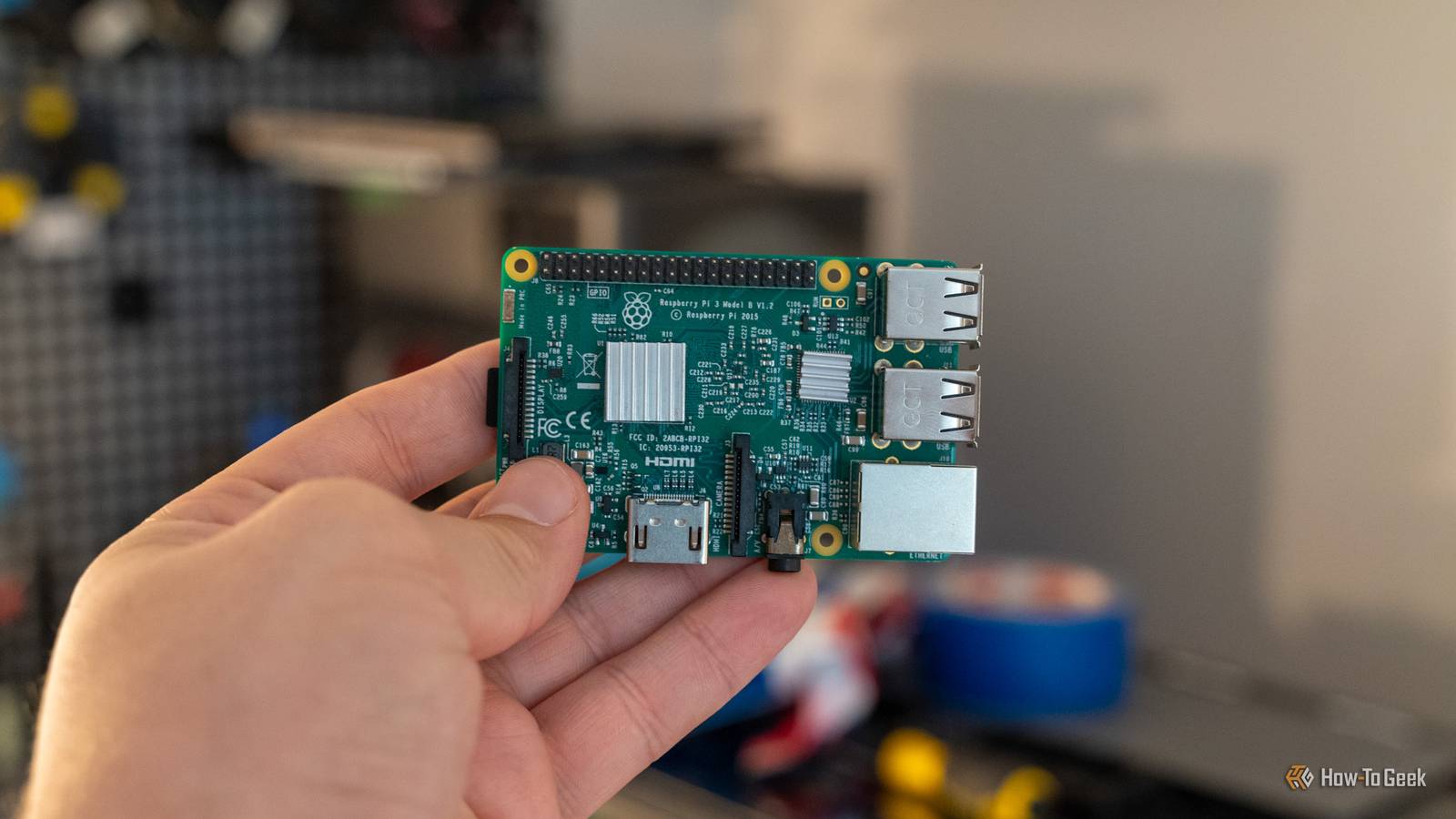
Do you want to start replacing subscriptions with your own self-hosted services? The Raspberry Pi might be a good place to start, especially since you can pick one up for just $35.Here are six subscriptions a Raspberry Pi 3 B can replace, and how much you'll save per year if you do it.The cheapest Pi you can buy today was released...nearly 11 years ago The memory crisis has wiped out low-end Pis Close When I started writing this article, I already had in my mind that I would make it about the Raspberry Pi Zero 2 W.
It's a $15 Raspberry Pi that has low specs, but also a very low cost.The problem is, it's simply not available anywhere I looked.Amazon only shows third parties charging $100 or more, and most official authorized resellers just list it as out of stock.
So I set out to find the next-cheapest Raspberry Pi model for the article, only to find the Raspberry Pi 3 Model B.That's right, a nearly 11-year-old Raspberry Pi is the best option I found for a cheap Raspberry Pi.Now's just not a great time to buy a Pi, it seems.
But the Pi 3 Model B is actually still a fairly capable system, even in its old age.A Pi 3 Model B is actually a surprisingly capable system You can easily self-host quite a few apps on it The main downside that I want to point out up front on the Pi 3 Model B is that it only has 10/100 Ethernet, and the USB speeds are limited to USB 2.0 (480Mb/s).This means you won't get gigabit networking on the Pi 3 Model B no matter how hard you try, so whatever you self-host on it needs to not be super network-heavy.
Still, you can put a lot on this tiny, budget-focused device! When I ran my Pi 3 Model B in my homelab, I ran services like Nginx Proxy Manager and Pi-hole on it without any problems.VPNs work too, but the connection will be throttled down to 100Mb/s (which is fine if your external network is that speed, too).However, Pi-hole and NPM don't really replace any subscriptions you might be paying for.
If you're wanting to pick up a $35 Pi and replace some subscriptions, I would start with a password manager.It might not be much, but Vaultwarden supports the Pi 3 B natively and can definitely replace a paid password manager.FreshRSS would be another great option, replacing something like Feedly.
FreshRSS is actually a fantastic candidate for the Pi 3 B.For example, on an original Pi 1, FreshRSS still had subsecond responses with a library that had 150 feeds and 22,000 articles in it.Navidrome is something else you could look into for replacing your Spotify or Apple Music subscriptions.
You'll need to procure your own music library for Navidrome, but it runs surprisingly well on the Pi 3 B.Actual Budget is another good candidate, as it could replace YNAB (You Need a Budget) without doing much heavy lifting.The Pi would host the sync server to keep your devices in sync, while other devices would act as the client for inputting or reading information.
A personal favorite of mine is Audiobookshelf, which the Pi 3 B could easily run to replace Audible in your household.There are many sources to get audiobooks from, including purchasing them directly from the publisher or finding old CDs at thrift stores.Really, your Audible subscription is just you paying for an audiobook a month and storing it on Amazon's servers.
You'd be better off canceling that subscription and spending your money directly with the publisher instead.The last main service I want to point out here that you can use the Pi to replace would be OpenCloud.OpenCloud is designed to replace your online storage subscription, like Google Drive or Dropbox, though you'd be losing some of the more collaborative features of services like Google Docs.
But as just a file-sharing platform, it would work great.Or Zipline if you want something even more minimal to just send links to files to friends.Stick to lightweight services, not Plex or Minecraft servers Just because you can doesn't mean you should If you noticed above, I really stuck with more lightweight services.
That's because things like Plex, Immich, Minecraft servers, and other self-hosted apps need far more resources than the Pi 3 B has to offer.For instance, Immich has a 6GB of RAM minimum, though it recommends 8GB of RAM.Immich says 4GB of RAM is only possible with machine learning disabled, which really defeats the purpose of running such a service.
Plex also wouldn't be that great of an option, as the Pi 3 B doesn't have much transcoding horsepower, though it might be able to handle direct playing somewhat.Raspberry Pi 3 B Brand Raspberry Pi Storage SD card CPU Quad-Core Broadcom BCM2837 64bit ARMv8 processor 1.2GHz Memory 1GB RAM The Raspberry Pi 3 B is a single-board computer (SBC) with a 1.2GHz quad-core processor and 1GB RAM.With Gigabit Ethernet and HDMI output, it makes for a great small, low-power device to run smart home or homelab services like Home Assistant, Homebridge, Pi-Hole, or other software on.
$35 at CanaKit Expand Collapse Self-hosting can be a great way to save some cash At the end of the day, the Pi 3 B is nearly 11 years old and only has 1GB of RAM.I wouldn't expect it to be a powerhouse in your homelab, but it definitely can handle running some services.Just with the services above, you could save around $46 per month, or nearly $560 per year if you are currently paying for 1Password, Feedly Pro, Spotify, YNAM, Audible, and Google One.
So, after just one month of self-hosting those services, you've paid off the Pi and can start saving up for a more capable system for your homelab.
Read More