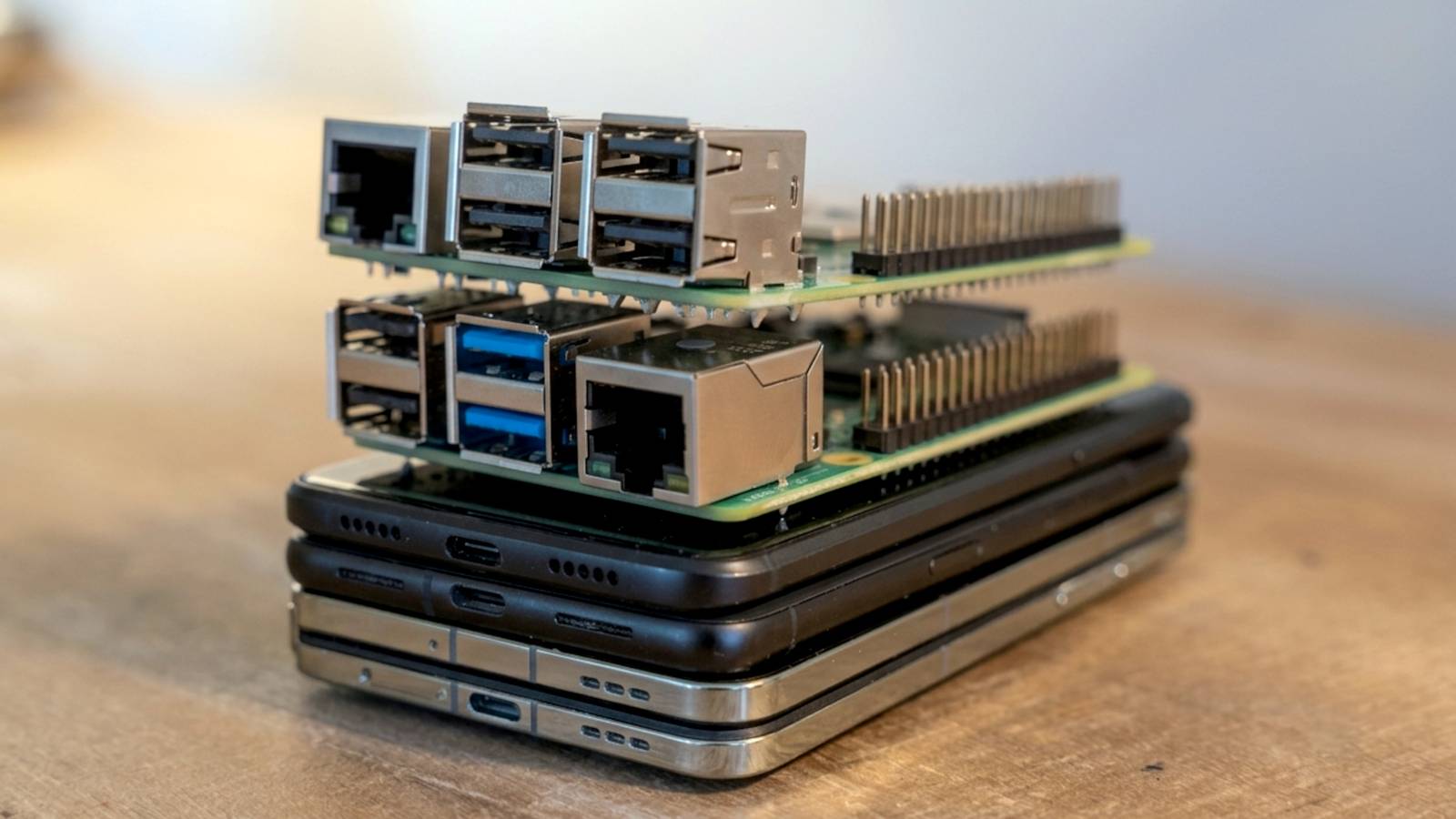
A Raspberry Pi 4 or 5 costs anywhere from $60 to $100 dollars before you even add a case, power supply, or storage.Meanwhile, your retired Android phone has all of that built in, including a battery that functions as an uninterruptible power supply during brief outages.With the right software, it can replace a Raspberry Pi while costing you nothing.
Why should you do it? Turning e-waste into a capable home server The most compelling reason to repurpose an old Android phone is that you already own it.Most phones from the last six or seven years pack a processor and RAM configuration that rivals or beats entry-level Pi boards, and many include faster onboard storage than a microSD card can offer.There's also an environmental angle worth considering.
Smartphones have a notoriously short functional lifespan before they're replaced, and a huge number end up in drawers or landfills rather than being put to further use.Repurposing one as a lightweight server or automation box extends its usefulness by years and keeps it out of the waste stream, which matters given how resource-intensive phone manufacturing is.From a practical standpoint, these devices are also remarkably power-efficient, since manufacturers spent years optimizing them to sip battery life, a trait that translates well into a device meant to run continuously in the background.
You get a built-in screen for diagnostics, a battery backup, integrated networking including WiFi and often cellular data as a fallback, and a compact form factor that fits anywhere.The use cases are broad too, covering things like a Pi-hole style ad blocker, a personal cloud storage node, a lightweight web server, a media downloader, or a lightweight home automation hub.Pretty much anything you want.
Related 5 ways to repurpose an old Android phone Don't let that phone rot away in a drawer.Posts 6 By Bertel King First method: Termux + (optionally) proot-distro Running a full Linux environment without root access Close Here's the thing, though.Android is pretty inefficient for the kind of stuff you would use a Raspberry Pi for, so you need to do some workarounds to get whatever your use case is up and running.
The most accessible method is probably Termux.Termux is a terminal emulator and Linux environment app available for Android that doesn't require root access, which makes it the most accessible entry point for most people.Once installed from F-Droid or GitHub, since the Play Store version is outdated and unsupported, Termux gives you a Debian-based userland with access to a package manager, letting you install things like Python, Node.js, Git, OpenSSH, and hundreds of other command-line tools directly.
This alone is enough to run lightweight servers, scripts, and scheduled tasks entirely within the Android sandbox.For anyone who needs a more complete Linux experience, proot-distro extends Termux by letting you install full distributions such as Ubuntu, Debian, or Arch Linux inside a chrooted-style environment, without needing root or unlocking the bootloader.This is particularly useful if you want to run software that expects a genuine Linux filesystem layout or specific system libraries that Termux's minimal environment doesn't provide.
The setup process is straightforward: install Termux, run the proot-distro install command with your distribution of choice, and you're dropped into a shell that behaves like a normal Linux machine.Performance takes a hit because you're running an emulated layer on top of Android rather than bare metal (and proot-distro creates more overhead because you're running another emulated instance inside that emulated instance), but for most home server tasks, like hosting a small website, running a Syncthing instance, or serving files over SSH, the overhead is negligible.Termux also supports running in the background via a wake lock, and combined with Tasker or Termux:Boot, you can have your environment start automatically on reboot.
The biggest advantage here is reversibility.Nothing about this method touches your phone's underlying operating system, so if you ever want to hand the phone back to its original purpose, you simply uninstall the app, and everything is gone.Second method: Third-party Linux custom ROM Replacing Android entirely with a true Linux distribution The second approach is more drastic but arguably more powerful: flashing a custom ROM that replaces Android with a genuine Linux distribution running natively on the hardware.
Projects like postmarketOS or Ubuntu Touch have made significant progress in bringing mainline Linux support to a growing list of older Android devices, treating the phone as just another ARM computer rather than a locked-down mobile appliance.This method requires an unlocked bootloader, which not every device supports, and the process typically involves flashing a custom recovery, then installing the distribution image directly.Unlike Termux, there's no Android layer running underneath, so you get access to the full hardware without emulation overhead, and standard Linux tools, package managers, and system services behave exactly as they would on a laptop or desktop.
This makes it a better fit for workloads that need consistent performance or deeper system access, such as running Docker containers, compiling software, or hosting services that expect a conventional Linux init system.The tradeoff is complexity and risk.Bootloader unlocking often trips hardware-backed security features, voids warranties, and, on some devices, can permanently affect certain sensors or radios if the ROM's driver support is incomplete.
Hardware compatibility is also inconsistent across the postmarketOS device list, with some phones enjoying near-complete mainline support for WiFi, cameras, and cellular modems, while others are missing key drivers entirely.Battery life and thermal management can behave less gracefully as well, since manufacturers spend enormous effort tuning Android's power management for specific chipsets, and a general-purpose Linux kernel doesn't always replicate that tuning out of the box.Community documentation has improved substantially over the past few years, and flashing guides are more approachable than they used to be, but this route still demands more comfort with command-line flashing tools and troubleshooting than simply installing an app from F-Droid.
Which is better? Choosing based on your comfort level and goals There isn't a universally correct answer here, since the right method depends heavily on what you're trying to accomplish and how much risk you're willing to take.Termux with proot-distro is the clear choice for anyone who wants a reversible, low-friction setup that can be running within minutes and removed just as easily if it doesn't work out.It's also the safer option for phones you might want to resell or hand down later, since the underlying Android installation remains completely untouched.
The tradeoff is a thin layer of emulation overhead and occasional compatibility quirks with software that expects a truly native Linux environment.A custom ROM through postmarketOS or similar projects makes more sense if you're committing the phone to permanent server duty and want the best possible performance and compatibility with standard Linux workflows.It's the better choice for anyone comfortable with bootloader unlocking and flashing tools, and for devices with strong community support behind them.
For most people dipping a toe into this for the first time, starting with Termux is the more sensible entry point, since it costs nothing but a little time and carries essentially zero risk to the device itself.You can always migrate to a full custom ROM later once you have a clearer sense of what you actually need the hardware to do, and by then you'll likely have a better read on whether your specific phone model even has solid postmarketOS support to begin with.It can be a little spotty with some newer phones.
An old phone can outwork a new Pi Whether through Termux or a full Linux ROM, your old Android phone can match a Raspberry Pi's capabilities for free.Start simple, scale up if needed, and let old hardware earn its keep again.
Read More