Printers are pretty old tech made for a job that's already losing relevance in many contexts.They really don't need to do anything other than connect to the devices we want to print from.So, imagine my surprise when I fired up my router logs one boring Sunday and saw my office inkjet chatting away to a bunch of servers I never asked it to talk to.
As suspicious as it seems, this is apparently what printers do now: constantly send data back to the mothership.Pretty cool, I suppose.Or is it? They phone home for telemetry, ink levels, usage stats, and firmware updates you may not even want.
You could argue that it doesn't really matter, but it rubbed me the wrong way.So I rolled up my sleeves, locked mine down at the network level, and now it prints like it's 2009 again.Here's how to do it.
My printer was sending data home, and I had no idea The "smart" features come with a catch nobody mentions Though there's no reason for you to know or think about this when you buy it, a modern printer is basically a little internet-connected computer, and it treats your home network like an open door.Some brands, for instance, run a device health tracker service that sends device telemetry like event logs and consumable levels back to the company.But it's not just ink levels.
The data can include pages printed, print mode, the media used, the ink or toner brand, the file type printed, the application used for printing, file size, and a timestamp.In other words, your printer knows you opened Photoshop at 2 a.m.to print a JPG, and it might want to talk about it.
Then there's the firmware.Printers will automatically pull down "updates" that can do things that are not entirely beneficial to users.One infamous example is firmware updates that blocked cartridges containing non-brand chips, making it impossible to use third-party ink cartridges with an up-to-date printer.
The fix is simpler than you'd think: cut off its internet, not your LAN You want it talking to your devices, just not the outside world The goal here is simple: you want to let the printer keep talking to your laptop and phone so you can actually print, but slam the door on its connection to the wider internet.And this is perfectly possible because your printer absolutely does not need outbound internet access to do its job.The cleanest, most bulletproof method is a firewall rule.
You create an outbound rule that drops or rejects any traffic from the printer headed to the WAN, while leaving your local network traffic untouched.As long as it's implemented properly, the printer won't be able to circumvent this restriction, no matter what firmware updates it gets or tricks it tries to pull.Your firewall rules are out of its control.
Before you do this, however, it's a good idea to pin the printer to a fixed address.If you leave it on a regular DHCP, its IP can change, and your nice blocking rule suddenly points at nothing.Setting up a DHCP reservation (or a static lease) means you can wipe or rebuild devices without worrying about resetting IP addresses, because the DHCP server just remembers them.
Lock the IP, then block the IP.It's simple, and you don't need any fancy gear to do it.Related You're setting up custom DNS wrong—and it's breaking your network troubleshooting Most people don't need custom DNS settings on every device, and there's a better way to approach it Posts 9 By Monica J.
White Going further with VLANs For when "blocked" isn't quite paranoid enough If you want to take things a step further, VLANs are your friend.The idea is to drop your printer (and honestly all your sketchy IoT gear) onto its own isolated VLAN and create an outbound firewall rule on it.Conveniently, you can temporarily disable that rule if and when you want a legit firmware update.
You're the one in charge, and the printer only gets out when you say so.To make this work properly, you'll need to set up the right rules so your trusted devices can still reach the printer across VLANs.The trick is adding a rule allowing your printing device to access the printer on its relevant IPs and ports, with established and related packets, and placing that rule above your blocking rules.
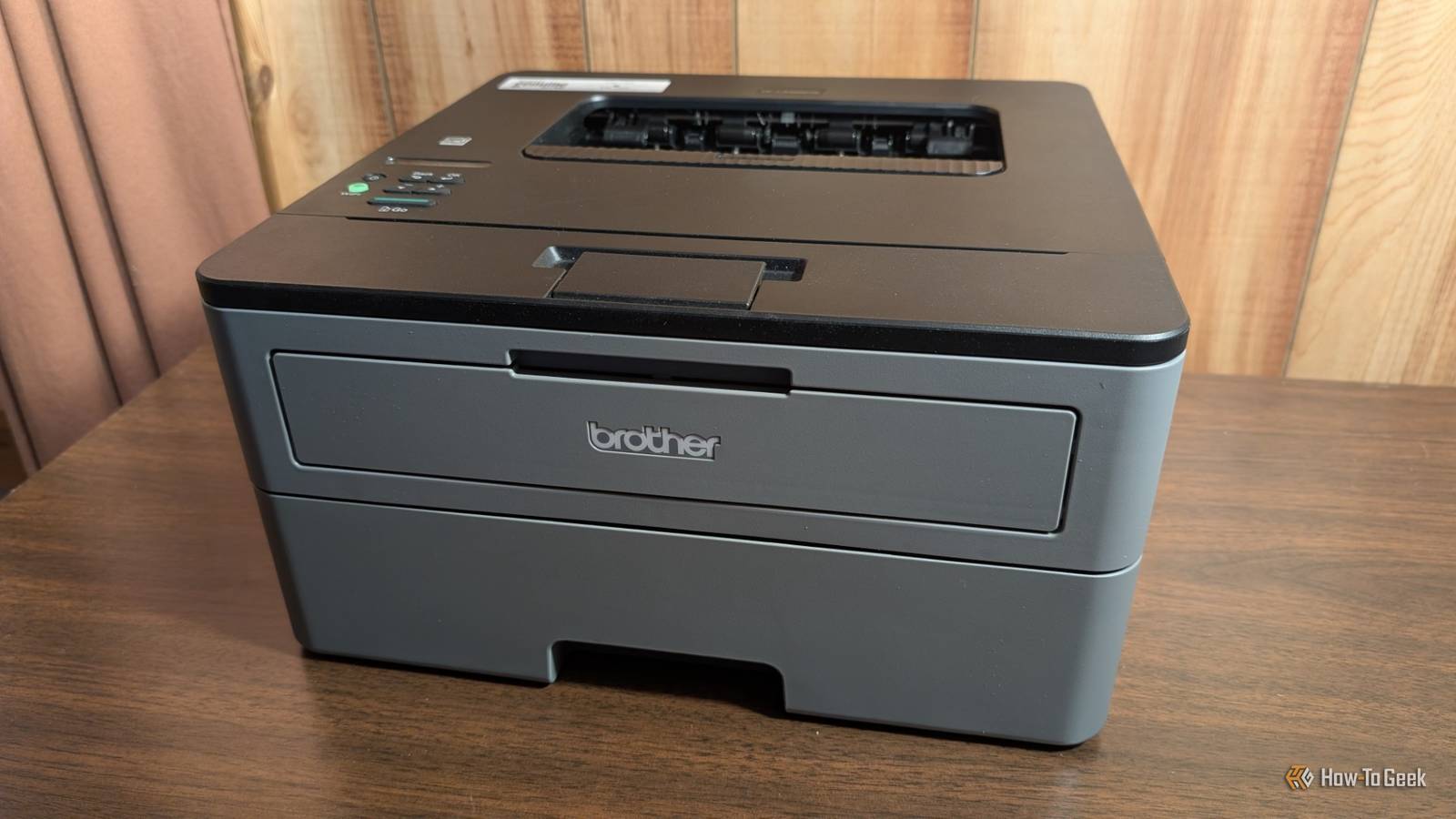
Order matters in firewalls, so don't skip that detail.Brother HL-L2405W Laser Printer If you still need a printer, this Brother option is a solid pick.It gets the job done quickly and effectively.
See at Amazon See at Best Buy See at Brother Expand Collapse My printer is finally just a printer again And honestly, it should have been this way all along I personally took the VLAN route, and now my printer sits on my network doing exactly what I bought it for and absolutely nothing else.It can talk to my laptop, it can talk to my phone, and when it tries to phone home with whatever gossip it's collected, my router quietly drops the call.No telemetry, no surprise firmware that hates my cheaper cartridges, no mystery 2 a.m.
connections in my logs.The bar is genuinely on the floor here The thing that really triggers the anger here is, of course, that none of this should be necessary.We've reached a point where you have to actively fight your own hardware to stop it from snitching on you, and that's more than a little messed up.
But the fix is real, it's permanent, and it didn't take long.Pin a static IP, write a firewall rule, and if you're feeling fancy, toss it on its own VLAN.Do that once, and your printer goes right back to being the boring, dependable appliance it always should have been.
Mine hasn't said a word to anyone since, and that's exactly how I want it.TP-Link Dual-Band BE6500 Gaming Router Supported standards 802.11.be, 802.11ac, 802.11ax, 802.11g, 802.11n Speeds 6500 Megabits Per Second When in doubt, get a secure router.This TP-Link Wi-Fi 7 device is great for just about any home network.
$220 at Amazon Expand Collapse
Read More